
One of the things I like most about Fourthwall, is that the brand platform gives you a home for your store straight away, no need to spend time plugging tools for POD, digital products, or membership into something like Shopify. Still, that doesn’t mean your store has to be your only sales channel.
TikTok Shop could be the perfect next avenue for your growth strategy, particularly if you’re selling something visual to younger audiences. In fact, Americans alone are spending about $32 million a day on TikTok’s shopping channel. That’s a huge opportunity, and Fourthwall lets you tap into it in a matter of minutes.
Here, I’m going to show you exactly how you can set up the connection, and why it makes so much sense to use Fourthwall and TikTok shop together.
Why Combine Fourthwall and TikTok Shop?
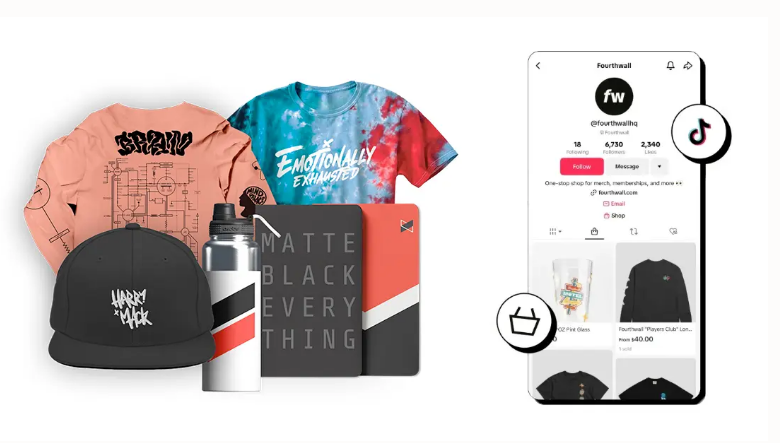
Fourthwall isn’t like your standard print-on-demand provider or digital downloads app, it doesn’t actually need you to connect to another storefront, because you get one as part of the platform’s free plan. Still, you can connect to other social sales channels, including Twitch Gifting, Meta (Facebook and Instagram) shops, YouTube Product Shelf, and of course, TikTok Shop.
When you link Fourthwall to TikTok Shop, you’re getting all the benefits of one of the most lucrative social selling channels out there. Customers can discover your items on a platform where about 83% of customers say they find new products, and you can use affiliates to boost sales.
When customers add products to their cart, they can buy them immediately without leaving the channel, and you’re getting a handful of other handy features too, like the ability to interact with customers in real-time during live shopping events, a “Favorites” section so customers can create their own wish lists, and embedded analytics.
What Fourthwall gives you (on top of that), is the store and product system behind the social selling moment. Along with your branded shop, you’ve got access to retail-grade print on demand products, custom sourced items, and digital downloads or memberships in one place.
You’re also getting a team that acts as your Merchant of Record (For taxes), and handles customer support for POD products. Plus, extra features like the Fourthwall AI assistant, a designer marketplace, and helpful bundling tools.
How to Connect TikTok Shop to Fourthwall
Establishing the connection between TikTok Shop and Fourthwall isn’t hard itself. You just need to get the basics ironed out. TikTok needs tax details, shipping rules, and a Business Account with seller verification before you can sell anything. Fourthwall needs you to have your store foundation set up before you can finish the sync.
Step 1: Create Your TikTok Shop Account
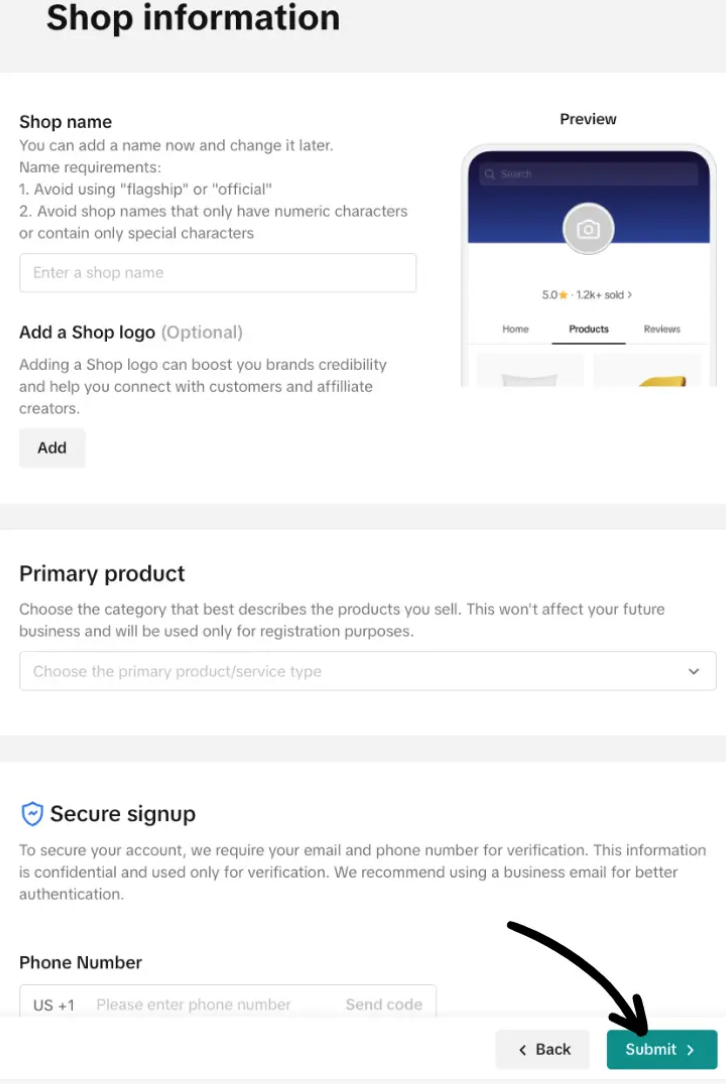
I’d set up TikTok Shop first, and it should be pretty simple if you already have a TikTok account. You’ll need to log into that account on a desktop, click on your profile icon, then click Business Suite. Click on Activity & Support, and TikTok Shop, then choose Sign up now.
TikTok will ask you to authorize your account, and provide a few personal details, like your business name, and shop name. You do need a Business Account here, if you want to access all the creator-specific features. It’s also worth noting that TikTok Shop is only available in some regions for now, like the US, UK, and select EU and Australian markets.
More importantly, the products you offer need to shop within three days or less. Fortunately, Fourthwall filters products for you to help with that.
Add all the details TikTok asks for, and when TikTok asks about third parties, choose No, because Fourthwall isn’t treated as a third party in this setup.
Be cautious about the store name you choose (it should be recognizable, or match your profile name), also, when you pick your primary product or service, Fourthwall recommends using either Menswear & Underwear, or Womenswear & Underwear (simply because it helps with TikTok tracking).
Finally, in the TikTok Shop dashboard, add your tax information. You’ll need to review the W-9 form before submitting. Then submit your application and wait for it to be approved (usually about 48 hours).
Step 2: Create and Set Up Your Fourthwall Store
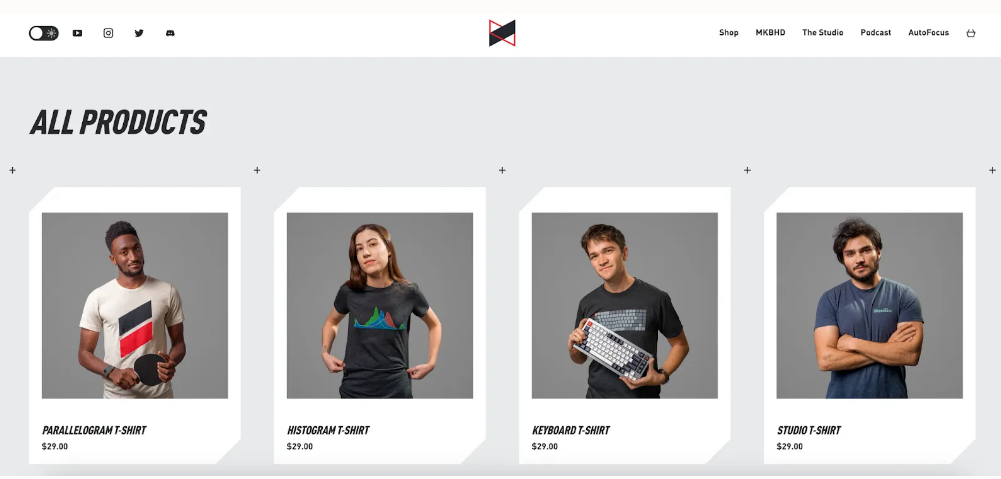
While you’re waiting for your TikTok account status to update, go and create your Fourthwall store. You can sign up for free here, and start putting the essential elements of your website together.
I wouldn’t go too far too fast here. Add your shop name (it should match the one you have on TikTok, or be pretty close), and build your store. Fourthwall gives you plenty of themes to choose from, and you can tweak them with colors, logos, and custom copy to match your brand.
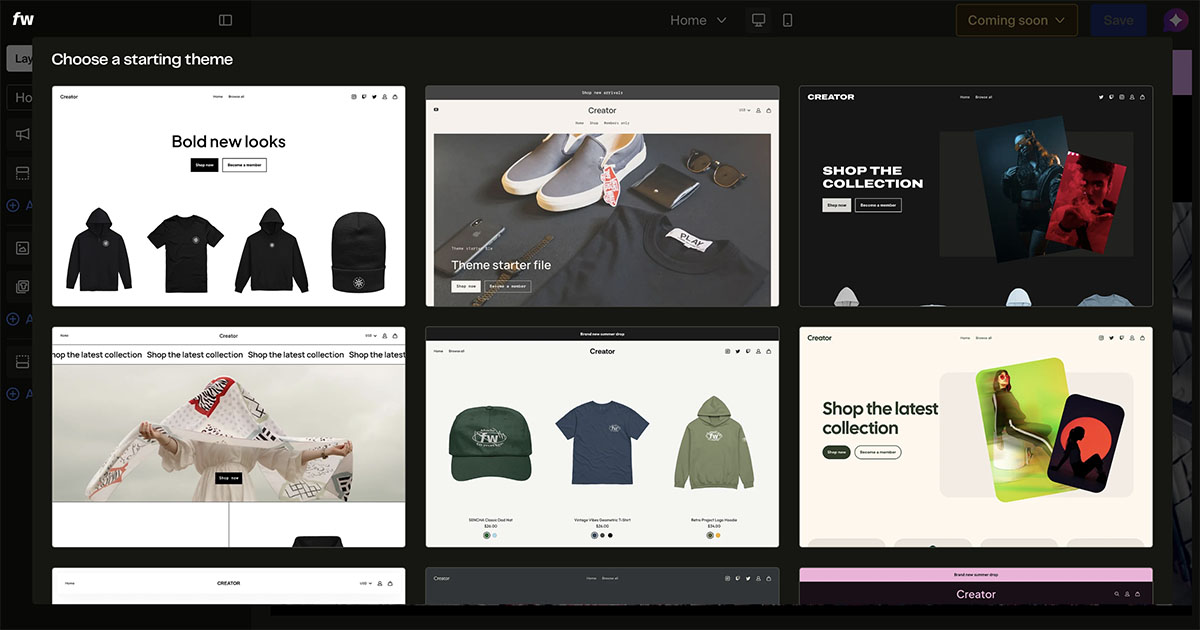
Once you’re reasonably happy with your store, start building out your catalog. Again, Fourthwall gives you a lot of options here, including the choice to source custom products, sell your own products or sell digital products and members-only videos. You can even launch your own app.
I’d probably start with the print-on-demand catalog, though, since you’re choosing premium items that are guaranteed to look great on camera. These items give you a lot of freedom to create promotional content too. You can wear them on a stream, unbox them, compare colors, and answer sizing questions in video.
Plus, as I said before, Fourthwall filters through items that you’ll be able to sell on TikTok based on how fast they ship (which save you from making expensive mistakes).
Choose about 4-6 products to begin with, add your designs with Fourthwall’s tools, and fill out your product pages with all the details customers are going to need. Be descriptive, tell your audience about the materials used, and whether they’re eco-friendly or luxurious.
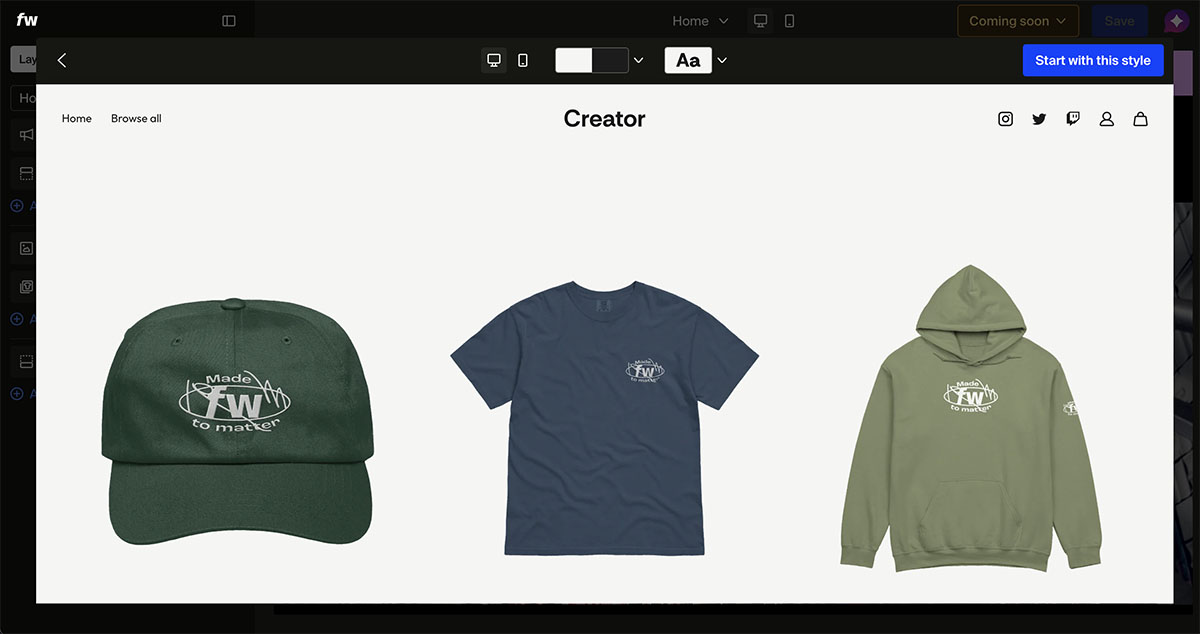
Add size guides and images, shipping expectations, and even consider bundling products where it makes sense. I’d also suggest purchasing some samples, so you can produce all those great videos I mentioned, and take custom pictures yourself.
Step 3: Set Up Shipping in TikTok Shop
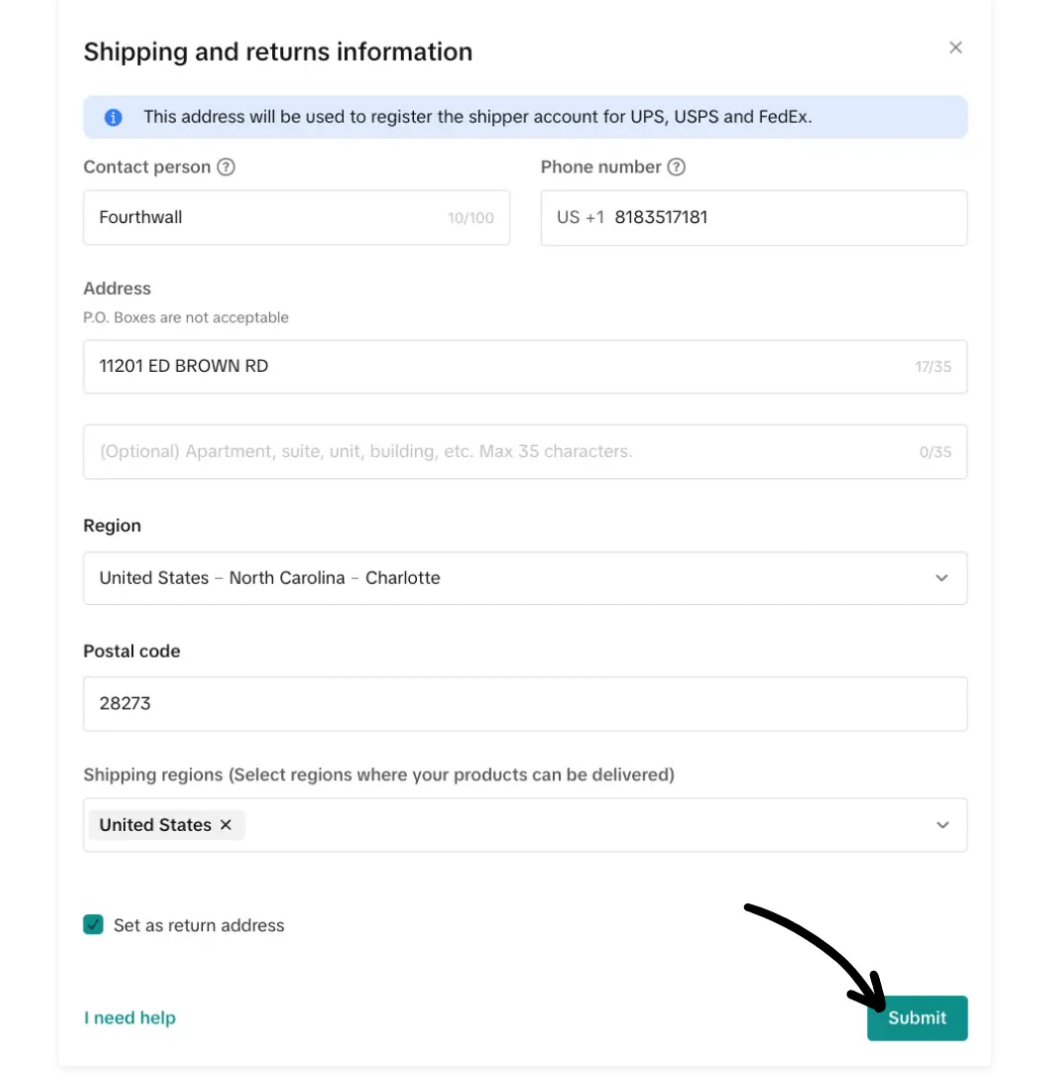
When you’re ready, head back to TikTok for the more technical part of the job: setting up shipping. Click on Set up Shipping in the TikTok dashboard, and when the platform asks you if want to use the same address you used in account setup, say “No”.
You’ll see a screen where you need to add Fourthwall’s details (since they’re you’re fulfillment provider). Here are the details if you don’t want to hunt for them:
- Contact Person = Fourthwall
- Phone number: 818-351-7181
- Address: 11201 Ed Brown Road, Charlotte, NC 28273
Quick note, that’s the US address, if you’re shipping from the UK, you’ll need to contact Fourthwall’s support team for details. You can keep the checkbox selected as “Set as return address” too, since Fourthwall handles customer support for POD items.
Hit Submit when you’ve entered all the details. Then click on Edit Settings on the Shipping Options page. Switch from TikTok Shipping to Seller Shipping, and click View Shipping Templates.
Here you can choose from free shipping, and regular shipping, and rename US Pickup Warehouse to Fourthwall. The warehouse name needs to match Fourthwall or Fourthwall Shipping exactly in every region, or orders won’t sync correctly.
Step 4: Connect TikTok Shop to Fourthwall
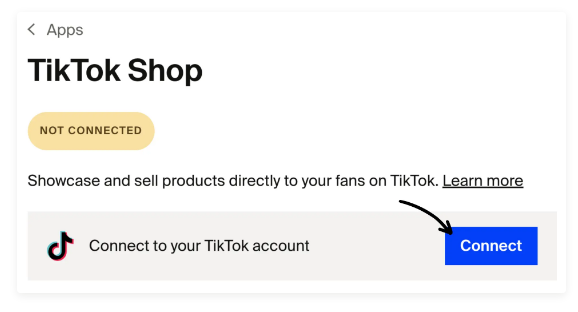
Now both of your accounts are set up, and you’ve got shipping handled, go back to your Fourthwall account, open Apps and choose TikTok Shop then Connect. You can set the duration for the connection (which should be Unlimited), and add a private contact email.
Confirm the installation, and click Authorize on the page that shows.
Once that’s done, pick your TikTok Shop account from the dropdown menu, and choose the warehouse connected to your Fourthwall shipping system. You should only see one option, but you might have accidentally made a few. Pick the one with the Fourthwall address from the last step.
Fourthwall might ask for a card. That’s because TikTok pays the TikTok Shop order revenue directly to you. Fourthwall still has to make and ship the product. If your Fourthwall balance doesn’t cover that product and shipping cost, Fourthwall charges the card. You can set a charge limit, although orders can be cancelled if you hit the limit before it resets.
Once the connections live, Fourthwall will pull any eligible products (public items that ship in three days), from your catalog into TikTok Shop.
Refresh the TikTok Shop page inside Fourthwall after you publish products to make sure they’re synced properly (before you create any launch videos).
Quick tip here, don’t edit synced products directly in TikTok Seller Center. Change anything you need to change (descriptions, names, prices) in Fourthwall, and let Fourthwall do the sync.
Also, keep in mind if you chose free shipping earlier, you can select the option to “increase the price of products on TikTok Shop” so the list price covers shipping.
Step 5: Launch, Watch the Data, Then Add Carefully
After launch, keep an eye on the sync, and ensure everything keeps working as it should, but also look for opportunities to grow. Use the analytics and insights TikTok gives you to see which videos (and products) are getting the most attention. On Fourthwall’s side, watch synced orders and best sellers.
As you collect more data, make notes of products you might want to build on. Fourthwall has some useful features to help you here, beyond it’s excellent POD marketplace. The Eli assistant, for instance, can help you analyze your data and suggest growth opportunities. It can also help turn a single product into a whole collection.
You don’t need to rush into building out a huge catalog, but feel free to experiment. After all, with Fourthwall POD, you’re only paying for the product when it actually sells.
If you really start ramping up orders, you might want to think about branching into new sales channels too, like Facebook Shopping or Twitch Gifting, particularly if you already have audiences there.
I’d also recommend looking at limited time events, like exclusive merch drops or pre-orders if you want to keep your audience engaged and excited. Throw out a few promo codes from time to time, and even think about collaborating with other creators on your next drop.
Growing Your Brand with Fourthwall and TikTok Shop
Fourthwall and TikTok shop are both great platforms for sellers on their own, but I really do think they’re fantastic combined. If you’re the kind of creator that already has an audience on TikTok, linking the two gives you a brilliant way to increase sales, unlock new levels of engagement, and scale without having to take on too much extra work.
Fourthwall, after all, isn’t just giving you a store and a POD catalog, it’s giving you all the support you need to run a thriving brand without having to handle too much admin in the background.
Both tools are free to use (and connect), so even if you’re not entirely sure yet, there’s nothing stopping you from experimenting. Sign up for your free Fourthwall account here.



