Among the best ecommerce platforms for artists, I recommend Squarespace for running a shop you own. Etsy is still the better place to find your first buyers, especially without followers or an email list.
This Squarespace vs Etsy comparison isn’t apples to apples: Etsy gives you a marketplace stall. Squarespace gives you a website and store on your own domain, but no built-in audience.
Etsy’s new AI-training terms take effect on December 16, 2026, and own websites were the top destination among sellers we tracked leaving Etsy. I’ll compare six areas and run the numbers on one $25 print-on-demand tee.
Key Takeaways
- Squarespace takes no listing or Offsite Ads fees: a $29.75 order costs $1.76 on Basic or $1.16 on Core, against $3.28 on Etsy.
- Etsy costs less for small shops: Squarespace Basic ($25/month) pays for itself from your 17th order a month, or your 13th on yearly billing.
- Etsy brings the buyers: 87.5 million active buyers, while Squarespace brings no marketplace traffic.
- Squarespace runs Printful on every plan, with no per-design listing fees and no product cap.
- Etsy’s new terms allow AI training on listings, with no general US opt-out. Squarespace’s terms don’t mention AI, and its crawler block covers 26 bots, but it’s off by default and its license is perpetual.
Best Overall

Squarespace
See pricing Try Squarespace →$25/month, or $19/month billed yearly
0% transaction fees from Core ($39/month)
- Your own domain and customer list
- Printful built in on every plan
- AI crawler blocking setting
Best for Finding Buyers

Etsy
See pricing Try Etsy →$0/month, $0.20 per listing
6.5% transaction + 3% + $0.25 processing
- 87.5 million active buyers
- Printful and Printify integrations
- No monthly fee
A Quick Comparison of Squarespace vs Etsy
Compare fees, discovery and content control before choosing where to sell:
| Squarespace | Etsy | |
|---|---|---|
| Overall rating | 4.7/5 | 4.3/5 |
| Starting price | Basic $25/mo or $19/mo yearly • Core $39/mo or $29/mo yearly | $0/mo • $0.20/listing • Location-dependent set-up fee may apply |
| Fees per sale | Basic 2%, Core and up 0% • Basic/Core standard US cards 2.9% + $0.30 | 6.5% transaction • US processing 3% + $0.25 • Offsite Ads 15% or 12% on attributed orders |
| Fees on a $29.75 POD order | Basic $1.76 • Core $1.16 | $3.28 • $7.74 with 15% Offsite Ads |
| Free plan or trial | 14-day trial • No free plan | No monthly fee |
| Built-in traffic | None: you bring every visitor | 87.5 million active buyers |
| Print on demand | Printful on every plan • Printify, Spreadconnect, Art of Where and Printique extensions • No product cap | Printful and Printify • No product cap • Production-partner disclosure required |
| AI terms | No AI wording in Terms of Service • Perpetual, irrevocable license to “provide, improve, promote and protect the Services” • 26-bot crawler block, off by default | From December 16, 2026, Etsy and partners may train AI on content • No general US opt-out |
| Pros | • Own domain and checkout • 0% transaction fees from Core • Unlimited products • Printful on every plan • 24/7 support, says Squarespace | • Buyers already searching • No monthly fee • No product cap • Etsy Payments built in |
| Cons | • No marketplace traffic • Monthly fee • Basic’s 2% fee, no discounts • One-time Etsy import, no sync • Crawler block off by default | • Fees include shipping • Mandatory Offsite Ads from $10,000 prior-365-day sales • AI-training clause • Possible reserves • Limited branding |
Considering Shopify too? Our Shopify vs Etsy vs Squarespace comparison covers all three.
What Kinds of Business Is Squarespace or Etsy Best For?
Choose around your audience, your catalog and Etsy’s AI terms:
Squarespace Is Best for…
- Artists, makers and POD brands with followers, an email list or market customers
- Sellers wanting their own domain, design and customer list
- Etsy leavers wanting different content terms and an AI crawler block

Etsy Is Best for…
- New sellers needing marketplace discovery
- Small shops selling a few items monthly, without a monthly fee
- Sellers comfortable with the December 16 AI-training clause
1. Best for Pricing and Fees: Squarespace
The Winner
Squarespace keeps more of every sale
A $29.75 order costs $1.76 on Basic or $1.16 on Core, against $3.28 on Etsy. Basic pays for itself from your 17th order a month.
Once you sell regularly, Squarespace is cheaper to run. Etsy charges for listings and sales; Squarespace charges a monthly plan and less per sale.
How Much Do Squarespace and Etsy Cost?
Squarespace’s plans cost $25 to $139 monthly, or $19 to $99 a month billed yearly. Annual plans include a free domain for the first year.
Prices are in USD, as of November 2026.
| Squarespace Plan (monthly billing) | Key Squarespace Features | Etsy Plan | Key Etsy Features |
|---|---|---|---|
| Basic: $25/mo ($19/mo yearly) | • 2% commerce fee • Unlimited products • Printful/POD extensions • Abandoned cart recovery • 10 one-time AI credits | Standard: $0/mo | • $0.20/listing, renewed every 4 months • 6.5% transaction fee • US processing 3% + $0.25 • Variable set-up fee |
| Core: $39/mo ($29/mo yearly) | • 0% transaction fee • Discount codes • UPS/USPS labels • Carrier-calculated shipping • Google Shopping | Etsy Plus: $10/mo | • 15 monthly listing credits • $5 monthly Etsy Ads credit • Standard’s per-sale fees |
| Plus: $65/mo ($49/mo yearly) | • 2.7% + $0.30 card rate • Reserved cart and product-drop timer | ||
| Advanced: $139/mo ($99/mo yearly) | • 2.5% + $0.30 card rate • 0% courses/memberships fee |
Squarespace Payments charges 2.9% + $0.30 per standard US card on Basic and Core; premium cards cost 3.2% + $0.30. Stripe and PayPal charge their own rates.
Basic has no discount codes, shipping labels or carrier-calculated rates; those start on Core.
What Etsy Charges on Every Sale
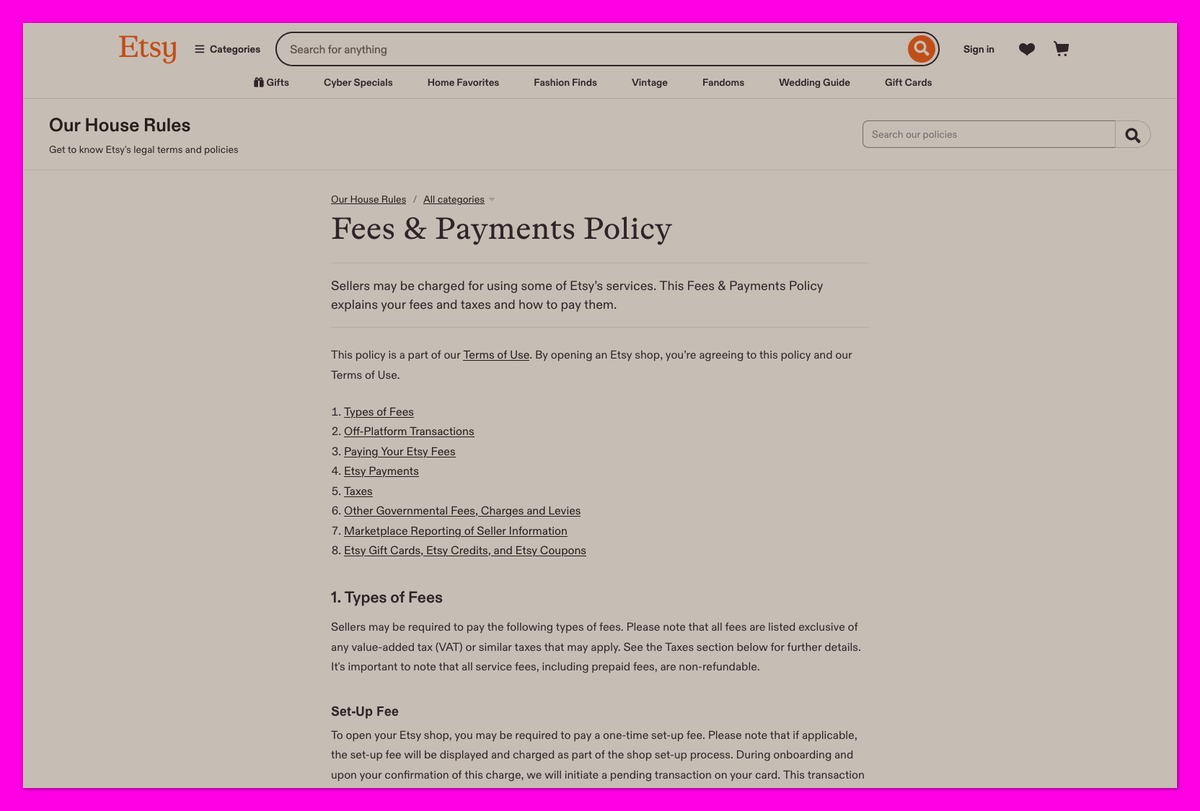
Etsy’s fees stack, including on the shipping you charge:
- Listing: $0.20, sold or unsold. Auto-renewal costs $0.20 every four months; each extra unit sold costs another $0.20.
- Transaction: 6.5% of item price plus shipping and gift wrap, excluding US sales tax.
- Processing: 3% + $0.25 on the total, including tax, for US Etsy Payments sellers. Rates vary by country.
- Offsite Ads: 15% on attributed orders under $10,000 in prior-365-day sales, with an opt-out. At $10,000, 12% becomes mandatory, even if sales fall. Attribution lasts 30 days after a click.
- Set-up fee: one-time, non-refundable, location-dependent and shown during setup; may apply.
- Currency conversion: 2.5% when listing and payment-account currencies differ.
See how much commission Etsy takes for international and less common fees.
What You Pay on a $25 T-Shirt
I ran the numbers on a $25.00 tee plus $4.75 shipping: $29.75 before sales tax, paid with a standard US card. This compares Etsy Standard with US Etsy Payments and one listing fee against Squarespace Payments on Basic and Core.
I applied Basic’s 2% to the whole order and excluded the identical POD provider charge.
| Per order ($29.75) | Etsy | Squarespace Basic | Squarespace Core |
|---|---|---|---|
| Listing fee | $0.20 | $0 | $0 |
| Transaction fee | $1.93 (6.5%) | $0.60 (2%) | $0 |
| Payment processing | $1.14 (3% + $0.25) | $1.16 (2.9% + $0.30) | $1.16 (2.9% + $0.30) |
| Total fees | $3.28 (11.01% of the order) | $1.76 (5.91%) | $1.16 (3.91%) |
| Total with a 15% Offsite Ads click | $7.74 | $1.76 | $1.16 |
Etsy’s 15% Offsite Ads fee adds $4.46; its 12% rate adds $3.57.
| Orders per month | Etsy fees | Squarespace Basic ($25/mo) + fees | Squarespace Core ($39/mo) + fees |
|---|---|---|---|
| 5 | $16.38 | $33.79 | $44.81 |
| 10 | $32.76 | $42.58 | $50.63 |
| 20 | $65.53 | $60.16 | $62.26 |
| 30 | $98.29 | $77.73 | $73.88 |
Monthly billing, no Offsite Ads. Figures are rounded to the cent, and totals are worked out before rounding.
Basic costs $1.52 less per order and Core $2.11 less, or $5.98 and $6.58 less with Etsy’s 15% Offsite Ads fee.
Basic pays for itself from your 17th order monthly: 13th on yearly billing, or fifth if every Etsy order carries 15% Offsite Ads. Core breaks even from the 19th order monthly or 14th annually. Core beats Basic from order 24 monthly, or 17 annually.
Below those volumes, Etsy is cheaper. Squarespace also pays for a website and a first-year domain on annual billing.
Need more margin? See how to price print-on-demand products.
Do Squarespace and Etsy Offer Free Plans or Trials?
- Squarespace has no free plan, but every plan is free for 14 days. Then pay monthly or yearly.
- Etsy has no monthly fee, so it doesn’t need a trial. Any set-up fee shown and $0.20 listing charges still apply.
2. Best for Finding Customers: Etsy
The Winner
Etsy puts your work in front of buyers from day one
Etsy had 87.5 million active buyers in the 12 months to September 30, 2026. Squarespace has no marketplace, so you bring every visitor yourself.
For finding customers, Etsy is the clear winner. A new listing can appear in Etsy search; a new Squarespace site has no ready-made stream of visitors.
Etsy’s Built-In Audience
Etsy’s Q3 2026 figures show buyers returning, but sellers growing faster:
- 87.5 million active buyers, up 1%, the first year-over-year increase in two years.
- $2.65 billion quarterly GMS, the value of merchandise sold, up 8.8%.
- 5.8 million active sellers, up 6.5%.
That audience doesn’t guarantee attention. Etsy acknowledged that search sometimes favored cheaper digital items, and buyer confusion over AI-generated content ranks among the top three barriers to shopping more.
Engadget also reported criticism of mass-produced and drop-shipped items on the marketplace. Original artwork still competes for visibility.
Etsy Ads and Offsite Ads can bring additional traffic, but they cost money. If you’re deciding whether selling on Etsy is worth it, that guide weighs fees against discovery.
Finding Customers for a Squarespace Store
Squarespace supplies marketing tools, not marketplace traffic. Build your traffic through:
- Search: built-in SEO tools and keyword analysis, plus AI-suggested SEO descriptions and alt text.
- Email: the Contacts panel and Email Campaigns help you reach subscribers.
- Social: Facebook and Instagram catalog sync on every plan, with advanced Meta ads from Core.
- Google Shopping: product listings from Core upward.
Its AI Visibility tool tracks how your brand appears in AI search, with 10 one-time prompt runs on Basic or 20 monthly on Core. Tracking visibility doesn’t itself send shoppers to your store.
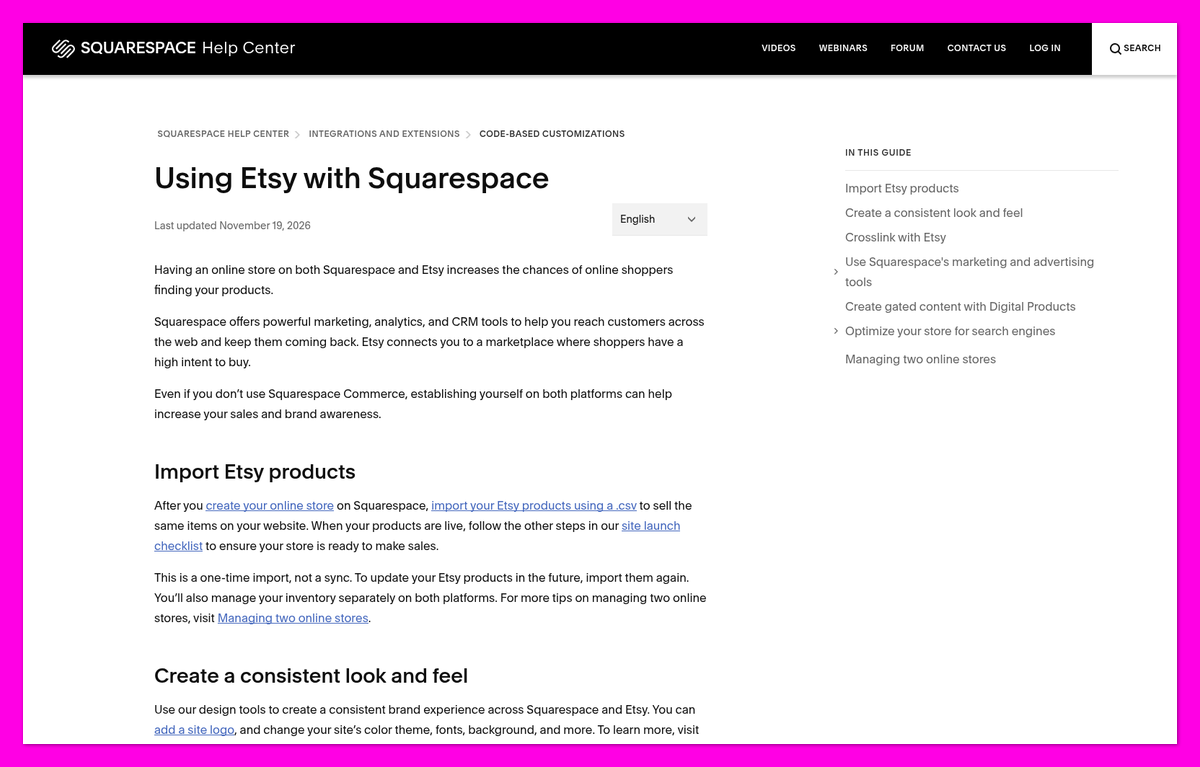
Squarespace’s help center recommends selling on both platforms, saying it “increases the chances of online shoppers finding your products.” For the broader decision, see selling on marketplaces vs your own website.
Our take
Etsy tells you whether strangers will buy your work, but it’s rented traffic. If you already have followers, an email list or a market table, Squarespace lets you build a direct relationship with those customers.
3. Best for Branding, Design and Customer Ownership: Squarespace
The Winner
Squarespace lets you build a shop that’s clearly yours
Every plan includes designer templates, a drag-and-drop editor and checkout on your own domain. Etsy keeps your shop inside Etsy’s layout.
Squarespace is the better home for a brand you want people to remember. Our Squarespace review for creators covers the builder in more depth.
Your Shop, Your Design
Squarespace lets you control the website around your products:
- Designer templates: restyle them with the Fluid Engine drag-and-drop editor on version 7.1 sites.
- CSS editor on every plan: make styling changes yourself, with code injection and advanced code blocks available from Core.
- Your own domain and checkout: every plan supports checkout on your domain. Yearly plans include domain registration for the first year.
I’d choose Squarespace if presenting your artwork and explaining your process matter as much as displaying the price. You can shape that experience instead of fitting everything into an Etsy listing.
Etsy offers a banner, logo and shop sections inside its own layout. Its answer to a standalone store is Pattern, $15/month after a 30-day trial, but that separate website still runs under Etsy’s policies.
Who Owns the Customer?
On Squarespace, customers can create accounts, and the Contacts panel holds unlimited subscribers and customers. Repeat buyers return to your domain rather than searching for your shop inside a marketplace.
On Etsy, buyers shop “on Etsy.” Its Terms say you have no contractual or legal right to keep selling if your account is suspended, and payment reserves can hold part of new physical-item sales.
I wouldn’t make Etsy your only channel once repeat customers actively seek out your work. A separate website gives them another place to find you, even if Etsy remains your discovery channel.
Want more ecommerce muscle than Squarespace? Our Shopify vs Squarespace comparison weighs the two builders.
Our take
A Squarespace site builds your brand; an Etsy shop rents marketplace space. Repeat buyers and word of mouth both need a name people can find again.
If owning your brand and customer list matters more than borrowed traffic, try Squarespace free for 14 days.
4. Best for Print on Demand: Squarespace
The Winner
Squarespace is the better home for a growing POD catalog
Printful is built into every Squarespace plan, with no fee per design. On Etsy, each design listing costs $0.20 every four months, and you must disclose your print partner.
For print on demand, Squarespace wins narrowly. Etsy brings the buyers, as round two showed, but Squarespace runs your catalog with fewer fees and rules.
Print on Demand on Squarespace
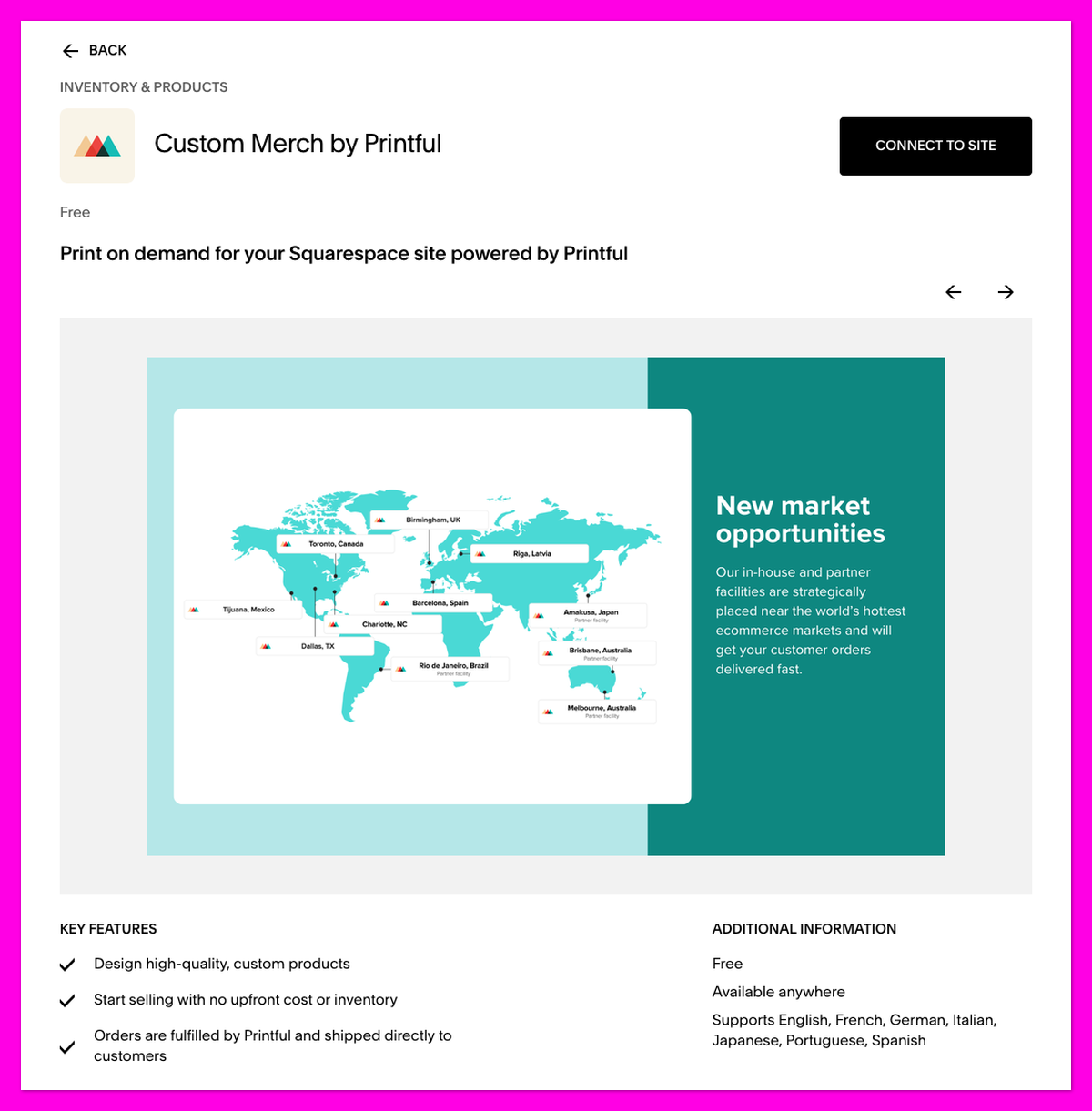
Printful connects through the Custom merch panel on every plan, including Basic. Other extensions include:
- Printify
- Spreadconnect
- Art of Where
- Printique, available in the US and Canada only
Orders go to your provider automatically. Add a billing method there to pay for fulfillment.
- Unlimited products: no listing fees when adding designs.
- Shipping options must exist in Squarespace: Printful creates flat-rate options automatically if you have none and sell in USD, CAD, GBP, EUR or AUD. Otherwise, set rates yourself.
- Edits split between platforms: change design files in Printful, but titles, descriptions and prices in Squarespace.
- Support is split too: Squarespace helps connect the extension; product questions go to your provider.
Our Printful review covers its products and print quality.
Print on Demand on Etsy
Printful and Printify connect to Etsy without a required monthly subscription or product cap, but each design listing costs $0.20 every four months, and each sale renews it for another $0.20.
Etsy’s Creativity Standards classify original designs, including seller-prompted AI art, as “Designed by a seller.” Disclose production partners. October 2026 rules require unedited real-item photos in more cases and ban AI-created craft patterns and instructions.
Etsy is testing Ventur Editions, powered by FYUL, Printify and Printful’s parent. Eligible US and Canadian digital sellers may be included automatically: buyers can print downloads without extra creator pay. Opt out shop-wide in Shop Manager; sellers with POD integrations or physical versions are excluded.
Compare providers in our best print-on-demand companies for Etsy guide.
Squarespace applies its commerce fee to downloads, 2% on Basic; courses and memberships carry separate fees from 7% on Basic to 0% on Advanced. See where to sell digital products.
What About Disclosing Your Print Provider on Etsy?
- Open Shop Manager > Settings > Partners you work with > Add production partner. For Printful, enter its name, location and “A print shop.”
- Answer the questions about your role, including designing the item.
- In each listing’s “Who made it?” field, choose “Another company or person” and select the partner.
Squarespace has no equivalent rule.
5. Best for Content Control and AI Terms: Squarespace
The Winner
Squarespace gives you more say over how your work is used
Etsy’s December terms permit AI training without a general US opt-out. Squarespace’s terms don’t mention AI and it can block 26 known AI crawlers, but its license is perpetual and the block is off by default. Neither is a no-training guarantee.
Squarespace leaves you more control, but it hasn’t promised never to train AI.
What Etsy’s New AI Clause Says
Etsy’s Terms, revised October 26, 2026, take effect on December 16, 2026:
“This also includes the right for us and our third party partners and vendors to use Your Content to develop, train, test and improve artificial intelligence and machine learning technologies, including to improve the Services and/or help keep them safe, subject to any applicable opt-out rights described in our Privacy Policy.”
Its existing license is non-exclusive, worldwide, royalty-free, irrevocable, sublicensable and perpetual.
There’s no general opt-out for US sellers. Sellers who asked support were reportedly told to email Etsy’s data protection officer or close their account.
EU and UK sellers may have personal-data objection rights. The Terms bar others from AI training on Etsy content “without our express permission.”
How Etsy Responded, and Who’s Leaving
On November 16, 2026, Etsy’s VP of Customer Operations said: “We do not use your content to train AI models designed to copy your original work or replace your creativity. Again, this is not changing.”
Etsy lists these uses:
- Translations, listing optimization and stats summaries
- Fraud detection, search and recommendations
- Marketing
On November 20, 2026, The New York Times reported that longtime sellers were closing shops and that Etsy would send revised terms “soon.” As of November 23, 2026, no revision or date is published.
Of 353 sellers we tracked announcing departures between November 14 and 23, 2026, 118 named their own website, on builders such as Squarespace and Carrd: the largest group. Counts are rough.
Compare other Etsy alternatives.
What Squarespace’s Terms Say
Section 2.1 of Squarespace’s Terms, effective March 27, 2025, says: “Your User Content stays yours, except for the limited rights that enable us to provide, improve, promote and protect the Services as described in this Agreement.”
Section 2.2 states:
“When you provide User Content via the Services, you grant Squarespace (including our third party hosting providers acting on our behalf) a non-exclusive, worldwide, perpetual, irrevocable, royalty-free, sublicensable, transferable right and license to use, host, store, reproduce, modify, create derivative works of (such as those resulting from translations, adaptations or other changes we make so that User Content works better with the Services), communicate, publish, publicly display, publicly perform and distribute User Content for the limited purposes of allowing us to provide, improve, promote and protect the Services.”
- No AI wording: neither the Terms nor Privacy Policy, effective July 15, 2026, mentions AI training. “Improve” isn’t defined; the Terms neither grant an explicit AI-training right nor rule one out.
- Perpetual and irrevocable: the license doesn’t say it ends when you leave. It’s also sublicensable and transferable.
- Separate AI Terms: only when you use Squarespace’s AI features, its AI Terms (effective June 25, 2026) let it send your prompts to its AI providers, OpenAI, Anthropic and Google, “to use in accordance with its terms and policies.”
- Featuring opt-out: Squarespace may feature your site in its marketing; you can opt out in your account.
- No pledge: Squarespace hasn’t promised never to train AI on customer sites.
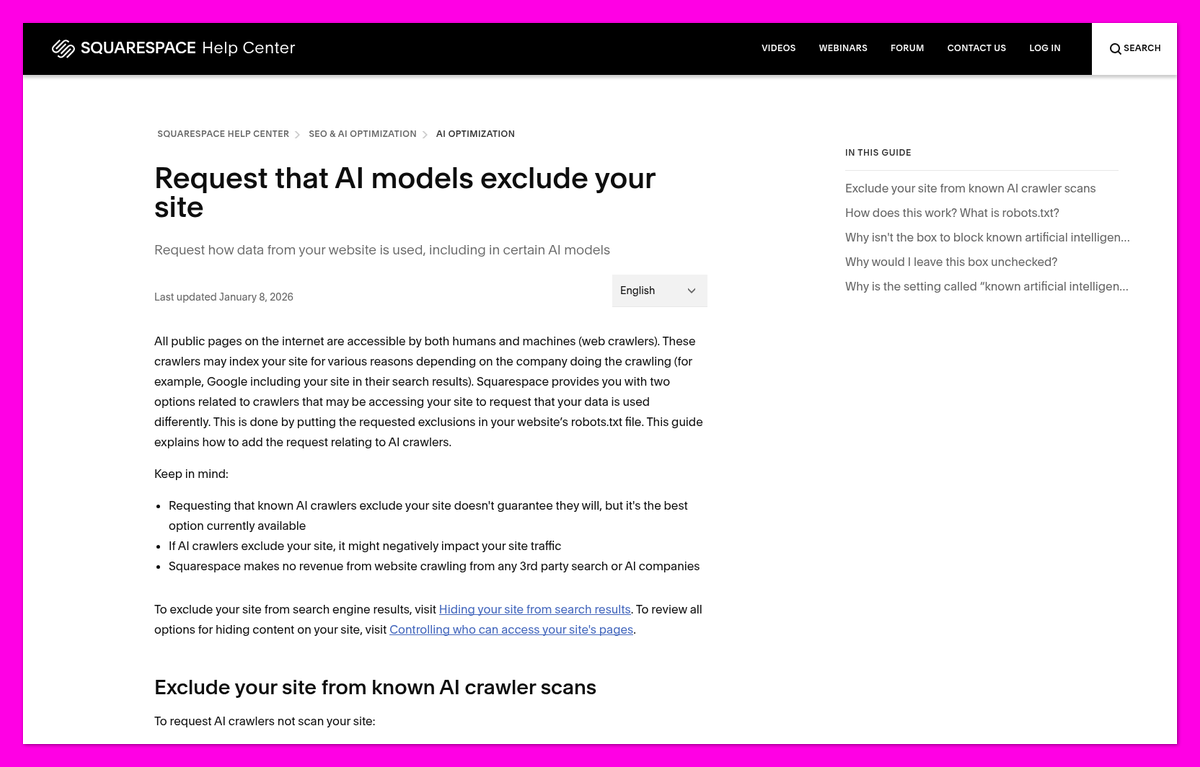
How to Turn On Squarespace’s AI Crawler Block
- Open Settings.
- Click Crawlers.
- Check Block known artificial intelligence crawlers.
This adds 26 bots to robots.txt, including:
- GPTBot
- ClaudeBot
- Google-Extended
- Applebot-Extended
- Meta-ExternalAgent
- CCBot
It’s off by default, drawing criticism in 2023 and 2024. Squarespace said it “offers you the option to opt-out.”
- Robots.txt requests compliance; it “doesn’t guarantee they will” comply.
- It doesn’t remove previously scraped content.
- You can’t target specific pages or edit robots.txt directly.
- Blocking may reduce traffic from AI answers.
Squarespace says it “makes no revenue from website crawling from any 3rd party search or AI companies.”
Big Cartel offers a similar switch; see our Etsy vs Big Cartel comparison.
Top Tip
Check the AI crawler box before importing Etsy listings or publishing new designs. Previously crawled content may already be in training sets. Etsy offers no equivalent switch.
6. Best for Ease of Use and Support: It’s a Tie!
The Winner
Etsy is quicker to start, and Squarespace gives you more help building
Etsy needs no website design. Squarespace adds AI drafting tools and says its support team is available 24/7.
This round is a tie: I favor Etsy for getting started and Squarespace for building something lasting.
Getting Started on Each Platform
Open an Etsy shop and pay any set-up fee shown. Etsy Payments handles cards; there’s no website to design.
On Squarespace, start the 14-day trial, pick a template, add products and connect a payment provider.
Squarespace AI can:
- Draft text using your Brand Identity tone
- Generate or reshoot images in Image Studio
- Suggest SEO descriptions and alt text
Credits: 10 one-time on Basic, 20 monthly on Core. Review drafts; output “may not be unique.”
Moving Your Etsy Listings to Squarespace
In Etsy, open Shop Manager > Settings > Options > Download Data > Download CSV.
The file contains:
- Titles, descriptions, prices and currency codes
- Quantities, tags and materials
- Image URLs and SKUs
It contains no variations. Map columns into Squarespace’s product template and import through Products. Version 7.1 supports 10,000 products and 250 variants per product.
Use direct image-file URLs. Rebuild variants and add variant images manually.
It’s a one-time import, not a sync: manage inventory separately. Reviews and favorites don’t transfer through this CSV. Add your Squarespace link to Etsy’s “Around the web” section.
Comparing builders first? Our Squarespace vs Big Cartel comparison weighs a cheaper option.
Etsy Support
✔️ Etsy’s help center explains fees, reserves and production-partner rules.
✔️ Etsy Payments handles cards without a separate processor account.
❌ Payment reserves can hold part of new physical-item sales until tracking shows transit or a holding period passes.
❌ Etsy’s Terms give you no contractual or legal right to keep selling after suspension.
Squarespace Support
✔️ Squarespace says customer care is available 24/7 on every plan.
✔️ Its help center includes guides, videos, webinars and a forum.
✔️ Squarespace Payments keeps sales and payouts in one dashboard.
❌ POD product questions go to Printful or your other provider, not Squarespace.
❌ Customer support remains your responsibility under Squarespace’s Terms: no marketplace steps in on order problems.
How We Test Ecommerce Platforms and Marketplaces
I weighted six areas for budget-conscious POD sellers, artists and makers:
- Pricing and Fees: 20%: we calculate per-order and monthly costs for the same product.
- Finding Customers: 20%: we compare built-in audiences and ways to reach buyers.
- Print on Demand and Selling Tools: 20%: we check providers, limits and built-in tools.
- Branding, Design and Customer Ownership: 15%: we compare domains, design control and customer relationships.
- Content Control and AI Terms: 15%: we read licenses and check opt-out controls.
- Ease of Use and Support: 10%: we compare documented setup steps and support channels.
Squarespace won rounds worth 70%; Etsy won 20%, with 10% tied. Etsy’s one win, finding customers, matters most when you’re starting from zero.
In November 2026, I compared both platforms’ pricing pages, fee policies, help centers, legal terms and print-on-demand integration pages, calculating fees on the same $25 tee.
I didn’t open test shops or place test orders. Screenshots come from each company’s public pages.
Squarespace vs Etsy: Our Winner
For sellers with an audience who want lower per-sale fees and more control, Squarespace is the better platform. It won pricing, branding, print on demand and content control: $1.76 per $29.75 order on Basic against Etsy’s $3.28, plus Printful on every plan. There’s no explicit AI-training clause, though its perpetual license and off-by-default crawler block offer no guarantee against training.
Etsy wins if you need buyers now: 87.5 million active buyers, no monthly fee, and lower costs until your 17th order a month compared with Basic on monthly billing. Squarespace itself suggests selling on both, but listings kept on Etsy fall under its AI-training clause from December 16, 2026.
Our Etsy vs own website guide covers running both.
I recommend starting Squarespace’s 14-day free trial, checking the AI crawler box on day one, and keeping your Etsy shop only for as long as you still need its buyers.