
After over 200 hours of testing and real-world usage, I can confirm that Big Cartel remains one of the easiest platforms for creators to launch a simple online store. It’s lightweight, affordable, and built with artists, makers, and side-hustlers in mind.
That said, if you’re starting to feel limited by Big Cartel’s product caps, lack of advanced features, or barebones customization, you’re probably searching for a platform that gives you more tools to grow without overwhelming you. So, who are the best Big Cartel alternatives, and which one fits your business?
9 Best Alternatives to Big Cartel
Shopify – Best for scaling a serious online store
Gumroad – Ideal for selling digital products with minimal setup
Stan Store – Built for creators selling from their social media bios
Kit (ConvertKit Commerce) – Perfect for email-first digital product sales
Patreon – Great for recurring memberships and exclusive content
Ko-fi – Best for accepting tips, donations, and light digital selling
Ghost – Ideal for paid newsletters and content-driven businesses
Teachable – Built specifically for creators selling online courses
Kajabi – Premium option for coaches, educators, and digital programs
This guide was fully updated for 2026 with the latest pricing, features, and creator-friendly platforms.
How We Test the Best Big Cartel Alternatives
Every platform listed here has been tested for:
- Ease of use
- Pricing and scalability
- Product type support (digital, physical, subscriptions, courses)
- Design and customization flexibility
- Monetization options (one-time payments, memberships, upsells)
Key Takeaways
- Big Cartel is perfect for beginners, but its limitations can slow down growing creators
- Shopify offers advanced ecommerce functionality but comes with higher costs
- Gumroad is the best lightweight platform for digital creators
- Stan Store simplifies monetization directly from social platforms
- Ghost and Patreon are ideal if your business is driven by content, not products
Comparing Big Cartel Alternatives Side by Side
Here’s a quick look at how the top alternatives stack up:
| Platform | Best For | Starting Price | Key Advantage |
|---|---|---|---|
| Shopify | Scaling serious stores | $29/mo | Advanced sales tools + massive app store |
| Gumroad | Simple digital product sales | Free | No monthly cost until you earn |
| Stan Store | Link-in-bio creators | $29/mo | Optimized for social-driven sales |
| Kit | Selling via email lists | Free | Built into ConvertKit’s ecosystem |
| Patreon | Recurring memberships | Free | Great for content-based revenue |
| Ko-fi | Tips and lightweight selling | Free or $12/mo | Keep 100% of earnings with Ko-fi Gold |
| Ghost | Paid newsletters + blogging | $11/mo | Full publishing + email control |
| Teachable | Course creators and educators | Free or $59/mo | Best-in-class online learning experience |
| Kajabi | Premium digital program sales | $149/mo | All-in-one automation and funnel tools |
Which Big Cartel Alternative Is Right for You?
Shopify is perfect if you’ve outgrown Big Cartel and need a full ecommerce stack, including multichannel selling, fulfillment, and scalability.
Gumroad or Stan Store are better if you just need a fast, clean way to sell digital files, links, or services, without building a full site.
Kit and Ghost are the go-to options if your audience lives in your email list, and you want to sell content, courses, or newsletters.
Patreon and Ko-fi shine if your income is tied to fan support or community access, and you want flexible pricing options and gated content.
Teachable and Kajabi are ideal if you want to turn your knowledge into a structured product like a course, coaching program, or digital membership.
Reviews: Testing 8 Ecommerce Platforms
To make sure these recommendations hold up, I didn’t just read feature pages, I signed up for all 9 platforms and built test stores or creator pages on each one. That meant uploading products, testing checkout flows, poking around the dashboards, and comparing how each platform handles the stuff Big Cartel creators actually care about: simple setup, fair pricing, and flexibility to sell different types of products.
In the reviews below, I break down what each platform does well, where it falls short, and how it stacks up against Big Cartel for different types of creators. If you want to see exactly how I evaluated them, skip ahead to the methodology section at the end.
1. Shopify: For Print-on-Demand and Scalable Online Stores
| Shopify | |
|---|---|
| Rating | Outstanding, 4.8 out of 5 |
| Highlights | Powerful sales tools Perfect for merch and POD creators Highly customizable store builder |
| Free Trial | Available |
| Paid Plans | $39 – $399/month |
Pros
- Seamless integration with POD platforms like Printful and Printify
- Huge app ecosystem for extra features and automations
- Advanced analytics and abandoned cart recovery tools
Cons
- Can get expensive with monthly plan + app fees
- Less intuitive for beginners
- Relies on third-party apps for things like subscriptions and bundles
Shopify Review
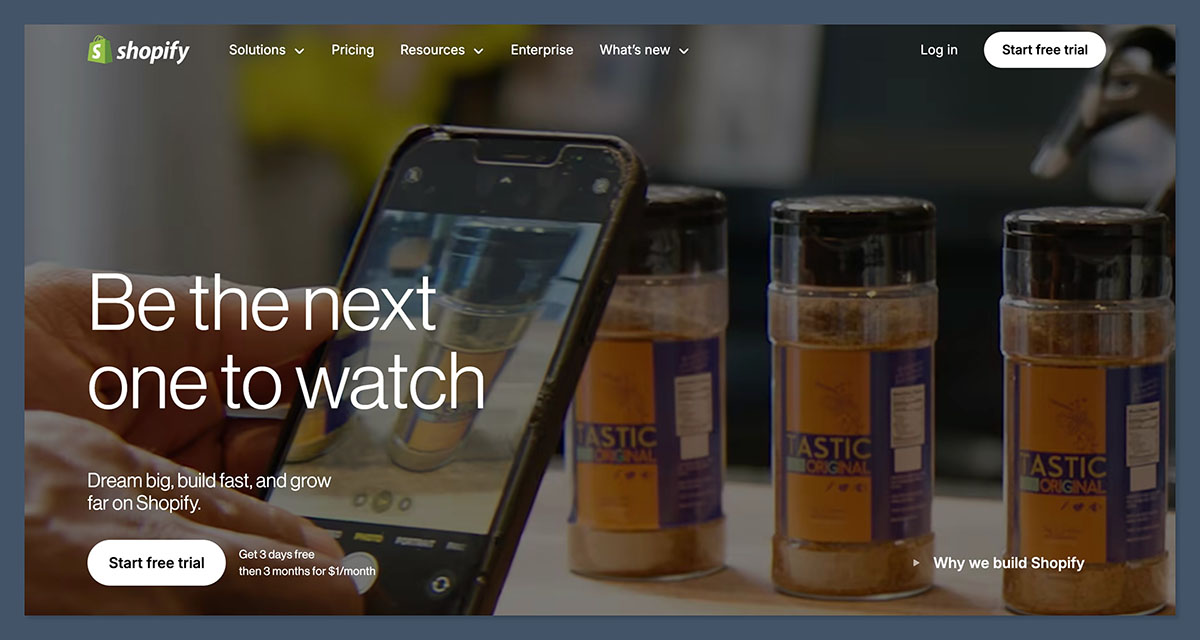
Shopify is our highest-rated Big Cartel alternative because it combines a powerful ecommerce backend with advanced sales tools, deep app integrations, and native print-on-demand support. It’s trusted by millions of sellers, from solo creators to multi-million-dollar brands, and offers everything you need to grow a serious online store.
Compared to Big Cartel, Shopify supports more complex product catalogs, digital and physical product sales, and higher-volume order flows. If you’re working with a print-on-demand partner or want to eventually scale your creator brand, Shopify is one of the most future-proof options available.
What I Like
- Built for print-on-demand – Shopify directly integrates with popular POD services like Printful, Printify, and Gelato. Orders placed on your store are automatically fulfilled and shipped without manual handling.
- Strong customization options – Unlike Big Cartel’s limited themes, Shopify offers both free and premium themes, plus access to Liquid code for deeper design control. You can completely tailor your site to your brand.
- Built-in marketing tools – Shopify includes powerful tools like discount codes, automated abandoned cart emails, SEO customization, and multi-channel selling across platforms like Instagram, TikTok, and Amazon.
- Massive app store – Shopify has over 8,000 third-party apps for everything from subscriptions to upsells, reviews, email campaigns, and shipping automation. If you need it, there’s probably an app for it.
Since My Previous Update…
In early 2026, Shopify released several updates focused on creators:
- Shopify Magic (AI) – Automatically generate product descriptions, blog content, and email copy using built-in AI tools
- New bundling features – You can now sell product kits and bundles natively without needing a third-party app
- Improved mobile store editor – Shopify’s mobile app now lets you design and update your store from your phone, which is perfect for creators managing their business on the go
What I Dislike
- Higher total cost – Shopify starts at $39/month, but if you add extra apps (which many sellers do), your monthly spend can easily hit $70–$150. This might not make sense if you’re just selling a few items a month.
- Not as beginner-friendly – The backend interface can feel overwhelming for new users. Theme editing and product management are more technical than simpler builders like Stan Store or Ko-fi.
- App reliance – While flexibility is great, many basic features like product bundles, pre-orders, and subscriptions require installing third-party apps, which may cost extra.
How Much Does Shopify Cost?
Shopify offers three core plans:
| Plan | Price | Best For |
| Basic | $39/month | Solo creators or small stores |
| Shopify | $105/month | Growing businesses |
| Advanced | $399/month | High-volume brands needing advanced reporting |
All plans include 24/7 support, unlimited products, built-in fraud protection, and manual order creation. Shopify Payments users avoid extra transaction fees; otherwise, there’s a 2% fee for third-party payment providers.
A free trial is available with no credit card required, giving you a chance to test out the interface, apps, and storefront editor before upgrading.
How Does Shopify Compare to Big Cartel?
- Shopify is more scalable – You can sell unlimited products, integrate with fulfillment centers, and expand globally. Big Cartel’s limits on product listings and features make it better suited for smaller shops.
- Shopify supports complex setups – From subscriptions to memberships to print-on-demand fulfillment, Shopify can handle almost any revenue model. Big Cartel doesn’t support these use cases without complex workarounds.
- Shopify costs more, but offers more – While Big Cartel’s free tier is appealing, Shopify gives you serious business infrastructure and growth tools in return for its monthly fee.
Should You Use Shopify Instead of Big Cartel?
Yes, if you’re serious about ecommerce. For creators using print-on-demand or planning to expand beyond a handful of products, Shopify is the platform that will scale with you. It’s ideal for artists, designers, musicians, and influencers who want more control over their branding, fulfillment, and customer experience.
That said, Shopify might be too much if you’re only selling one or two items casually. But for anyone aiming to turn a creator business into a real store, Shopify is the most capable option on this list.
2. Gumroad: For creators selling templates, files, and digital content
| Gumroad | |
|---|---|
| Rating | Excellent, 4.6 out of 5 |
| Highlights | Ideal for social-first selling Simple digital delivery No website required |
| Free Trial | Free to start |
| Fees | 10% + $0.50 per transaction |
Pros
- Instant digital product delivery
- Very fast setup with no coding
- Handles VAT and tax compliance for you
Cons
- Limited storefront customization
- Fees add up at higher volumes
- Less suited to scaling or physical products
Gumroad Review
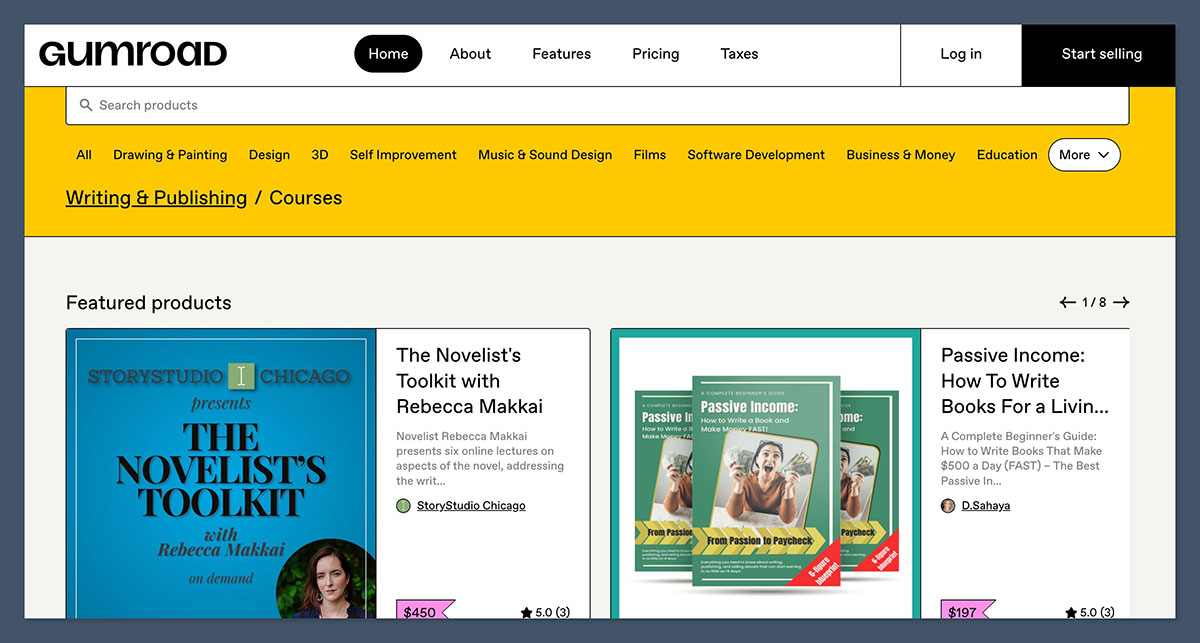
Gumroad is the most straightforward way to start selling digital products. Whether you’re offering a Notion template, Lightroom preset, ebook, or short course, Gumroad lets you launch a working checkout in minutes.
Unlike Big Cartel, which requires store setup and theme editing, Gumroad is link-first. You can sell directly from social media, your newsletter, or blog with a clean and mobile-friendly checkout page.
What I Like
- No website needed – With Gumroad, you can sell through a simple profile page or direct links. You don’t need to build a storefront unless you want to.
- Handles everything for you – Gumroad takes care of digital delivery, customer access, EU VAT, receipts, and customer emails.
- Discovery marketplace – You can opt into Gumroad Discover to get exposure to buyers already browsing for products like yours.
- Perfect for low-tech creators – You don’t need to learn design or HTML to use Gumroad. Upload your file, set a price, and start sharing the link.
Since My Previous Update…
As of 2026, Gumroad now functions as a merchant of record, meaning it handles sales tax, VAT, and compliance in multiple countries. Creators also gained access to:
- Gumroad AI: Auto-generates product descriptions and pricing suggestions
- Updated analytics dashboard: See where your traffic and sales are coming from in real-time
- Custom product URLs: Personalize your links for better branding and click-through rates
What I Dislike
- High fees on each sale – Gumroad charges 10% plus $0.50 on every sale through your store. That’s a lot if you’re selling low-cost items or at high volume.
- Very limited storefront design – If you want a fully branded website experience, Gumroad won’t be enough. Customization is minimal.
- No built-in audience tools – You’ll still need email marketing or customer management elsewhere.
How Much Does Gumroad Cost?
Gumroad is free to use—there’s no monthly fee or subscription. You only pay when you make a sale:
| Revenue Source | Fee |
| Direct sales | 10% + $0.50 per transaction |
| Discovery marketplace | Higher fee (varies) |
| Payouts | Standard Stripe fees apply |
This makes Gumroad great for starting quickly, but less cost-effective as you scale.
How Does Gumroad Compare to Big Cartel?
- Gumroad is much faster to set up – No storefront, themes, or complex setup.
- Gumroad is digital-native – Big Cartel is built for physical products; Gumroad is built for files and downloads.
- Big Cartel is cheaper at scale – If you’re making regular sales, Big Cartel’s flat monthly fee is cheaper than Gumroad’s per-transaction cut.
Should You Use Gumroad Instead of Big Cartel?
Use Gumroad if you’re a creator selling digital products through social or email and want to get started fast. It’s perfect for monetizing your audience without the hassle of designing a full store.
However, if you’re scaling up or want a fully branded experience with physical product support, Gumroad may be too limited long-term.
3. Stan Store: For Link-in-Bio Offers and Social Sales
| Stan Store | |
|---|---|
| Rating | Excellent, 4.5 out of 5 |
| Highlights | Mobile-first checkout Perfect for digital offers and coaching No coding or web design needed |
| Free Trial | Available |
| Paid Plans | $29 – $99/month |
Pros
- Built specifically for creators using Instagram, TikTok, YouTube
- Supports product sales, calls, funnels, and subscriptions
- Includes email opt-in and automation tools
Cons
- Not suitable for physical product fulfillment
- Very little storefront customization
- No app store or advanced integrations
Stan Store Review
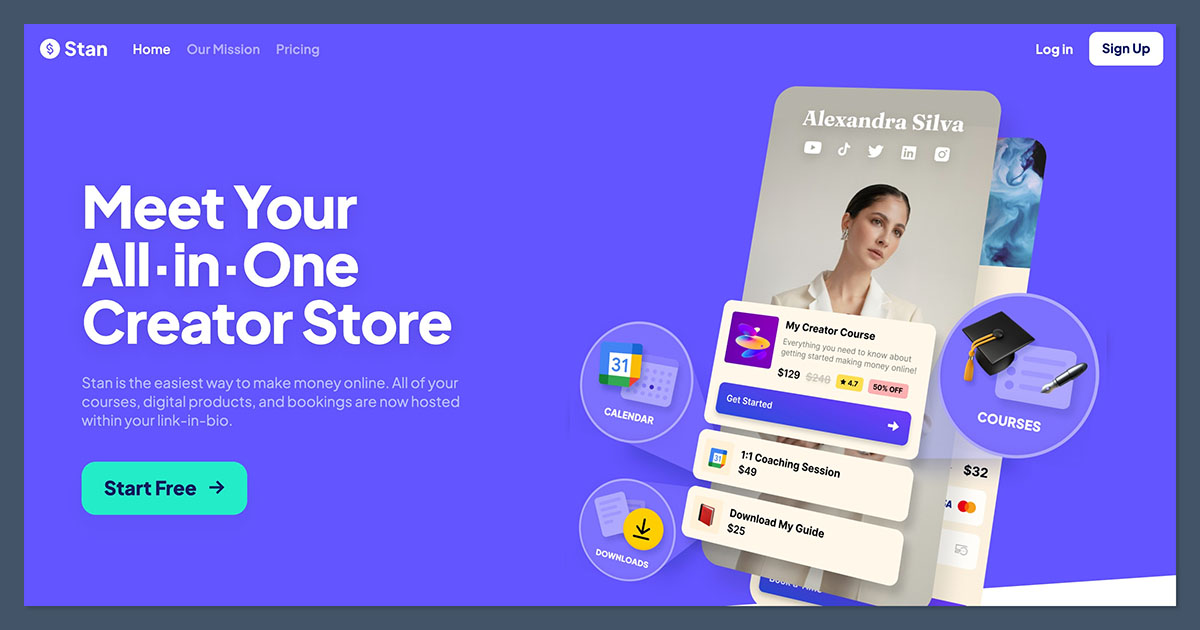
Stan Store is a modern ecommerce tool designed for creators using platforms like TikTok and Instagram to monetize. It combines a link-in-bio storefront, digital product checkout, and calendar booking—all in one mobile-optimized experience.
Compared to Big Cartel, Stan Store isn’t really a “store builder” in the traditional sense. Instead, it’s a lightweight creator platform that simplifies digital offers, without requiring you to build or design anything.
What I Like
All-in-one monetization – Sell digital products, courses, coaching calls, 1:1 services, subscriptions, or newsletter access directly from your social media bio.
Simple email capture and funnel tools – Collect email addresses at checkout or via forms. Then, send offers using built-in automation tools.
Great mobile UX – Stan’s checkout and page builder are optimized for mobile users, which is where most social traffic comes from.
Calendar booking built-in – Schedule consultations, 1:1s, or group calls right inside your store—no need for Calendly or extra tools.
Since My Previous Update…
Stan released major updates in Q1 2026:
- Custom domains – Now available for all paid plans
- Split-pay options – Let customers break up payments for higher-priced offers
- Lead magnets – Offer free downloads in exchange for emails, right from your bio
What I Dislike
- No physical product features – Stan doesn’t support inventory management or fulfillment. If you sell merch or use print-on-demand, look elsewhere.
- Limited design flexibility – You can’t customize your storefront much beyond layout and text.
- No long-form content or blogging tools – This is not for SEO or content marketing—it’s for fast sales.
How Much Does Stan Store Cost?
Stan offers two main plans:
| Plan | Price | Best For |
| Creator Plan | $29/month | Beginners selling 1–2 offers |
| Creator Pro | $99/month | Multiple offers, funnels, email automations |
There are no platform transaction fees. You only pay standard Stripe processing fees (2.9% + $0.30).
How Does Stan Compare to Big Cartel?
- Stan is mobile-first – Big Cartel was built before mobile shopping exploded; Stan is designed for phones.
- Stan is faster to sell with – Big Cartel requires setup, product listings, and theme editing. Stan is more like a monetization dashboard.
- Big Cartel is better for physical products – If you ship things, Stan’s not a fit.
Should You Use Stan Instead of Big Cartel?
Stan Store is the right pick if your traffic comes from TikTok, Instagram, or YouTube and you sell digital offers, coaching, or subscriptions. You’ll be up and running faster, with a cleaner mobile experience.
If you need shipping tools, merch support, or a traditional storefront, go with Shopify or Big Cartel instead.
4. Kit Commerce: For Email-First Digital Product Sales
| Kit (ConvertKit Commerce) | |
|---|---|
| Rating | Very Good, 4.3 out of 5 |
| Highlights | Sell from your newsletter or website Great for PDFs, templates, and subscriptions No monthly fee required |
| Free Plan | Available |
| Fees | 3.5% + $0.30 per transaction |
Pros
- Sell directly through email or landing pages
- Supports digital products, coaching, and subscriptions
- Works with free ConvertKit account
Cons
- No physical product or print-on-demand support
- Limited storefront design options
- Not a full ecommerce platform
Kit Commerce Review
Kit Commerce is an ideal Big Cartel alternative for creators who earn through email lists and newsletter content. It’s lightweight, fast, and simple—perfect for selling files, templates, and subscriptions directly from your audience.
Where Big Cartel is centered around a storefront, Kit flips the model: it starts with your email list, then gives you the tools to monetize it through links, landing pages, and digital delivery.
What I Like
- Email-first commerce – You don’t need a store. You can sell directly from an email broadcast or automation. Kit includes built-in product pages, checkout, and delivery.
- Simple setup – No theme editor, code, or complex navigation. Just name your product, upload your file, set your price, and share the link.
- Supports coaching and subscriptions – Kit lets you sell recurring subscriptions and coaching packages, not just one-off digital files.
- Works on the free plan – You can list and sell products even if you don’t pay for a ConvertKit email plan.
Since My Previous Update…
Kit (formerly ConvertKit) added several new features in 2026:
- Upsells and add-ons – You can now offer add-ons at checkout, great for bundles
- Pay-what-you-want pricing – Let customers choose their own price
- EU VAT support – Handles tax compliance for digital products in Europe
What I Dislike
- Not built for physical products – There’s no shipping, inventory, or order tracking functionality. Strictly digital.
- No storefront builder – You can link multiple products on a landing page, but it’s not a full storefront like Shopify or Big Cartel.
- Minimal design control – Pages are clean and functional, but not deeply customizable.
How Much Does Kit Cost?
Kit’s commerce feature is available to all ConvertKit users:
| Feature | Price |
|---|---|
| Platform fee | 0.6% |
| Processing | Stripe (2.9% + $0.30) |
| Total fees | ~3.5% + $0.30 |
There’s no monthly fee required, and the commerce feature is available on ConvertKit’s free plan.
How Does Kit Compare to Big Cartel?
- Kit is email-first, while Big Cartel is storefront-first
- Kit has better digital delivery and automations
- Big Cartel supports physical products; Kit does not
Should You Use Kit Instead of Big Cartel?
Kit is a smart choice if your audience lives in your inbox and you sell digital products like templates, guides, or online workshops. If you rely on email and don’t want to build a storefront, Kit is simple and effective.
However, if you sell merch or want a customizable website, Big Cartel or Shopify will serve you better.
5. Patreon: For Memberships and Community Monetization
| Patreon | |
|---|---|
| Rating | Excellent, 4.7 out of 5 |
| Highlights | Trusted by millions of creators Supports tiers, gated content, and communities Works well for musicians, artists, writers, and podcasters |
| Free Plan | Free to start |
| Fees | 10% platform fee + payment processing |
Pros
- Purpose-built for memberships
- Supports posts, video, private audio, and Discord access
- Built-in community features and post scheduling
Cons
- High fees as your revenue grows
- Limited control over branding and design
- Locked into Patreon’s ecosystem
Patreon Review
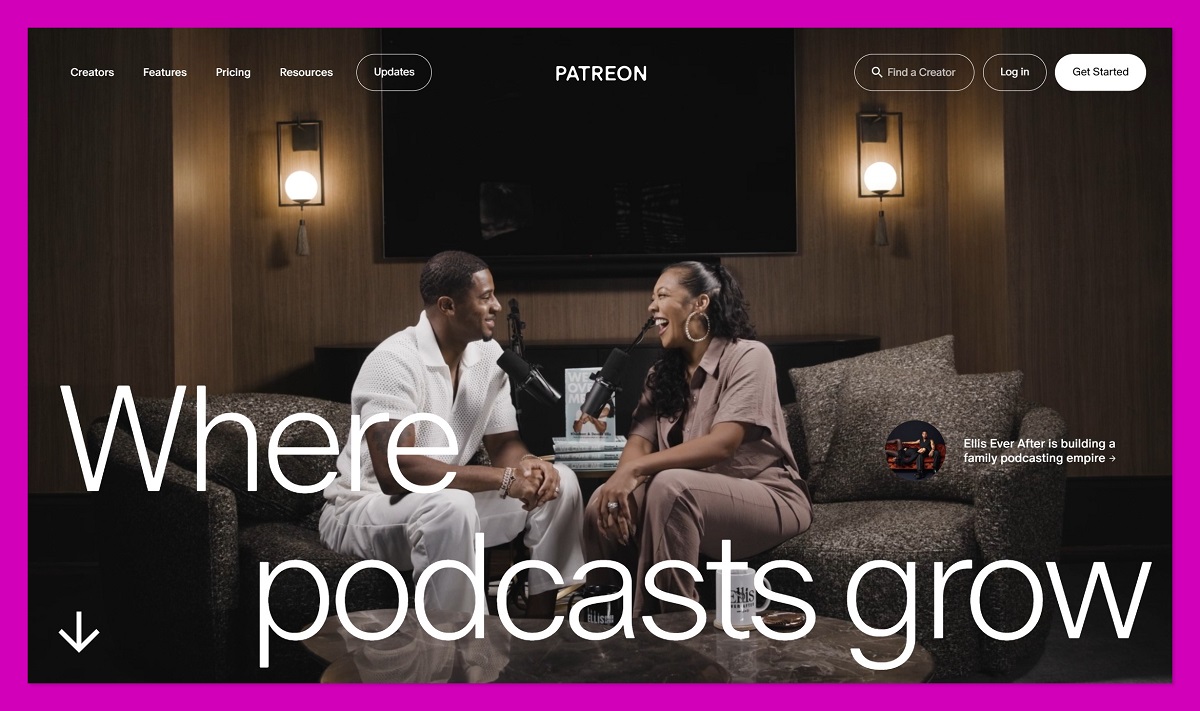
Patreon is the original platform for creators to earn through monthly memberships. It’s still the most robust option for creators offering exclusive content, community perks, and behind-the-scenes access.
Big Cartel doesn’t support recurring billing or memberships. Patreon gives creators all the tools to build a sustainable monthly income from a loyal audience.
What I Like
- Tiers and gated content – Offer different benefits at different membership levels. Lock posts, downloads, and community access by tier.
- Built-in community tools – Patreon supports comment threads, direct messaging, live streams, and integrations with Discord for private access.
- No storefront needed – You don’t have to build a site or manage hosting. Patreon is your platform.
- Great for ongoing creators – Whether you publish content weekly, monthly, or seasonally, Patreon works on your schedule.
Since My Previous Update…
Patreon introduced a number of new features in 2025–2026:
- Patreon Video – Upload exclusive videos directly without YouTube/Vimeo
- Mobile-first posting – Creators can now schedule and manage posts from the app
- Updated billing model – Charge on signup or monthly, giving more flexibility
What I Dislike
- Platform cut feels expensive – Patreon takes 10% of your revenue, and then Stripe takes more. That can feel steep at scale.
- No ownership of audience – You don’t get full access to your members’ emails or data.
- No physical product support – You can offer merch via Patreon’s built-in Merch for Membership, but it’s limited and locked in.
How Much Does Patreon Cost?
| Revenue Model | Fee |
|---|---|
| Platform fee | 10% |
| Processing | Stripe + payout fees |
| Monthly fee | None |
You only pay when you earn. There are no fixed monthly costs, making it ideal for creators just getting started.
How Does Patreon Compare to Big Cartel?
- Patreon supports recurring revenue, which Big Cartel does not
- Patreon is built for community, not commerce
- Big Cartel offers product sales and physical inventory; Patreon is subscription-first
Should You Use Patreon Instead of Big Cartel?
Patreon is perfect for creators whose main product is content—not physical goods. If you publish regularly, have a fanbase, or want to build a membership-driven business, Patreon will serve you better than a storefront tool like Big Cartel.
6. Ko-fi: For Tips, Commissions, and Small Products
| Ko-fi | |
|---|---|
| Rating | Very Good, 4.4 out of 5 |
| Highlights | Accept one-time payments and sell digital products Supporter-only posts and galleries Low barrier to entry |
| Free Plan | Available |
| Paid Plan | Ko-fi Gold, $12/month |
Pros
- Accept tips, donations, commissions, and file sales
- Easy to set up without coding
- Keep 100% of earnings with Ko-fi Gold
Cons
- Not optimized for physical products or inventory
- Limited storefront customization
- Lacks advanced marketing tools
Ko-fi Review
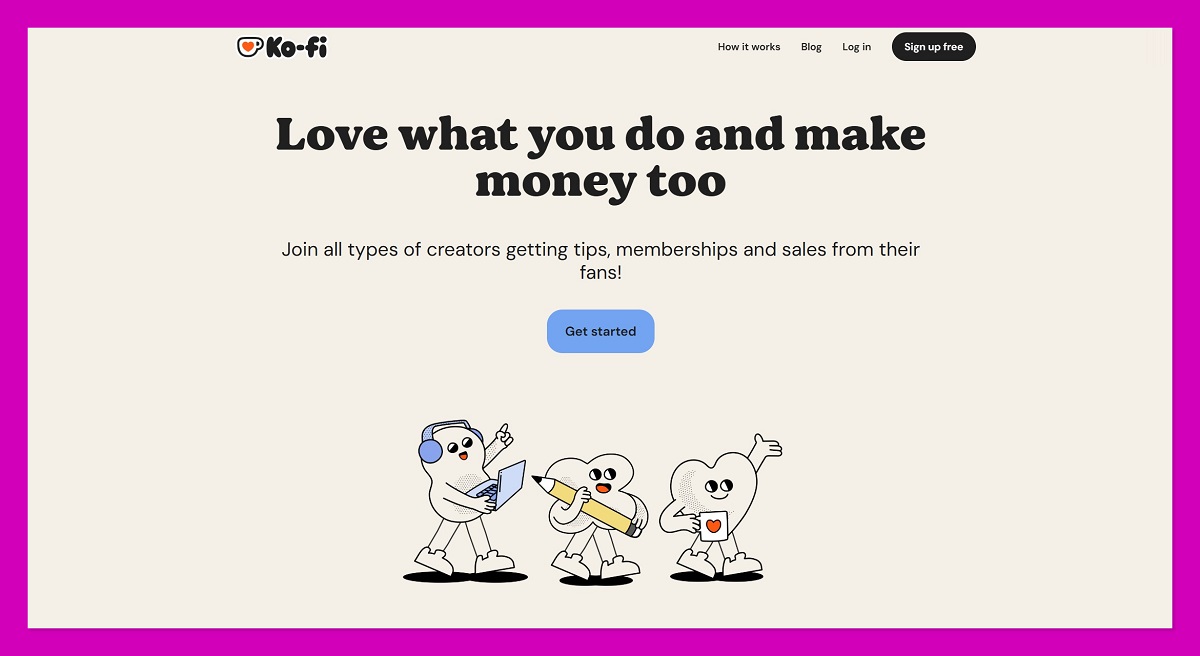
Ko-fi is an easy way for creators to collect tips, sell small digital items, and accept commissions. It works like a monetization overlay for your existing audience—no full storefront needed.
Where Big Cartel is for running an online shop, Ko-fi is a more lightweight tool for creators who monetize through goodwill, social traffic, and lightweight offers.
What I Like
- Great for tips and support – Add a “Buy me a coffee” button to your site, bio, or videos and accept instant payments.
- Zero platform fees with Ko-fi Gold – Upgrade to Gold for $12/month and keep 100% of your income (minus Stripe/PayPal fees).
- Supporter-only content – You can lock posts, images, or downloads behind supporter status—similar to Patreon.
- No setup stress – You don’t need to design a full store. You can monetize in minutes.
Since My Previous Update…
Ko-fi continues to evolve with new features in 2026:
- Improved digital file delivery
- Commission request forms
- Custom supporter tiers (beta for Ko-fi Gold users)
What I Dislike
- Limited for physical commerce – There’s no inventory or fulfillment system. You’d need external tools for merch or shipping.
- Basic design and branding – Ko-fi pages are simple, and brand control is limited.
- Not ideal for scaling – Ko-fi is best for solo creators, not growing ecommerce teams.
How Much Does Ko-fi Cost?
| Plan | Cost | Fees |
|---|---|---|
| Free | $0 | 5% platform fee + payment fees |
| Ko-fi Gold | $12/month | 0% platform fee (only Stripe/PayPal) |
You can sell digital products, offer memberships, and receive commissions on both plans.
How Does Ko-fi Compare to Big Cartel?
- Ko-fi is faster to set up
- Ko-fi works best for donations and digital files
- Big Cartel is better for full storefronts and merch
Should You Use Ko-fi Instead of Big Cartel?
Ko-fi is the best alternative if you’re looking to collect tips, offer small digital files, or monetize casually. It’s low-maintenance, free to start, and perfect for small creator audiences.
But if you want to run a branded storefront, manage inventory, or scale sales, Big Cartel or Shopify is a better fit.
7. Ghost: For Paid Newsletters and Membership Publishing
| Ghost | |
|---|---|
| Rating | Excellent, 4.5 out of 5 |
| Highlights | Full publishing + email control Ideal for paid newsletters and content businesses Clean, distraction-free experience |
| Free Trial | Available |
| Paid Plans | From $11/month |
Pros
- All-in-one site, newsletter, and membership platform
- No revenue share, you keep 100% (minus Stripe fees)
- Full control over design, domain, and SEO
Cons
- Not built for physical product sales or fulfillment
- Requires more setup than tools like Substack or Ko-fi
- Learning curve for advanced customization
Ghost Review
Ghost is a professional-grade publishing platform built for creators who want to run their own subscription-based content business. It blends the features of a blog, email platform, and paid membership tool, all hosted under your own brand and domain.
Unlike Big Cartel, which focuses on storefronts and products, Ghost is built around publishing content and building a recurring subscriber base.
What I Like
- Complete brand control – Unlike platforms like Substack or Patreon, Ghost runs on your own domain with full design flexibility and SEO options.
- Built-in memberships – You can offer paid content, member-only newsletters, and even comment access with Stripe-based recurring payments.
- No revenue cut – Ghost doesn’t take a percentage of your earnings. You only pay for hosting and Stripe’s standard processing fees.
- Strong newsletter tools – Ghost’s built-in email delivery system lets you send regular updates, automated onboarding, and more, without needing ConvertKit or Mailchimp.
Since My Previous Update…
Ghost introduced several 2026 updates to support paid creators:
- Email open and click tracking
- Native recommendation engine (similar to Substack’s discovery tool)
- Automation workflows for converting free readers to paid members
What I Dislike
- Not a plug-and-play experience – Ghost takes longer to set up than creator-focused tools like Patreon or Gumroad.
- No built-in ecommerce tools – It’s possible to embed Shopify or use third-party forms, but Ghost doesn’t natively support merch or product delivery.
- Theme development requires HTML/CSS knowledge – You can install free or paid themes, but customizing requires code.
How Much Does Ghost Cost?
| Plan | Monthly Cost | Revenue Share |
|---|---|---|
| Starter | $11/month | 0% |
| Creator | $19/month | 0% |
| Team | $57/month | 0% |
All plans include memberships, newsletters, and publishing features. Stripe fees (2.9% + $0.30) apply to paid subscriptions.
How Does Ghost Compare to Big Cartel?
- Ghost is for publishing and content, not storefronts
- Ghost supports memberships and paid newsletters, which Big Cartel does not
- Big Cartel supports physical product sales; Ghost does not
Should You Use Ghost Instead of Big Cartel?
If your business is centered around content, writing, or newsletters, Ghost is a more powerful, own-your-stack alternative to platforms like Substack or Patreon. You get to keep your brand, own your data, and run everything from one dashboard.
But if you’re selling physical or digital products, you’ll need to integrate a different tool, Ghost is not a shop system.
8. Teachable: For Selling Online Courses
| Teachable | |
|---|---|
| Rating | Very Good, 4.4 out of 5 |
| Highlights | Best-in-class online learning experience Built specifically for course creators Supports coaching and digital downloads |
| Free Plan | Available |
| Paid Plans | $59 – $665/month |
Pros
- Best-in-class course builder with quizzes and progress tracking
- Supports upsells, order bumps, and certificates
- Affiliate marketing tools built-in
Cons
- No support for physical product sales
- Email marketing is limited
- Lacks a full site builder compared to Shopify or Ghost
Teachable Review
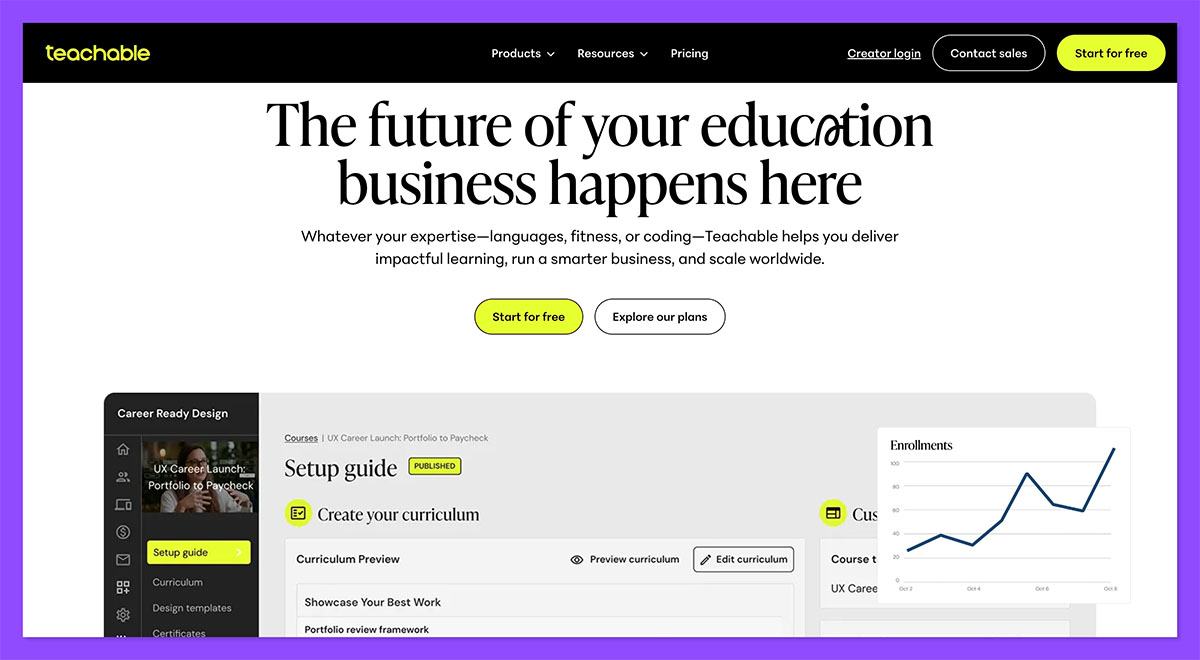
Teachable is built specifically for course creators, whether you’re teaching design, productivity, music, or coaching a skill-based transformation. It’s one of the most popular platforms for solo creators, educators, and online schools.
Big Cartel doesn’t offer tools to host or deliver lessons. Teachable handles everything from curriculum planning to student access and checkout.
What I Like
- Professional learning experience – You can build multi-module courses with video, files, quizzes, and downloadable content.
- One-time or recurring pricing – Sell your course as a one-off, payment plan, or monthly subscription.
- Affiliate and upsell support – Easily add an affiliate program or offer order bumps at checkout to boost average revenue per sale.
- Student dashboard – Clean, intuitive experience for learners, which helps with completion and retention.
Since My Previous Update…
Teachable released several new tools in 2026:
- Lesson drip schedules to time release of content
- AI curriculum suggestions for building your course faster
- Mobile learning app so students can access content anywhere
What I Dislike
- Not an all-in-one platform – Teachable doesn’t include a full website builder, so if you want blog content or a homepage, you may need to link to another platform.
- Email tools are basic – You’ll need to integrate ConvertKit, Mailchimp, or similar if you want advanced email sequences.
- Not built for physical product sales – If your business includes merch or books, you’ll need a separate store.
How Much Does Teachable Cost?
| Plan | Monthly Cost | Transaction Fees |
|---|---|---|
| Free | $0 | $1 + 10% per sale |
| Basic | $59 | 5% per sale |
| Pro | $159 | 0% fees |
| Business | $249 | 0% fees |
Teachable offers a free plan, but most features unlock on the Basic tier and up.
How Does Teachable Compare to Big Cartel?
- Teachable is for courses, not physical products
- Big Cartel is better for merch and one-off products
- Teachable includes course marketing tools and student dashboards, which Big Cartel lacks
Should You Use Teachable Instead of Big Cartel?
If you’re selling courses, workshops, or coaching, Teachable is a no-brainer. It gives you the tools to monetize your knowledge at scale with a polished experience.
However, if your income comes from merch, prints, or physical products, Teachable won’t fit, you’d need to combine it with Shopify or Gumroad.
9. Kajabi: For Premium Digital Businesses
| Kajabi | |
|---|---|
| Rating | Excellent, 4.6 out of 5 |
| Highlights | All-in-one automation and funnel tools Premium option for coaches and educators Built-in email, courses, and community |
| Free Trial | Available |
| Paid Plans | $149 – $399/month |
Pros
- All-in-one suite for courses, landing pages, funnels, and email
- Great for scaling coaching or high-value digital offers
- Built-in affiliate and analytics tools
Cons
- Very expensive for beginners
- Can feel overwhelming with too many features
- Less flexible design compared to Shopify or Ghost
Kajabi Review
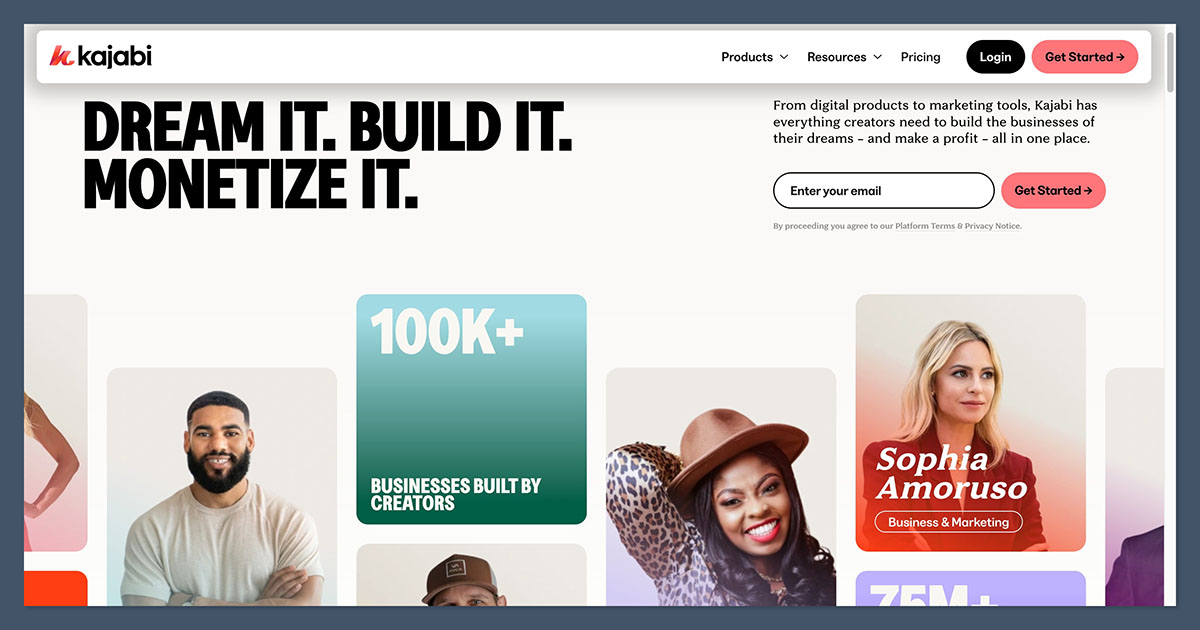
Kajabi is more than a course platform, it’s a full-stack digital business system. It’s perfect for creators who want to combine video courses, coaching, webinars, digital downloads, and automation under one roof.
Compared to Big Cartel, Kajabi is built for a completely different type of creator, one who’s focused on education, programs, and marketing.
What I Like
- Funnels and automations included – Set up complex sales workflows with opt-ins, free trials, nurture sequences, and offer stacking, all without third-party tools.
- Built-in email marketing – Send broadcasts, sequences, and automation triggers right inside Kajabi. No need to pay for ConvertKit or Mailchimp.
- Multiple product types – Sell coaching, courses, downloads, and access levels, all from one dashboard.
- No transaction fees – You keep 100% of revenue (minus Stripe fees), which helps offset the high monthly cost.
Since My Previous Update…
Kajabi’s 2026 updates include:
- AI funnel builder that suggests upsells, triggers, and email flows
- Kajabi Communities 2.0 for private, paid community spaces
- Podcast monetization tools built into the platform
What I Dislike
- Expensive entry point – At $149/month, Kajabi is not affordable for many creators starting out.
- Feature overload – For simple businesses, Kajabi can feel like too much. You may not need half of what it offers.
- Not built for physical product fulfillment – If you sell prints or merch, you’ll need a second platform.
How Much Does Kajabi Cost?
| Plan | Monthly Cost | Transaction Fees |
|---|---|---|
| Basic | $149 | 0% |
| Growth | $199 | 0% |
| Pro | $399 | 0% |
All plans include website, courses, pipelines (funnels), CRM, email, and automations.
How Does Kajabi Compare to Big Cartel?
- Kajabi is for digital coaches and educators
- Big Cartel is for simple product shops
- Kajabi includes funnels, email, and automation, which Big Cartel lacks
Should You Use Kajabi Instead of Big Cartel?
Use Kajabi if you’re selling coaching, digital programs, or high-ticket courses, and want everything in one system. If you can justify the monthly price, it’s one of the most powerful platforms available.
But if you’re focused on physical product sales, art prints, or simple merch drops, Kajabi will feel like the wrong tool for the job.
Final Thoughts: The Best Big Cartel Alternative Depends on Your Business Model
There’s no one-size-fits-all tool for creators. Instead, the best Big Cartel alternative depends on what you sell, how you grow, and where your audience lives.
Here’s a summary of who should consider what:
| Creator Type | Best Platform(s) |
|---|---|
| Memberships & Community | Patreon, Ko-fi, Ghost |
| Digital Products & Templates | Gumroad, Stan Store, Kit |
| Online Courses & Coaching | Teachable, Kajabi, Podia |
| Merch & Print-on-Demand | Fourthwall, Shopify |
Think about where your revenue is coming from right now—and where you want it to come from next. That’s the clearest way to choose a platform that fits you better than Big Cartel ever could.



