
Selling art online today is about much more than uploading a few photos and hoping for the best. Whether you’re a painter, illustrator, digital artist, or photographer, choosing the right platform to showcase and sell your work can shape the way your audience discovers you, how much you earn, and what kind of brand you’re able to build over time.
I’ve tested and compared the most popular websites for selling art online, using them either for my own work or while helping other creatives set up their stores.
In this guide, I’ll share what I’ve found, from pricing and ease of use to scalability and sales tools, so you can decide what fits your needs.
Quick Comparison Table
| Platform | Best For | Pricing (Starting At) | Standout Feature |
|---|---|---|---|
| Shopify | Building a long-term art brand | $29/month (annual plan) | Deep customization with third-party apps |
| Etsy | Discoverability and early sales | $0.20 per listing | Built-in marketplace with high buyer intent |
| Squarespace | Visual artists and portfolios | $16/month | Beautiful templates and simple ecommerce |
| Wix | Creative flexibility without code | $27/month | Drag-and-drop freedom with marketing tools |
| WooCommerce | Maximum control and customization | $250/year (approx.) | Fully open-source, content and commerce blend |
| Big Cartel | Limited collections and simplicity | Free plan available | Lightweight setup for small catalogs |
| Saatchi Art | High-end fine artists | 40% commission | Curated marketplace with serious buyers |
| Fine Art America | Passive print-on-demand sales | Free to join | Wide product range and print fulfillment |
| Artfinder | Original artwork with buyer reach | 40–45% commission | Focus on painter and illustrator sales |
| Redbubble | Easy POD sales with minimal effort | Free to join | Upload once, sell on multiple products |
1. Shopify: Best for Selling Art Online

Starting price: $29 per month (billed annually)
AI ecommerce assistant: Yes, Shopify Sidekick and AI-powered theme customization
Read our Shopify review for more information
Shopify is the best platform I’ve used for selling artwork online. It offers a powerful and reliable setup for creators who want to turn their art into a business, whether that means selling prints, digital downloads, originals, or merchandise. Its tools are purpose-built for ecommerce, and its ability to scale with your store makes it a standout option for long-term growth.
Compared to visual-first builders like Wix or Squarespace, Shopify places less emphasis on drag-and-drop design freedom and more on product management, customer experience, and inventory workflows. But if selling is your priority, and you’re ready to build your own brand, Shopify is the strongest choice.
I tested Shopify’s new AI-powered onboarding and theme creation tools, and was genuinely impressed by how quickly it generated a store layout based on just a few prompts. From there, I could easily update product sections, switch out text, and apply branding without needing a developer or designer. It’s clear Shopify is leaning into AI to help artists and solo creators move faster without losing control
Pros
- Fully featured ecommerce platform designed for selling at scale
- Easy to integrate with Printful, Gooten, or Gelato for print-on-demand
- Includes abandoned cart recovery, discount codes, and checkout optimization
- New Shopify Sidekick helps generate product descriptions and automate tasks
- Reliable infrastructure with excellent uptime and security
Cons
- Limited free templates
- Learning curve if you’re new to ecommerce workflows
- Editor can feel restrictive if you’re used to freeform builders
- Monthly cost rises with third-party apps and plugins
Shopify has also released several updates for 2026:
- Merchants can now use Shopify Magic to generate entire product pages using AI
- The new Sidekick assistant supports store owners with real-time help and content suggestions
- Shopify Shipping now includes bulk label printing and carbon-neutral delivery options
- New theme blocks allow more layout flexibility without needing a developer
How Much Does Shopify Cost?
- Shopify’s pricing ranges from $29 to $399 per month (billed annually)
- New users can try Shopify for $1 per month for the first 3 months
- Shopify charges a processing fee of 2.9% + $0.30 per transaction using Shopify Payments
- Third-party payment processors may carry additional fees
- You’ll likely need to budget for apps like email marketing or print-on-demand integration
| Shopify Plan | Monthly Cost (Annual Billing) | Key Features |
|---|---|---|
| Basic | $29 | Standard checkout, basic reporting, up to 1,000 inventory locations |
| Grow | $105 | Professional reports, international pricing, more automation |
| Advanced | $399 | Advanced analytics, calculated shipping rates, lower fees |
Why Use Shopify in 2026?
Shopify is the most complete ecommerce platform for artists who want to grow a business around their work. Whether you’re selling one-off paintings, a catalog of prints, or a mix of digital and physical art, Shopify gives you the tools to sell directly to customers with confidence and control. Its AI integrations, marketing features, and extensive app store make it a strong long-term foundation, especially if you’re ready to move beyond marketplaces and build a memorable brand.
Shopify is suitable for:
- Artists who want to sell from their own domain
- Creatives looking to integrate email marketing, SEO, and analytics
- Sellers scaling up their product range or launching limited collections
Shopify isn’t suitable for:
- Artists who only plan to sell a few pieces per year
- Creatives looking for maximum design flexibility from the start
- Sellers who don’t want to manage third-party apps or ecommerce workflows
2. Etsy: Best for Built-In Traffic and Early Sales
Starting price: $0.20 per listing
Marketplace platform: Yes
Read our Etsy review for more information
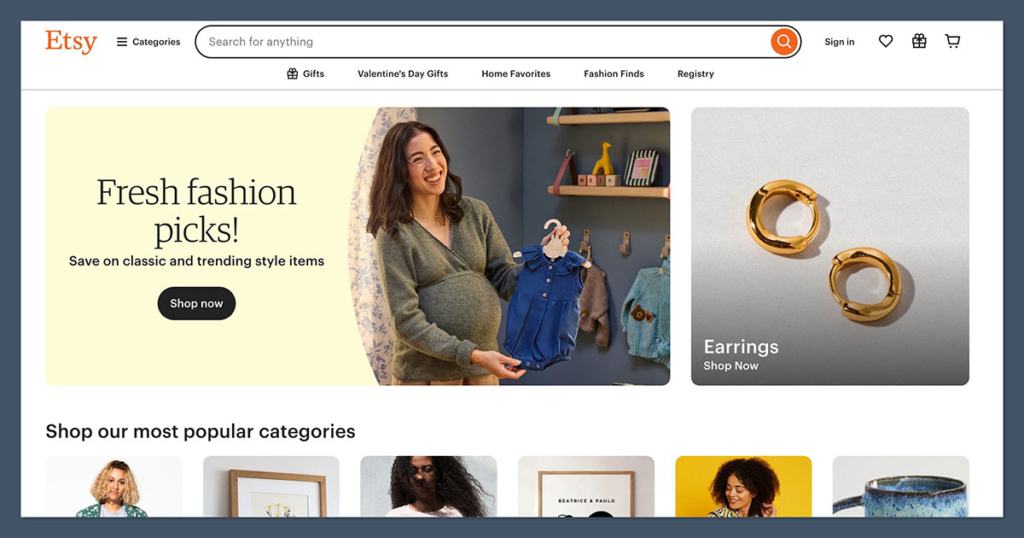
Etsy is the easiest way I’ve found to get artwork in front of buyers without setting up an entire website. As a marketplace, Etsy provides instant access to millions of people already searching for art, prints, and handmade goods. It’s where I made my very first online sale, and I still recommend it to artists who want fast feedback on what sells.
Setting up a store takes minutes, and the platform’s search traffic helps remove one of the biggest early hurdles, finding customers. That said, you’re also competing with thousands of other shops, and you won’t have much control over branding or the long-term customer relationship.
Pros
- Immediate access to a large, art-friendly audience
- Built-in features like reviews, messaging, and simple promotions
- Great for validating ideas or pricing
- Minimal setup and no monthly subscription cost
Cons
- Etsy takes 6.5% transaction fee on item price, shipping, and gift wrap
- Optional ads and offsite promotions increase fees further
- Difficult to build a standalone brand
- Competition can be intense in popular categories
Etsy has added new features for 2026:
- Etsy Ads now use behavioral AI to optimize your listings for conversions
- Offsite Ads reporting now includes customer behavior post-purchase
- Sellers can offer digital downloads and limited-edition formats with improved watermarking
- Etsy has rolled out predictive search improvements, increasing item visibility
How Much Does Etsy Cost?
- Listing fee: $0.20 per item (renewed every 4 months)
- Transaction fee: 6.5% on the item’s total sale price
- Payment processing: varies by country, typically 3% + $0.25 per order
- Optional Etsy Ads and Offsite Ads incur additional charges
| Cost Type | Amount |
|---|---|
| Listing Fee | $0.20 per item |
| Transaction Fee | 6.5% |
| Payment Processing | ~3% + $0.25 per order |
| Ads (optional) | Variable, pay-per-click |
Why Use Etsy in 2026?
Etsy is ideal if you want to start selling quickly without building a full site or running your own ads. Its massive buyer base and handmade-focused audience make it perfect for artists testing new ideas or starting a side income. Just know that you’re building on rented land, long-term, you’ll want your own site if brand control matters.
Etsy is suitable for:
- Artists who want instant exposure
- Sellers looking to validate products or pricing
- Creatives focused on handmade or printable items
Etsy isn’t suitable for:
- Artists who want to build a brand identity
- High-volume sellers who want to reduce fees
- Sellers who rely on customization or advanced checkout options
3. Squarespace: Best for Visual Impact and Portfolios
Starting price: $16 per month (billed annually)
Portfolio-first website builder: Yes
Read our Squarespace review for more information
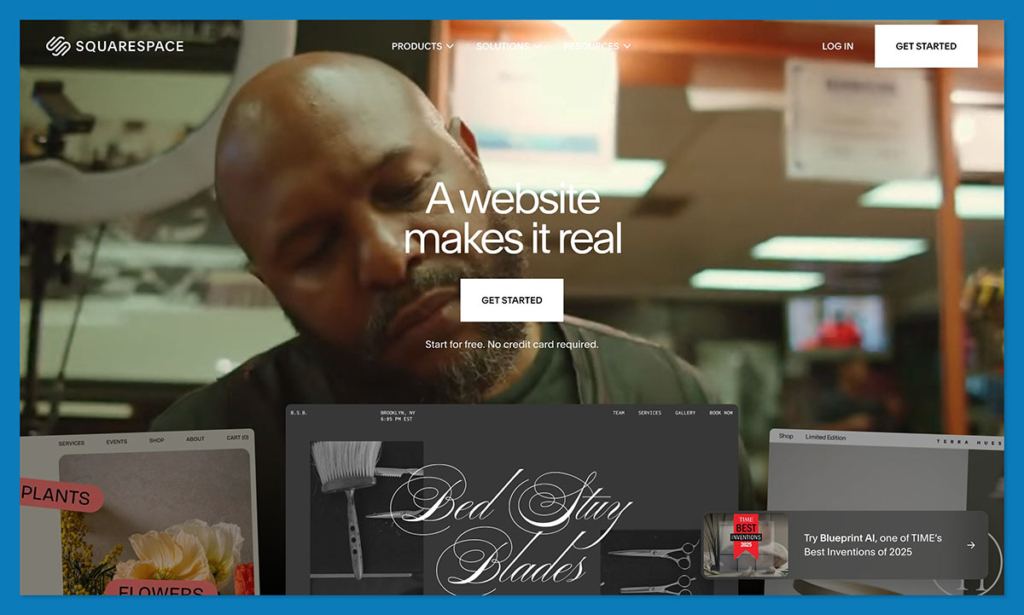
Squarespace remains the most visually polished platform I’ve used to showcase artwork. The designs are minimal, image-forward, and make everything feel premium, whether you’re selling fine art, prints, or photography. It’s a great option if your work needs to look professional and you don’t want to deal with coding or complex plugins.
The ecommerce tools are well-integrated, especially on higher-tier plans, and built-in features like scheduling, email marketing, and SEO basics make it easy to run everything in one place.
Pros
- Stunning, responsive templates tailored to visual creators
- Clean and intuitive drag-and-drop editor
- Built-in ecommerce, blog, and email marketing tools
- Good balance between design and business tools
Cons
- Fewer third-party integrations compared to Shopify
- Some editing limitations due to grid structure
- No free plan and pricing increases with features
Recent Squarespace updates in 2026:
- Blueprint AI now builds a basic site based on your art style and goals
- Native Google Pay and Apple Pay support added to all ecommerce tiers
- New integration between Acuity Scheduling and email campaigns
- Enhanced product layout options for limited series or collectibles
How Much Does Squarespace Cost?
- Personal: $16/month (no ecommerce)
- Business: $23/month (basic ecommerce features)
- Commerce Basic: $27/month
- Commerce Advanced: $49/month
| Plan | Monthly Cost | Ecommerce Features |
|---|---|---|
| Business | $23 | Sell products, 3% fee |
| Commerce Basic | $27 | 0% fee, inventory tools |
| Commerce Advanced | $49 | Advanced shipping, discounts, subscriptions |
Why Use Squarespace in 2026?
Squarespace is the best website builder for artists who care about presentation as much as the sale. Its templates and visuals are unmatched for the price. If you don’t need a ton of apps or complex logic, Squarespace is a solid home base for your creative business.
Squarespace is suitable for:
- Artists with curated collections or premium originals
- Photographers, illustrators, or designers with a strong visual focus
- Sellers who want to offer commissions, services, or bookings
Squarespace isn’t suitable for:
- Sellers needing advanced automation or deep integrations
- Users who want full creative control over layout
- Artists with large, complex inventories
4. Wix: Best All-in-One Builder for Creative Freedom
Starting price: $27 per month (billed annually)
Website builder and ecommerce hybrid: Yes
Read our Wix review for more information
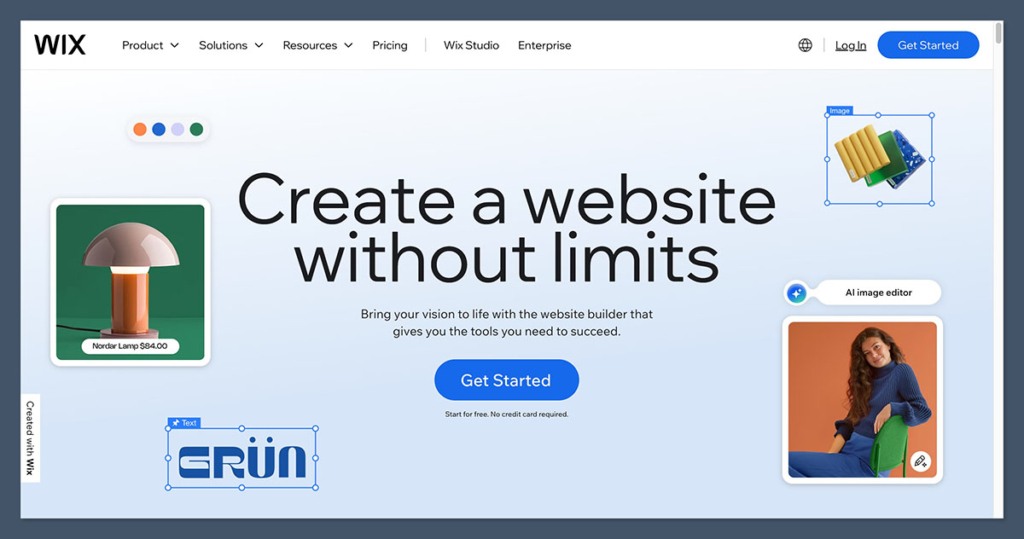
Wix blends design flexibility with ecommerce features in a way that’s especially helpful for artists who want creative control. You can customize nearly every element of your site without touching code, which is great if you’re visually focused and have a specific layout in mind.
Wix also includes tools for selling products, promoting your work, running events, and even managing bookings, all from one dashboard. While it’s not built specifically for large-scale ecommerce, it’s more than enough for most solo artists or small studios.
Pros
- Total design freedom with visual editor
- Hundreds of artist and portfolio templates
- Built-in marketing tools and events manager
- Integrates with print-on-demand providers
Cons
- Slower site speeds on larger builds
- Can’t change templates after publishing
- Too many features may overwhelm beginners
New Wix features in 2026:
- AI Assistant “Astro” now helps with page creation and scheduling
- New partnership with Alibaba expands supplier access for print shops
- UPS integration added to Wix Shipping for North American artists
- Wix Restaurant Events adapted to work with art events and installations
How Much Does Wix Cost?
- Combo (personal use): $17/month
- Core (sell online): $29/month
- Business: $36/month
- Business Elite: $159/month
| Plan | Monthly Cost | Ideal Use Case |
|---|---|---|
| Core | $29 | Online store with basic ecommerce |
| Business | $36 | More tools, customer accounts |
| Business Elite | $159 | VIP support, performance, scaling |
Why Use Wix in 2026?
Wix is perfect for artists who want to control how their site looks and behaves, without sacrificing ecommerce functionality. It’s more flexible than Squarespace and easier to use than WooCommerce, making it an excellent middle ground.
Wix is suitable for:
- Artists who want full design flexibility
- Creatives with mixed content like blogs, videos, and downloads
- Sellers with small-to-mid-sized catalogs
Wix isn’t suitable for:
- Creators scaling to high-volume sales or automation
- Users who want blazing-fast site speed
- Sellers who refresh site designs frequently
5. WooCommerce: Best for Total Control and SEO Integration
Starting price: Free plugin, but typical real-world setup costs start around $250/year
Self-hosted ecommerce on WordPress: Yes
Read our WooCommerce review for more information
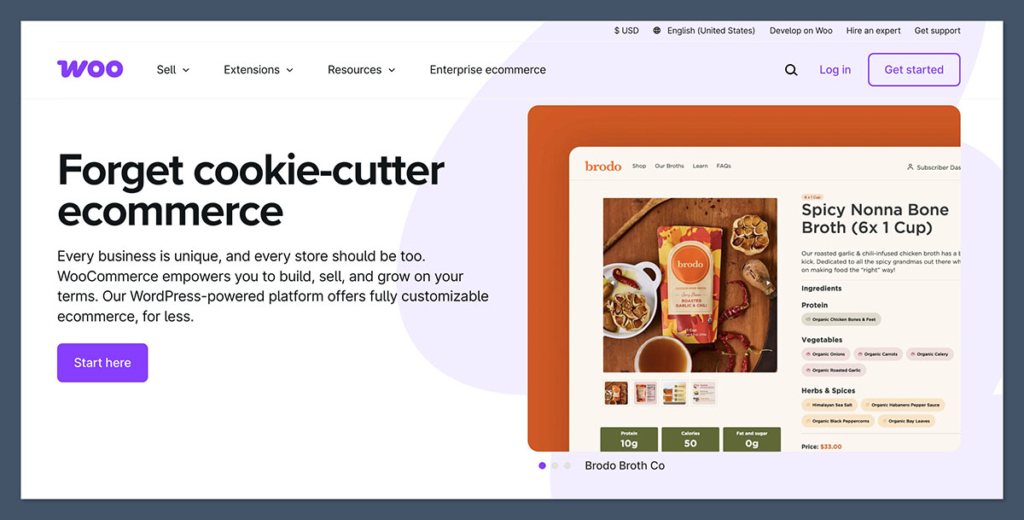
WooCommerce is the best option for artists who want total control over their website, content, and ecommerce functionality. It’s a WordPress plugin, so it works seamlessly with blogs, portfolios, and SEO tools, making it especially appealing if you already have a site or content strategy in place.
Unlike platforms like Shopify or Squarespace, WooCommerce doesn’t include hosting, security, or updates. You’ll manage those separately. This makes it more flexible but also more demanding. Still, if you value ownership and customization, WooCommerce is a powerful foundation.
Pros
- Full ownership of your store, data, and hosting
- Seamless integration with blogs, SEO plugins, and content tools
- Works well with digital products and mixed media formats
- Huge range of themes and plugins to extend features
Cons
- Technical setup and maintenance required
- No direct support, you’ll need to troubleshoot or hire help
- Hosting and plugin costs vary widely
- Learning curve is steeper than drag-and-drop builders
New WooCommerce updates in 2026:
- Improved onboarding wizard for non-technical users
- New native analytics dashboard for real-time sales data
- Better compatibility with Gutenberg site editor
- Popular POD apps now offer one-click integration with WooCommerce
How Much Does WooCommerce Cost?
While WooCommerce itself is free, real-world use includes these common costs:
| Item | Approximate Cost |
|---|---|
| Hosting (annual) | $120–$300+ |
| Domain | $10–$20/year |
| SSL Certificate | Often free with hosting |
| Paid theme | $50–$100 one-time |
| Paid plugins | Varies, often $30–$100 |
Why Use WooCommerce in 2026?
WooCommerce is ideal for artists building a content-driven site with ecommerce integrated into the experience. It offers the most customization and SEO depth, making it a good choice if you’re looking at long-term traffic growth and full creative control.
WooCommerce is suitable for:
- Artists with WordPress experience or existing blogs
- Sellers using SEO or content as a traffic strategy
- Those who want full control over every detail of their shop
WooCommerce isn’t suitable for:
- Beginners looking for an easy setup
- Creatives who don’t want to manage plugins or hosting
- Sellers who need support and fast templates out of the box
6. Big Cartel: Best for Small Shops and Simple Drops
Starting price: Free for up to 5 products
Minimalist ecommerce platform: Yes
Read our Big Cartel review for more information
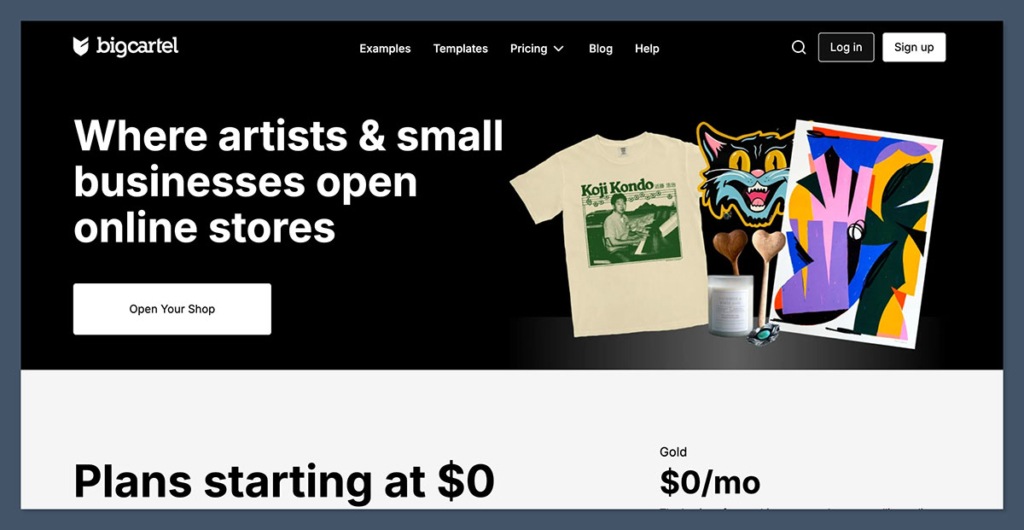
Big Cartel is the simplest platform I’ve used for setting up a small art shop. If you’re only selling a handful of original pieces, zines, or limited-edition prints, it’s a clean, low-maintenance choice that doesn’t require ongoing fees (on the free plan).
It’s not built for scale, and there are fewer design options than other platforms, but the overall experience is clean and artist-friendly. Many independent illustrators and creators use Big Cartel for limited product launches or exclusive drops.
Pros
- Free plan available with no listing fees or commissions
- Lightweight, clean interface
- Minimal setup and fast to launch
- Great for original art, prints, and handmade items
Cons
- Limited customization and features
- Not suitable for large inventories or complex shipping
- No blog or email marketing tools built-in
- Fewer integrations than larger platforms
Big Cartel improvements for 2026:
- Updated mobile dashboard for better product management
- New Stripe-powered checkout for faster processing
- Product countdown and limited inventory display added
- Integration with ShipStation and Square improved for US users
How Much Does Big Cartel Cost?
| Plan | Monthly Price | Product Limit | Features |
|---|---|---|---|
| Free | $0 | 5 products | Basic features and themes |
| Platinum | $15 | 50 products | Custom domains, tracking, themes |
| Diamond | $30 | 500 products | Full features, bulk editing |
Why Use Big Cartel in 2026?
Big Cartel is a great place to start if you’re selling a limited catalog of originals or testing a low-volume art store. It’s not the most advanced tool, but its simplicity and artist-first approach make it ideal for small shops.
Big Cartel is suitable for:
- Artists running occasional drops or selling limited pieces
- Sellers who want to avoid monthly fees
- Creators who don’t need deep ecommerce features
Big Cartel isn’t suitable for:
- Businesses that need automation or scaling
- Artists who want integrated marketing or blogging
- Sellers needing advanced shipping rules or inventory logic
7. Saatchi Art: Best for Selling Fine Art Originals
Starting fee: 40% commission per sale
Curated online gallery and marketplace: Yes
Read our Saatchi Art review for more information
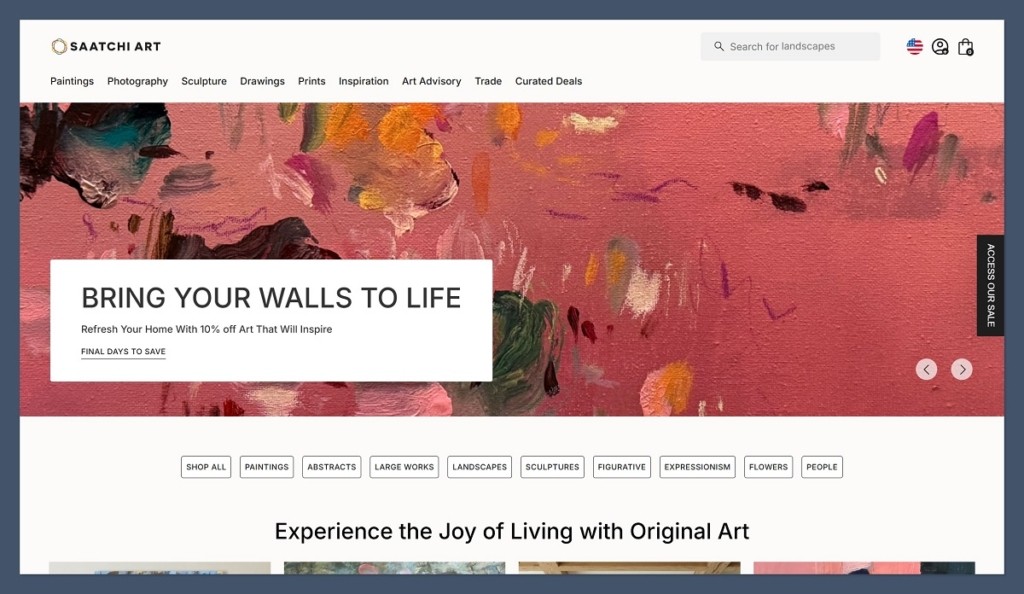
Saatchi Art positions itself as a premium marketplace for original fine art. It connects serious buyers with emerging and established artists, and handles part of the sales process, including customer support and some logistics. While the 40% commission is high, you’re getting access to a global collector base that expects gallery-level work.
I’ve worked with artists who use Saatchi to sell high-ticket paintings or sculptures while managing prints and digital sales elsewhere. The platform is curated and selective, which adds credibility to your work.
Pros
- Focused on original fine art and serious collectors
- Buyers expect higher prices and one-of-a-kind work
- Some marketing and sales support included
- Can complement your own site without conflict
Cons
- High commission (40%)
- Less control over customer interactions
- Not ideal for print sales or smaller items
- Curation process may limit exposure
Saatchi Art updates for 2026:
- Artist dashboards now include global analytics and price comparisons
- Expanded Print Program in more regions
- Integrated Instagram and Pinterest promotion for featured artists
- Expanded B2B sales channel for hotels, offices, and design firms
Why Use Saatchi Art in 2026?
Saatchi Art works best as a high-end channel for originals while running your print or merch sales elsewhere. The platform brings in targeted buyers, and having your work listed adds legitimacy.
Saatchi Art is suitable for:
- Painters and sculptors selling original, one-of-a-kind pieces
- Artists looking for gallery-style exposure without a solo site
- Creatives with premium pricing and curated collections
Saatchi Art isn’t suitable for:
- Artists selling only prints or digital art
- Sellers who want full control over branding
- High-volume ecommerce businesses
8. Fine Art America: Best for Print-on-Demand Fulfillment
Starting fee: Free to join
Print-on-demand marketplace: Yes
Read our Fine Art America review for more information
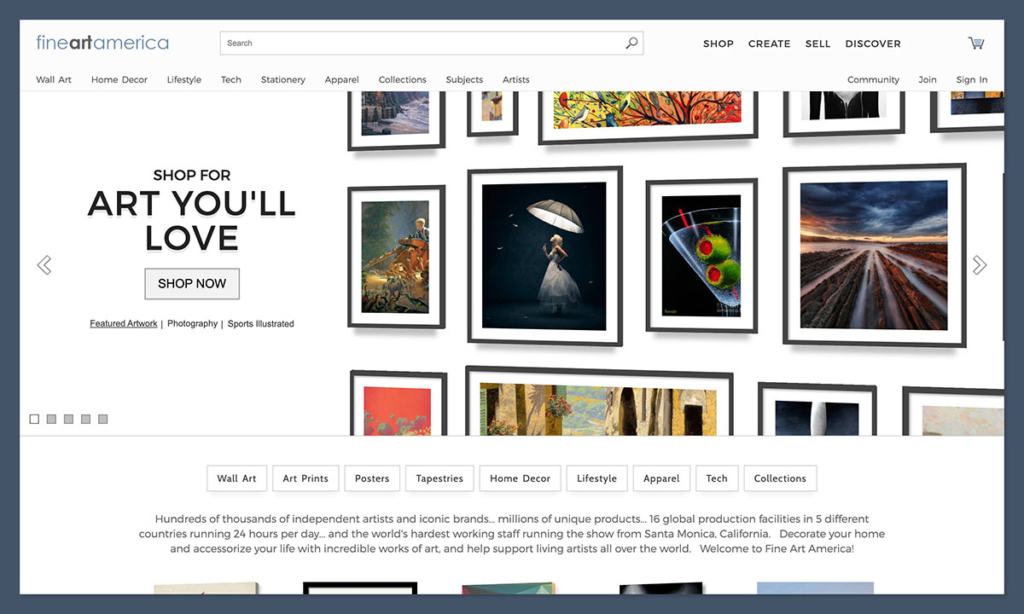
Fine Art America is a print-on-demand platform built specifically for artists. It lets you upload your artwork and sell it on a wide range of physical products, from canvas prints and posters to phone cases and apparel. Fulfillment, printing, and shipping are all handled for you, so you can focus on creating instead of logistics.
What makes it different from other POD platforms for artists is that it’s tailored for fine art and photography. You can also sell through your own site using their white-label tools, which I found helpful when building a branded store without investing in inventory.
Pros
- Wide product range including wall art, home decor, apparel, and more
- Artist-focused with high-quality print standards
- No inventory management or shipping required
- Option to integrate with your own domain
Cons
- Profit margins depend on base product costs
- Marketplace is highly competitive
- Limited branding options within the main site
- Some product mockups may feel generic
Recent updates from Fine Art America in 2026:
- Expanded fulfillment centers across Europe and North America
- New markup settings allow different margins by product category
- Enhanced white-label store builder with better mobile optimization
- Artist Collections now support thematic series and bundled offers
How Much Does Fine Art America Cost?
| Type | Cost |
|---|---|
| Artist account | Free to join |
| Premium account | $30/year (optional) |
| Product markup | You choose your margin |
| Fulfillment | Base costs are fixed |
You make money by adding a markup to the base price. For example, if a framed print costs $80 and you set your markup at $30, you earn $30 per sale.
Why Use Fine Art America in 2026?
Fine Art America is a great platform for artists looking to offer high-quality prints and products without worrying about manufacturing or delivery. It also works well alongside other platforms, especially if you’re building multiple income streams from older or digital work.
Fine Art America is suitable for:
- Artists with large digital archives or scan-ready originals
- Creatives who want passive sales via print-on-demand
- Sellers looking for a mix of art and merch options
Fine Art America isn’t suitable for:
- Artists focused on direct customer relationships
- Sellers needing full brand control
- Creators looking for higher margins per product
9. Artfinder: Best for Selling Originals on a Curated Marketplace
Starting fee: 40%–45% commission depending on seller tier
Original art marketplace: Yes
Read our Artfinder review for more information
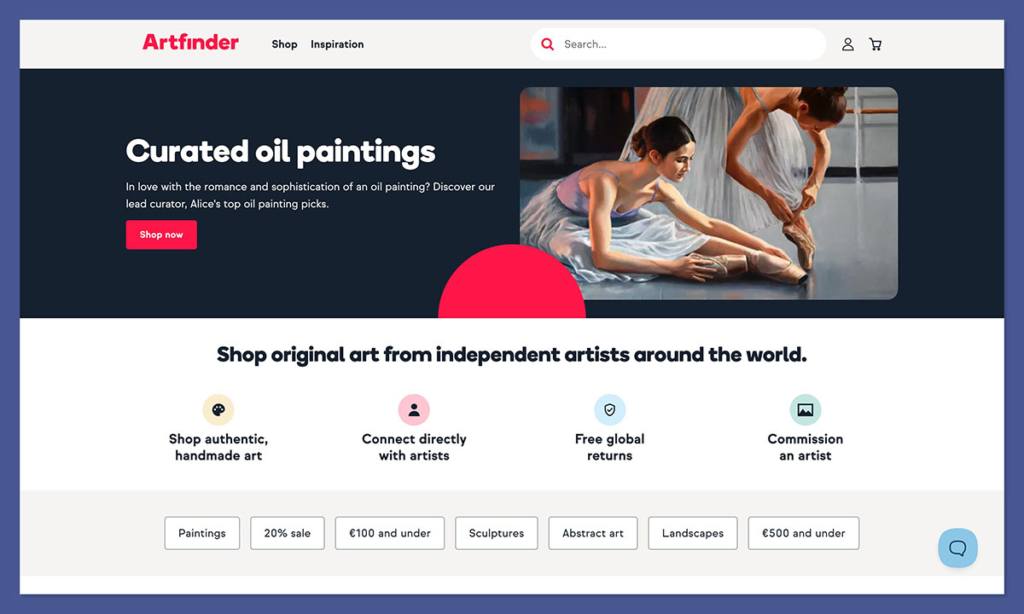
Artfinder is a curated marketplace dedicated to original artworks, mostly paintings, drawings, and handmade prints. Unlike POD platforms or flexible builders, Artfinder is more traditional, focusing on connecting artists directly with buyers seeking one-of-a-kind pieces.
Artfinder buyers tend to be serious collectors or interior designers, which means average order values can be higher than on general marketplaces. While the commission is steep, it includes access to a niche audience already shopping for fine art.
Pros
- Targeted audience looking for original, physical art
- Seller tools designed specifically for visual artists
- Opportunity to build a collector base
- Platform support for limited releases and artist promotions
Cons
- High commission (up to 45%)
- Only supports original art, not prints or downloads
- Limited control over design, branding, or experience
- Smaller platform reach compared to Etsy or Saatchi
Recent Artfinder updates for 2026:
- New Artist Spotlight feature boosts discoverability
- Improved analytics for tracking buyer interest and page views
- Social media asset generator for Instagram promotions
- Expanded shipping options for larger artworks in the US and UK
How Much Does Artfinder Cost?
| Seller Plan | Commission Rate | Key Features |
|---|---|---|
| Standard | 45% | Full access to marketplace |
| Professional Plan | 40% | Featured listings, better analytics |
There are no listing fees or monthly charges, but your take-home pay will depend on pricing and your plan level.
Why Use Artfinder in 2026?
Artfinder is a great fit for artists producing original works and seeking a curated, art-focused sales environment. It’s a good supplemental channel if you also run your own site or sell through galleries.
Artfinder is suitable for:
- Painters and illustrators offering physical originals
- Creators who value quality over volume
- Artists selling work priced above $100 per piece
Artfinder isn’t suitable for:
- POD artists or digital-only creators
- Sellers who want branding or design control
- Those looking for print or merch sales
10. Redbubble: Best for Low-Effort Passive POD Sales
Starting fee: Free to join
Marketplace with automatic fulfillment: Yes
Read our Redbubble review for more information
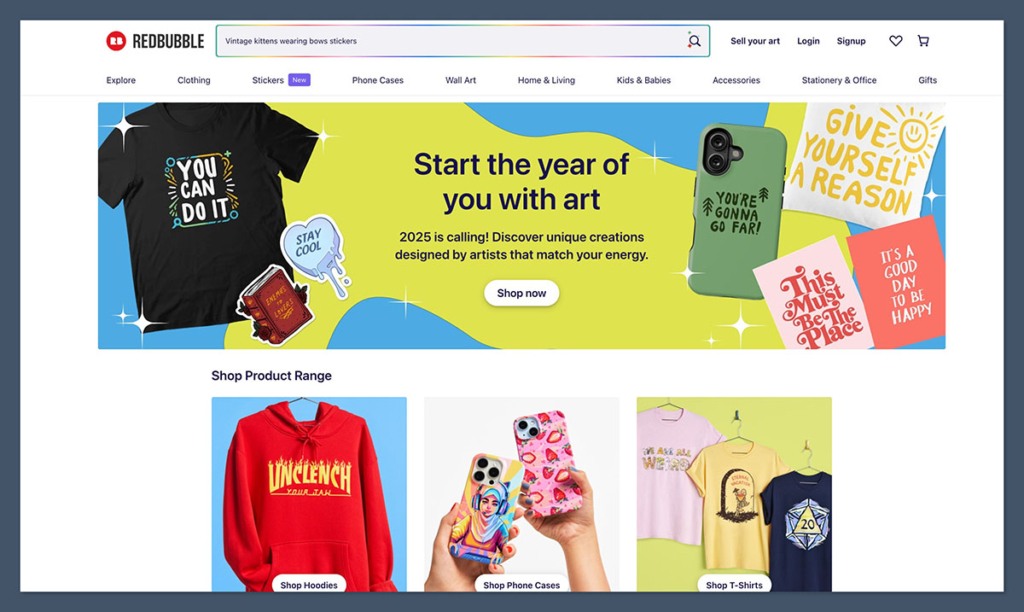
Redbubble is one of the easiest platforms to get started with if you want to sell art on physical products. You simply upload your designs, choose what products to enable, and Redbubble handles the rest, printing, shipping, customer service, and even customer returns.
It’s not ideal for branding or high-ticket sales, but it works well for passive income from a large back catalog of designs. I know artists who’ve uploaded hundreds of designs and continue earning from them long after they’ve moved on to new projects.
Pros
- Fast and simple setup, upload once, sell across 70+ products
- No upfront fees or monthly charges
- Redbubble manages customer support and logistics
- Great for passive sales or test designs
Cons
- Low margins unless markup is optimized
- Heavily saturated marketplace
- Limited branding or customer retention options
- Payment policies and visibility can change frequently
New Redbubble updates in 2026:
- Updated tier system rewards sellers with higher exposure after consistent sales
- Enhanced storefront options with featured designs and collections
- AI-powered trend tracking now built into the dashboard
- Improvements to artist payout clarity and earnings reports
How Much Does Redbubble Cost?
- Free to join and list products
- Base costs are set by Redbubble, you add your markup
- Artist earnings = selling price – base cost – platform fees
| Product Type | Base Price (Average) | Recommended Markup |
|---|---|---|
| T-shirt | $16.00 | $6–$10 |
| Art print | $14.00 | $8–$20 |
| Sticker | $2.50 | $1–$3 |
Why Use Redbubble in 2026?
Redbubble is perfect for artists who want to monetize digital work without managing inventory or marketing. It’s not a brand-builder, but it offers long-tail income potential for designs that continue to sell.
Redbubble is suitable for:
- Artists with a large digital archive
- Sellers who want completely hands-off fulfillment
- Creators testing styles or running secondary channels
Redbubble isn’t suitable for:
- Artists focused on branding or community building
- High-margin businesses or high-ticket products
- Creators wanting control over design, pricing, or user experience
Final Thoughts
The best place to sell your art online really comes down to your goals. If you’re building a long-term brand, I recommend starting with Shopify or WooCommerce. For fast discovery and proof of demand, Etsy remains the easiest option. And if you want your site to reflect the beauty of your work, Squarespace delivers on aesthetics without extra complexity.
Some artists choose to use multiple platforms, for example, running a Shopify store while listing select prints on Etsy or Redbubble. This can help diversify your income without putting all your eggs in one basket.
The most important thing is to start. Every piece you list, every visitor you get, and every sale you make builds momentum. Choose the platform that matches where you are now, and grow from there.



