For a small store, ecommerce SEO comes down to collection and product pages matching shoppers’ searches, a clean Google Merchant Center feed, and patience. Almost all the tools cost $0.
The catch: Ahrefs’ study found only 1.74% of sampled new pages reached Google’s top 10 within a year. Start with pages closest to a sale; blogging and links come later.
Follow Lost Marmot, a made-up Shopify store selling to US buyers. This print-on-demand store has 30 products: 12 national park tees, six funny hiking tees, six hoodies, and six mugs and sticker packs. Every step covers Shopify and WooCommerce; the principles also apply to Wix and Squarespace.
Key Takeaways
- Start with collections and products: Seer Interactive’s April 2026 analysis found AI Overviews on 36% of informational searches but only 8% of commercial and 5% of transactional ones.
- Free tools cover small stores: Buy one month of Ahrefs Starter at $29 only when you need additional keyword research.
- Merchant Center is the biggest free win: Connect through Google & YouTube on Shopify or Google for WooCommerce.
- Skip AI search hacks: As of November 2026, Google requires no special optimizations; eligible Shopify catalogs enter ChatGPT discovery automatically.
- Budget months, not weeks: Review pages after six months. DIY first: Ahrefs’ survey puts average freelancer retainers at $1,348.63/month.
What to do first on a small store
| Task | Time | Cash cost | Impact | Step |
|---|---|---|---|---|
| Verify Search Console; submit sitemap | 30 minutes | $0 | High | 1 |
| Connect Merchant Center | 1-2 hours; days for review | $0 | High | 7 |
| Map 15-25 keywords | 3-4 hours | $0 or $29 | High | 2 |
| Rewrite 3-5 collections | 1 hour each | $0 | High | 4 |
| Rewrite 10 best sellers | 30-45 minutes each | $0 | High | 5 |
| Fix duplicate and filter URLs | 1-2 hours | $0 | Medium | 6 |
| Write buying guides | 3-4 hours each | $0 | Medium, slow | 8 |
| Pitch links and mentions | 2 hours weekly | $0 | Medium, slow | 9 |
| Review Search Console | 30 minutes monthly | $0 | Medium | 10 |
These times are my estimates for a 30-product store. Connect Merchant Center early, then clean its feed in Step 7 using the product data improved in Steps 4-6.
Step 1: Set Up Google Search Console and a Free SEO Toolkit
Spend 30 minutes setting up Search Console to get Google’s query, click and indexing data for $0. Your first ecommerce SEO task is measurement: connect Google and Bing, run a free audit, and save a dated baseline before editing pages.
Verify your store in Google Search Console
- Add a Domain property: Verify ownership using the DNS record Google supplies.
- Submit your sitemap: Shopify generates
/sitemap.xmlautomatically. On WooCommerce, submit your plugin’s sitemap index:/sitemap_index.xmlfor Rank Math or Yoast. - Save a baseline: Record impressions, clicks and indexed pages with today’s date. In Performance, turn on Total clicks, Total impressions, Average CTR and Average position.
Search Console is free with unlimited verified properties. As of November 2026, AI Overviews and AI Mode traffic appears under the Web search type, not in a separate report.
On Shopify, choose a plan and remove the password page before expecting search traffic. Shopify says search engines don’t index trial stores.
Add Bing Webmaster Tools and Ahrefs Free
- Bing Webmaster Tools: Import your verified Search Console property. Its AI Performance report, in public preview since February 2026, samples Copilot and Bing AI citations, not rankings or ChatGPT visibility.
- Ahrefs Free (formerly Ahrefs Webmaster Tools): Verify your store and run Site Audit’s 170+ checks. Review existing keywords and backlinks; the free account excludes Keywords Explorer and Rank Tracker.
- Sales data: Connect free GA4 or use Shopify Analytics so you can judge online store SEO by organic sales later.
Free vs paid SEO tools
| Tool | Free version | Cheapest paid plan | Worth paying? |
|---|---|---|---|
| Google Search Console | Unlimited verified sites | None | Stay free |
| Bing Webmaster Tools | Free | None | Stay free |
| Google Keyword Planner | Free; ranges without ad spend | None | Stay free |
| Ahrefs | Ahrefs Free: 5,000 crawl credits/project/month | Starter $29/month; Lite $129/month | Starter for one month |
| Semrush | 10 reports/day | SEO $139/month; $117.33/month billed yearly | Not for a small store |
| Keywords Everywhere | Extension with limited metrics | Bronze $84/year; 100,000 credits | If ranges aren’t enough |
| Ubersuggest | Limited free lookups | Individual $29/month | Instead of Ahrefs Starter |
| Mangools / KWFinder | Limited free lookups | Basic $37.70/month billed annually; $452.40/year | Maybe |
| Screaming Frog SEO Spider | Up to 500 URLs | £199 a year | Not below 500 URLs |
Semrush’s SEO plan is the old Pro plan. Its renamed tiers don’t change the budget recommendation.
My take: Stay free until Step 2 identifies a research gap. Then buy Ahrefs Starter for $29 for one month, batch your research within its 200 credits, and cancel before renewal.
Platform notes
- Shopify: Skip SEO apps for setup. Shopify already generates canonical tags,
sitemap.xmlandrobots.txt. - WooCommerce: Install free Rank Math or Yoast for title and meta fields and your sitemap. Optional upgrades are Rank Math Pro at $8.99/month billed yearly ($107.88/year), Yoast SEO Premium at $118.80/year, or Yoast WooCommerce SEO at $178.80/year.
For Lost Marmot, verify the domain, submit /sitemap.xml, import into Bing and run Ahrefs’ audit. Say its baseline is close to zero because the store is new; save that starting point anyway.
Milestone: Search Console shows your sitemap status as Success, Bing Webmaster Tools and Ahrefs Free are verified, and you’ve saved a dated baseline.
Skip paid tools if: the free research in Step 2 already gives you a full keyword map.
Step 2: Do Ecommerce Keyword Research With Free Tools
Build a map of 15-25 keywords, each assigned to one page. Ecommerce keyword research should tell you what to build, not leave you with a spreadsheet of phrases you cannot use.
Ahrefs’ December 2023 study estimated that 96.55% of roughly 14 billion pages received no organic Google traffic. The sample wasn’t the entire web, but its demand warning matters: ranking first brings nothing if nobody searches the topic.
Build a seed list from your catalog
Combine product facts shoppers might type:
- Product types: T-shirt, hoodie, mug.
- Themes: National park, hiking.
- Audience: For women, for dad.
- Occasion: Gift, birthday.
- Style: Funny, vintage, line art.
Use these free idea sources to expand the list:
- Google: Autocomplete, People also ask, and product titles in the Shopping tab.
- Marketplaces: Amazon and Etsy autocomplete.
- ChatGPT: Intent and wording ideas only, not search volumes.
Moving from Etsy? Your existing titles and tags make useful seeds, but your new domain doesn’t inherit Etsy’s authority. Pair this exercise with product research, rather than assuming every design deserves a separate search landing page.
Check demand without paying
- Open Keyword Planner: Create a Google Ads account, switch to Expert Mode and choose “Create an account without a campaign.” Go to Tools > Planning > Keyword Planner > Discover new keywords.
- Read ranges first: Without ad spend, you’ll usually see ranges such as 100-1K rather than exact monthly figures. Google doesn’t publish the spending threshold. Use ranges to distinguish demand from guesswork.
- Buy detail only when necessary: Keywords Everywhere Bronze costs $84/year for 100,000 credits. Alternatively, use the $29 month of Ahrefs Starter from Step 1. Treat tool volumes as estimates, not promised visitors.
- Use your own data once live: Search Console’s Queries tab shows searches your pages already appear for. Add relevant discoveries to your map.
Sort keywords by intent, then assign a page type
- Commercial: “National park shirts” belongs on a collection where shoppers can compare products.
- Specific product: “Half dome t shirt” belongs on the matching product page.
- Informational: “What to wear hiking in summer” belongs in a helpful post linking to a collection.
Don’t force a product page to answer an informational query because the phrase looks popular. Match the page to the shopper’s task before worrying about keyword placement.
Own one category first
Build your ecommerce SEO strategy around one collection cluster for the first 90 days, rather than spreading effort across every product. I’d pick Lost Marmot’s National Park Shirts: it has the most products and a clear buying-intent theme.
Lost Marmot’s keyword map
| Keyword | Search intent | Page type | Shopify URL |
|---|---|---|---|
| national park shirts | Commercial | Collection | /collections/national-park-shirts |
| funny hiking shirts | Commercial | Collection | /collections/funny-hiking-shirts |
| hiking hoodies | Commercial | Collection | /collections/hiking-hoodies |
| gifts for hikers | Commercial, gift research | Collection | /collections/gifts-for-hikers |
| half dome t shirt | Transactional | Product | /products/half-dome-line-art-tee |
| what to wear hiking in summer | Informational | Blog post | /blogs/journal/what-to-wear-hiking-in-summer |
| how to wash printed t shirts | Informational | Blog post | /blogs/journal/how-to-wash-printed-t-shirts |
Platform notes
- Shopify: Research stays the same, but
/collections/and/products/prefixes are fixed. - WooCommerce: The usual bases are
/product-category/and/product/. Rank Math or Yoast can adjust them; changing existing URLs needs redirects.
You’re done when: Every keyword points to exactly one intended page, no two pages target the same primary keyword, and keywords without a page sit in a “later” column.
Step 3: Plan a Flat Site Structure Around Your Collections
Make every product reachable from your homepage in three clicks or fewer. A product that no menu or collection links to is difficult to discover, however carefully you wrote its description.
Google’s ecommerce guidance strongly recommends linking to every product you want indexed. Turn Step 2’s keyword map into a homepage-to-collection-to-product hierarchy.
- Google’s model: Link menus to categories, categories to subcategories, and those to products using standard
<a href>links. Google generally doesn’t infer site structure from URL folders. A sitemap or Merchant Center feed helps cover products you cannot link. - Shopify’s rules of thumb: Use descriptive menu titles and keep pages within three clicks of home. Give images descriptive filenames before uploading them, too.
Turn your keyword map into a menu
Use this Lost Marmot navigation, with every item linked from the homepage menu:
- National Park Shirts: The main tee collection.
- Funny Hiking Shirts: The humor-focused tees.
- Hiking Hoodies: The hoodie collection.
- Mugs and Stickers: The accessories.
- Gifts for Hikers: A curated collection.
- Journal: Guides linking back to collections.
I’d keep individual parks as filters or tags initially, not separate collections, until each has enough products and distinct search demand to justify a page.
Link across, not only down
- Breadcrumbs: Add them to collection and product pages so shoppers can move back up.
- Collection intros: Link to a relevant sibling collection.
- Product pages: Link back to the main collection and to the same design on other product types.
- Blog posts: Link to one primary collection, as covered in Step 8.
Avoid these structure traps
- Every design multiplied by every product type: Don’t create near-empty collections for every combination.
- Indexable tag pages: Keep shopper filters from competing with the main collection.
- One-product collections: Consolidate unless there is a genuine shopper need and distinct demand.
Shopify Community discussions connect thin collections with little text to “Crawled – currently not indexed.” More URLs don’t automatically mean better ecommerce SEO.
Quick platform comparison
- Shopify: Collections are flat, without a parent-child setting. Build hierarchy through nested menus and links. Prefixes include
/collections/,/products/,/pages/and/blogs/; Step 6 covers collection-path product duplicates. - WooCommerce: Categories can have parents and children, producing paths such as
/product-category/parent/child/. Products use/product/. Create a 301 redirect for every changed URL if you strip bases on a live store.
Checkpoint: Click from your homepage to your deepest product. If it takes more than three clicks, or a product belongs to no collection, fix navigation before Step 4.
Step 4: Optimize Collection and Category Pages First
Why can a product grid outrank a long article for “national park shirts”? The shopper wants to browse shirts, not read an essay.
Start this ecommerce SEO work with your 3-5 priority collections. Give each its Step 2 keyword, a unique title and meta description, a matching H1, and a useful intro.
Write title tags and meta descriptions from templates
| Page type | Title template | Lost Marmot example | Meta description example |
|---|---|---|---|
| Homepage | [Main product] for [audience] – [Brand] | National Park and Hiking T-Shirts – Lost Marmot | Original line-art tees, hoodies and mugs for people who’d rather be on a trail. Printed to order, sizes S-3XL. |
| Collection | [Collection keyword]: [Differentiator] – [Brand] | National Park Shirts: Line-Art Tees for Hikers – Lost Marmot | 12 national park shirts drawn in-house, from Half Dome to Arches. Unisex sizes S-3XL, printed to order. |
| Product | [Product name] [Product type] ([Key attribute]) – [Brand] | Half Dome Line Art T-Shirt (Unisex) – Lost Marmot | Yosemite’s Half Dome in a single-line drawing on a soft cotton tee. Unisex fit, sizes S-3XL. Check the size chart before ordering. |
| Blog post | [Question or topic]: [Promise] | What to Wear Hiking in Summer: A Simple Layering Guide | A one-sentence answer followed by what the guide covers. |
Use these as patterns, not copy-and-paste claims. Sizing and production details must match your products.
- Keyword first, brand last: Give every page a unique title.
- Brand duplication: Many Shopify themes append the store name automatically. Check the live page before adding it yourself.
- Title length: Google publishes no fixed limit and may rewrite titles. Treat 50-60 characters as a working target, not a requirement.
- Meta description: Sell the click with who the collection suits and one concrete fact.
- H1: Identify the same collection and search intent.
Write a collection intro shoppers actually read
- Above the grid: Write 2-4 sentences covering the audience, a differentiator, one practical detail, and a related collection.
- Below the grid: Add a size guide, care notes or 3-4 short FAQs only if they help.
- Internal links: Use descriptive wording, not “click here.”
One Shopify Community merchant saw some collection URLs leave “not indexed” after fixing internal links, then strengthening collection descriptions and SEO titles. That’s one merchant’s experience, not a guaranteed fix.
Example collection intro:
Explore national park shirts with original line-art drawings of Yosemite’s Half Dome, Arches and other trail favorites. These unisex tees come in sizes S-3XL and are printed to order, so check the size chart before choosing your fit. Want the same outdoor feel in a warmer layer? Browse Hiking Hoodies for designs you can wear when temperatures drop.
Link “Hiking Hoodies” to that collection on your store.
Keep the grid crawlable
Give paginated collection pages their own URLs. Treat filters as shopper tools, not automatic search landing pages; Step 6 covers both.
Platform notes
- Shopify: Open Products > Collections > your collection > Search engine listing > Edit. Set the title, meta description and handle; description placement depends on your theme.
- WooCommerce: Open Products > Categories > edit the category. Add the intro in Description and use Rank Math or Yoast for title and meta; check that your theme displays it.
My recommendation: Improve the demand-backed collection closest to a sale first. For Lost Marmot, that’s National Park Shirts.
Milestone: Each priority collection has a unique title, meta description, H1 and intro, plus a relevant sibling link.
Step 5: Make Every Product Page Unique: Copy, Images and Reviews
Replace supplier paragraphs on your 10 best-selling or highest-margin products. Product page SEO needs facts that distinguish your offer, not another version of the blank garment’s description.
Shero Commerce’s analysis of 1,000 Shopify stores found 20% of product descriptions appeared near-verbatim elsewhere. Copying supplier text gives shoppers little reason to choose anything except the lowest price.
Replace supplier copy with facts only you have
- Design story: Explain the artwork and what it depicts.
- Fit and sizing: Give measurements and link to the size chart.
- Material and print method: Use the supplier’s actual specification.
- Care: Give instructions appropriate to the finished product.
- Production and shipping time: Separate making the item from transporting it.
As of November 2026, Shopify’s AI guidance recommends clear titles and key benefits near the top, prominent price and availability, and detailed specifications lower down. Those same facts support ecommerce SEO and the feed in Step 7.
For Lost Marmot’s Half Dome tee, replace the generic blank description with product-specific information:
- Before: A soft, lightweight tee suitable for everyday wear.
- Design: A single-line drawing of Yosemite’s Half Dome.
- Fit: Unisex sizing, with measurements in the linked size chart.
- Printing: State the actual method from the supplier specification.
- Care: Wash inside out, where supported by the supplier’s instructions.
- Production: Made to order; display the actual production estimate.
Lead the Half Dome hoodie page with hoodie-specific fit and construction, and the mug page with its material and care. If demand justifies a Half Dome design collection, link all three to it and write original collection text, consistent with Step 3.
Keep colors and sizes as variants of one product, not separate products per color. For more copy guidance, use these product descriptions that sell.
Use AI for the first draft, not the final copy
- Google’s rule: Its March 2024 scaled content abuse policy covers generating many pages without adding user value. AI can help with research and structure, but metadata receives the same scrutiny. Merchant Center requires AI-generated titles and descriptions to be flagged.
- Shopify’s tool: As of November 2026, Generate text runs through Sidekick and is free on every plan. Shopify warns that its output can contain errors.
- My recommendation: Supply real product facts, then edit every line. Never bulk-publish untouched output or let AI invent material, fit or shipping claims.
Images and alt text
- Filename: Rename images before upload, such as
half-dome-line-art-tee-forest-green.jpg. - Alt text: Describe what’s visible: “Half Dome line art printed on a forest green unisex t-shirt.”
- Original visuals: Prefer your own photos or customized mockups over unchanged supplier images. Step 7 covers Merchant Center’s image requirements.
Reviews that can earn stars
- Collect real product reviews: Request a review after each order and show it on the relevant product page.
- Keep the subject specific: Product reviews can qualify for stars. Your own business reviews marked up as Organization or LocalBusiness are ineligible as self-serving.
- Avoid shortcuts: Don’t import ratings from other websites, invent reviews or hide incentives. Violations can trigger a manual action.
Platform notes
- Shopify: Edit title, meta and handle in Search engine listing. Keep “Create a URL redirect” ticked when changing handles. Add a reviews app.
- WooCommerce: Put key facts in the short description and details in the long description. Core Product markup includes enabled reviews; manage title and meta through Rank Math or Yoast.
You’re done when: Your top 10 products have no copied supplier paragraphs, every image has useful alt text, and review requests follow orders.
The verdict on AI: A useful first draft, a bad final copy.
Step 6: Fix the Technical SEO Issues Search Console Flags
Check whether priority pages are indexed, not whether Search Console contains warnings. Shopify’s duplicate collection paths and .atom feed URLs can swell the report without breaking your main pages.
Your ecommerce SEO goal is one clean, indexed URL per priority page. Shopify generates canonicals, sitemaps and robots.txt; Online Store 2.0 themes supply Product markup. WooCommerce supplies core Product markup alongside your SEO plugin’s functions.
Read the Page indexing report first
- Alternate page with proper canonical tag: Expected for Shopify’s
/collections/x/products/yduplicates pointing to/products/y. - Crawled – currently not indexed: Inspect for thin or duplicate content. Improve important pages using Steps 4-5 and internal links.
- Duplicate, Google chose different canonical than user: Strengthen uniqueness and links to your preferred URL; Google can override declared canonicals.
Run URL Inspection on every page in your keyword map. A canonical states your preference; it doesn’t guarantee Google’s choice.
Common store issues and fixes
| Issue | Where it shows up | Shopify fix | WooCommerce fix |
|---|---|---|---|
| Collection-path product links | Alternate page with proper canonical tag | Expected canonicals to /products/; optionally remove “within: collection” from links | Normally one /product/ URL |
| Crawled filter and sort URLs | Page indexing, search results | Test parameter restrictions in robots.txt.liquid | Block or noindex filter parameters through plugin |
| Page 2+ canonicalized to page 1 | URL Inspection | Check theme; each page needs its own canonical | Check plugin; same rule |
| Temporary stockout | Product page/feed | Keep live; mark out of stock | Keep live; set Out of stock |
| Discontinued product | Not found (404) | 301 to comparable product/collection; otherwise 404/410 if no value | Rank Math free or Yoast Premium redirects; same rule |
| Two Product markup blocks | Rich Results Test | Don’t stack schema app over theme markup | Don’t duplicate WooCommerce core markup |
Google’s faceted navigation doc says there’s often no reason to crawl filtered items. But robots.txt blocking hides their canonicals from Google, so test changes first.
The stock rows follow Google’s long-standing advice. Keep useful discontinued pages; don’t redirect everything to the homepage, which can produce soft 404s. Shopify supports up to 100,000 redirects.
Check your structured data
- Two experiences: Product snippets cover product information, including pages without direct purchasing. Merchant listings support purchasable products with price, availability, shipping and returns. Using markup and a Merchant Center feed together maximizes eligibility.
- Shared policies: Define
hasMerchantReturnPolicyandhasShippingServiceonce in homepage Organization markup, preferablyOnlineStore. Use theme code or a schema app on Shopify, and your plugin or code on WooCommerce. - Validation: Run a product URL through the free Rich Results Test. Match markup to visible content; valid markup doesn’t guarantee a rich result.
Speed, briefly
Remove unused apps, compress images and serve WebP. Check PageSpeed Insights on your priority pages rather than chasing an app’s generic SEO score.
Say Lost Marmot’s report shows its collection-path Half Dome URL as “Alternate page with proper canonical tag”, alongside color-filter URLs. Keep the former if its canonical is correct, investigate the filters, and redirect retired designs only to genuinely relevant replacements or collections.
Platform notes
- Shopify: Use
robots.txt.liquidfor edits so default rules can keep updating. Most stores can retain the default. - WooCommerce: Manage sitemap, robots.txt and redirects through appropriate plugin features. Core markup produces one aggregated Product block for variable products.
Use the ecommerce SEO checklist for repeat checks, rather than purchasing another audit tool.
Skip a paid audit: Below 500 URLs on Shopify, with priority pages indexed, start with quarterly Ahrefs Free audits or free Screaming Frog.
Milestone: Your mapped URLs show “URL is on Google,” and the Rich Results Test identifies one valid Product item per product page.
Step 7: Get Your Products Into Google Shopping and AI Search
Connect free product listings first, then enable eligible AI channels. As of November 2026, Google says: “There are no additional requirements to appear in AI Overviews or AI Mode, nor other special optimizations necessary.”
Ecommerce SEO for AI search uses indexed pages, matching structured data and current feeds. Google announced at I/O in May 2026 that its Shopping Graph passed 60 billion listings, with over 2 billion refreshed every hour, and AI Mode shopping draws on it.
Set up Merchant Center free listings
Shopify
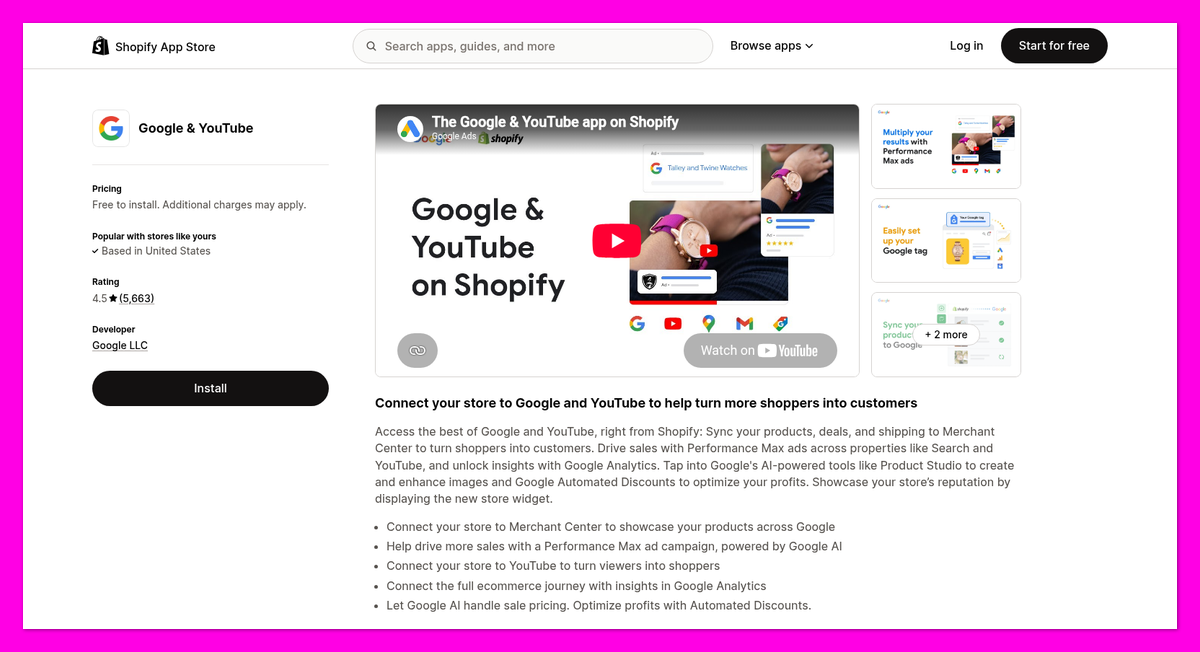
- Install Google & YouTube: Connect your Google and Merchant Center accounts.
- Verify the domain: Follow the app’s verification instructions.
- Check the free listings opt-in: Accounts created through the app opt approved products in automatically. If you linked an existing account, confirm it under Settings > Data sources > Product sources > Marketing methods.
- Complete product fields: Fix missing information; check Merchant Center daily during week one.
WooCommerce
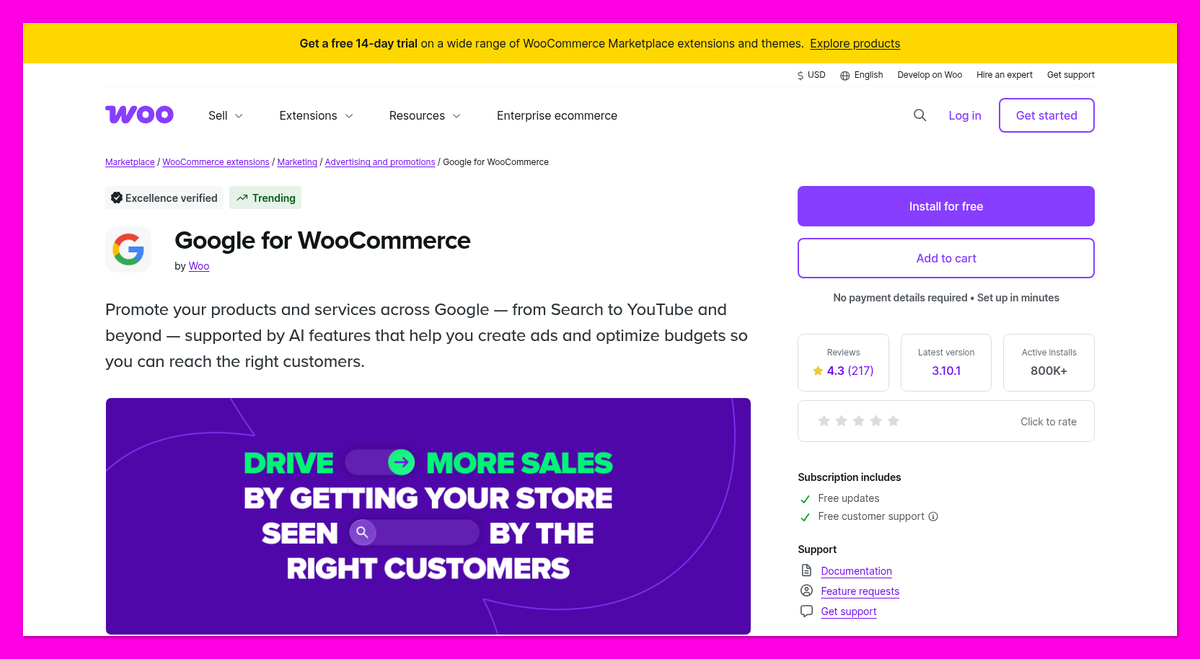
- Install Google for WooCommerce: Formerly Google Listings & Ads.
- Connect Merchant Center: Create or link an account and verify the site.
- Set shipping and tax: Sync WooCommerce settings; advanced flat-rate shipping costs and multi-client accounts aren’t supported.
- Complete required fields: Incomplete products won’t sync.
Approval doesn’t guarantee visibility. Shopify says approval might take a few days; WooCommerce describes eligibility within 3-5 days. Policy warnings can allow 7 or 28 days for fixes. Google Merchant Center Help lists supported markets, including the US, UK and Romania.
Fix these feed fields before you submit
- Required basics: Supply
id, title, description, link,image_link, availability, price and brand. Title and description limits are 150 and 5,000 characters. - Apparel: Include color, size,
age_group, gender anditem_group_idfor variants. - POD identifiers: For custom items without assigned identifiers, leave
gtinandmpnblank and setidentifier_existstono. Use valid supplier-assigned GTINs when available; check before declaring identifiers absent. - Images: Use at least 500 x 500 pixels from January 31, 2027. Avoid watermarks and promotional text; retain AI-generated images’ IPTC metadata.
- Matching offers: Price and availability mismatches are the leading disapproval problem. Enable automatic item updates; display shipping, returns and contact details clearly.
- Stable IDs: Preserve product IDs exactly, including capitalization, when rebuilding a feed.
For Lost Marmot’s illustrative entry, use “Lost Marmot Half Dome Line Art T-Shirt, Unisex, Forest Green.” Set brand to Lost Marmot, gender to unisex and age_group to adult; share one item_group_id across variants. Set identifier_exists to no only after confirming no applicable identifiers exist.
Where AI shopping tools get your products
Availability below is as of November 2026, not guaranteed placement. Google’s Universal Commerce Protocol, or UCP, supports the Buy button in AI Mode and Gemini.
| Surface | How products get in | What you control | Cost to you | Status, November 2026 |
|---|---|---|---|---|
| Google AI Overviews, AI Mode, Shopping | Indexed pages plus Merchant Center/Shopping Graph | Feed, markup, reviews | $0 free listings | AI insights announced May 2026; rollout in US, Canada, Australia, India, New Zealand |
| Google UCP checkout | native_commerce attribute, approval, Google Pay | Application; Shopify rollout | Google lists no fees | Select merchants; early access in US, Canada, Australia |
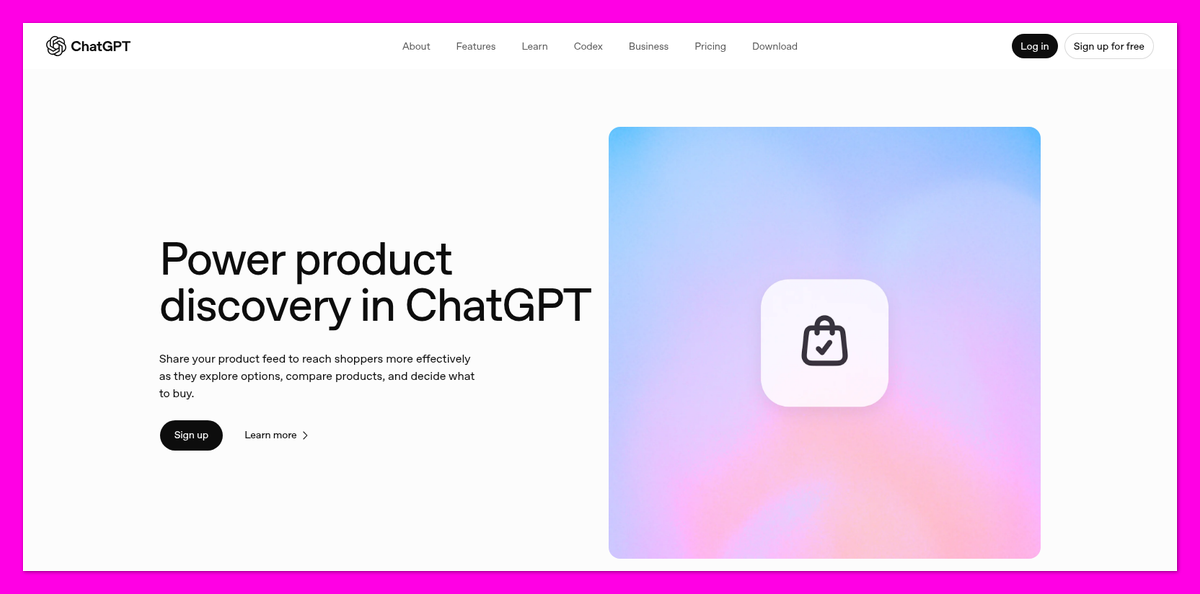
| ChatGPT shopping | Shopify Catalog/Etsy; other merchants apply for feed access | Data, policies, public reviews; own checkout | No fees on purchases made on your site | US discovery-first since March 24, 2026 |
| Microsoft Copilot | Microsoft Merchant Center; eligible Shopify stores selling to US buyers automatically enrolled | Feed, returns, support contacts | Microsoft lists no fees | US checkout since January 2026; English and USD |
| Perplexity | PayPal store sync; Merchant Program | Catalog through PayPal | Free program | US Instant Buy with PayPal since November 2025 |
What changed with ChatGPT checkout
Instant Checkout launched with Etsy on September 29, 2025. On March 24, 2026, OpenAI shifted toward discovery and merchants’ own checkout, saying the first version lacked the desired flexibility. Guides telling you to enable it are outdated.
As of November 2026, OpenAI’s merchant page confirms no fees for purchases made on your site or app. Shopping results weigh availability, price, quality and maker status; summaries use public reviews, and prices can lag. Original designs help establish maker status, not guarantee selection.
Platform notes, as of November 2026
- Shopify: Open Sales channels > Agentic. Complete terms, privacy and refund policies; accept supplemental terms. ChatGPT discovery and Copilot checkout default on for eligible stores selling to US buyers, including stores based elsewhere; Copilot checkout can be disabled. Google uses Google & YouTube, while Meta supports direct checkout in 11 countries. Shopify’s agentic commerce guide excludes customizable products, bundles and subscription-only purchases from Google, Copilot and Meta direct checkout, though discovery remains possible.
- WooCommerce: Apply for OpenAI’s feed waitlist with contact, country, category, SKU count and feed readiness. After Business Hub verification, use supported feed delivery and preserve item_id values. Use Microsoft Merchant Center for Copilot and PayPal store sync for Perplexity. Shopify’s alternative Agentic Plan has no monthly fee, with US online card rates from 2.9% + 30 cents; third-party payment providers add Shopify transaction fees.
Skip unconfirmed AI metafields: OpenAI hasn’t confirmed tutorial-promoted “AI search title” fields as a visibility shortcut. Improve descriptions and earn genuine mentions in Step 9.
My verdict: I wouldn’t pay for “AI visibility” while Merchant Center still shows unresolved issues.
Milestone: Products are approved with nothing under Needs attention, and eligible Shopify Agentic channels are active or your WooCommerce feed application is submitted. Submission isn’t approval.
Step 8: Publish Content That Sends Shoppers to Your Collections
Write one useful guide per priority collection, not a backlog of generic posts. Your ecommerce SEO content should answer a buying question and lead to a relevant collection or product.
Pew Research Center analyzed 900 US adults’ March 2025 browsing: regular results received clicks on 8% of visits with AI summaries versus 15% without. Links inside summaries received clicks on 1%.
Seer’s April 2026 analysis found organic CTR with an AI Overview fell to 1.31% in December 2025, recovering to 2.36% in February 2026 versus 3.82% without one. Cited pages earned 120% more clicks per impression than uncited pages, but 38% fewer than results without an Overview.
What to write first
- Buying guide: “How to Choose a Hiking Hoodie” leads to Lost Marmot’s Hiking Hoodies collection.
- Gift guide: “Gifts for Hikers Who Already Own Everything” leads to Gifts for Hikers and doubles as a Step 9 outreach asset.
- Care and fit guide: “How to Wash Printed T-Shirts So They Last” links to relevant products and the size chart.
- Seasonal how-to: “What to Wear Hiking in Summer” links to National Park Shirts, with Funny Hiking Shirts as a related option.
In one Shopify Community thread, a seller reported 100+ daily organic visits after about two months of three posts a week. That’s one seller’s report, not your expected result.
Give your content marketing a clear destination: articles answer questions; collections serve buying intent.
Write so it can be quoted
- Answer first: Resolve the main question in the first two sentences.
- Keep passages clear: Give each paragraph one independently understandable idea.
- Add original specifics: Use actual measurements, your photos and customer questions.
- Finish with useful FAQs: Answer 3-4 related questions briefly.
Apply the same principles through the SEO guide for artists selling prints. Clear writing isn’t an AI ranking trick.
What to skip
Skip thin, mass-produced AI posts. Linking weak articles to collections doesn’t make them authoritative, and publishing at scale without added value can violate Google’s spam policy.
I’d choose one or two useful posts a month over twelve thin ones.
Platform notes
- Shopify: The built-in blog is sufficient. Posts live under
/blogs/[blog-name]/and can link directly to collections and products. - WooCommerce: WordPress supports product blocks and direct links to category pages.
My recommendation: If you can write only one post this quarter, make it the buying guide for your best collection and link to it from that collection’s intro.
Step 9: Earn Backlinks Without Buying Them
Reserve two hours weekly for relevant outreach, not a link package. Store owners report unsolicited “SEO expert” emails within a day of launch; commenters judged one no-sales merchant’s $200 fix offer a likely scam.
Skip paid link packages and private blog networks. Your ecommerce SEO strategy needs relevant mentions, not a backlink count disconnected from your products.
- Stockist pages: Search “[brand] where to buy” or “stockists” for brands you resell. Request a free, in-context category link; keep an invoice or reseller certificate ready. Lost Marmot’s equivalent: an outdoor shop stocking its stickers.
- Gift guides: Pitch editors with your Step 8 guide and one product photo, not a placement payment. I’d pitch holiday guides early in autumn; Lost Marmot can lead with hiking gifts.
- Expert-source platforms: HARO became Connectively, which closed in December 2024. Look for relevant requests on Featured, Qwoted, Help a B2B Writer, Source of Sources or SourceBottle. Offer genuine expertise; assess access costs before subscribing.
- Product samples: Send a tee to a hiking creator for an honest review. Budget product and shipping costs, require disclosure, and don’t demand praise or a guaranteed link. Learn how to work with influencers.
- Unlinked mentions: Set a free Google Alert for your store name. Ask relevant sites mentioning Lost Marmot to add a link; use Ahrefs Free to review existing backlinks.
- Niche communities: Answer hiking or apparel questions without paying for placement. Follow each subreddit’s rules; the 9:1 ratio is a community guideline, not a Reddit-wide rule. Promotion-dominated accounts risk spam treatment.
As of November 2026, ChatGPT uses third-party product data and public reviews in shopping discovery. Genuine editorial mentions can support discovery beyond Google, although none guarantees an AI recommendation.
Platform note: Shopify and WooCommerce use the same outreach approach. Request links to durable collections, using /collections/ or /product-category/, rather than products you may retire.
Say Lost Marmot starts with 15 gift-guide bloggers and 10 hiking creators, plus a weekly scan of source requests. Those are prospects, not promised links.
Use 50 ways to build links to your store when relevant prospects run out, not as a checklist to attempt all at once.
You’re on track when: Your sheet records site, contact, angle, pitch date and result, and your calendar contains a recurring two-hour outreach block. Links can lag the work by months; don’t replace relevant outreach with a paid shortcut.
Step 10: Track Results Monthly and Decide When to Hire Help
Schedule a 30-minute monthly review instead of reacting to daily rankings. Judge ecommerce SEO by comparing the same pages over time.
Ahrefs’ 2025 study found 40.82% of pages that reached the top 10 did so within one month. Yet the average first-place page was five years old, and 72.9% of top-10 pages were over three. Review pages still outside the top 10 after roughly six months; this isn’t a deadline for every store.
Your monthly SEO check
- Find pages near page one: Open Search Console > Performance > Pages for the last three months. Sort by impressions; identify pages averaging positions 8-20. Improve titles, intros and internal links.
- Harvest new queries: Add relevant searches from the Queries tab to your Step 2 map.
- Recheck indexing: Investigate new “Crawled – currently not indexed” entries affecting priority URLs.
- Clear feed issues: Resolve Merchant Center’s Needs attention items. As of November 2026, AI performance insights are still rolling out.
- Review Bing citations: As of November 2026, AI Performance samples Copilot/Bing citations, not rankings.
- Judge sales: Review organic revenue. As of November 2026, AI Overviews and AI Mode clicks appear within Search Console’s Web search type.
Say Lost Marmot’s National Park Shirts collection averages position 14 for “national park shirts.” Add links from the Half Dome tee and summer hiking guide, tighten the intro, then compare next month.
A realistic first year
| Timeframe | Focus | What to expect | Cash cost, DIY |
|---|---|---|---|
| Month 1 | Steps 1-7 | Indexing and early impressions may begin; free listings reviewed within days | $0-$29 for Ahrefs Starter |
| Months 2-3 | Steps 8-9; indexing fixes | Long-tail queries and first clicks may appear | $0 |
| Months 4-6 | Improve positions 8-20 | Look for rising impressions; review at six months | $0 |
| Months 7-12 | More guides and links | Commonly reported window for meaningful traffic | $0; optional Rank Math Pro $8.99/month billed yearly |
These are planning windows, not guarantees. Store-owner reports describe indexing in 1-2 months, small traffic at 3-4 months and larger results at 6-12 months. Neither indexing nor free-listing approval guarantees visibility.
Should you hire help?
- DIY: Spend $0-$29/month on tools. Your time is the main cost; tool spending isn’t progress.
- Freelancer: Ahrefs’ survey of 439 providers, published in 2024, found an overall average hourly rate of $111, with $75-$100 the most common band. Freelancer retainers averaged $1,348.63/month; their most common band was $251-$500.
- Agency: Ahrefs reported average retainers of $3,209/month. GoodFirms’ 2026 survey of 300+ agencies placed 48.0% at $1,500-$5,000/month; WebFX’s September 2025 ecommerce survey reported $500-$7,500/month.
- My recommendation: DIY until organic revenue could cover a retainer several times over. Before then, hire hourly for a defined job: a migration redirect map, structured data repair or technical review. Reject guaranteed rankings, unsolicited fixes and promises of a higher “SEO score.”
Use the small business SEO guide for broader budgeting. Traffic without orders doesn’t finance a retainer.
Platform notes
- Shopify: Use Analytics’ traffic-source sales reporting.
- WooCommerce: Connect free GA4 to relate organic visits to orders.
The verdict: Give improved pages a six-month evaluation window before wholesale rewrites, while fixing concrete problems sooner.
Next action: Put the monthly check in your calendar and start Step 1 today.
Ecommerce SEO FAQ
How long does ecommerce SEO take to work?
Ecommerce SEO takes months, not weeks. Ahrefs’ 2025 study found only 1.74% of sampled new pages reached the top 10 within a year; the average first-place result was five years old. Merchant Center free listings can gain approval in days, but approval doesn’t guarantee exposure. Review pages after roughly six months. See Step 10.
How much does ecommerce SEO cost?
DIY ecommerce SEO can cost $0 in tools, or $29 for a month of Ahrefs Starter. Optional Rank Math Pro costs $8.99/month billed yearly ($107.88/year). Ahrefs’ 2024 survey of 439 providers found average freelancer retainers of $1,348.63/month and agency retainers of $3,209/month. Your time remains the main DIY expense. See Step 10.
Is SEO worth it for a new online store?
Yes, as a slow, compounding channel alongside faster ways to reach customers. Build collection and product pages and connect free listings from day one; don’t depend on rankings for your first sales. Shopify says search engines don’t index trial stores, and newly launched stores take time to be crawled. Start with Step 1.
Is Shopify or WooCommerce better for SEO?
Neither platform ranks better by default. Shopify automates canonicals, sitemaps, robots.txt and supported theme Product markup, but fixes URL prefixes. WooCommerce offers more control, with free Rank Math or Yoast handling SEO settings. Choose around your budget and skills. Compare our Shopify review and ecommerce platforms for small businesses, then follow Step 6.
Can I use AI to write product descriptions?
Yes, as a first draft you edit. Google targets scaled content without added value, not AI assistance itself. As of November 2026, Shopify’s Generate text is free on every plan but needs review. Add verified sizing, materials, care and original photos. Merchant Center requires AI-generated titles and descriptions to be flagged. See Step 5.
What should I do with out-of-stock products for SEO?
Keep temporarily sold-out pages live, with matching out-of-stock status in your feed. Redirect discontinued products to a close replacement or relevant collection, such as a retired Lost Marmot park tee’s collection. Without a replacement or useful content, return 404 or 410. Don’t redirect everything to the homepage. See Step 6.
Do I need an SEO app for my Shopify store?
Not for the basics. Shopify provides title, meta description and handle editing, plus sitemaps, canonicals and robots.txt; supported themes provide Product markup. Apps can speed bulk edits, but an app-generated SEO score doesn’t create demand or traffic. On WooCommerce, install a free SEO plugin for the equivalent workflow. See Step 1.