If you buy through links on this page, Bootstrapping Ecommerce may earn a commission.
Helium 10 is one of the strongest keyword and product research suites for Amazon, and its research tools read Merch on Demand shirts like other ASINs. For print-on-demand sellers, the buying decision comes down to which tools you can use.
In this Helium 10 review, I’ll walk through pricing, a Merch niche research workflow, and the features that need Seller Central. That distinction matters whether you collect Merch royalties or sell through Printful or Printify.
Our rating: 4.7/5
Key Takeaways
- Research tools work on Merch listings. Xray and Cerebro reveal product and keyword data, including child-ASIN sales estimates for individual shirt sizes and colors.
- Free, Platinum and Diamond run from $0 to $279/month with annual billing. Enterprise starts at $1,499; Starter retired for new sign-ups in early 2026.
- There’s no trademark checker. You still need a USPTO search or a Merch-specific tool before uploading.
- Seller-account tools need Seller Central. Merch-only sellers can’t count on Profits, Alerts or Ads; connected Printful and Printify sellers can access them on eligible plans.
- Annual Platinum takes about 41 shirt sales a month to cover. That uses the approximate default Creator royalty, before other expenses.
What’s changed on this page
I’ve included November 2026 plan details, Starter’s retirement and April’s Platinum changes, with POD-specific subscription calculations to help you choose a plan.
Helium 10 Pros & Cons
For me, keyword depth is Helium 10’s biggest draw for POD sellers, while Seller Central compatibility determines how much value its operational tools add.
What I Like
- Cerebro and Magnet offer deep keyword research. They support competitor-led research and seed-phrase expansion, giving Merch designers complementary ways to find relevant terms.
- The Chrome Extension supports multiple marketplaces. Research products on Amazon, Walmart and TikTok Shop.
- A genuine Free plan supports niche testing. Cerebro allows 2 daily uses, alongside limited Xray access.
- Xray includes child-ASIN estimates. Shirt sizes and colors have separate ASINs, making variation-level data useful.
- Freedom Ticket comes with Platinum and Diamond. The training costs $997 separately.
- Seller Central POD sellers get broader value. Connect Profits and other operational tools alongside Listing Builder.
What I Dislike
- There’s no trademark checker. Merch Informer and Merch Titans offer screening tools; Helium 10 leaves that task elsewhere.
- Platinum keyword research has a ceiling. Cerebro and Magnet are capped at 100 monthly searches after the entitlement cuts.
- The paid entry price increased. Starter’s retirement leaves Platinum at $99/month billed annually as the cheapest paid option.
- There’s no Merch listing mode. Listing Builder targets Seller Central rather than Merch’s shorter template.
- Billing complaints deserve attention. Users report cancellation problems, and the initial full-refund window lasts only 7 days.
How Much Does Helium 10 Cost?
Helium 10 offers a Free plan and 3 paid tiers, with Platinum as the entry paid option. Annual prices below are monthly equivalents paid yearly; prices are in USD, with tax added at checkout.
- Free ($0): for testing niches with daily-limited keyword research and limited Xray access.
- Platinum ($99/month yearly, $129 monthly): aimed at sellers making $0 to $100K annually; my main paid recommendation for active POD sellers.
- Diamond ($279/month yearly, $359 monthly): aimed at $100K to $10M sellers; adds the Helium agent, MCP and Helium 10 Ads.
- Enterprise (from $1,499/month, billed annually): for $10M+ brands, with sales-assisted setup through a demo.
| Plan | Free | Platinum | Diamond | Enterprise |
|---|---|---|---|---|
| Monthly price, billed monthly | $0 | $129 | $359 | Not listed |
| Monthly equivalent, billed yearly | $0 | $99 | $279 | From $1,499 |
| Yearly saving | N/A | $360 | $960 | Not listed |
| Target seller | Testing | $0 to $100K sales/year | $100K to $10M | $10M+ |
| Shirts/month at Creator royalty, roughly $2.44 | 0 | ~41 yearly / ~53 monthly | ~115 yearly / ~148 monthly | N/A |
| Shirts/month at Plus royalty, roughly $4.88 | 0 | ~21 yearly / ~27 monthly | ~58 yearly / ~74 monthly | N/A |
| Recommended for | Niche testing | Active Merch designers; small Seller Central POD shops | Seller Central POD brands running ads | Large brands |
Merch royalties are approximate figures for a $19.99 standard tee under the June 2026 tier system. Confirm your royalty in the Merch dashboard.
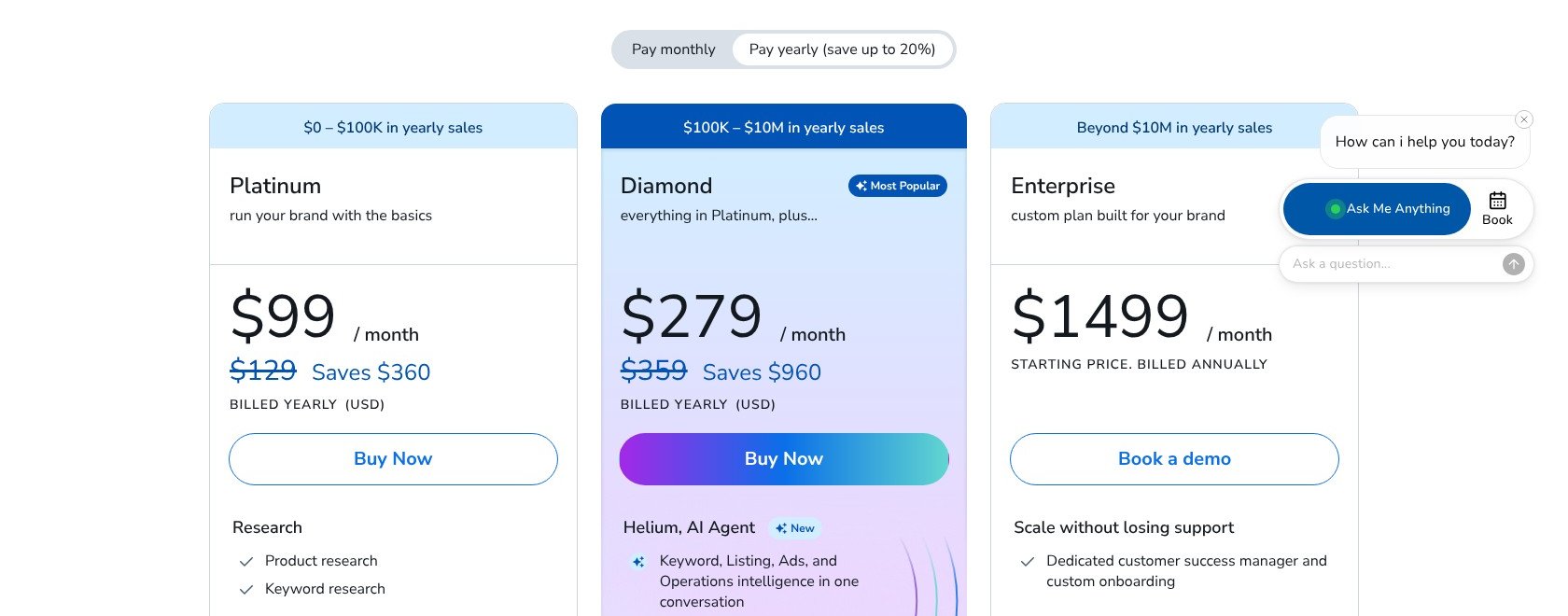
At the default Creator royalty, annual Platinum takes about 41 shirt sales a month just to cover the subscription. That excludes returns, taxes and design time, so treat it as a subscription-cost benchmark, not a profit target.
Is Helium 10 Good Value for Money?
- The paid entry price requires an established need. Starter retired for new sign-ups in early 2026, leaving no inexpensive paid tier between Free and Platinum.
- Freedom Ticket adds value beyond software. Standalone access costs $997, although subscription access lasts only while your eligible plan remains active. Don’t count it as a saving unless you’ll use the training.
- Refunds require a quick decision. The full-refund window covers the first 7 days of your initial purchase; afterward, payments are non-refundable under standard terms and subscriptions auto-renew.
- Merch-only sellers pay for unused operations tools. Profits, Alerts and Follow-Up need Seller Central, while inventory tools don’t suit a no-inventory Merch business.
- Seasonal sellers can pause rather than cancel. Available pauses are 1, 3 or 6 months, useful when you concentrate research ahead of Q4.
Author’s Testing Notes
I recommend starting on the Free plan, then choosing monthly Platinum when its limits interrupt useful work. Set a renewal reminder immediately, and consider annual billing only after your royalties comfortably cover the subscription.
Use your own dashboard royalty for that calculation, not an assumed higher tier. Annual billing lowers the monthly equivalent, but commits more cash upfront and only saves money if you keep using the tools.
I recommend Diamond for Seller Central POD sellers running ads, not as a default Merch upgrade. Its advertising tools add a managed-spend fee, so compare the subscription and fee together before moving up.
— Bogdan Tudorancea, Editor at Bootstrapping Ecommerce
My Experience With Helium 10
I start with the Free plan to assess the research workflow before committing to a subscription. Creating an account gives access to the dashboard and its tool menu.
My focus stays on product research and keywords, rather than trying every feature. Listing and operational tools become more relevant once Seller Central is part of your business.
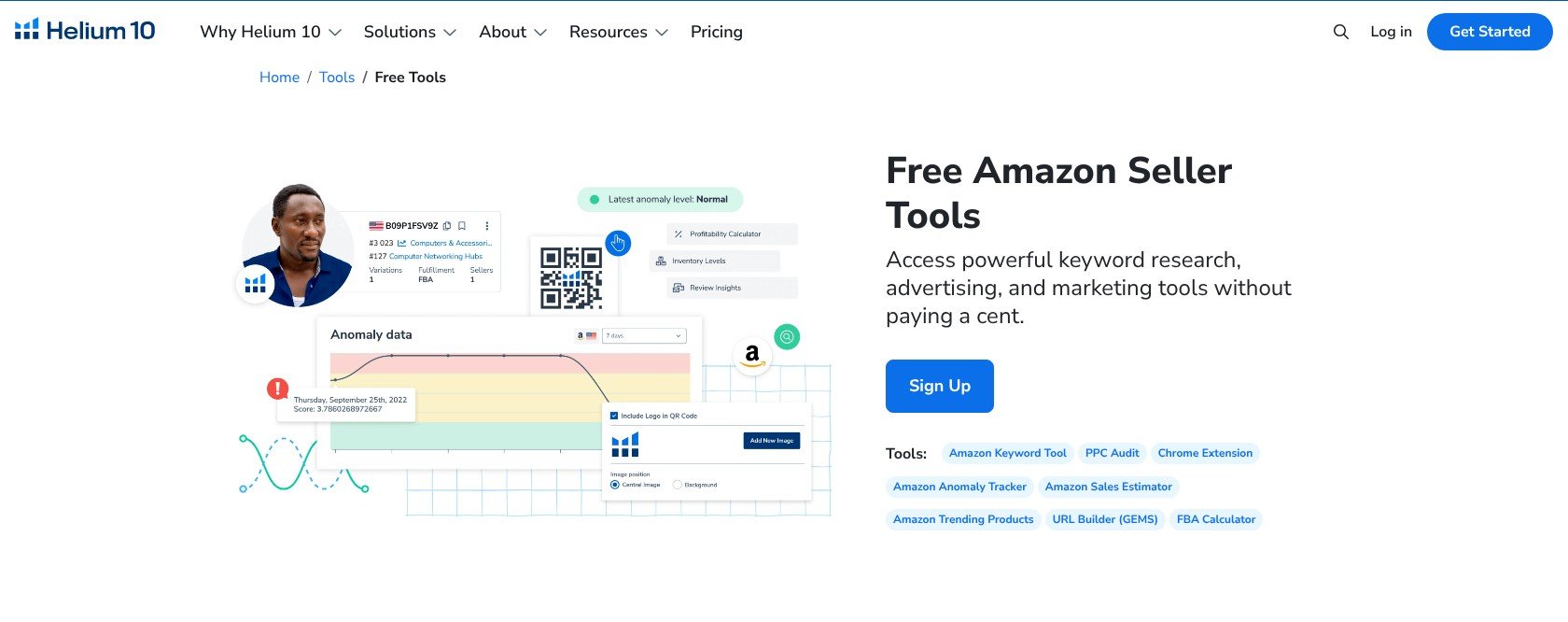
I focus on research first rather than treating every dashboard feature as essential.
How I Set Up the Chrome Extension
I install the extension through the Chrome Web Store, then sign in with my Helium 10 account. It brings research information onto Amazon search results and product pages.
On a shirt listing, I separate visible product details from estimated performance data. The extension surfaces these useful starting points for comparing demand and competition:
- Best Sellers Rank: the listing’s BSR.
- Price: the product’s selling price.
- Review count: an indicator of established competition.
- Estimated monthly sales and revenue: modeled figures, not the seller’s actual accounts.
Running Xray on a search results page brings competing listings into one comparison. I use that page-level view to shortlist shirts before opening individual ASINs for keyword research.
Unfortunately, free access is limited, and the extension prompts for signup or an upgrade after its allowance runs out. I shortlist searches before spending the available uses.
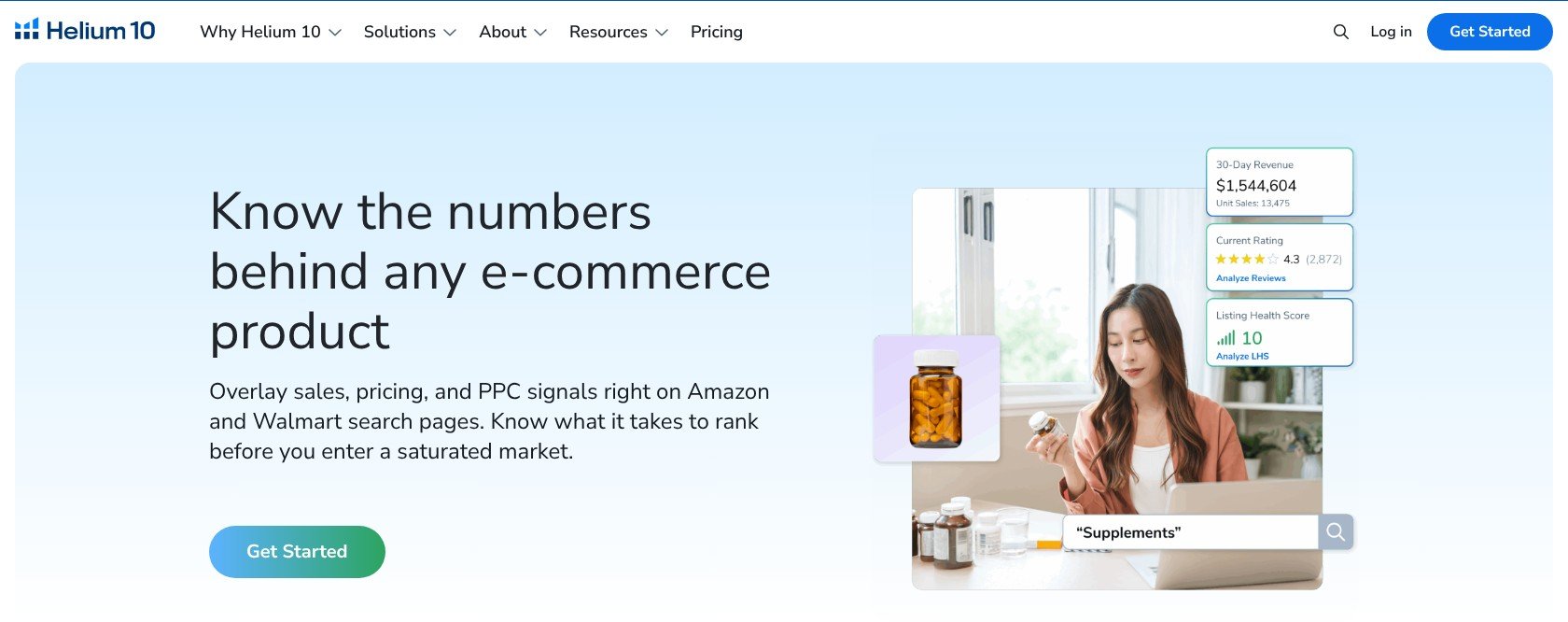
I use the page-level comparison to keep competing shirts in view together.
How I Researched a Merch Niche
My Merch workflow separates demand research, keyword selection and trademark screening. Each stage produces something useful for the next, rather than ending with an unfiltered keyword export:
- Search a niche phrase on Amazon, narrow the results to shirts and run Xray; child-ASIN estimates separate sizes and colors.
- Choose a competing shirt ASIN and enter it in Cerebro; Free allows 2 daily uses with up to 20 keywords per use.
- Run Magnet on a seed phrase to expand the initial idea into related searches.
- Shortlist relevant keywords for the title, 2 bullets and description rather than copying every available term.
- Screen phrases outside Helium 10 with a USPTO trademark search before uploading.
The sales figures remain estimates derived from BSR and category, not verified unit counts. I use them to prioritize opportunities for closer inspection, not to forecast guaranteed royalties.
Child-ASIN figures need context, too: demand for one size or color doesn’t describe every variation. Keep the variation attached to each estimate when comparing competing shirts.
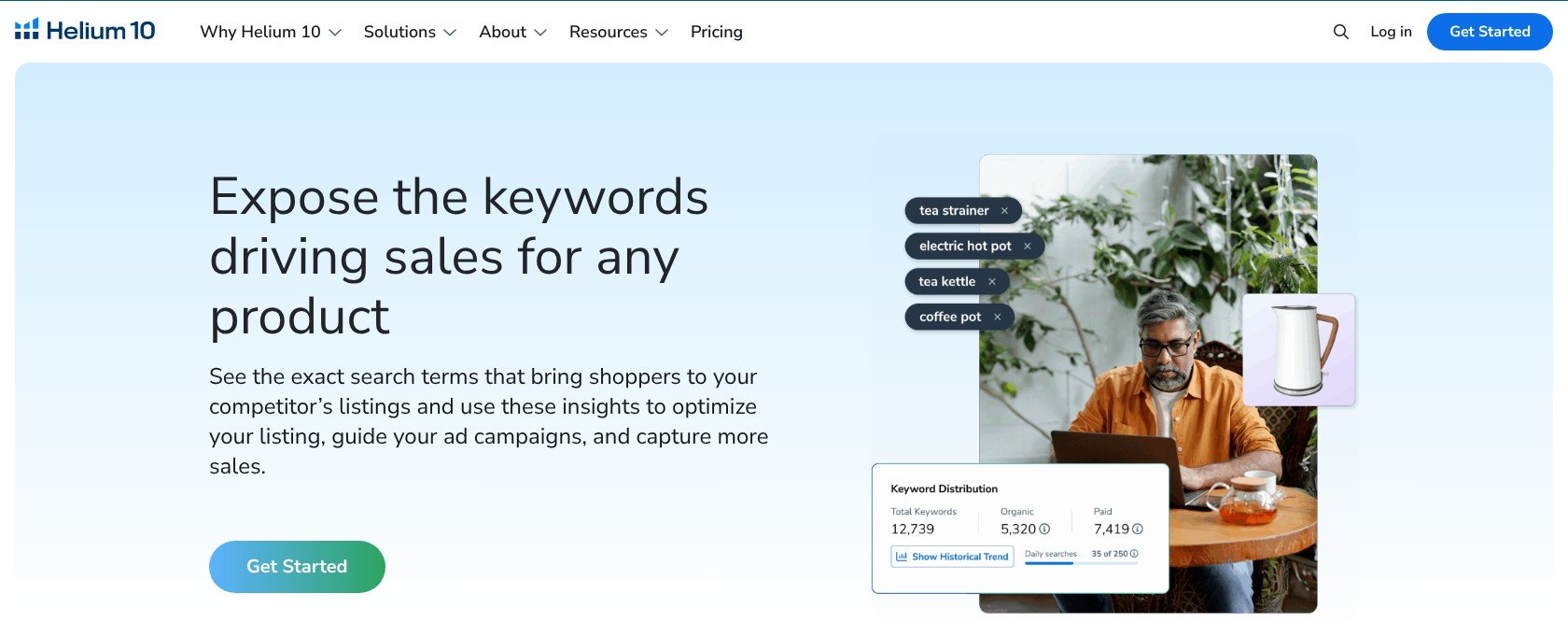
I keep the keyword shortlist tied to the shirt’s audience and purpose.
Author’s Testing Notes
Helium 10 has no Merch mode, so this workflow doesn’t enforce Merch’s listing fields or handle trademark risk. Those checks remain separate tasks before publication.
Still, the research fit is genuine: Cerebro and the Chrome Extension work with the ASIN-based research Merch designers need. Learn that focused workflow before exploring the wider suite.
— Bogdan Tudorancea, Editor at Bootstrapping Ecommerce
Researching Products With Helium 10
Product research translates particularly well to Merch, because Merch shirts are ordinary Amazon ASINs even though Amazon is the seller of record. You can research competitors without managing inventory yourself.
For me, combining product and keyword research is the strongest reason to pay. Xray helps shortlist competing listings, while Cerebro turns those ASINs into starting points for keyword selection.
Xray and the Chrome Extension
Xray compares estimated sales and revenue alongside BSR and review counts across a results page. Full extension access starts on Platinum; Free provides limited access to the workflow.
Helium 10 claims 89.59% sales-estimate accuracy in its own study, but that isn’t a Merch-specific guarantee. Compare opportunities using these modeled figures rather than treating them as promised sales.
Black Box
Black Box provides filter-based product research to narrow the Amazon catalog before inspecting individual listings. For POD, I concentrate on filters that describe competition rather than sourcing requirements:
- Price range: compare shirts occupying a similar buying decision.
- Review-count ceiling: identify listings without an overwhelming review history.
- Category or apparel keyword: keep results relevant to what you sell.
Its limitation is a private-label sourcing focus. Supplier-style signals don’t solve a Merch designer’s job, so I recommend choosing relevant filters rather than using every option.
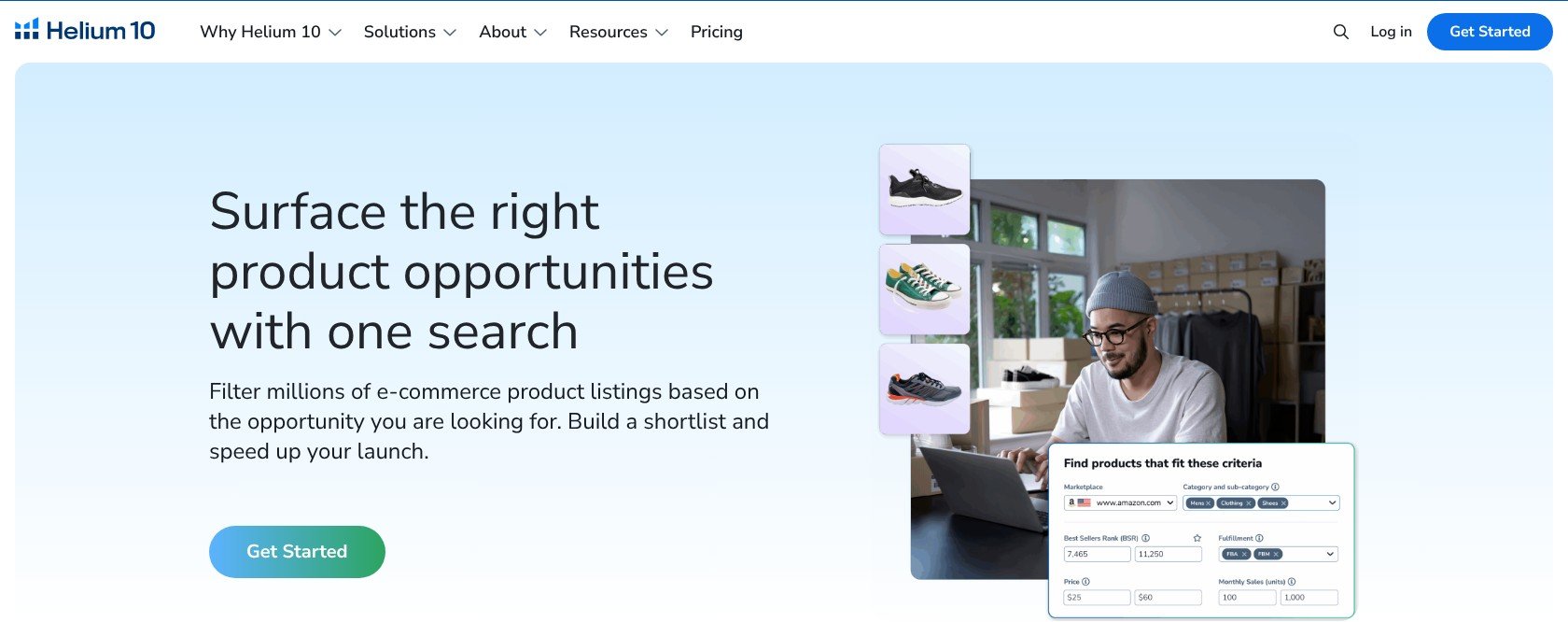
I prioritize price, reviews and apparel relevance over sourcing-oriented signals.
Market Tracker
Market Tracker follows competing listings within a defined market, making it useful for watching an established niche. Platinum includes 3 lifetime markets, while Diamond includes 5.
Choose those markets carefully if you investigate unrelated audiences. Market Tracker 360 is a separate add-on, starting at $650/month, and I don’t recommend that expense for a typical bootstrapped POD business.
POD Tip
Try the free sales estimator and trending-products tools before paying for broader access. Narrow your shortlist there, then reserve limited keyword searches for the ideas you’re seriously considering.
Keyword Research and Listings With Helium 10
Keyword research is Helium 10’s strongest reason to buy for Merch, where a fixed listing template makes relevant text especially important. I recommend its keyword tools more readily than its listing-writing features for Merch-only sellers.
Cerebro
Cerebro’s reverse-ASIN lookup identifies keywords associated with a competing shirt’s rankings. That gives you a starting point grounded in existing listings rather than relying entirely on phrases you invent yourself.
G2 users highlight Cerebro and Magnet as strengths. However, Platinum caps keyword research at 100 monthly searches, so prioritize relevant competitors instead of repeatedly checking every shirt in a niche.
Magnet
Magnet expands a seed phrase into related keyword ideas, including audience and occasion searches such as “gift for nurse.” I use it for discovery alongside Cerebro’s competitor-led approach; both tools have Platinum search limits.
Search Limits by Plan
Check allowances before upgrading, especially if you research several designs per niche. A larger tool menu doesn’t necessarily mean more keyword searches on your chosen plan.
| Tool/limit | Free | Platinum | Diamond |
|---|---|---|---|
| Cerebro/Magnet searches | 2/day, up to 20 keywords/use | 100/month | No 100-search cap listed |
| Xray / Chrome Extension | Limited | Full access | Full access |
| Listing Analyzer | Not included | 50 uses/month | 150 uses/month |
| Market Tracker | Not included | 3 markets, lifetime | 5 markets, lifetime |
| Tracked ASINs, “My products” | Not included | 20, lifetime | 1,000, lifetime |
| Listing Builder | 30-day Scribbles trial | Included | AI Listing Builder |
| Extra users / connected seller accounts | Not included | 1 / 2 | 5 / 10 |
| Helium agent and MCP | Not included | No agent; MCP from $50/month | Included; MCP up to 1,000 calls |
| Helium 10 Ads | No | No | Included, plus 2% managed-spend fee |
Across a four-week planning period, 100 searches averages about 25 weekly. The number of niches that covers depends on how many competitor ASINs and seed phrases you investigate.
Listing Builder and Merch’s Short Listing Fields
Listing Builder targets full Seller Central listings, not Merch’s shorter template. Copy and trim the output manually for Merch, checking the current field limits in your dashboard before publishing.
- Title: around 60 characters for most products.
- Brand name: a separate field.
- Bullets: 2, up to around 256 characters each.
- Description: up to around 2,000 characters.
- Backend search terms: no field in the standard Merch template.
I recommend assigning phrases by buyer intent, rather than repeating the same keywords everywhere. Use the shortlist from the earlier workflow to give each field a distinct purpose:
- Title: prioritize the primary buyer-intent phrase.
- Bullets: add relevant secondary terms naturally.
- Description: develop longer audience and occasion phrases.
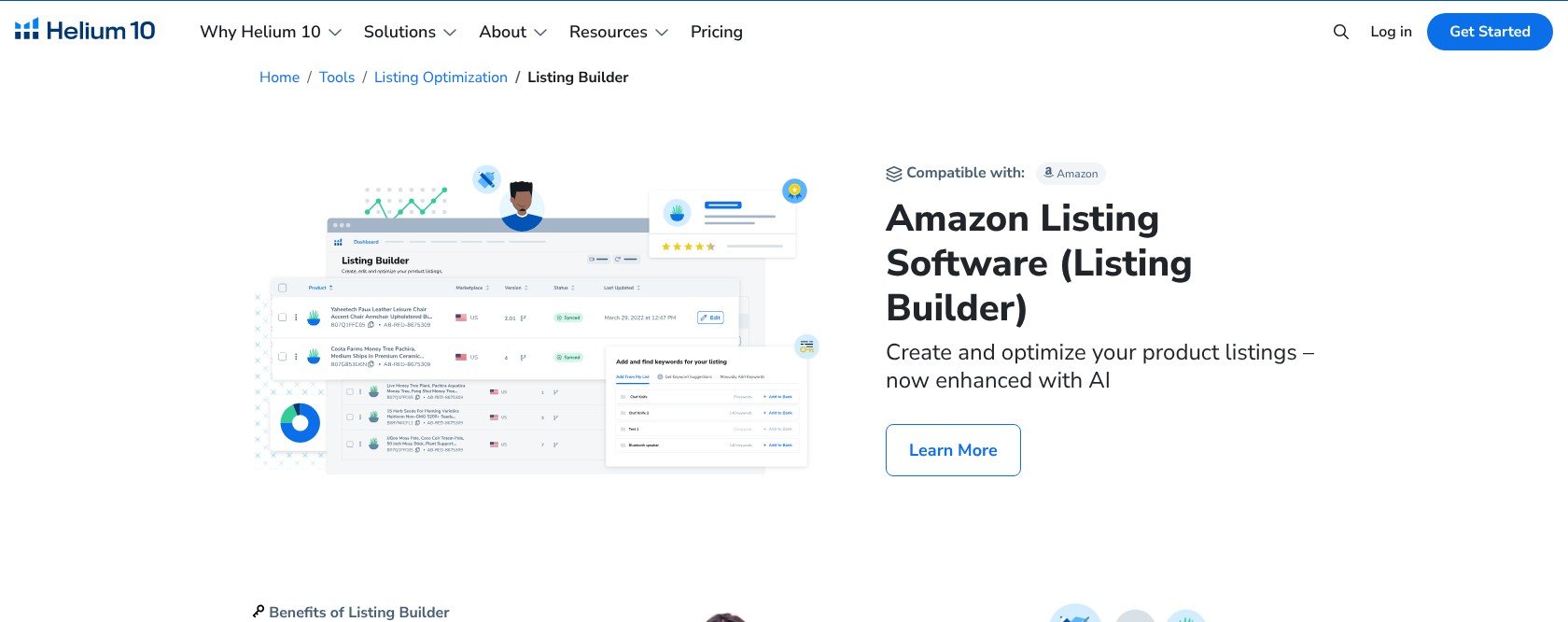
I keep Merch’s shorter fields in mind when deciding what copy to retain.
Trademark Screening
Helium 10 has no trademark checker, so keyword discovery never equals permission to use a phrase. Trademark and policy problems can lead to rejected listings or account issues.
Run phrases through a USPTO trademark search, and check relevant brand information through Amazon Brand Registry where applicable. Merch Informer and Merch Titans offer screening tools, but a basic checker isn’t clearance to publish.
Helium 10’s AI Features
I treat Helium 10’s AI features as Diamond-tier extras for connected sellers, not the main reason a Merch designer should subscribe. Their value grows when seller-account data adds context beyond research.
- Helium agent: a conversational assistant included with Diamond.
- Helium 10 MCP: connects Research, Ads and Profits data to Claude, ChatGPT and Cursor through OAuth; Diamond includes up to 1,000 calls, with an add-on from $50/month otherwise.
- AI Listing Builder: drafts copy tied to keyword research on Diamond.
- Free AI Hub: offers AI resources alongside free ecommerce Claude Skills.
- AI-initiated actions: require separate activation under the Terms.
For Merch-only sellers, research and listing keywords remain the useful core. Without connected operations, the agent and MCP have less business data to work with, making an upgrade harder to justify.
The multichannel tools offer a more immediate use case if you sell beyond Amazon. The Chrome Extension supports Walmart and TikTok Shop, while TikTok Shop’s Listing Converter repurposes Amazon listings.
That converter has a lower-tier allowance of 3 lifetime SKUs. Treat it as an introduction to the workflow rather than an unrestricted way to transfer your catalog.
What’s new in 2026
Helium 10’s Seller Account Tools
Seller Central unlocks Helium 10’s operational tools for POD sellers. Merch has its own dashboard, and Helium 10 doesn’t document a way to connect a Merch-only account.
Its Merch guide mentions Profits, but Profits still needs a connected seller account. I judge the subscription against the tools each selling route can actually use:
| Tool | Merch on Demand only | Seller Central POD, Printful/Printify |
|---|---|---|
| Chrome Extension / Xray | Works on shirt listings | Works |
| Black Box / Market Tracker | Works | Works |
| Cerebro / Magnet / Keyword Tracker | Works | Works |
| Listing Builder | Copy and trim manually | Works on full listings |
| Profits | Needs Seller Central | Works |
| Alerts / Follow-Up | Needs Seller Central | Works |
| Helium 10 Ads, Diamond | No documented Merch connection | Works on Diamond, plus 2% fee |
| Inventory Management / Managed Refund Service | Not applicable to no-inventory Merch | Not useful for merchant-fulfilled, non-FBA orders |
Profits and Alerts
For Seller Central POD, Profits and Alerts add operational value through profit tracking and listing monitoring. Diamond adds profit-and-loss reporting, but I don’t recommend upgrading solely for more advanced reporting.
Helium 10 Ads
Helium 10 Ads is Diamond-only, with a 2% fee on PPC spend managed through the tool. Add that charge to your subscription and advertising budget before comparing costs.
- Fee example: $5,000 in managed monthly ad spend adds $100 in management fees.
Printful and Printify Sellers
Printful and Printify sellers listing through Seller Central can use connected-account tools, unlike Merch-only designers. Their orders are merchant-fulfilled, so FBA-focused features don’t add value to this setup.
- Printful’s Amazon integration: requires a Professional seller plan at $39.99/month, plus applicable referral fees.
- Product identification: Printful needs a GTIN exemption; Printify’s Amazon US integration also requires a GTIN/UPC exemption.
- Budgeting: add the Amazon seller subscription to Helium 10 rather than treating either as your total software cost.
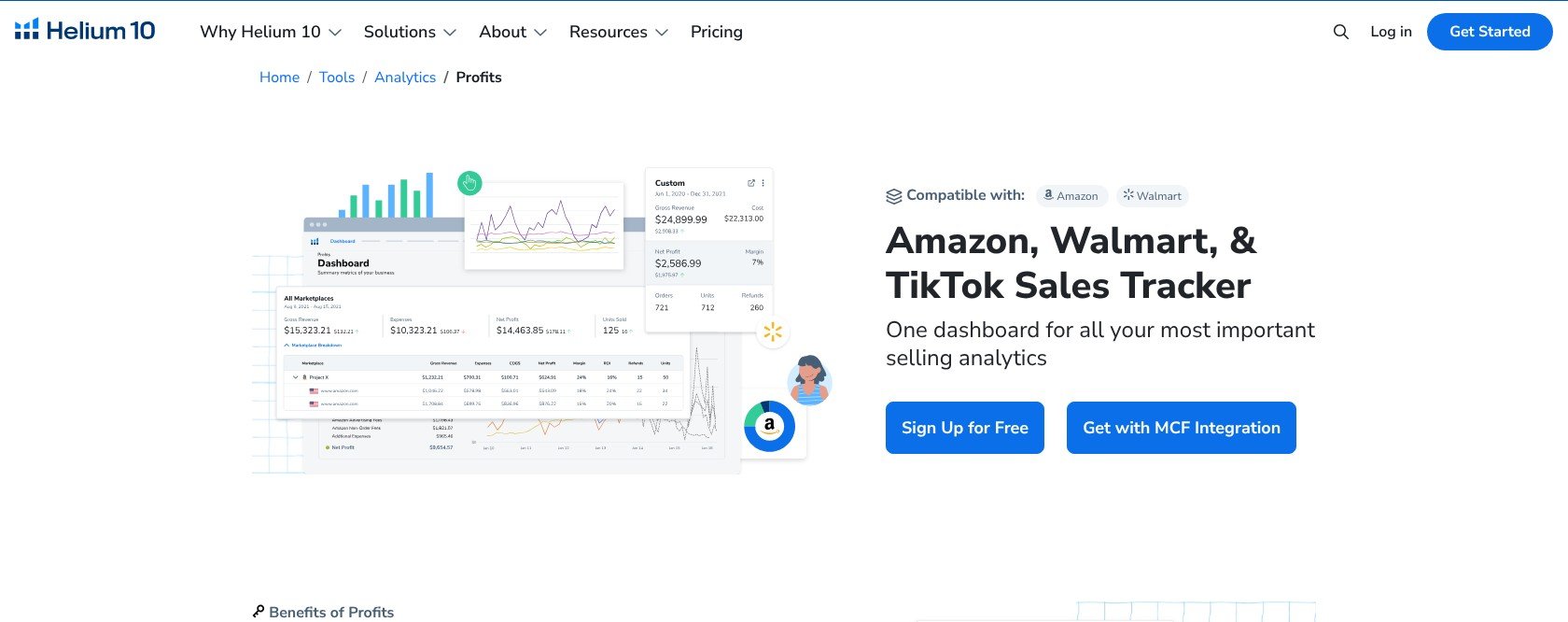
I separate connected-account reporting from the research tools available to Merch designers.
Author’s Testing Notes
I recommend that Merch-only sellers judge Helium 10 on research alone. Seller Central POD sellers get more of Platinum’s included tools, but FBA inventory and reimbursement features shouldn’t influence their buying decision.
— Bogdan Tudorancea, Editor at Bootstrapping Ecommerce
How Does Helium 10 Keep Your Account Secure?
Enable two-factor authentication before connecting seller or advertising data. Helium 10 supports text, email or an authenticator app through account settings; protection is optional for everyday logins and automatically required for suspicious login attempts.
Helium 10 doesn’t advertise a SOC 2 report for its own product, so ask its team if your business requires one. Its Terms also permit feature additions or removals, making current entitlements worth checking before committing to a long-term subscription.
Using Helium 10’s Customer Support
I like Helium 10’s self-serve training depth, but send billing questions promptly rather than waiting until renewal. Support and learning options include:
- Knowledge base: self-serve guides.
- Support chat widget: in-app assistance, including cancellations.
- Request form and support email: written support channels.
- Training: Freedom Ticket, Academy, Ads Academy and a weekly podcast; Diamond adds workshops and webinars.
- Enterprise: a dedicated customer success manager.
The training library adds value beyond research, particularly if you’re learning Amazon selling alongside the software. However, don’t mistake that breadth for a Merch-specific curriculum.
Phone support and support hours aren’t published. Trustpilot and Capterra users describe slow replies and continued billing after cancellation; ratings sit around 2.3/5 and 4.2/5 respectively.
Cancel before renewal and save the confirmation. Keep a screenshot so you have a record if you need to follow up about billing.
Is Helium 10 Better Than Its Competitors?
Helium 10 is my strongest all-round research recommendation here, especially for sellers combining Merch with Seller Central POD. Cerebro and Magnet give it a compelling keyword-research core.
Still, a cheaper Merch-specific tool can cover more of a beginner’s immediate needs. Choose an alternative for the task you need solved, not simply the smallest subscription.
- Merch Informer is my budget Merch-specific pick: from $9.99/month, it combines niche and keyword tools with a basic USPTO-based trademark checker. It covers an important task Helium 10 leaves out.
- Jungle Scout is the closest all-round rival: entry pricing starts from $29/month billed annually. Its broad Amazon toolkit is worth comparing, although the supplier database contributes little to no-inventory POD.
- Data Dive is the focused listing-keyword alternative: plans start at $39/month and concentrate on keyword research and listing optimization. It isn’t Merch-specific and doesn’t include trademark screening.
- Merch Titans is the upload-at-scale option: its desktop uploader supports Merch, Printful, Printify, Redbubble and TeePublic. It costs $29.99/month billed yearly or $39.99 monthly, with free keyword and trademark tools available.
| Tool | Best for | Starting price | Trademark check | Built for Merch? |
|---|---|---|---|---|
| Helium 10 | Amazon research and Seller Central POD | Free; paid from $99/month yearly | No | No |
| Merch Informer | Budget Merch research | $9.99/month | Yes, basic USPTO-based | Yes |
| Jungle Scout | All-round Amazon suite | From $29/month yearly | No | No |
| Data Dive | Keywords and listing optimization | $39/month | No | No |
| Merch Titans | Multi-platform POD uploads | $29.99/month yearly | Yes, free tool | Yes |
Prices change; check each vendor’s pricing page before subscribing.
I recommend Merch Informer for low-cost Merch research and screening, while Merch Titans makes more sense when uploading is your bottleneck. Neither replaces Helium 10’s broader seller-account tools.
For Seller Central POD businesses, Helium 10’s research and operations combination makes the higher price easier to justify. For a Merch-only beginner, start free and keep the paid stack small.
How We Test Amazon Seller Tools
I score seller tools using a weighted framework built around bootstrapped businesses, with POD suitability considered in every category. Features get less credit when the intended seller can’t connect or use them.
For this review, I focus on the Free-plan research workflow and Merch versus Seller Central compatibility. I distinguish modeled sales estimates from verified sales rather than treating either as a promise of future royalties.
The weighted result is 4.49/5, rounded to 4.5/5. Research capabilities drive the recommendation, while subscription costs and billing concerns keep it below a perfect score.
Read more about how I scored Helium 10
- Pricing, 30%: 4.2/5. Subscription costs, billing commitments and refund terms weighed against POD royalties.
- Product Features, 25%: 4.9/5. Research, keywords and listings, including compatibility with each POD route.
- Value for Money, 15%: 4.4/5. Useful features per dollar, rather than the total menu size.
- Ease of Use, 15%: 4.6/5. Setup, extension workflow and the wider suite’s learning demands.
- Help & Support, 10%: 4.4/5. Training depth, contact options and billing assistance.
- Reputation, 5%: 4.3/5. User ratings and recurring complaints.
Final Verdict: Should Print on Demand Sellers Use Helium 10?
Helium 10 is my strongest research and keyword suite recommendation here. Its research tools work with Merch listings, while Seller Central integration gives Printful and Printify sellers broader operational value.
I recommend it for Seller Central POD businesses and active Merch designers whose royalties comfortably cover the subscription. Merch-only beginners can start with Free alongside a separate trademark-screening workflow.
Start on the Free plan, then move to monthly Platinum when limits block useful work. Remember the 7-day initial refund window, and reserve Diamond for connected businesses that can justify its advertising and advanced features.
Helium 10 FAQs
Does Helium 10 work for Merch by Amazon?
Yes, for product and keyword research. Merch shirts are ordinary Amazon ASINs, so Xray and Cerebro can analyze their product and keyword data.
There’s no Merch-specific mode, and operational tools such as Profits require a Seller Central connection rather than a standalone Merch account.
Does Helium 10 check trademarks?
No, Helium 10 doesn’t include a trademark checker. Screen phrases through a USPTO search or use a Merch-focused tool such as Merch Informer or Merch Titans, then cross-check important phrases rather than treating an automated result as permission to publish.
Does Helium 10 have a free trial or refund?
Helium 10 offers a Free plan rather than a general paid-plan trial, although some tools have limited trial access. A full refund is available within 7 days of the initial purchase; afterward, payments are non-refundable under the standard terms.
How do I cancel Helium 10?
Cancel in Plans & Billing before renewal, or contact support through chat or email, and save the confirmation. If you need a seasonal break, the pause options listed in the pricing section provide an alternative to cancelling your subscription.
Which Helium 10 plan is best for print on demand?
Platinum is my paid recommendation for most active POD sellers, but start with Free to establish your workflow. Diamond makes more sense for Seller Central POD brands running ads, since Helium 10 Ads is unavailable on Platinum and adds a managed-spend fee.
Who owns Helium 10?
Assembly acquired Helium 10 in 2020 and also owns Pacvue. Helium 10 serves smaller and midsize sellers, while Pacvue focuses on enterprise retail media; for POD, choose based on Helium 10’s usable features and subscription costs rather than its wider corporate portfolio.