
If you’re deciding between HubSpot Marketing Hub and RecurPost, the short answer is this: HubSpot is better for driving ecommerce growth by connecting your marketing, sales, and customer data in one place, while RecurPost is best for maintaining consistent social media activity.
Every ecommerce marketer hits that point where your tools start running the show. You’ve got emails firing from one platform, social posts queued in another, analytics buried somewhere else. Sometimes, you end up with chaos disguised as productivity.
I’ve been there. Running an online store that looked organized on the outside but behind the curtain? Total tab overload. That’s why I spend weeks testing tools like HubSpot and RecurPost side by side, to figure out which tools help marketers hold things together.
If you want a quick opinion, Recurpost is solid. It keeps your social feeds active and your evergreen content cycling, no drama. But it stops at visibility. HubSpot, on the other hand, feels like command central. It doesn’t just post or email, it connects your marketing, sales, and CRM data into one system that actually talks to itself.
If RecurPost keeps your brand alive, HubSpot helps it grow.
What Is HubSpot Marketing Hub? (and Why Ecommerce Marketers Care)
Most people hear “HubSpot” and think CRM software. But the Marketing Hub is where the real work happens for some of us. It’s the command deck for everything that touches your customers. Ads. Emails. Forms. Reports.
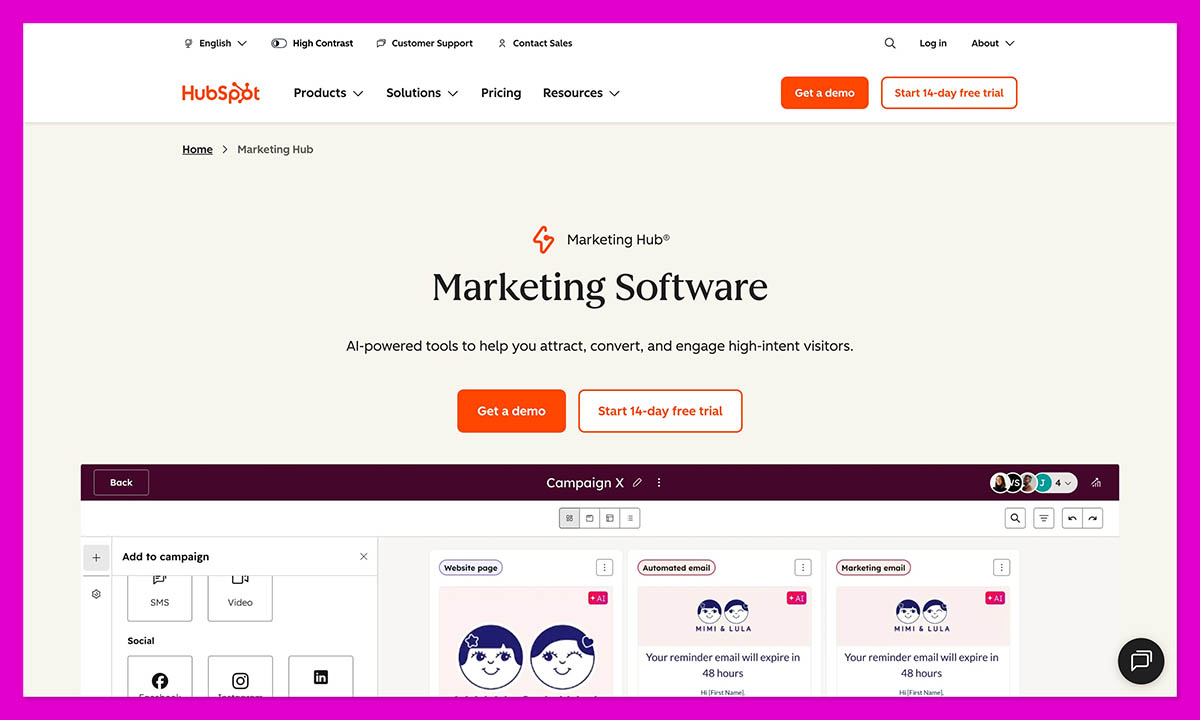
All of it runs through one connected system instead of a pile of apps that don’t share data. You log in once, and you see the full story.
It’s all focused on inbound marketing. The platform helps you pull customers toward you with useful content, then keeps the conversation going with automation that actually feels personal. When someone fills out a form or views a product, HubSpot tracks the behavior to trigger workflows that automatically send emails, notify sales, and create follow-up tasks.
The 2025 release added a lot of brains. Over two hundred upgrades, most of them tied to AI and sales automation.
- Breeze AI calls out which campaigns are heating up or going quiet.
- AI Agents clean up data, summarize meetings, and spot dead leads.
- Journey Automation draws out the full customer path so you can see where people drop off.
Plus, the Marketing Hub sits on the same backbone as the HubSpot CRM so sales and marketing finally speak the same language. If you’re just testing the waters, the free HubSpot CRM tools give you most of the core features with no strings attached.
What Is RecurPost (and Who It’s Best For)
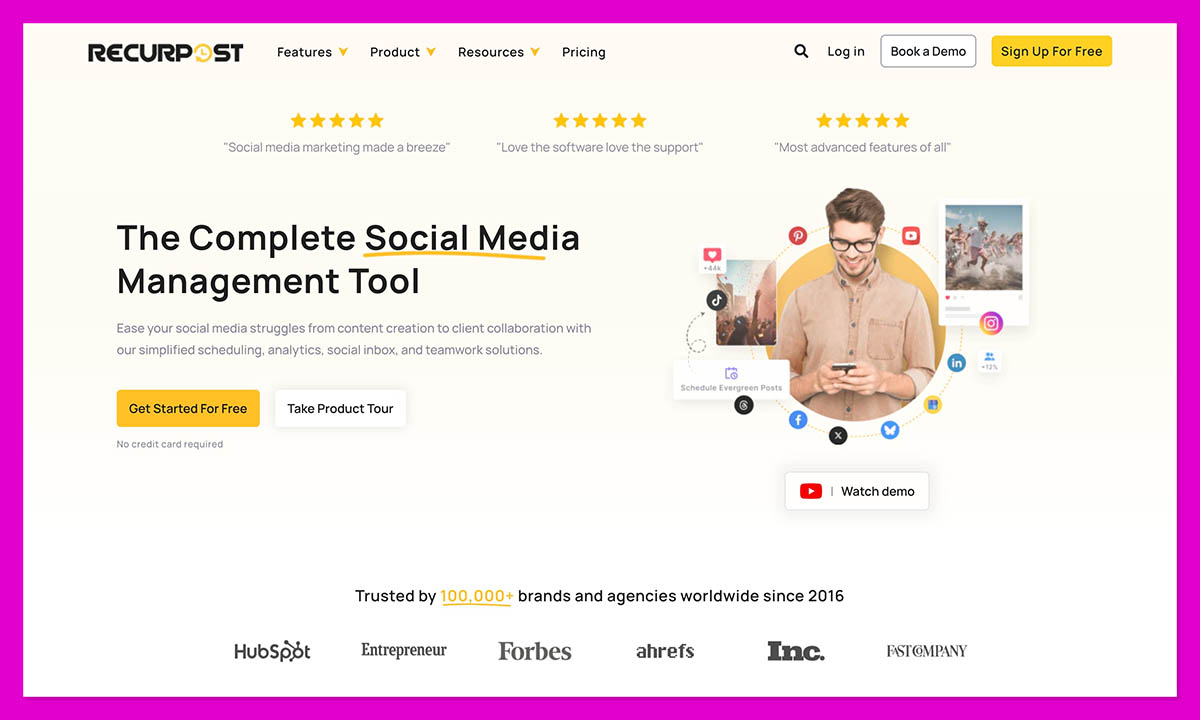
RecurPost is the kind of tool you start using because you’re tired of chasing your own posting schedule. It does one thing: it keeps your social feeds active when you don’t have time to.
You drop your posts into content libraries, set when you want them to go live, and let the queue loop through automatically. That’s it.
In 2025, the platform picked up a few useful upgrades. There’s Instagram DM automation, which means you can now answer simple questions or comments from inside the dashboard.
The Social Inbox was redesigned so you can see messages from all your channels together, which is a lifesaver if you’re handling multiple brands. Also, the mobile app now lets you shuffle posts, change captions, or approve updates straight from your phone.
Still, RecurPost isn’t built for full campaigns. It won’t manage leads, build funnels, or show which post turned into a sale. That’s outside its lane.
For freelancers, small shops, and agencies that just want steady visibility, it does the job without fuss. It’s the kind of tool you can set up once and trust to keep running. If you want to see how that activity turns into sales or customer data, though, it works best alongside something bigger. HubSpot Marketing Hub can follow those clicks from the first post all the way through to checkout.
HubSpot vs RecurPost (2026 Feature Comparison)
Here’s the quick snapshot:
| Feature | HubSpot Marketing Hub | RecurPost |
|---|---|---|
| Core Purpose | All-in-one marketing automation + CRM | Social media scheduling |
| Automation | AI workflows, Journey Automation, lead scoring | Evergreen post queues, DM automation |
| CRM Tools | Deals, contact tracking, segmentation | None |
| Marketing Tools | Email, ads, landing pages, SEO tools | Social posting only |
| Analytics | Multi-touch attribution, revenue and ROI reports | Engagement and reach metrics |
| AI Features | Breeze AI, AI Agents, predictive insights | Smart post-timing suggestions |
| Integrations | 2,000 + apps – Shopify, Slack, Zoom, TikTok, WhatsApp | Major social platforms + Zapier |
| Social Inbox | Basic monitoring | Unified cross-platform inbox |
| Scalability | Small business → enterprise | Solo → small team |
| Security | SOC 2, GDPR, 2-factor auth | Basic team permissions |
| Pricing | Free tier → paid tiers from $15/seat/mo | Flat plans from $9 – $79 / mo |
| Support | 24 / 7 chat, phone, success manager | Email support only |
HubSpot vs RecurPost: Which One Fits the Way You Work
A list of features doesn’t tell you how it actually feels to use a product. You only really know once you’ve lived in it for a few weeks, setting it up, fixing your own mistakes, figuring out what it hides behind the menus.
So here’s how HubSpot and RecurPost compare when you’re just getting started.
Ease of Use & Onboarding Experience
The first time I opened HubSpot, it felt crowded. Too many buttons, too many labels that didn’t mean much yet. Words like “contacts,” “pipelines,” and “workflows” popped up everywhere. After a little wandering around, it started to make sense. Almost everything leads back to one main contact record, and once you notice that the layout feels easier to read.
The setup walks you through the basics: linking email, adding users, importing contacts. If you’re running an ecommerce store, you can hook up Shopify or WooCommerce right away. HubSpot pulls product and customer data in automatically.
There’s help everywhere. The HubSpot Academy has short tutorials on automation, inbound marketing, and reporting. The new Workspaces view (added in 2025) makes it easier to split projects by brand or region. And most buttons come with small pop-up tips that explain what they do.
It takes a few days before you stop thinking about the tool and just use it, but once you’re there, it’s smooth.
RecurPost is the opposite. You sign in, link your social accounts, upload a few posts, set the timing, and you’re done. It’s quick. The layout is basically a calendar with folders on the side to click, drag, and schedule.
There’s not much training material inside the app, though the blog has walkthroughs if you need them. For simple social scheduling, you won’t. Most people can post their first update in under ten minutes.
HubSpot asks for more attention up front, but you get a full system out of it with automation, analytics, and contact management. RecurPost skips all that to stay fast. If you want something you can learn in an afternoon, RecurPost wins. If you’re building a long-term marketing setup, HubSpot’s worth the extra ramp-up.
Automation & AI: The 2025 Differentiator
In 2025, automation became a lot more important for us marketers. To compete, tools must reason, adapt, and surface insight. That’s where HubSpot Marketing Hub really steps ahead.
With HubSpot right now, you get a suite of intelligent Breeze Agents for help with everything from lead qualification to content creation. There’s also the Breeze Assistant, improved with nuanced context understanding and improved responsiveness.
I also love the data agent, which sorts through CRM records, conversation threads, and web data to deliver precise insights. These updates push HubSpot beyond doing tasks for you. Now it helps decide what tasks to do, and when.
RecurPost has also dialed up its smart scheduling. Its system studies past performance to pick posting times automatically. Plus, it’s built content categorization options for promos, tips, testimonials, and so on, enabling mixed queues and better rotation logic.
But that’s where it ends. RecurPost doesn’t connect to your CRM, score leads, or pull data across channels. Its intelligence only lives in the social layer, which is fine, if all you need is predictable posting.
Reporting, Analytics & Attribution
Both HubSpot and Recurpost give you data, but only one shows how marketing translates into sales.
HubSpot Marketing Hub takes reporting seriously. Every campaign, ad, and email ties back to your contacts and deals, which means you’re not just counting clicks. You’re looking at what actually brings in revenue. This year’s update made the analytics faster and smarter.
The new dashboard comes with ready-made metrics and attribution models that used to take time to build. It now spots changes in engagement and regional spikes on its own, using AI to summarize what’s happening. You can still dive into the filters and charts yourself, but the software does more of the routine work.
One of the most useful upgrades this year is content and campaign attribution. You can now open a landing page or blog post and see how much closed-won revenue it influenced. For a long time, marketers had to guess whether content “helped.” HubSpot’s attribution reports show it clearly.
There’s also a new layer for tracking “marketing events” – great for POD and dropshipping brands. Webinars, live launches, and even offline trade shows can feed into your attribution reports, giving you a fuller map of touchpoints across the buyer journey.
RecurPost approaches analytics from a different angle. It’s more about visibility than conversion. You get performance summaries for your posts on engagement rates, reach, and impressions, and the option to compare by category or time period. The newer versions even add competitor and hashtag tracking, which is handy for benchmarking your brand’s social presence.
What’s missing is the link between social activity and sales outcomes. RecurPost tells you what content people like; HubSpot tells you what content earns revenue.
Security, Scalability & Integrations
When you’re ready to scale, HubSpot holds up well. It’s built for growth, and you can feel that from day one. The platform uses the same secure setup across every plan: GDPR-ready, SOC 2 certified, and protected by two-factor login. You can lock down user roles pretty tightly too. A campaign manager can’t accidentally edit workflows they don’t own.
What stands out is how everything connects. HubSpot plays nicely with more than two thousand external apps. Shopify, WooCommerce, Stripe, Slack, Zoom, most plug in directly. The newer WhatsApp Business and Zoom Phone links make a big difference if you’re running live support or client outreach. You can message or call straight from a contact record without leaving the app.
Data moves smoothly between everything. A new purchase on your store shows up in HubSpot right away. The contact’s record updates, workflows trigger, and reporting refreshes automatically. You don’t export anything. It just works.
This year, HubSpot also started testing multi-account management. Agencies or multi-brand sellers can switch between portals under one login, but keep their reports separate. Workspaces, added earlier, help organize teams and campaigns inside those accounts.
RecurPost lives in a smaller world. It’s secure and stable, but simple. Permissions are basic. You connect your social accounts, maybe a storage drive, and that’s it. There’s a Zapier bridge if you want to push data elsewhere, though it won’t sync back the same way.
For a freelancer or small business, that’s fine. It’s light, predictable, and doesn’t require IT. But once you start running multiple channels or tracking revenue across platforms, you’ll hit its limits. HubSpot keeps growing with you; RecurPost stays easy, not expansive.
HubSpot vs Recurpost: Pricing & Value for Money
RecurPost keeps it simple and cheap. You can test the system for free for 14 days, then prices start at $9 per month for Starter, $25 for Personal, and $79 for Agency. It’s straightforward, no sliding scale based on usage, and no surprise add-ons.
It’s priced for freelancers, small shops, and agencies that just need consistent posting. You’re not buying depth here; you’re buying time. There’s no CRM, no customer tracking, no lead hand-off. When your marketing grows past scheduling, you’ll need another platform beside it.
HubSpot Marketing Hub is bigger. You can start free with the HubSpot CRM — That alone handles contact storage, forms, and email basics. The Starter plan begins at $15/seat/month and adds automation, ad management, and expanded limits.
From there, it scales fast: Professional, Enterprise, custom bundles. The numbers rise, but so does what you can do. One subscription covers email, CRM, reporting, and automation that normally takes four or five tools to replace.
For smaller teams, the pricing often balances out. Instead of paying for a bunch of different tools, you have one subscription that covers it all. The bigger benefit is what you get in return: one clear view of your data. That clarity usually saves more money than it costs.
RecurPost is the cheaper option, no question. But if you’re trying to connect marketing to revenue, HubSpot ends up being the better value. It’s not about the monthly price; it’s about what you stop paying for elsewhere.
Which Should You Choose?
Picking between these two isn’t really about features. It’s about what kind of marketer you are, and how much time you want to spend inside your tools.
RecurPost is easy. It keeps your social pages active. You set a schedule, drop in your content, and that’s about it. It won’t ask you to learn new workflows or read a manual. For small stores or freelancers, that’s a relief. You just need something that works quietly in the background while you focus on everything else.
HubSpot, though, plays a longer game. It’s for people who want to connect the dots from ads to emails to checkout. Once you plug in your store or ad accounts, it starts building a picture of how your audience actually moves.
You can see which campaigns bring people in, where they drift away, and what finally gets them to buy. It’s not really about keeping content moving. It’s about shaping a smarter strategy from what the data tells you.
So, if you just need steady posting, RecurPost is enough. If you’re trying to grow an ecommerce business with real tracking behind it, HubSpot Marketing Hub will take you further.
The best way to understand what HubSpot Marketing Hub can do is to try it yourself.
Get started free using this link and explore the CRM, email automation, and reporting tools that turn social activity into actual sales data.
FAQ: HubSpot vs RecurPost
What’s HubSpot really best for?
If you care about tracking what works, HubSpot wins. It ties your ads, emails, and sales together so you can actually see what brings in money. You don’t have to guess which campaign did the job, the data’s right there.
Can I use both at the same time?
You can, and plenty of people do. RecurPost handles the social posting; HubSpot handles everything after the click. You can even link them through Zapier so new leads from RecurPost posts show up inside your HubSpot CRM.
Is HubSpot too much for a small team?
It depends how you use it. The free CRM is light enough for one person to run. The extra hubs add power when you need it. You can start small and track a few leads, or send some automated emails and scale later. It grows with you instead of forcing a big jump.
Does RecurPost have email or CRM features?
No, and it doesn’t try to. It’s built for social media management only. That’s its strength, it’s simple and stays focused. If you want a single place to post and measure engagement, it’s perfect. If you want to connect those posts to actual sales, you’ll need HubSpot in the mix.
Which one gives better value overall?
Depends what you call “value.” RecurPost is cheaper and fast to learn. HubSpot costs more, but it replaces a pile of other subscriptions and gives you clarity about what’s really driving revenue. For small teams, RecurPost keeps the lights on. For stores chasing serious growth, HubSpot’s the smarter spend.



