
Best for Creators

Shopify Starter
View Pricing Visit Shopify →$5/month
$1/month for first 3 months
- Sell via links on social or messaging apps
- Uses Shopify’s checkout system
- No custom storefront or themes
- 5% fee with Shopify Payments
Basic Shopify
View Pricing Visit Shopify →$29/month (billed annually) | $39/month monthly
$1/month for first 3 months
- Custom domain, themes, and blog
- Discount codes + cart recovery
- Basic analytics + POS Lite
- 2.9% + $0.30 per online sale
Grow
View Pricing Visit Shopify →$79/month (billed annually) | $105/month monthly
$1/month for first 3 months
- 5 staff accounts
- Better reports + lower fees
- Shipping insurance included
- 2.7% + $0.30 per online sale
Advanced Shopify
View Pricing Visit Shopify →$299/month (billed annually) | $399/month monthly
$1/month for first 3 months
- 15 staff accounts
- Custom reports and analytics
- Lower fees + better shipping control
- 2.5% + $0.30 per online sale
Shopify is one of the best ecommerce platforms for building and scaling an online store, offering powerful sales features like multichannel selling, built-in print-on-demand integrations, and an optimized checkout experience designed to boost conversions.
In this review, I’ll walk through Shopify’s pricing, features, templates, and tools to help you decide if it’s the right fit for your ecommerce or print-on-demand business.
Key Takeaways
- Additional costs include premium templates (from $180) and domain names (typically $14–$18/year)
- Shopify offers unmatched ecommerce features, including native POD integrations and Shopify Magic (AI support for product descriptions and marketing)
- Plans range from $39 to $399 per month, with a $1/month offer for the first three months after a short free trial
- Best suited for growing businesses or those managing large product catalogs and multichannel sales
- The section-based editor is simple but lacks the flexibility of true drag-and-drop platforms like Wix or Squarespace
Shopify: Pros and Cons
Before we dive into the full review, here’s a quick overview of what I like and don’t like about Shopify, based on my experience and research.
| Pros | Cons |
|---|---|
| Easy integration with POD platforms like Printful and Printify | Limited design customization without coding |
| Advanced ecommerce features even on lower-tier plans | Additional costs for apps and themes |
| Supports multichannel selling (Amazon, TikTok, Instagram) | Short free trial (3 days) |
| Large app store with over 8,000 tools | Transaction fees if not using Shopify Payments |
| Built-in marketing and automation tools | The theme editor can feel restrictive |
Getting Started With Shopify
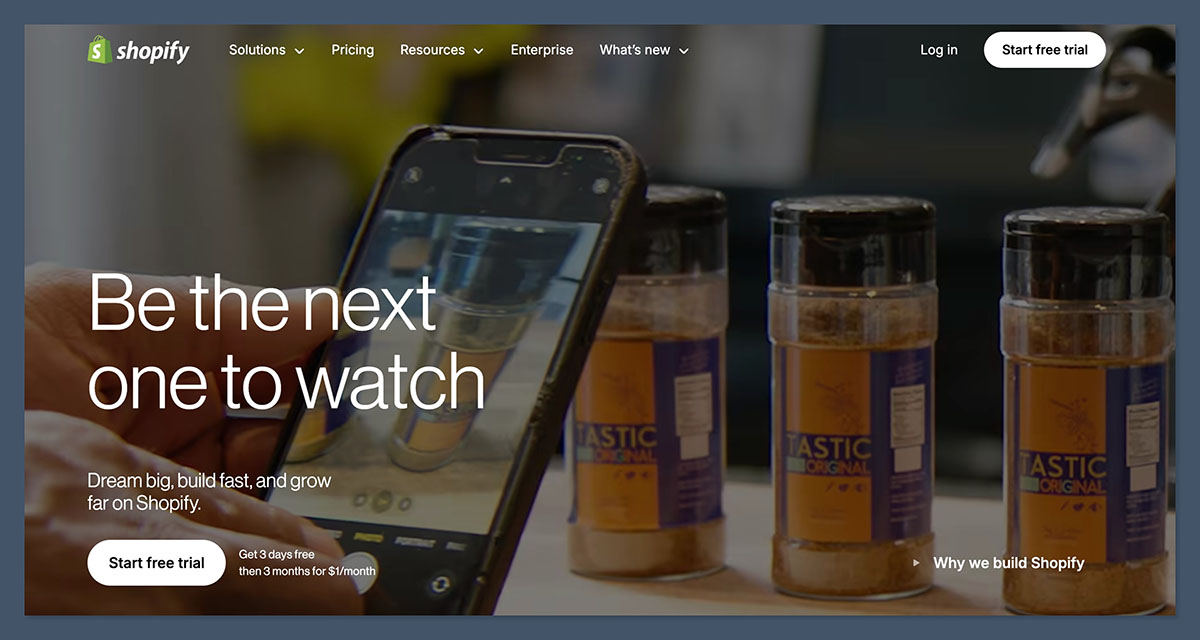
Signing up for Shopify is fast and simple. You can start with a free trial without entering payment details.
After answering a few basic questions about your business, you’re taken straight to the admin dashboard.
The onboarding process feels smooth and gives you a clear checklist of tasks to complete: adding products, setting up your domain, choosing a theme, and configuring payments.
What I Liked About the Setup Process
- No credit card required to start
- Helpful onboarding checklist
- Step-by-step guidance for key tasks
- Beginner-friendly dashboard
What Could Be Better
- The onboarding questions don’t personalize the experience
- No tutorial or walkthrough for the theme editor
- No AI-assisted design setup by default
If you’re running a POD business, Shopify encourages you to add products first before customizing the site. This makes sense: selling is the focus from day one.
Adding Products and Using Print-on-Demand Apps
Shopify is well-known for its compatibility with print-on-demand services.
Once I installed apps like Printful, Printify, or SPOD, I was able to add custom products to my store within minutes.
How It Works
- Install the POD app (e.g., Printful) from the Shopify App Store.
- Create and upload product designs.
- Sync those products with your Shopify store.
- Customers order — your POD provider handles fulfillment.
Top Print-on-Demand Integrations
| POD Platform | Strengths |
|---|---|
| Printful | High-quality products, global fulfillment |
| Printify | Lower prices, wide range of suppliers |
| SPOD | Fast production (48 hours) |
| Gelato | Strong international shipping |
| Gooten | Offers less common POD products like accessories and home goods |
Pros of Using Shopify for POD
- No manual fulfillment, it’s all automated
- Easy to scale with large product catalogs
- Syncing product variants, descriptions, and inventory is seamless
- You can offer a wide product selection without holding stock
Adding products through a POD app was significantly easier than with most ecommerce platforms I’ve tested. The process felt polished and fast.
Themes and Design Flexibility
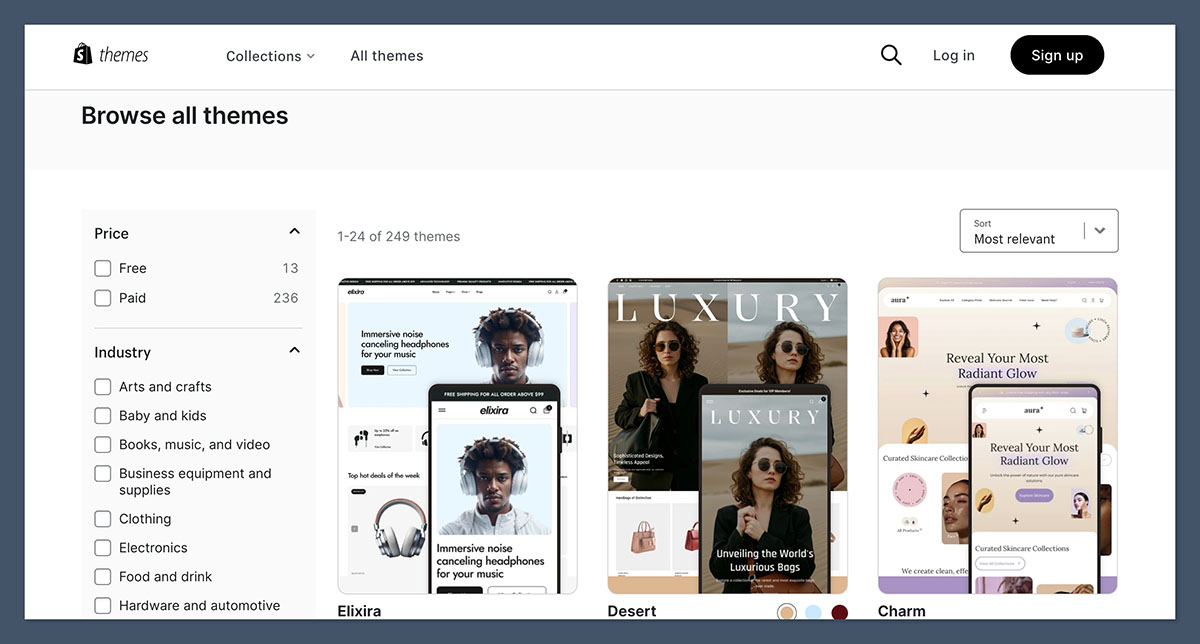
Shopify offers a mix of free and paid templates. All templates are mobile-responsive, built for selling products, and come with automatic updates.
At the time of writing, Shopify has 13 free themes and over 230+ paid themes.
Free Themes I Recommend
- Dawn: Simple and fast-loading
- Craft: Great for handmade and lifestyle brands
- Refresh: Modern layout that works well for apparel and accessories
Paid Themes
| Name | Cost | Best For |
|---|---|---|
| Empire | $350 | Large catalogs |
| Impact | $350 | Bold branding |
| Be Yours | $320 | High-converting layouts |
My Experience With Theme Customization
Shopify uses a section-based editor. It’s beginner-friendly but can feel limiting. You can drag and drop sections and customize them through the sidebar, but there’s no true drag-and-drop freedom like on Wix or Squarespace.
You also can’t edit text directly on the live preview, you have to use a side panel, which slows things down.
Shopify Pricing: How Much Does It Really Cost?
Shopify offers three main pricing plans, plus Shopify Plus for enterprise users.
| Plan | Monthly Cost | Features |
|---|---|---|
| Basic | $39 | Best for new stores |
| Shopify | $105 | Includes professional reports |
| Advanced | $399 | Advanced reports and shipping |
Basic ($39/month)
This plan is ideal for new or smaller stores just getting started. It includes all the essential ecommerce features like unlimited products, discount codes, abandoned cart recovery, and access to the Shopify App Store.
Shopify ($105/month)
Designed for growing businesses, this plan includes everything in the Basic plan plus professional reports and better shipping discounts. It also reduces credit card processing fees, which can make a difference as your order volume increases.
Advanced ($399/month)
Best suited for high-volume or scaling stores, the Advanced plan includes advanced reporting tools, real-time carrier shipping rates, and the ability to manage more inventory locations. It also comes with the lowest transaction fees across all Shopify plans.
Special Offers
- First 3 days: Free trial
- First 3 months: $1 per month
Hidden Costs to Consider
- Paid themes: $180–$350 one-time
- Apps: Many are paid (starting from $5–$50/month)
- Custom domain: $14–$18/year
- Transaction fees: Up to 2% if you don’t use Shopify Payments
In my experience, a typical print-on-demand store costs about $100–$150/month to run when you include essential apps, email marketing, and paid plugins.
Sales and Marketing Features
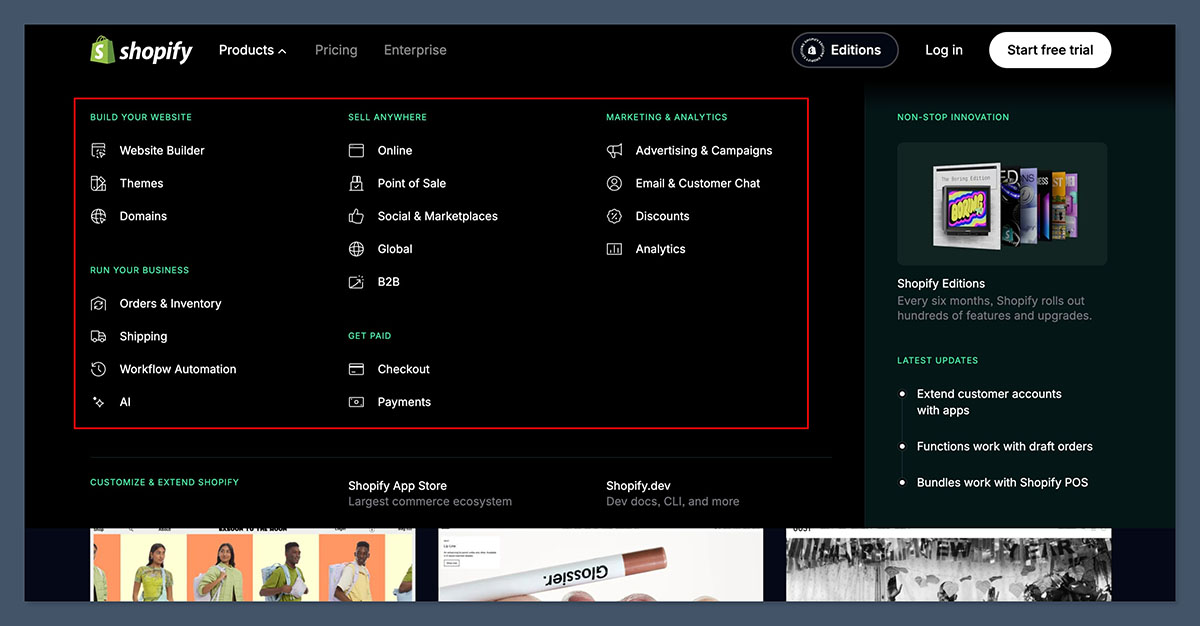
One of the reasons I keep using Shopify is because of its strong ecommerce functionality, even on the Basic plan.
It provides essential tools like abandoned cart recovery, discount codes, and multichannel selling right out of the box, which many other platforms reserve for higher-tier plans.
This makes it a solid option for small businesses that want access to serious selling features without immediately upgrading to a more expensive plan.
Key Ecommerce Features
- Unlimited products
- Inventory management
- Discount codes
- Gift cards
- Abandoned cart recovery
- Shipping rate calculators
Multichannel Selling
Shopify makes it easy to connect with sales channels like:
- Facebook and Instagram Shops
- TikTok Shopping
- Amazon
- Etsy
- Walmart
- eBay
All of this can be managed directly through the Shopify dashboard using the Shopify Marketplace Connect app.
Built-in Marketing Tools
- Shopify Email (free up to 10,000 sends/month)
- AI-generated emails via Shopify Magic
- Discount and promo tools
- Shopify Inbox (live chat)
- Blog for content marketing
I use Shopify Email and Shopify Magic together for personalized campaigns, and the built-in automations have saved me time and improved open rates.
SEO and Performance
Shopify performs well in the SEO department, especially for beginners. It covers all the fundamentals like customizable meta titles and descriptions, automatic sitemaps, and clean URLs, which help your store get indexed quickly.
While it may not offer the same level of SEO control as platforms like WordPress, it’s more than enough for most ecommerce businesses to build visibility and rank effectively.
SEO Tools and Features
- Customizable meta titles and descriptions
- Automatic sitemap.xml and robots.txt
- Clean product URLs
- Alt text fields for all images
- Canonical URLs to prevent duplicate content
Limitations
- URL structure is fixed (/products/, /collections/)
- Blog and content tools are basic
- No server access for deeper technical SEO
That said, I’ve ranked multiple Shopify product pages on Google just by focusing on content, speed, and on-page SEO.
Checkout and Payments
Shopify’s checkout is widely regarded as one of the highest-converting in ecommerce. It’s fast, secure, and optimized for mobile, with features like Shop Pay, express checkout options, and built-in tipping.
These tools reduce friction during the purchase process and can significantly boost your store’s overall conversion rate.
Checkout Features
- Shop Pay (accelerated checkout)
- Express options (Apple Pay, Google Pay, PayPal)
- Built-in tipping and donation fields
- Local pickup and delivery options
- Shopify Tax: Real-time tax calculations and filings for US businesses
Shopify Payments vs Third-Party Gateways
| Payment Method | Transaction Fee |
|---|---|
| Shopify Payments | 0% additional fee |
| PayPal / Stripe | 1%–2% (depending on plan) |
If you’re using Shopify Payments, you avoid additional fees, which is a major plus for small margins in POD.
Apps and Third-Party Integrations
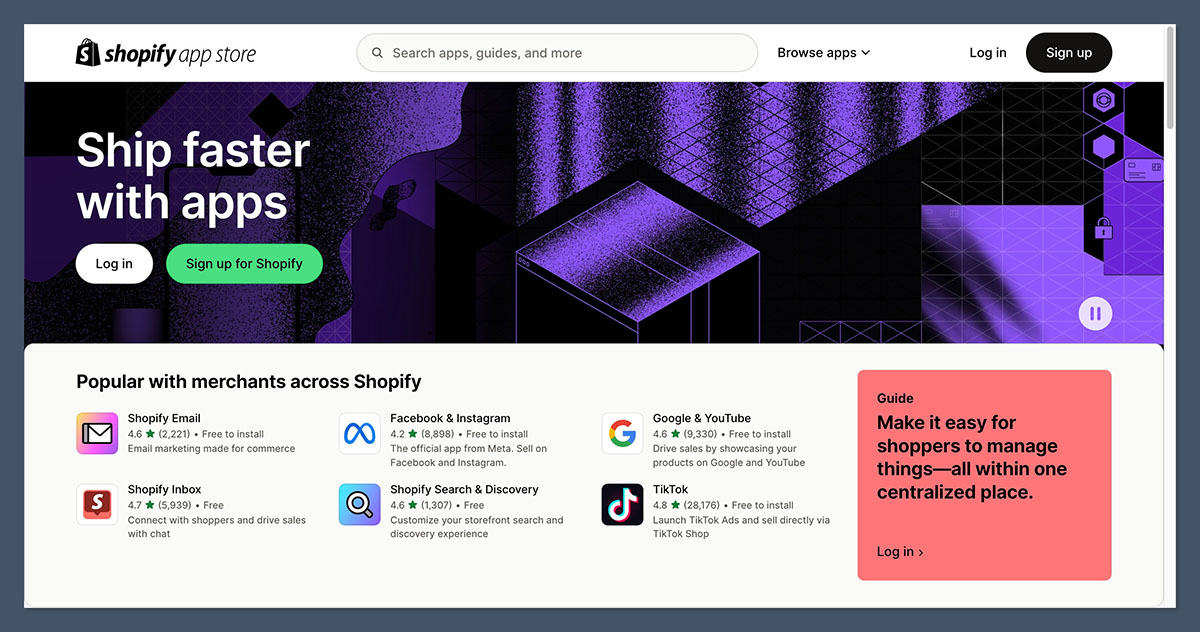
Shopify’s App Store has over 8,000 tools across categories like SEO, marketing, inventory, customer support, and design.
Popular Apps for Print-on-Demand Stores
| App | Use |
|---|---|
| Printful / Printify | Fulfillment |
| Klaviyo | Email and SMS marketing |
| Loox / Judge.me | Customer reviews |
| Vitals | All-in-one app (bundles, upsells, timers) |
| ReConvert | Post-purchase upsells |
| PageFly | Page builder with drag-and-drop functionality |
While the app ecosystem is a huge strength, it also means you may need to pay for basic features that other platforms include by default.
Customer Support and Help Resources
Shopify offers multiple support channels, including:
- 24/7 live chat
- AI-powered assistant
- Help Center with guides and videos
- Shopify Community Forum
- Shopify YouTube channel
- Shopify Sidekick (AI assistant rolling out in 2026)
I’ve used their live chat support multiple times and have always found it helpful. That said, email support is not available for most users, something I wish they would add back.
Shopify vs. Top Ecommerce Platforms
| Feature | Shopify | Wix | Squarespace | BigCommerce | WooCommerce |
|---|---|---|---|---|---|
| Best For | Scalable ecommerce & print-on-demand | Beginners & creatives | Design-focused stores | Large product catalogs | Customizable stores on WordPress |
| Starting Price (Monthly) | $39 | $27 | $23 | $39 | Free (hosting varies) |
| Free Trial | 3 days + $1/month for 3 months | 14 days | 14 days | 15 days | No official trial (depends on host) |
| Print-on-Demand Integration | Excellent (Printful, Printify, SPOD) | Good (Printful, Modalyst) | Moderate (Printful via extensions) | Limited | Excellent (high flexibility with plugins) |
| Ease of Use | Very easy | Very easy | Easy | Moderate | Moderate to advanced |
| Design Flexibility | Moderate | High | High | Moderate | High (with coding) |
| Sales Channels | Amazon, TikTok, Instagram, Etsy | Instagram, Facebook | Instagram, Facebook | Amazon, eBay | Depends on plugins |
| Checkout Customization | Limited (advanced with Shopify Plus) | Basic | Basic | Moderate | Highly customizable |
| App Store/Extensions | 8,000+ apps | 300+ apps | Limited extensions | 1,000+ apps | Thousands of plugins |
| Support | 24/7 live chat, AI, forums | 24/7 live chat & phone | Live chat, email | 24/7 support | Community + hosting support |
As you can see from the comparison, Shopify stands out for its robust ecommerce features, seamless print-on-demand integrations, and powerful sales tools that scale with your business.
While other platforms offer strengths in design or affordability, Shopify delivers a complete package that’s purpose-built for selling, making it the top choice for serious ecommerce entrepreneurs.
Final Verdict: Is Shopify Still Worth It for Print-on-Demand in 2026?
After using Shopify for several years, and testing most major ecommerce platforms, I can confidently say that Shopify is still the best choice for print-on-demand businesses looking to grow.
The platform combines powerful ecommerce features, automation, and POD integrations in a way that’s unmatched by its competitors.
Yes, there are additional costs for apps and themes, and the editor can be restrictive, but the benefits far outweigh the drawbacks.
If you’re serious about building an ecommerce brand, Shopify gives you the tools, scalability, and support to do it right, especially in the print-on-demand space.



