
When comparing eCommerce platforms for creators, Shopify and Ecwid are two names that come up again and again — but which one is best for turning your audience into buyers?
After 300+ hours of testing the most popular eCommerce platforms for creators and small business owners, I can confidently say that Shopify is the better choice if you want to grow, automate, and scale an online business. Ecwid is a great alternative for those looking for something simpler, faster, and more lightweight — especially if you already have a website.
Shopify vs Ecwid: Quick Verdict
Shopify – Best for creators who want full control and long-term growth
Ecwid – Best for embedding eCommerce on an existing blog, portfolio, or site
In this review, we’ll break down the key differences between Shopify and Ecwid — based on the features creators care most about: pricing, product flexibility, design options, sales tools, integrations, and support.
Key Takeaways:
- Shopify’s checkout, SEO tools, and app ecosystem make it a better long-term platform for creators who want to grow.
- Ecwid is ideal for creators with small catalogs who want to sell directly from a blog, landing page, or existing site.
- Shopify includes powerful tools like abandoned cart recovery, custom domains, upsells, and subscription apps from day one.
- Ecwid has a free plan and is quicker to launch with less complexity or cost upfront.
- Both platforms support multichannel selling and social integrations like Facebook, Instagram, and TikTok.
A Quick Comparison of Shopify vs Ecwid
Here’s a side-by-side breakdown to help you quickly compare Shopify and Ecwid for your business:
| Feature | Shopify | Ecwid |
|---|---|---|
| Overall Rating | 4.8 | 4.1 |
| Starting Price | $29/month (first 3 months at $1/month) | Free plan available |
| Free Trial | 3 days | 15 days |
| Best For | Full online stores, scaling, multichannel sales | Bloggers, creators with existing websites |
| Transaction Fees | 0% with Shopify Payments, 2% with others | 0% (Ecwid doesn’t charge extra) |
| Multichannel Selling | Yes | Yes |
| AI Tools | Shopify Magic, Sidekick | None built-in |
| App Market | 8,000+ apps | 200+ apps |
| Templates | 200+ themes | Theme depends on the site it’s embedded in |
| Support | 24/7 live chat, help center | Live chat, email, knowledge base |
Both platforms are reliable and secure, with stable hosting and PCI-DSS compliance, so customer payment data is handled safely. That said, the differences in approach are clear. Shopify is geared toward sellers building an entire eCommerce operation, while Ecwid is for creators who want to add commerce without rebuilding their digital footprint.
This makes your choice less about which one is “better” overall and more about which one fits your current strategy. If you’re already publishing content or have a personal brand website, Ecwid plugs in seamlessly. If you want a fresh start with more control, Shopify gives you the tools to go much further.
Who Should Use Shopify vs Ecwid?
Choosing the right platform depends on what stage you’re at, how you sell, and whether or not you already have a website.
Shopify Is Best For…
- Creators selling multiple products (physical or digital)
- Brands planning to grow via SEO, paid ads, or content
- Those who want a standalone online store and full control
- People looking to use print-on-demand or subscription tools
Ecwid Is Best For…
- Creators with just a few products
- Bloggers or freelancers who already have a site
- People who want to embed a store instead of building a new one
- Side hustlers who want to test an idea quickly without high costs
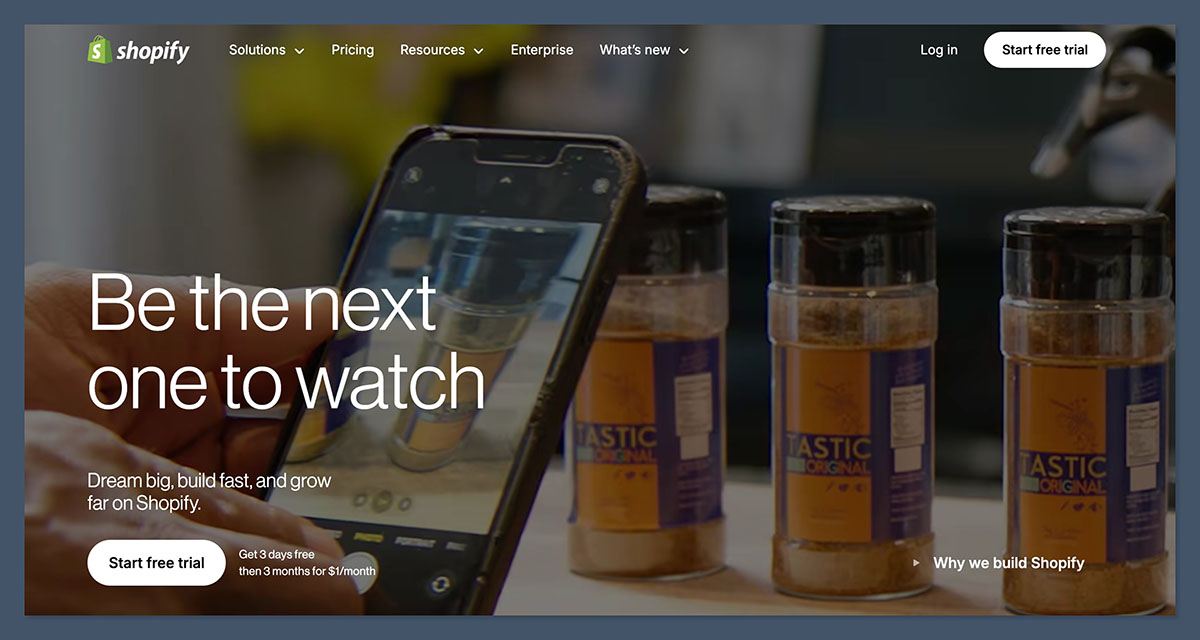
Shopify is ideal for businesses that plan to scale operations, implement upsells, manage affiliates, and create content strategies through built-in blogs and SEO. If you’re selling multiple SKUs or want to expand into international markets, Shopify provides more flexibility for future-proof growth.
Ecwid is best suited for creators who want to monetize fast and with minimal setup. It’s also helpful if you’re not looking to leave your current CMS or platform.
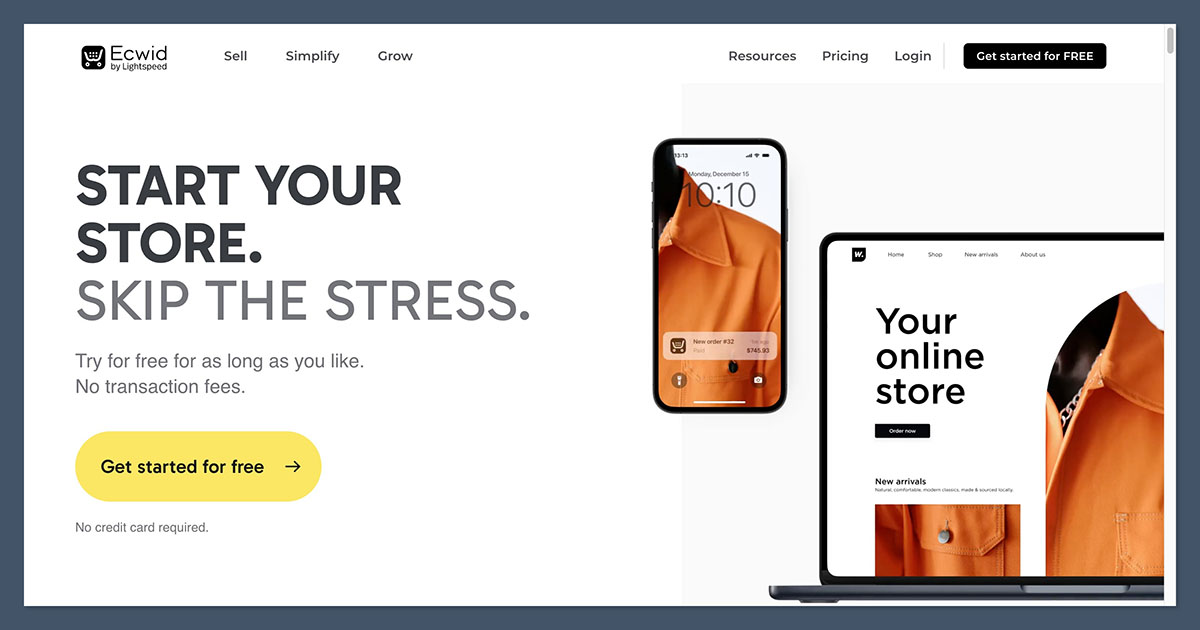
For example, if you’re running a Substack, Webflow site, or even a Notion page, Ecwid makes it simple to accept payments through embedded widgets.
1. Best for Pricing: Ecwid Wins for Affordability
Shopify vs Ecwid Pricing Plans
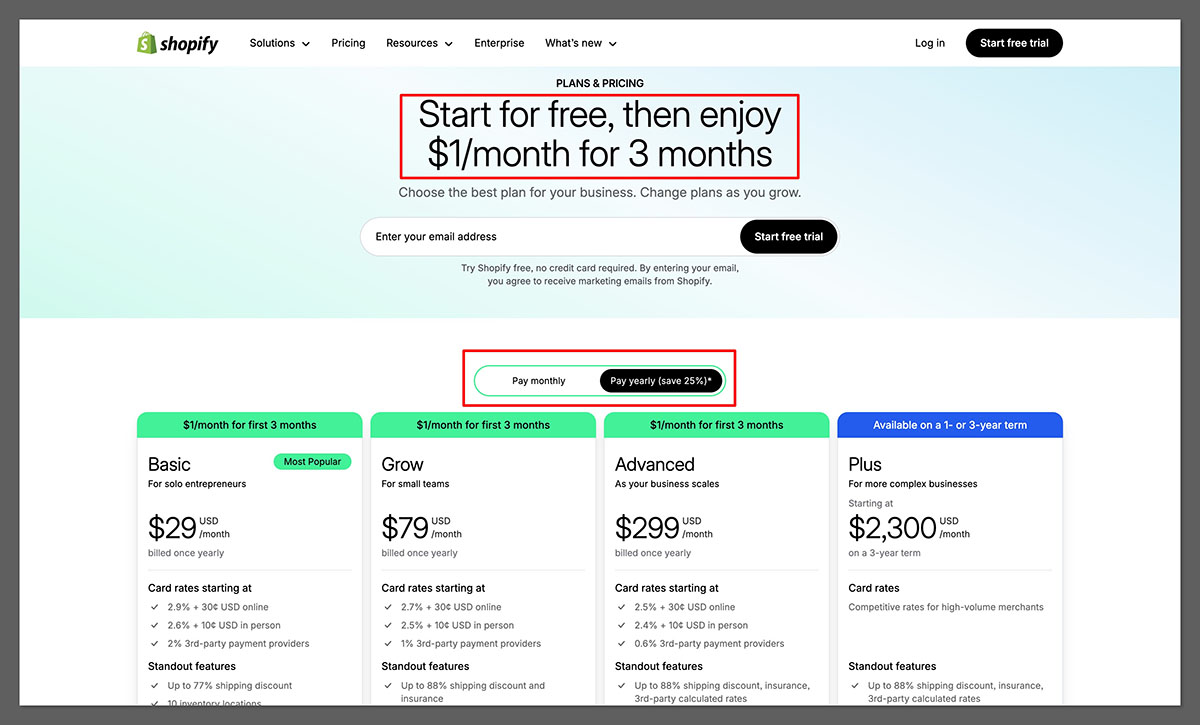
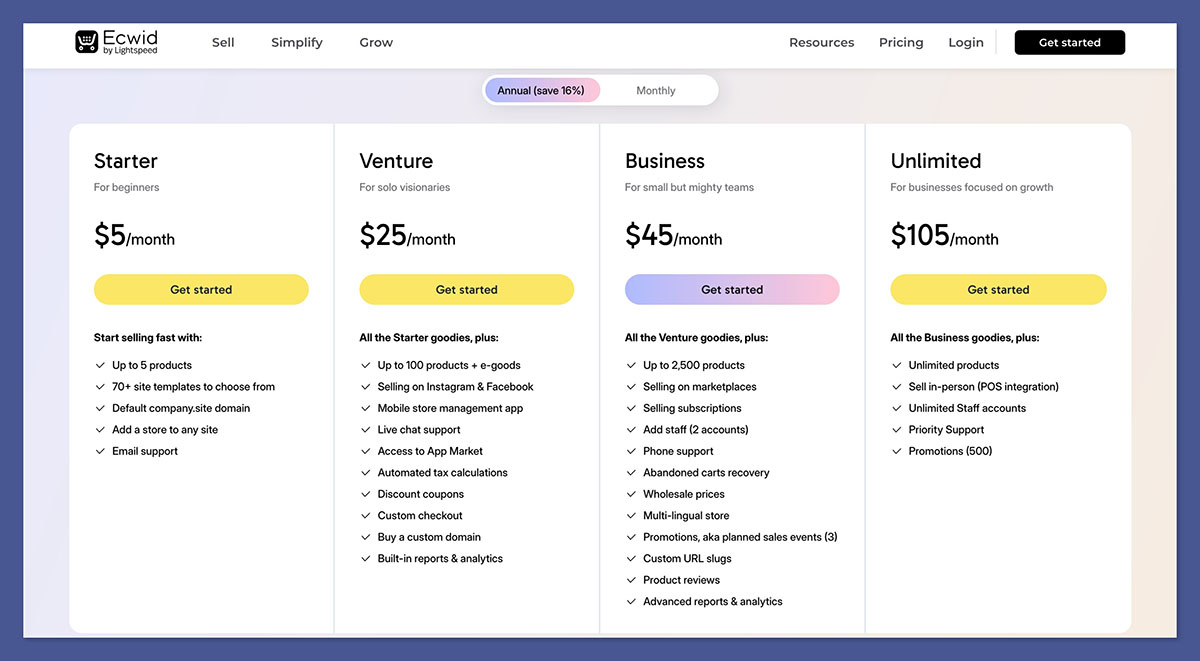
Both platforms offer three core pricing tiers, but only Ecwid offers a functional free plan, making it more accessible for creators testing their first product or service.
| Plan | Shopify (billed annually) | Key Shopify Features | Ecwid (billed annually) | Key Ecwid Features |
|---|---|---|---|---|
| Starter | $5/month | Sell through links or social | Not available | N/A |
| Grow | $29/month | Online store, 2 staff accounts, 24/7 support | $14.08/month | Up to 100 products, discount codes |
| Shopify | $79/month | Reports, more inventory locations | $29.08/month | Abandoned cart, product variations |
| Advanced | $299/month | Advanced reports, shipping | $82.50/month | Subscriptions, multi-language store |
Shopify charges a transaction fee if you don’t use Shopify Payments, which is only available in certain countries.
Ecwid doesn’t charge additional transaction fees, which gives it a lower cost of ownership for small stores.
For creators on a tight budget, especially those testing a new product idea or launching a side hustle, Ecwid’s pricing can be a huge advantage. It gives you the freedom to launch without pressure or long-term commitments. The free plan allows you to list up to five products with checkout, which is often enough to validate a concept or service.
That said, as your store grows, Shopify’s higher-tier plans become more cost-effective. The ability to reduce payment processing fees, automate sales, and scale operations makes the pricing gap feel justified. While Shopify starts more expensive, it gives more ROI once you move beyond the basics.
2. Best for Selling Online: Shopify Wins by a Mile
Shopify includes everything you need to build, grow, and scale an online store — even if you’re starting with zero technical skills. It supports every kind of product: physical, digital, services, subscriptions, or even online courses.
Shopify’s Sales Tools:
- Product inventory and variations
- Custom domains and checkout pages
- Abandoned cart recovery (included on all paid plans)
- Multichannel selling: Facebook, TikTok, Instagram, Amazon, Etsy
- Print-on-demand integrations (Printful, Printify)
- Subscription apps and digital product delivery
Ecwid’s Sales Tools:
- Up to 10,000 products on top plan
- Abandoned cart recovery (starting at $29.08/mo)
- Embeddable Buy Buttons and instant checkout
- Digital downloads and subscriptions (Advanced plan only)
- Social media store integrations
Shopify also offers much better tools for bundling, cross-selling, and pre-orders. These are essential if you’re trying to maximize order value, launch limited drops, or sell high-ticket items with custom offers. Apps like ReConvert, Bold Subscriptions, and PageFly allow you to fully tailor the buyer journey.
While Ecwid does offer multichannel selling, the process isn’t as seamless or powerful as Shopify’s integrations. Shopify also gives creators a more optimized mobile checkout experience, which directly impacts conversions from social media or mobile-first audiences.
3. Best for Website Design: Shopify Offers More Flexibility
Shopify has over 200 professional templates, plus a robust theme editor that lets you customise layouts, sections, fonts, and colors. While most premium themes cost between $140 and $350, they’re designed for performance, conversion, and mobile responsiveness.
| Feature | Shopify | Ecwid |
|---|---|---|
| Templates Available | 200+ | Uses your existing site’s template |
| Customisation | High (code or editor) | Low (unless using Instant Site) |
| Responsive Design | Yes | Yes |
| Premium Themes | $140–$350 one-time | N/A |
Ecwid’s design is determined by the site it’s embedded on, unless you use their “Instant Site” option, which has limited design flexibility. If visual branding and layout matter to you, Shopify gives you far more tools to work with.
The Shopify theme editor also supports drag-and-drop section customization, making it easy to tailor your storefront even if you don’t know any code. For creators with an eye for detail or those working with a designer, this offers way more branding flexibility than Ecwid.
Ecwid’s Instant Site is quick but basic. While it lets you get a store live fast, you’ll eventually hit limits around layout, animations, and custom interactions. Shopify’s templates, especially those made for conversion, provide much more polish out of the box.
4. Best for App Integrations: Shopify Has the Edge
One of Shopify’s biggest strengths is its app ecosystem — with over 8,000 apps that handle everything from marketing and reviews to loyalty programs and analytics.
Shopify App Examples:
- Klaviyo, Omnisend (email)
- ReConvert (upsells)
- DSers, Spocket (dropshipping)
- Course platforms (Teachable, Thinkific)
- SEO tools, timers, bundlers, subscription boxes
Ecwid App Examples:
- Printful
- Mailchimp
- ShipStation
- Google Ads
- Facebook Shop
Shopify relies on apps for many features, so you may incur additional costs. However, the depth and variety of integrations far outweigh what Ecwid offers, especially for scaling and marketing automation.
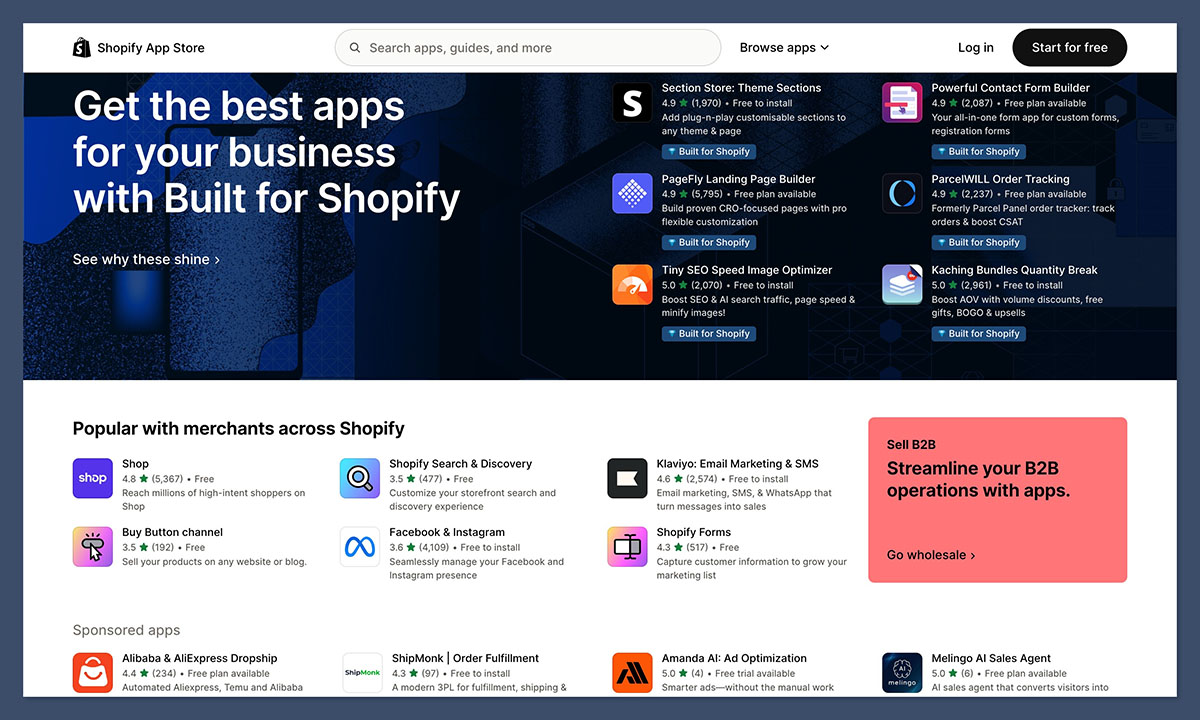
Another advantage is that many Shopify apps come with built-in templates and onboarding. That makes setup easier, and you’re not reinventing the wheel every time you want to run a new promotion, create a landing page, or launch a subscription product.
Ecwid’s smaller app market can handle basic tasks, but if your store starts growing or you want to automate more of your operations, you’ll quickly feel limited.
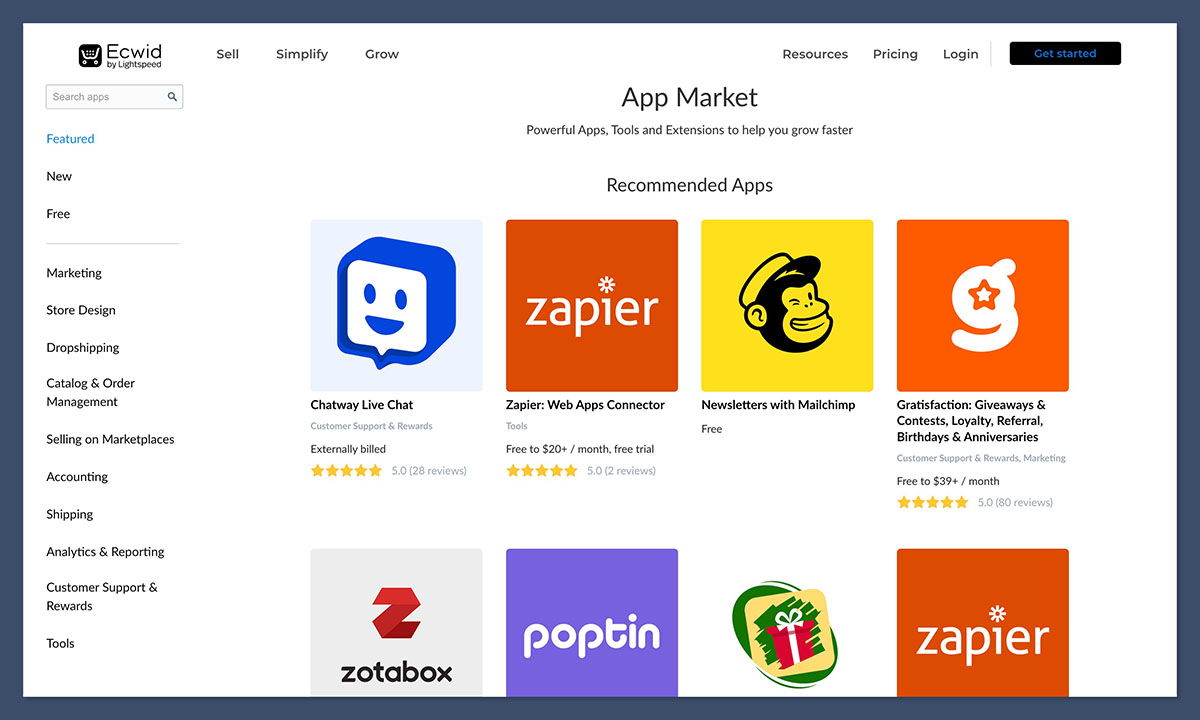
Shopify’s ecosystem makes it easier to grow your tech stack without leaving the platform.
5. Best for Marketing and SEO: Shopify Takes the Lead
If you want to build long-term traffic through SEO, Shopify gives you far more control. It also offers advanced integrations with email, ad platforms, and content marketing tools.
Shopify Marketing Tools:
- Built-in blog with meta control
- Shopify Magic (AI-generated descriptions and content)
- Shopify Email for campaigns
- Meta, TikTok, Google Ads integrations
- SEO controls: slugs, meta titles, redirects
Ecwid Marketing Tools:
- Coupons and discount tools
- Facebook & Instagram Shop sync
- Mailchimp integration
- Meta/Google tracking
Ecwid is solid for social commerce, but it lacks full-featured blogging or SEO structure, which limits organic growth opportunities compared to Shopify.
Shopify’s blogging features are especially useful if you’re building a personal brand or driving traffic through educational content. You can create optimized articles, link products directly in posts, and use structured data to appear better in search results.
SEO-wise, Shopify lets you fully edit URL slugs, canonical tags, meta titles, and 301 redirects — essential for technical optimization. Ecwid offers some of these, but lacks deeper tools like schema support, AMP, or structured blogging.
6. Easiest to Use: Ecwid Wins for Simplicity
If you’re looking for a no-hassle way to start selling, Ecwid is hard to beat. You can embed a product on your existing blog or link out via social without building a full site.
| Feature | Shopify | Ecwid |
|---|---|---|
| Setup Time | 1–3 hours | Under 10 minutes |
| Onboarding | Guided setup and tutorials | Instant walkthrough |
| Tech Skills Required | Low | Very low |
| Learning Curve | Medium | Easy |
Shopify’s dashboard is more robust, but that also means more time to set up and manage. Ecwid is ideal for creators who want something functional, fast, and distraction-free.
With Ecwid, creators can get to selling in minutes — it’s just a matter of pasting a code snippet or connecting to a CMS. This low-friction setup is perfect for those who want to test product-market fit or sell a digital download directly from a blog post.
Shopify, while still beginner-friendly, does have a bit more depth to navigate. But that also means more control long term. If you’re planning to grow or run promotions, Shopify’s dashboard gives you more granular options.
7. Best for Customer Support: Shopify Has the Better System
Both platforms offer support, but Shopify has 24/7 live chat and an extensive help center, community, and support infrastructure.
| Support Type | Shopify | Ecwid |
|---|---|---|
| Live Chat | Yes, 24/7 | Yes |
| Email Support | No | Yes |
| Phone Support | Shopify Plus only | No |
| Help Center | Detailed + video tutorials | Knowledge base only |
Shopify also offers Shopify Compass, a free training platform for store owners. Ecwid’s support is good, but can feel limited if you’re scaling up or running into technical issues.
Shopify’s support includes step-by-step tutorials, business strategy content, and even community forums where merchants swap ideas and troubleshoot together. This community support network becomes extremely valuable as your store grows.
Ecwid’s support is responsive and helpful, especially on paid plans, but lacks the same level of resources and scale. There are fewer tutorials and fewer third-party resources available, which can slow you down when troubleshooting complex issues.
Shopify vs Ecwid: Final Verdict
| Criteria | Winner |
|---|---|
| Pricing | Ecwid |
| Sales Features | Shopify |
| Design Options | Shopify |
| App Market | Shopify |
| SEO & Marketing | Shopify |
| Ease of Use | Ecwid |
| Support | Shopify |
If you’re a creator who wants to build a serious store, grow a brand, and use SEO, ads, or email marketing — Shopify is the clear winner.
If you’re testing a product, offering a few services, or selling from an existing site or portfolio — Ecwid is a smart, fast, low-cost entry point.
Still unsure? Try both — Shopify has a 3-day trial and Ecwid’s free plan lets you start selling without any risk.



