
Storenvy is a bit of an oddball when it comes to ecommerce platforms – it lets you set up shop on a marketplace, while also giving you the tools to create a fully custom online store.
And the best part? It won’t cost you a monthly subscription fee.
Unlike other platforms like Shopify or Etsy, Storenvy lets you get your products in front of customers on its marketplace, without any listing fees or upfront costs.
Plus, you can create a custom store that lets you keep 100% of your sales on items you send your own traffic to.
I’ve spent over 20 hours testing Storenvy as part of a broader comparison with other ecommerce platforms.
In this review, I’m going to walk you through what Storenvy’s got to offer, including its pricing, ease of use, features, and how it handles print on demand, so you can figure out whether it’s the right fit for your online business.
Why You Can Trust This Review
This review is based on real-world testing, plus a bunch of industry data and seller case studies.
My analysis includes insights from the likes of Order Desk, Printful, Reddit seller communities, and Storenvy’s own support documentation.
I’ve also thrown up test stores to see how the fulfillment and store design tools work – particularly for print on demand sellers.
Storenvy: The Lowdown
At a Glance
| Feature | Storenvy |
| Best for | Indie brands & small POD sellers |
| Platform Type | Custom storefront + marketplace |
| Monthly Cost | $0 |
| Marketplace Commission | 15% (only if they send the sale) |
| Custom Store Commission | 0% (you keep 100%) |
| POD Integration | Manual or via third-party only |
| Ideal For | Creators who drive their own traffic |
| Not Ideal For | High-volume stores or dropshippers |
Storenvy is perfect for creators who can drive their own traffic, but not so good for high volume stores or dropshippers.
Storenvy Pros & Cons
What I Like About Storenvy
- No monthly fee – it’s perfect for new or budget-conscious sellers
- 100% of the sale goes to you from your custom store (minus payment processing)
- Dual-channel structure – get marketplace exposure and your own store
- Works for print on demand with Order Desk or manual sync
- Good fit for niche products, handmade items, and indie fashion
What I Don’t Like About Storenvy
- No native POD integrations like Printful or Printify
- Limited design templates and no drag-and-drop builder
- Marketplace traffic is much lower than Etsy or Amazon Handmade
- No app store or built-in marketing tools
- Manual fulfillment unless you set up third-party workflows
My Experience With Storenvy
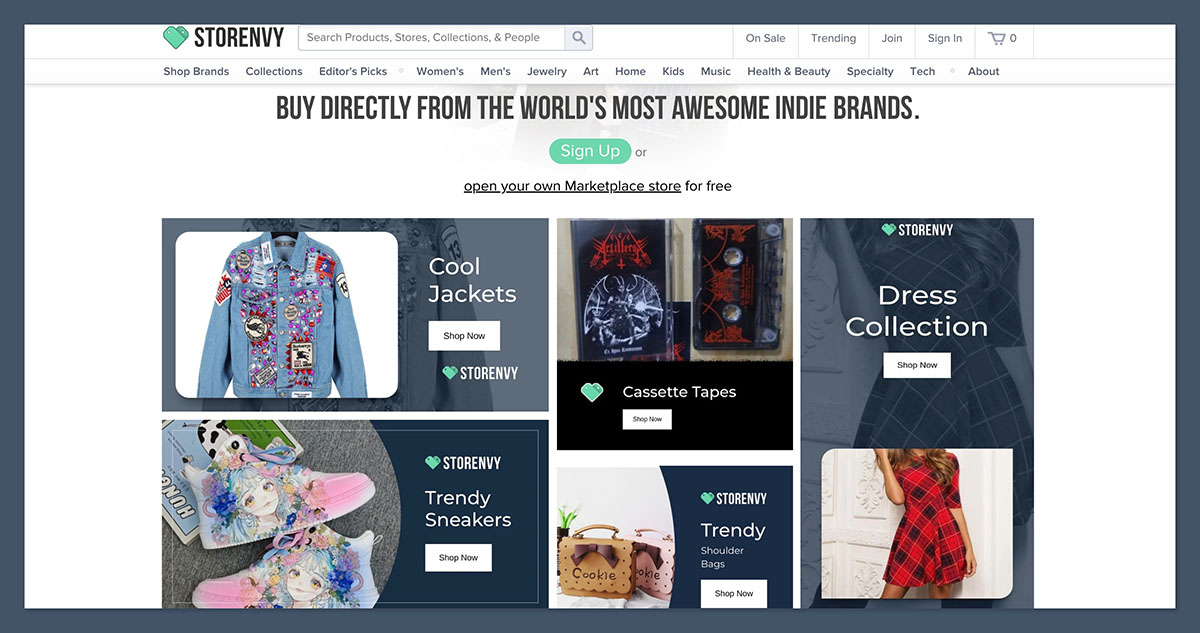
Signing up to Storenvy was a breeze – I didn’t even need to enter payment details. Once I verified my email, I was taken straight to the store setup dashboard where I could get started customising my storefront and adding products.
Storenvy does give you a bit of a walkthrough on the basics, like uploading a logo and entering your first product.
But one thing I immediately noticed is that there’s no theme builder or visual editor – everything is template-based or code-driven (HTML/CSS), which might be a bit of a hurdle for beginners.
The Marketplace tab lets you submit your store for inclusion on Storenvy’s main site, but it’s not automatic – you need to apply and get approved.
If you do get approved, your products will appear in the main directory, but that exposure is fairly limited compared to Etsy or Amazon Handmade.
Pricing and Fees
Storenvy stands out from pretty much every other ecommerce platform by not charging a monthly fee – even for unlimited products.
That makes it one of the most budget-friendly ways to start selling online.
Breakdown of Storenvy’s Costs
| Cost Type | Amount |
| Monthly subscription | $0 |
| Listing fees | $0 |
| Commission (custom store) | 0% (you keep 100%) |
| Commission (marketplace sales) | 15% per order |
| Payment processing | Stripe/PayPal (~2.9% + 30¢ per sale) |
You only pay a commission if the sale comes from the Storenvy marketplace.
If you send your own traffic to your store and make a sale, you keep all of it (minus card processing fees).
Store Design and Customization
Storenvy gives you a default storefront that you can personalise with logos, fonts, colors, and content. However, design options are pretty limited out of the box.
There’s no visual editor like Wix or Squarespace – if you want full control over the layout, you’ll need to get in there and modify the HTML and CSS files yourself.
Design Pros
- Free custom URL (yourstore.storenvy.com)
- Edit HTML/CSS for full control
- Mobile-responsive themes
Design Cons
- No drag-and-drop editing
- Limited design templates
- Limited set of prebuilt templates available
- No app store or widgets to help customise your site
Unless you have some coding experience—or are happy with a basic layout—customizing your site could be a challenge. This is one of the tradeoffs of using a free platform like Storenvy.
Print on Demand with Storenvy
Storenvy doesn’t have any built-in print-on-demand integrations – so you’ll need to find another way to run a POD store.
Luckily, there are some third-party tools you can use to set up an external workflow, like Order Desk or Zapier.
Print on Demand Setup Options
| Method | Description |
| Order Desk Integration | Syncs Storenvy orders with Printful, Printify, etc. |
| Zapier Automation | Create custom workflows to send orders to POD providers |
| Manual Fulfillment | Log in to Printful and manually enter orders as they come in |
While this method works okay for small sellers or stores just starting out, it’s not as seamless as using a platform like Shopify or BigCommerce – especially if you’re running a high-volume POD business.
You may find that you eventually outgrow Storenvy.
Shipping and Order Management
Storenvy has some basic order management features. You can view orders, mark them as fulfilled, and add tracking info. However, there’s no built-in label printing or carrier integrations – which makes things a bit more complicated.
You’ll probably need to look at tools like ShipStation, ShippingEasy, or Pirate Ship to sort out your shipping.
You’re on the hook for setting up your shipping rules, and also for generating and managing labels – either manually or using third-party tools.
SEO and Marketing Features
Unfortunately, Storenvy falls a bit behind the pack in this area.
While you can update your page titles and product descriptions manually, there aren’t any advanced SEO tools, content marketing integrations, or analytics dashboards beyond basic order data.
What’s Available in Terms of Marketing Tools
| Feature | Available? |
| Blog/Content Marketing | No |
| Meta titles/descriptions | Yes (manual) |
| Email marketing integration | No |
| Abandoned cart recovery | No |
| Discount codes/coupons | Yes |
You’ll need to set up all of your marketing externally, through platforms like Mailchimp or Klaviyo, and then try to track performance using Google Analytics.
This takes a bit more setup and technical know-how than other platforms – but for small sellers who are happy to get stuck in and figure it out, it’s doable.
Selling on the Storenvy Marketplace
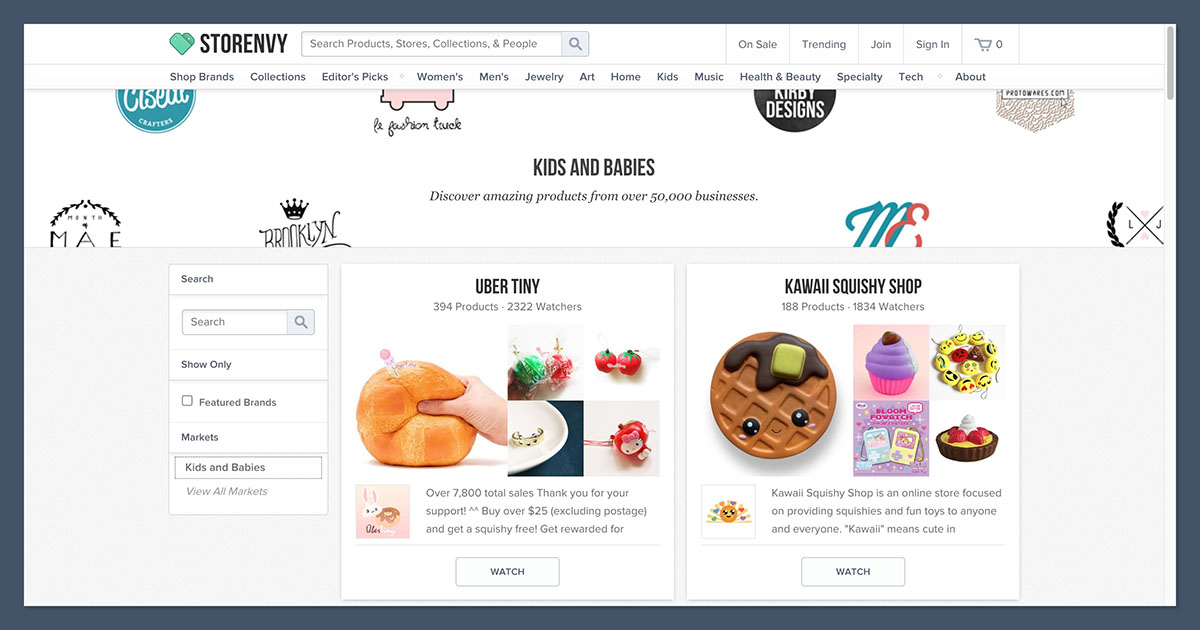
The Storenvy marketplace is probably one of the platform’s biggest selling points, but it’s worth being realistic about what it can actually deliver.
Storenvy sees around 1.5 million visitors a month – which is pretty small compared to Etsy’s 700+ million.
What to Expect from Marketplace Discovery
- First, you need to apply to be included – no guarantee of success
- The marketplace mainly features indie, handmade, and alternative brands – so you’ll need to stand out from the crowd
- Marketplace visibility is pretty competitive, and SEO doesn’t play a huge role
- You’ll need some cracking product photos and clear descriptions to stand out
While you might get a few organic sales from the marketplace, most successful Storenvy sellers say they drive their own traffic, using Instagram, TikTok, or email marketing.
Real Seller Experiences
I dug through dozens of real-world case studies and reviews to see how sellers are actually using Storenvy, especially in the print on demand space.
Case Study: Indie Apparel Store
- Set up: Storenvy + Printful (via Order Desk)
- Volume: 700 orders in Q4
- Traffic Source: 90% Instagram and TikTok
- Fulfillment: Automated through Order Desk
- Repeat Buyers: 8% (which is above average for POD sellers)
Case Study: Art Print Seller
- Set up: Storenvy only (manual fulfillment)
- Volume: ~20 orders/month
- Traffic Source: Email newsletter and Reddit
- Struggled: Ended up switching to Shopify for better shipping and SEO tools
These examples show that Storenvy can work for small, niche brands – especially if you’re happy to drive your own traffic and handle fulfillment manually.
How Storenvy Compares
| Feature | Storenvy | Shopify | Etsy |
| Monthly Fee | $0 | $29+ | $0 |
| Marketplace Exposure | Moderate | No marketplace | High |
| POD Integrations | Manual only | Yes (native) | Yes (some) |
| Design Flexibility | Limited | High | Low |
| Automation Options | Third-party only | Built-in | Limited |
| Ideal For | Indie sellers | Scaling brands | Handmade sellers |
Storenvy is a great fit for new brands just getting started, those on a tight budget, or creators who’ve already built up an audience.
If you’ve already got a solid presence on Instagram or TikTok and just need a simple way to start taking orders, Storenvy is pretty handy.
But if you’re looking for a bit more oomph – in the form of automation, fancy marketing tools, or room to grow – you’re probably going to find better bang for your buck elsewhere, like on Shopify or WooCommerce.
The Verdict: Is Storenvy Right for You?
Storenvy is a pretty cool option for ecommerce newbies who don’t want to shell out a monthly fee and are okay with putting in a little bit of elbow grease.
Sure, it’s missing some bells and whistles like built-in integrations and marketing tools – but for those on a super tight budget or still figuring things out, that’s probably not a deal-breaker.
I reckon Storenvy is worth checking out if:
- You’re a creator with a niche product that’s going to appeal to a specific crowd
- You’re a POD seller who’s happy to get your hands dirty and set up Order Desk or manual routing – no problem
- You already have a built-in audience or traffic source that’s going to drive sales
- You’re a small indie brand testing out the ecommerce waters before investing in a bigger platform
But if what you’re after is built-in print-on-demand integrations, a decent app store or some top-notch SEO tools – you’re probably better off looking elsewhere, like Shopify.



