
I personally like the energy in the ecommerce market right now. Yes, it’s a competitive space, but that’s been true for years. What’s great is how much easier it’s getting for ambitious people from all walks of life to actually jump in, and start exploring new ways to build a business.
Platforms like Fourthwall are one of the reasons behind that. With Fourthwall, you get options. You don’t have to source your own products if you don’t want to, they do custom items and have a premium print-on-demand catalog. Plus, you can sell digital products and subscriptions too, various ways to make money in one place, with no apps or plug-ins.
On top of that, Fourthwall handles the stuff most would-be sellers would rather avoid. They handle customer support for products from their catalog, work as your Merchant of Record for tax, and give you handy tools, like a drag-and-drop site builder, and direct connections to social platforms.
So, for anyone looking for a quick way to set up and grow an online store, here’s how I’d do it with Fourthwall.
How to Set Up a Store on Fourthwall
Trust me when I say this whole process is much easier than it seems from the outside. If you’ve ever tried to build a store with something like Shopify or WooCommerce, Fourthwall is going to feel like a walk in the park. You can have everything set up in less than a day.
Step 1: Create Your Fourthwall Account

Obvious first step: create your account. Visit the Fourthwall website, and click the “Start Now” button. You can sign up with Google, Apple, or email. Choose your preferred route, then Fourthwall will ask for a bit of information about you. Are you a content creator, business, group, artist, etc.
After that, you add your name, shop name, and main social channel, and decide whether you want to stick to the free plan, or upgrade. For now, I’d say stay with free. The Pro plan is great ($19 per month), and it comes with no digital product fees, unlimited team members, 100GB of product storage, priority support and sample credit.
Still, you probably won’t need all that straight away. Fourthwall’s free plan is more than enough for a beginner, especially if you’re still figuring out what to sell.
Step 2: Choose and Create Your First Products
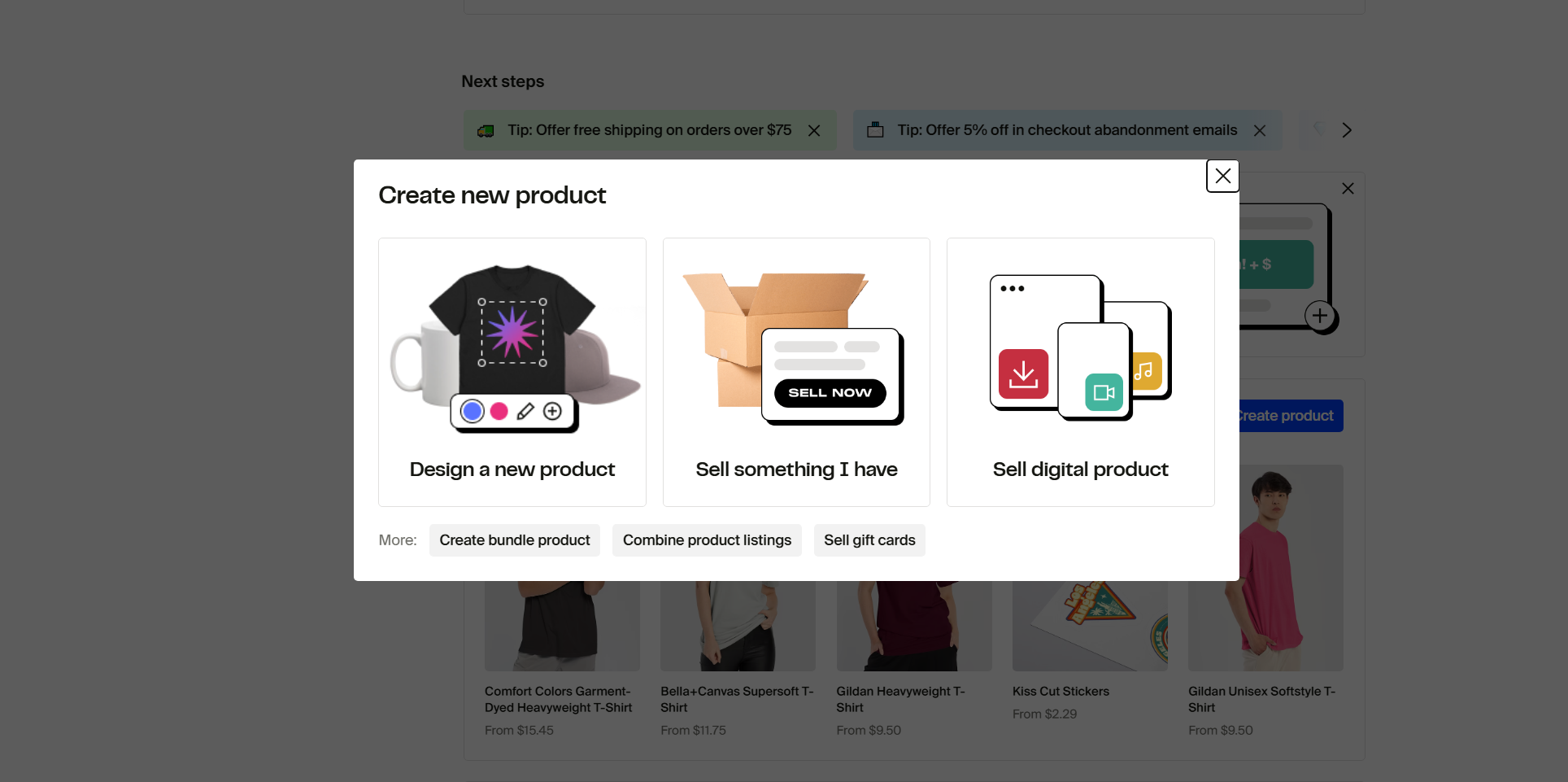
As soon as you’re logged in, you’ll be taken to a dashboard home page where you can create your first product. There are a few options here.
You can design a product, choosing from Fourthwall’s print on demand catalog. That’s a good option if you want to sell some premium merch but you don’t want to source products yourself, or handle inventory at home.
Alternatively, you can sell what you already have (products from an existing supplier, for instance), or you can sell a digital product like ebooks, PDFs, files, or members-only videos.
You don’t need to build out a whole collection immediately. I’d pick maybe a few items to begin with, up to 6 products. Maybe a couple of POD items, a few downloads, whatever you know appeals to your audience.
If you take the POD route, all you need to do is click on a retail-quality item from the Fourthwall catalog and add your designs. You can pull them in from Canva, or Photoshop if needed.
If you go the “sell something I have” or “sell a digital product” route, Fourthwall will ask you for information about the item you want to sell: titles, descriptions, files, pricing, etc.
It only takes a few minutes.
Step 3: Design Your Fourthwall Storefront
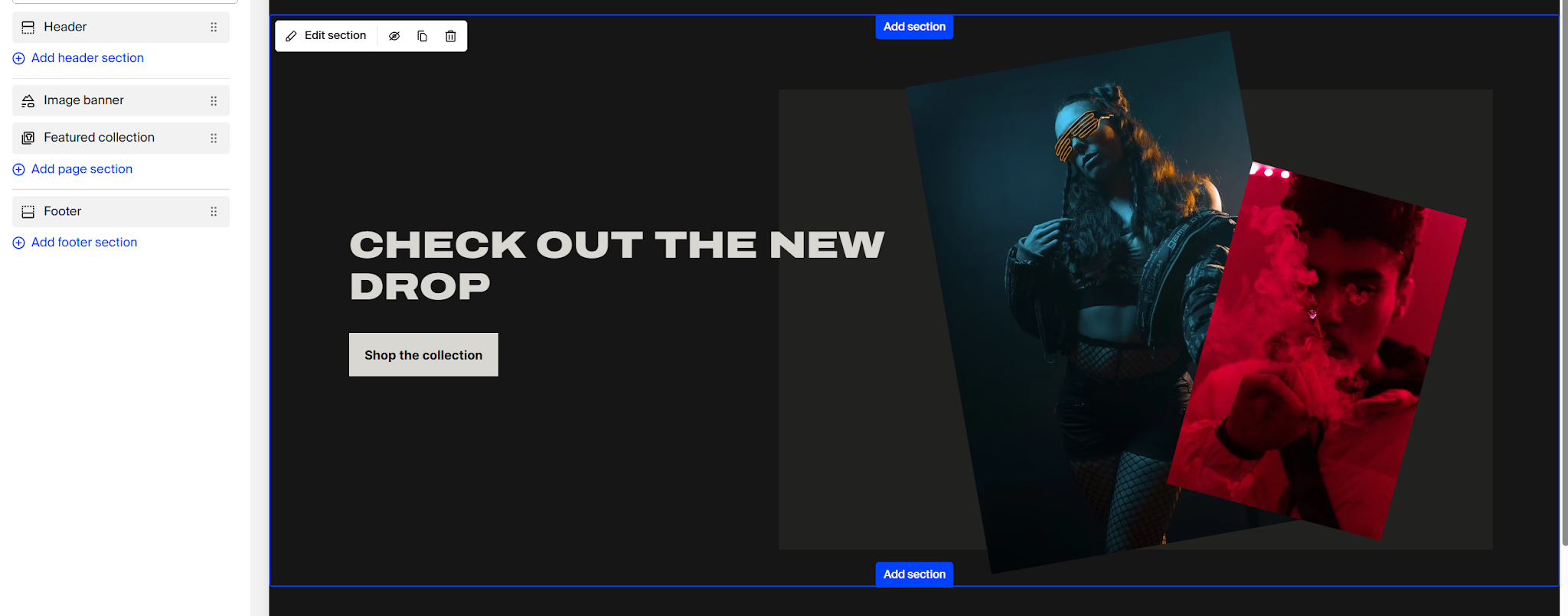
After you’ve got a few products, go back to your dashboard, and click the “Site Design” tab in on the left-hand side. You’ll see a few themes you can choose from, then you’ll be taken to the editor where you can start making tweaks.
Again, I’d say don’t go too crazy here. You only need a few things to be really great before you launch your store, everything else can be updated as you go.
Focus on the home page first. The header gets the logo, menu, and shop links. The main page gets the products, images, videos, text, or collections. The footer gets the extra, necessary stuff: Contact, Privacy Policy, Returns & FAQs, copyright text, and social links.
Then customize your Shop pages, About page, FAQ or contact page, and shipping/returns page. That’s enough to get you started. All the editing you do here shouldn’t take you too long, there’s no coding to worry about, so just have fun with it.
Step 4: Connect Your Apps and Sales Channels
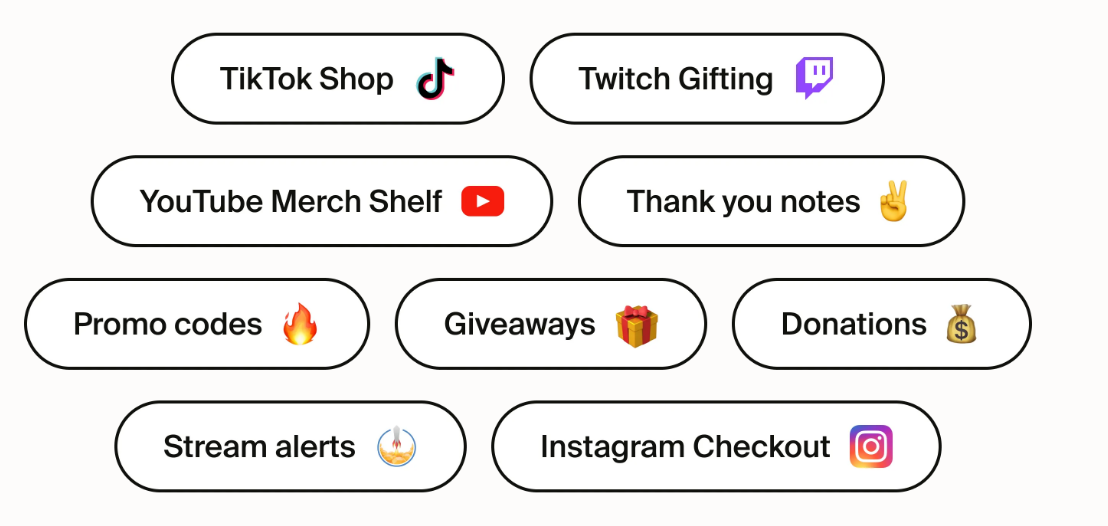
Obviously, your Fourthwall store will be your main “sales channel”, and the home for your products, but it’s always a good idea to add some extra avenues. I’d start with integrations to any social channels you already use to connect with your audience: TikTok Shop, Twitch, YouTube, Instagram, etc. Fourthwall also supports Mailchimp and Klaviyo, which can help with email marketing later.
There are also little extras you can add into your store if they make sense. Promotion codes and giveaways, donation options (for people who want to support you without buying anything), stream alerts so no-one misses your latest post, and thank you notes.
Remember, you don’t need to add everything, just what’s useful based on how you’re planning to sell, and how you already engage the people you want to connect with.
Step 5: Run Quick Checks Before Launch
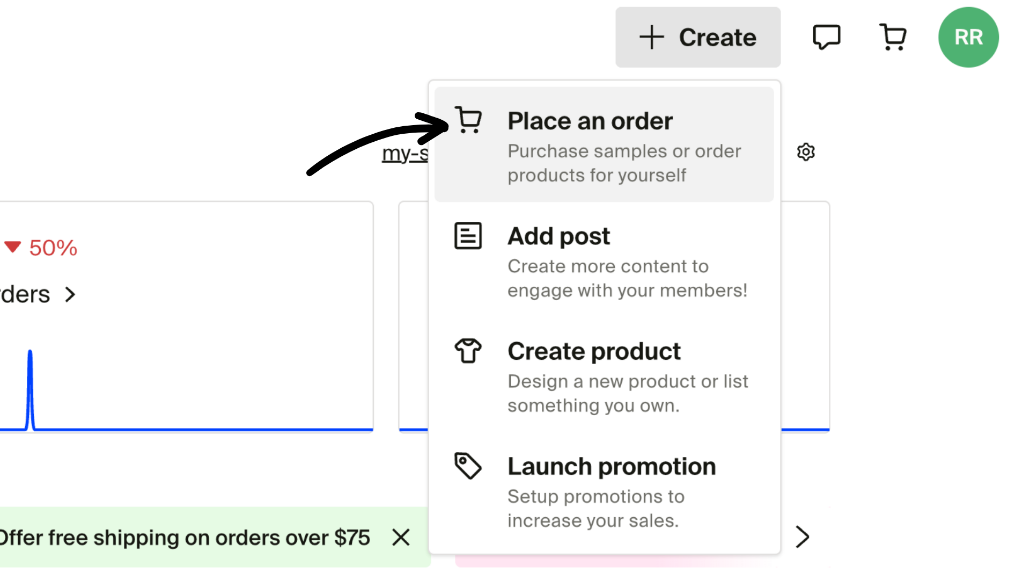
I know some people find this step frustrating, but everyone I know who skips it, regrets it. If you’re using Fourthwall’s print on demand service, order some samples. You can check the quality, and take some real-world photos (great for your product pages).
If you’re selling self-course or custom products, make sure every part of the unboxing process lives up to buyer expectations before you start shipping anything out. Also, check delivery and fulfillment times, so you can be honest with your customers in advance.
For people selling digital downloads and memberships, I’d recommend trying to access them yourself. Go through the checkout and make sure everything works. Files should download cleanly (and be named properly), and membership access should deliver all the benefits you promise, whether that’s a discount code, or instant access to exclusive videos.
Step 6: Launch and Promote Your Store
Now you’re ready to launch, which is the most exciting part, and also the one that probably takes the most work. You’re going to need a lot of promotional assets. Photos of your products getting used by real people, behind-the-scenes videos, teasers for downloads, and so on.
With Fourthwall, there are two main ways I recommend promoting your store. Social media is the obvious one, because you already have direct connections to the channels you already use. Make the most of them. Try out collaborations with other creators, create a discount code and share it on Discord for early shoppers, run a countdown timer leading up to your first product drop.
Email is another great option, because it gives you more ownership over your audience. Encourage people to share their address in exchange for something, like a discount, early access, or a freebie, maybe a sticker with their first order, or an extra download.
Most importantly, keep experimenting. Don’t just choose one promotional method and stick with it. Branch out, explore new avenues, like writing blog content, paying for ads (if you’ve got the budget), or running exclusive shopping events.
Step 7: Track What Works and Scale Over Time
Technically you’ve set up your Fourthwall store by this point, but you don’t just want it to exist, you want it to grow. My advice is to watch the data. You can keep an eye on sales, supporter messages, and product performance in your Fourthwall dashboard.
I’d also connect Google Analytics 4. GA4 can show visitor traffic, user behavior, and sales conversions, which is where you learn whether people are coming from YouTube, email, TikTok, or the blog posts you almost considered not writing.
Once you’ve got some information, use it. Decide whether you want to add a new product from the same category (print on demand, digital, etc), or whether you want to combine monetization options, like selling fitness apparel alongside a subscription to an exclusive workout community.
Don’t rush into anything. If you’re dropping something new every month or so, that’s still more than enough to keep people coming back.
Starting Your Business with Fourthwall
Starting a store with something like Fourthwall is surprisingly easy. I’ve been able to get stores running on this platform in hours, which makes a nice change to spending days customizing things with WooCommerce.
With Fourthwall, you can start for free, choose your route for earning money, and expand over time. All the while, you’ve got someone else to handle the annoying stuff like tax management and customer service for POD.
Of course, you still need to do some work. You still need to build an audience, keep them engaged, find products customers actually want, and invest in your community. Fourthwall just makes it easier for you to focus on doing all of that, rather than taking on several extra full-time jobs.



