Selling digital products is really one of the best ways to make money these days. Sure, you might need to do a little more work to make sure you stand out in such a rapidly growing market, but there are so many benefits to putting physical product sales on the backburner.
You don’t have to worry about inventory, shipping, or endless amounts of annoying admin work. You can just take what you’re good at, or what you know, and package it into something people can buy and access instantly. One great product, selling over and over again.
It’s a brilliant setup, but it still takes some work.
You’ve still got to figure out who you’re selling to, what they want, and how you’re going to actually get them to come to your store in the first place. Fortunately, the right plan (and the right platform), can make the whole process a lot easier.
How to Sell Digital Products in 2026
There are a few fantastic platforms you can consider if you’re interested in digital product sales, no argument there, but my favorite right now is Payhip. It’s just the most convenient (and cost-effective) option for creators.
There’s a completely free plan, so you’re only really worrying about a small 5% transaction fee while you’re still testing out your idea. As a comparison, Payhip is more affordable than similar platforms like Gumroad that charges 10-30% per sale or Etsy with 6.5% fee per sale plus $0.20 listing fee per product.
Payhip also has a strong reputation among creators, with more than 130,000 active sellers using the platform and thousands of positive reviews online. That level of trust speaks for itself.
That free plan gives you everything you need: a high-converting checkout, hosted storefront, custom domain support, coupons, pay-what-you-want pricing, and product protections (like PDF stamping, auto-expiring download links, etc).
Plus, Payhip really makes digital selling a priority. You’ve got options to sell everything you can think of, from courses, to memberships, to online coaching, and downloads. You can even branch into physical products later if you like, or you can take advantage of the new Payhip marketplace, if you’re trying to find an audience fast.
Step 1: Find a Profitable Niche
I know pretty much every article like this one starts with the same step one, but there’s a good reason for that. Before you start making anything, you need to know who you’re creating for.
A lot of people still struggle with this. They still go too broad, with a big market like “anyone interested in fitness”. That might sound like it’ll get you a lot of customers, but most of the time it just means you’re fighting against more competition.
My advice is to go really in-depth. If your theme is fitness, ask “fitness for who?”, busy parents, people stuck in an office job, or maybe people who have never tried a workout before.
If you want to sell templates or design assets, ask who you’re targeting, maybe it’s small businesses, or teams in a specific industry, like finance.
If you’re struggling for ideas, marketplaces like Payhip or Etsy, as well as forums like Reddit, and social media channels can give you a good idea of what people are interested in. All you really need is a real problem to solve, a unique differentiator, and evidence that someone’s willing to pay for whatever you have to offer.
It helps to choose something you’re interested in, too, or something that people have already come to you for help with.
Step 2: Validate Your Product Idea Before You Build
Validating your ideas sounds boring, but it’s incredibly valuable. You don’t want to spend months designing the perfect product just to find out no-one wants it.
The market research you did when you were finding your niche will help out a lot, but it’s worth taking some extra steps:
- Search for the thing you want to sell online. Are people asking about it on forums? Do you already have competitors in your niche selling something similar? Those are good signs, although you do want to make sure the market isn’t too saturated.
- Check forums: Use Reddit, YouTube comments, TikTok, Facebook, and Quora discussions to find out what people are complaining about. This is a great way to ensure you have a real problem to solve, and a good way to find out what your competitors aren’t already doing.
- Check search demand: Keyword tools like Ahrefs and SEMRush, plus things like Google Trends can give you an idea of what people are looking for online.
Another option is to ask your audience directly. Run a poll on Instagram Stories, send surveys to your email list, or ask questions in online communities. You’ll learn a lot from real conversations.
Step 3: Choose the Right Digital Product Format
Once you’ve got a solid idea it’s tempting to start building straight away, but first, take a minute to figure out what type of digital product actually matches your audience.
Courses are great if you want something more hands-on, where you’re regularly interacting with your audience, or if you want to produce something big and premium straight away. Still, you don’t have to go that far upfront.
If someone just needs to understand something better, a guide, checklist, recorded workshop, or short training session might be enough. That works for something like someone trying to figure out how to price freelance work or prepare for a job interview.
If someone knows what they need to do, but needs more resources to reach their goal, give them shortcuts. Templates, spreadsheets, trackers, swipe files, Canva files, and presets are all fantastic first products for someone creative.
If your ideal buyer probably wants a bigger change, that’s when you start thinking about resource libraries, coaching, memberships, courses, and software.
My Advice: 5 Profitable Digital Products for 2026
If you’re still uncertain, here’s what I’d sell:
- Templates and spreadsheets: Client onboarding templates, proposals, invoice sheets, budget trackers, content calendars, workout trackers, cleaning checklists.
- Ebooks and guides: Recipe books, career guides, parenting guides, fitness plans, niche business playbooks, even travel itineraries.
- Online courses and workshops: Recorded workshops, mini courses, paid webinar replays, skill tutorials, quiz-style lessons.
- Creative assets: Fonts, lightroom presets, Canva templates, prompts for AI assistants, mockups, stock photos, music loops, sound effects, and digital art packs.
- Membership and resource libraries: Monthly template collections, tutorial vaults, coaching resources, prompt libraries, and ongoing asset collections.
With Payhip you won’t be boxed into one format, so feel free to experiment.
Step 4: Create Your Digital Product
This is the fun step, but also the most demanding one. The first thing I’d say is that your very first product doesn’t have to be perfect. Plenty of people launch things then come back and update them later when they’ve gathered a bit of feedback.
All your first product needs to do is give people value quickly. The idea is to give your buyer the quickest return on their investment possible, so start by focusing on the specific outcome you’re trying to deliver. If, for instance, you’re selling an interview prep guide you might have a table of contents, and a series of chapters for things like how to dress, questions to prepare, and so on.
Always aim for:
- One clear buyer
- One clear promise
- Clean formatting
- Simple instructions
- Examples or screenshots
- Sensible file names
- A preview or sample where possible
- Clear usage terms
- A support email or contact note
That’s plenty. Also, remember you don’t need to be a tech mastermind to get this all done. You can use all kinds of tools, from PowerPoint to Notion or Canva to get your first draft ready.
Step 5: Create an Online Store with Payhip
Now you need a home for your digital product. As I said before, I recommend Payhip for this, mainly because it’s so great for experimentation. There’s no monthly fees to worry about, just a 5% transaction fee. Even on the free plan, you get access to every single feature.
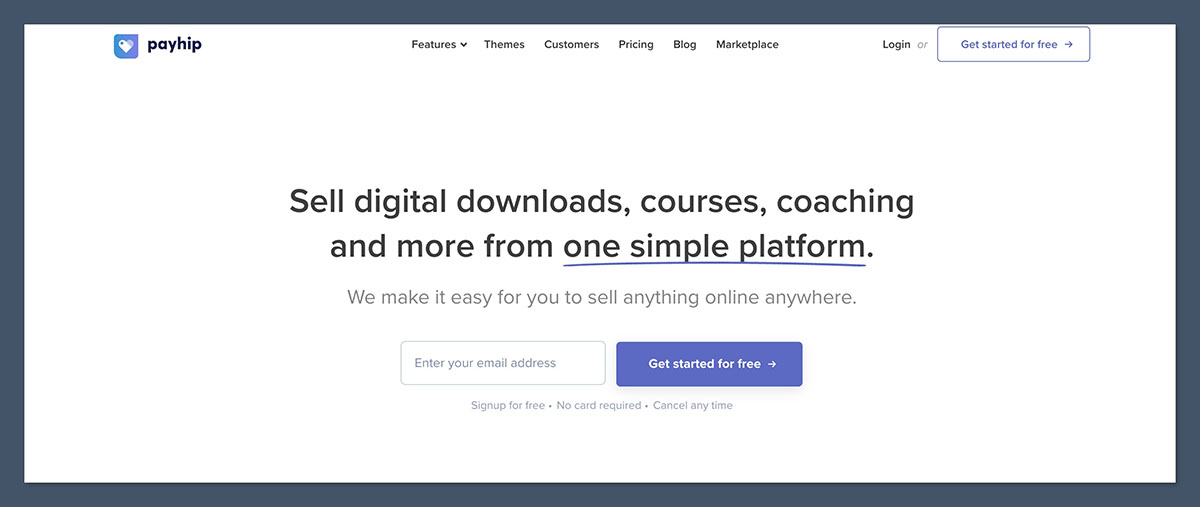
That includes instant digital delivery, support for a whole spectrum of digital products, built-in marketing tools (coupons, cross-selling, affiliate programs, etc), and access to 10+ payment gateways. There are customizable checkout pages too, plus a beginner-friendly store builder, and niche selling tools like “pay-what-you-want pricing”.
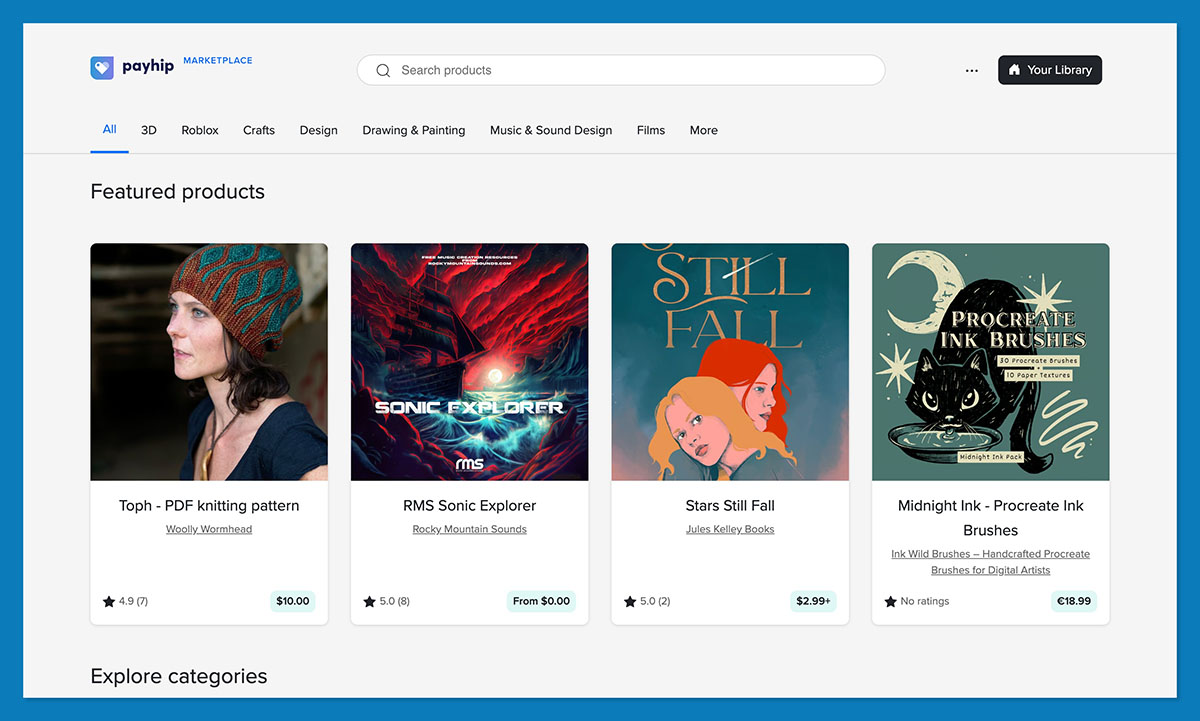
I also love the fact that there’s a marketplace now, so you get extra visibility without giving up brand ownership. To get started all you need to do is sign up for the free plan, then:
Connect Your Payment Settings
Set up payments so you can actually get paid. Payhip works with payment providers including Stripe and PayPal, and its 2026 checkout update added Apple Pay, Google Pay, and 100+ extra payment methods through Stripe, so you’ve got plenty of flexibility here.
Add Your Digital Product
Click on the “Products” tab in the Payhip dashboard, then “Add new product”. You’ll get a list of product types to choose from.
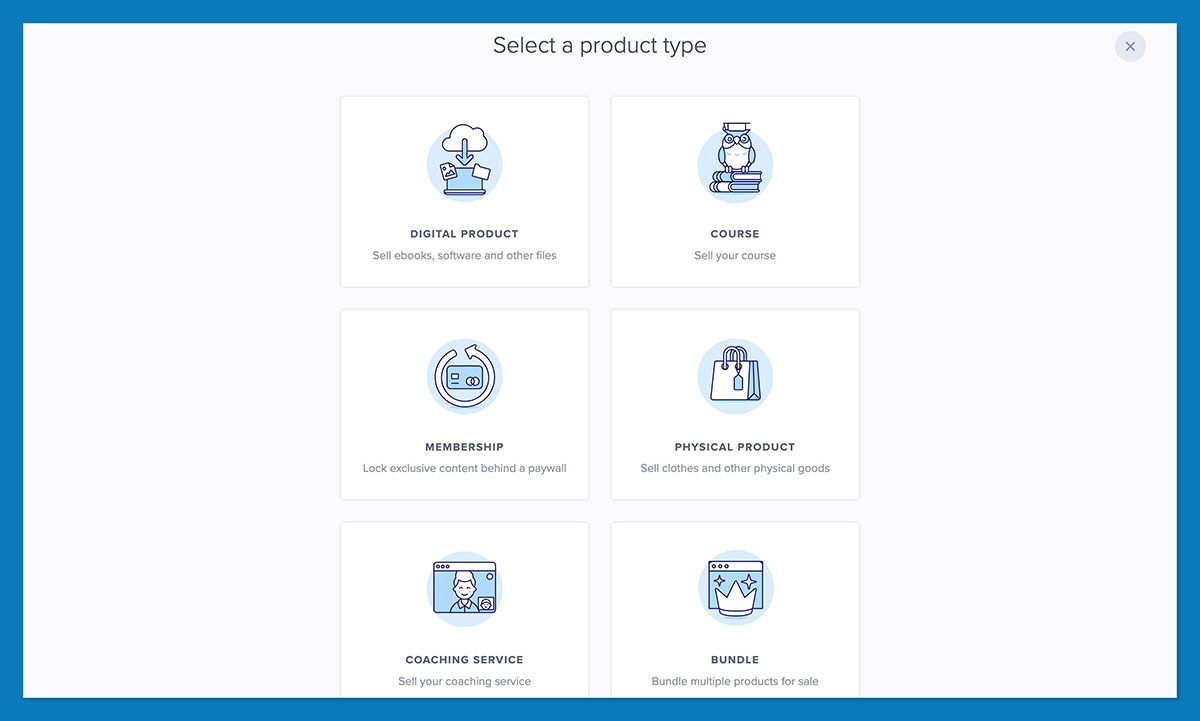
Click the one you want, and upload your file, then enter the extra details. You’ll need:
- A descriptive title
- A little description explaining what customers get
- A competitive price
- Images, screenshots, previews, or mockups
Remember, at this point, you can also add product variations, include license keys, design a post-purchase page, and use pay-what-you-want pricing.
Customize Your Storefront
No need to go crazy here. All you really need is a homepage, product page, product page, about page, FAQ, contact page, and basic policy page.
Payhip’s store builder comes with a bunch of pre-made sections for your website that you can customize with the drag-and-drop editor, so you should be able to get something together in less than an hour.
I’d recommend adding in some marketing tools before you launch too, like a coupon for early buyers, email capture pop-up, and a simple follow-up plan. If you already have a related product to offer, you can add a cross-sell deal too.
Test Your Checkout, Then Launch
Last step: buy your own product. Use a test discount if you need to, but go through the checkout on desktop and mobile, and check everything works. You should be able to move through the process smoothly, and download the file just like a customer.
Once you’ve done that, you’re officially ready to launch.
Step 6: Promote Your Product and Get Your First Sale
One of the great things about Payhip is that you can choose to start with a pretty small marketing plan if you want to. They already have a marketplace, so you can take advantage of that first, if you want. When you do want to start attracting external traffic, I’d focus on product-first content.
Social media is brilliant for creators, particularly if you focus on showing the product doing it’s job. Share some before and after screenshots, 20-second recordings, or “what’s inside” clips.
Beyond that, you can look into:
- SEO and blogging: This takes time, but it’s a good way to continuously attract people looking for a solution to a problem. Try some comparison pages, case studies, or tutorials relevant to whatever you’re selling.
- Email marketing: Email marketing is brilliant if you want to own your audience. It gives you a convenient way to keep in touch whenever you’re promoting something new, updating an existing product, or trying to connect with loyal members.
- Paid ads: I wouldn’t start with this one if you’re still new, but it can be a good option if you’ve proven your product does something useful, and you’re trying to expand your reach as quickly as possible.
Affiliate marketing is another great option if you’re using Payhip, because it already comes with built-in tools, like referral discounts, and options for splitting profits with partners.
Step 7: Work on Increasing Sales After Launch
Once you’ve got one product live, I’d avoid rushing into your next big idea straight away. Instead, start fixing things. Pay attention to your customer’s feedback, they’ll tell you what’s not working for them. You might find that you need to:
- Fix the product page with a more outcome-focused description, FAQs, or more screenshots
- Improve the checkout with new payment methods or a stronger post-purchase page
- Throw together some coupons, discounts, or cross-sell deals
- Bundle related products to increase your average order value
- Earn credibility with reviews, case studies, or examples
- Try a new marketing strategy, like an affiliate collaboration
Also, it helps to follow up with your customers after purchase. A short “thank you”, advice on where to start, or a tip on what they can buy next can go a long way.
Common Mistakes Beginner Digital Product Sellers Make
Before I leave you to dive into this, here are the things you should try to avoid doing:
- Choosing a vague niche, like “productivity” or “fitness”
- Building before you validate that there’s actually a buyer
- Making the product too big, too fast. Keep it simple
- Using clever names like “Creator Vault” rather than descriptive ones
- Not showing the product with screenshots or previews
- Relying on one traffic source. Mix email, social media, affiliates, and referrals
- Forgetting post purchase. Help them use the product
- Choosing tools that create more admin, like Shopify combined with a bunch of extra apps and tools you don’t want to manage
Start Small, Launch Fast, Improve as You Go
Selling digital products isn’t difficult. It’s probably one of the easiest business models you can consider. Still, this market rewards people who stay focused.
Pick one buyer, solve a single problem, and build the smallest useful version of your fix. Put it somewhere people can buy it without friction, then watch what happens.
Payhip makes it easy to deal with the complicated stuff like building your store and making sure assets get delivered. Your job is just making sure you’re producing something your audience actually wants, and putting the effort into keeping them engaged.
FAQs
How do I start selling digital products?
Easy, choose a specific market (like mothers enthusiastic about fitness), find a problem they need to solve, and create a simple solution. Build your online store with Payhip, upload the product, set a price and write a strong product description, then start promoting.
Is it profitable to sell digital products?
Absolutely, if you’re specific about what you’re going to sell. You don’t have to keep stock or buy inventory with a digital product, so it can be a cheap way to set up a business, but you need to make sure people are actually interested in what you have to sell first.
What products can be sold digitally?
There are literally hundreds of options, including eBooks, spreadsheets, templates, planners, presets, fonts, workshops, courses, printables, dashboards, stock photos, and software. You can also experiment with courses, workshops, or memberships.
What are the best digital products to sell online?
Any of the products that help a specific audience solve a specific problem. That might be a freelancer proposal template, a budget tracker for newlyweds, a cleaning checklist for an Airbnb host, whatever you can imagine.