Based on our testing of 13 AI art generators, Ideogram is the best AI art generator for print on demand thanks to its readable slogans and transparent backgrounds at native 2K resolution. Plus, its terms assign you its rights in your output.
I’ll walk you through each tool’s commercial license, print-ready output, pricing, and drawbacks so you can find a good fit for your store’s budget.
Key Takeaways
- Ideogram is our top pick for readable text, transparent backgrounds, and output rights assigned to you
- Paid plans start at $8 per month for Midjourney and $10 for Recraft (both billed annually) or $9.99 for Adobe Firefly, while Printify’s generator costs nothing extra
- Free plans often make images public or block commercial use, including Recraft, Leonardo AI, and Kittl; Midjourney has no free plan
- Purely AI-generated material cannot receive US copyright protection, so original human contributions matter, and Etsy requires AI disclosure
- Choose Recraft if you want native SVG artwork that scales without losing sharpness
Our ranking prioritizes commercial license and ownership (25%) and print-ready output (25%). Text and design control (20%), price and free allowance (20%), and POD workflow fit (10%) complete the framework.
I focus on slogan tees, illustrated prints, and sticker-style graphics, including the editing you’ll need to do before uploading. You can read more about our methodology below.
I’d weigh the editing cost alongside the subscription price before choosing a tool for your store. Also, remember that annual rates require an upfront commitment rather than monthly payments.
Bootstrapping Ecommerce may earn a commission when you buy through links on this page, at no extra cost to you.
AI Art Generator Comparison Table
I’d shortlist tools by commercial rights and export format before looking for the cheapest subscription, since an unusable file wastes even a small budget. Annual prices require an upfront commitment, and a free allowance doesn’t necessarily let you sell merchandise. Compare the licensing and file limitations below to find the AI art generator for print on demand that suits your workflow.
| Tool | Best for | Paid plans from | Free option | Commercial use | Print-ready output |
|---|---|---|---|---|---|
| Ideogram | Slogan and text designs | $15/mo (billed annually) | Yes (images public) | Yes, rights assigned to you | Native 2K, transparent backgrounds |
| Midjourney | Illustrated artwork | $8/mo (billed annually) | No | Paid plans only | Native 2K HD mode, no transparency |
| Kittl | Print-ready layouts | $12/mo (billed annually) | Yes (personal use only) | Paid plans, up to 500,000 copies | High-res and vector export |
| Recraft | Vector designs | $10/mo (billed annually) | Yes (public, non-commercial) | Paid plans, kept after you cancel | Native SVG vectors |
| Printify AI Image Generator | Free in-store designs | Free | 15 attempts per day | Yes, under Printify’s terms | Placed straight onto products |
| Adobe Firefly | Commercially safe images | $9.99/mo | Limited daily allowance | Yes for Firefly-model images | Native 4MP, Text to Vector |
| Leonardo AI | Free concept testing | $10/mo (billed annually) | 150 tokens per day (non-commercial) | Paid plans only | Private creations on paid plans |
| Vexels | Merch templates | $14/mo | No | Yes, merch-focused plans | Templates, designer and mockups |
1. Ideogram: Best for Slogan and Text Designs
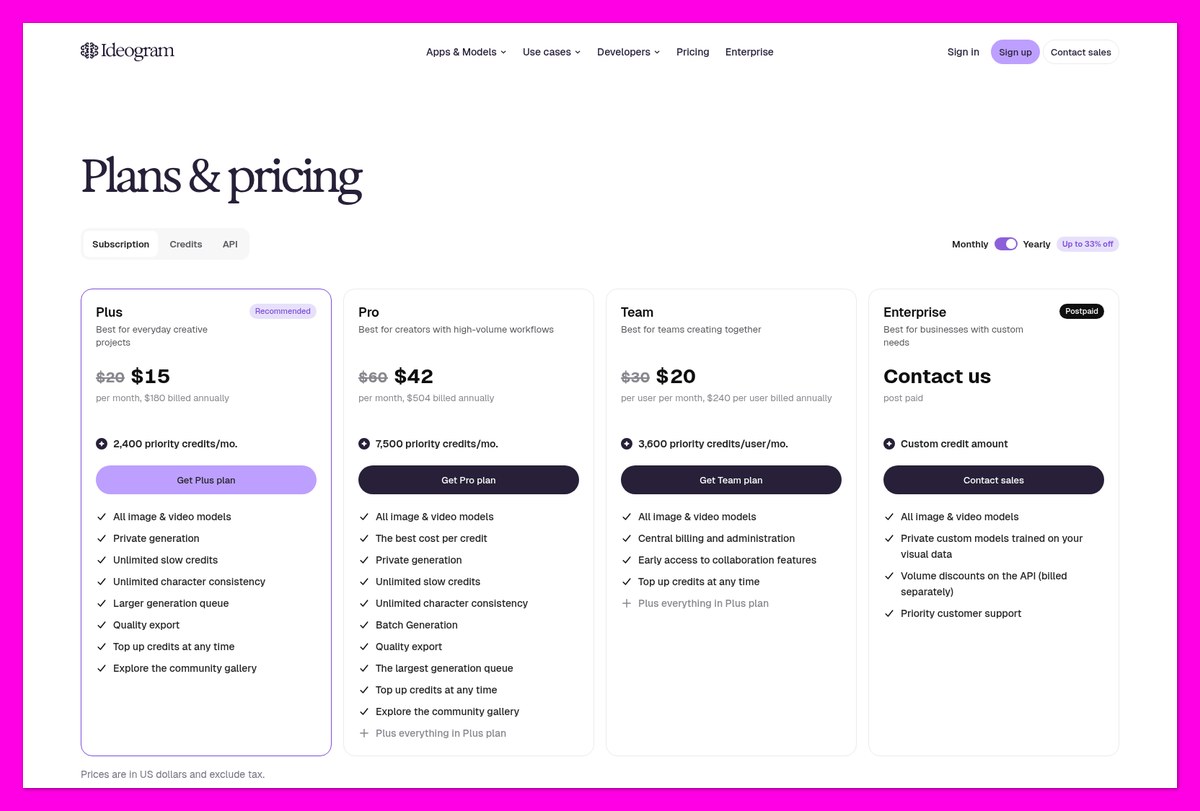
- Ideogram pricing: $0 to $42 per month (billed annually)
- Transparent backgrounds: Yes, with Ideogram 4.0
- Commercial use: Yes, its terms assign you any rights it holds in your output
Ideogram stood out in my testing because readable lettering matters more than painterly detail when you’re selling slogan tees or personalized mugs. Its hosted service also avoids the free-plan commercial restrictions you’ll find with several rivals. That said, Midjourney offers stronger illustrative styles, and Ideogram’s free images remain public and can’t be deleted. I recommend Plus before generating a concept you want to keep private.
Pros
- Reliable text rendering for slogan designs
- Transparent backgrounds with Ideogram 4.0
- Native 2K output
- Free plan available
Cons
- Public, undeletable free-plan images
- Private generation restricted to Plus and above
- Priority credits expiring each billing cycle
- No Magic Fill on the 4.0 model
What’s new with Ideogram?
Ideogram 4.0 launched in June with improved multilingual lettering and transparent-background generation, which removes a separate cleanup task for garment graphics. Plus, bounding-box controls help you position elements within your design. You can also access the model through partner platforms, including Leonardo AI, which I cover below.
Why use Ideogram in 2026?
For text-led products, Ideogram makes sense because spelling errors can leave an otherwise attractive design unusable. Your niche joke needs readable lettering, not decorative shapes that look like words. Still, check every character before listing, especially personalized names and punctuation that your customer will notice immediately.
My Ideogram testing notes
When using Ideogram, I wrap the exact slogan in quotation marks and choose the current model when I need transparency. Without Magic Fill on that model, spot repairs mean switching to an older model or an editor such as Kittl. For me, that editing gap is the main workflow drawback. Revisions shouldn’t depend on finding a public generation later, so make sure you keep your original prompts and exported files together.
How Much Does Ideogram Cost?
Plus is the plan I’d choose for private generation. Pro only makes sense if its larger credit allowance matches the amount of work you’re doing.
| Plan | Monthly price (billed annually) | Monthly price (billed monthly) | Monthly credits | Private images |
|---|---|---|---|---|
| Free | $0 | $0 | Weekly free credits (amount varies) | No |
| Plus | $15 | $20 | 2,400 priority credits | Yes |
| Pro | $42 | $60 | 7,500 priority credits | Yes |
Best for: Slogan-led merchandise with integrated lettering. Skip if: Your catalog consists entirely of image-only illustrations.
2. Midjourney: Best for Illustrated Artwork
- Midjourney pricing: $8 to $96 per month (billed annually)
- Free plan: No
- Commercial use: All paid plans; Pro or Mega required for companies exceeding $1M in annual gross revenue
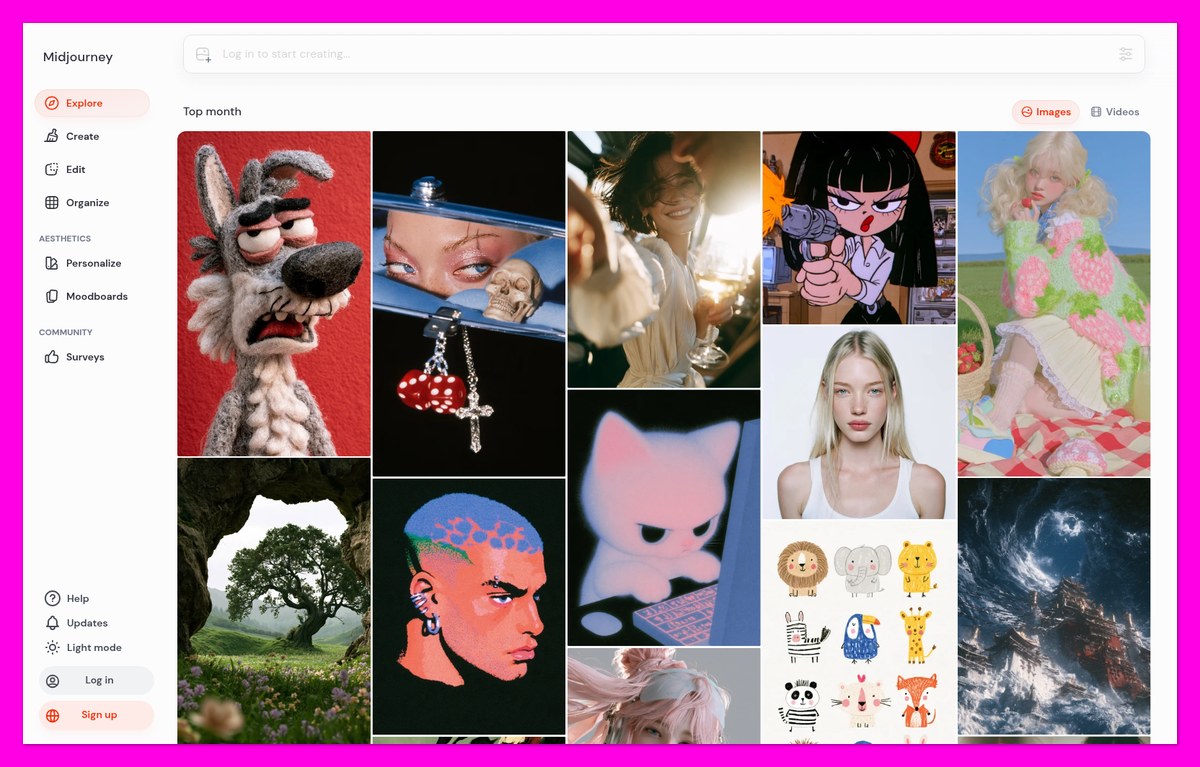
For art prints and character-led merchandise, I found Midjourney’s aesthetic range a better fit than a text-first workflow. Paid members receive ownership rights to their assets to the extent permitted by law. Ideogram is still better for slogans, though, and Midjourney’s cheaper plans expose your work in the public gallery. You’ll need Pro or Mega for private generation, so confidentiality becomes a substantial budget decision.
Pros
- Strong illustrative style range
- Native 2K HD mode on V8 models
- Asset ownership on paid plans
- Web access without Discord
Cons
- No free plan or standing free trial
- Public images below Pro
- No transparent-background or vector export
- Less reliable lettering than Ideogram
What’s new with Midjourney?
This year’s V8 models add an HD mode that generates natively at 2K, so you don’t need a separate upscale pass. Quoted text also renders more accurately than before. That said, I’d still choose Ideogram when the slogan is the main reason someone buys your design.
Why use Midjourney in 2026?
Midjourney works best when an illustration, rather than a punchline, carries your product’s appeal. Its style range gives you more creative direction for an art-print shop than a template-only workflow. A distinctive-looking image still needs an originality check and appropriate commercial rights before you add it to your catalog.
My Midjourney testing notes
I factor background removal into every Midjourney workflow where I need a transparent garment graphic. For slogan designs, I generate the illustration first and set editable text in Kittl afterward. That extra editing step is the trade-off for its illustration strength. Public images are another consideration, so make sure you weigh Pro’s Stealth mode against your budget before sharing a commercially sensitive concept in the gallery.
How Much Does Midjourney Cost?
Basic is where I’d start for a small test catalog. Standard makes more sense when regular illustration work calls for more generation capacity.
| Plan | Monthly price (billed annually) | Monthly price (billed monthly) | Fast GPU time | Stealth mode |
|---|---|---|---|---|
| Basic | $8 | $10 | 3.3 hours | No |
| Standard | $24 | $30 | 15 hours | No |
| Pro | $48 | $60 | 30 hours | Yes |
| Mega | $96 | $120 | 60 hours | Yes |
I’d choose Midjourney over Ideogram for illustration-led products. But when readable text and transparent export determine how much editing you’ll need, Ideogram is the better fit.
3. Kittl: Best for Print-Ready Layouts
- Kittl pricing: Free plan; Pro costs $12 per month and Expert $26 per month (billed annually)
- Vector export: Available on paid plans
- Commercial use: Pro and Expert cover up to 500,000 copies
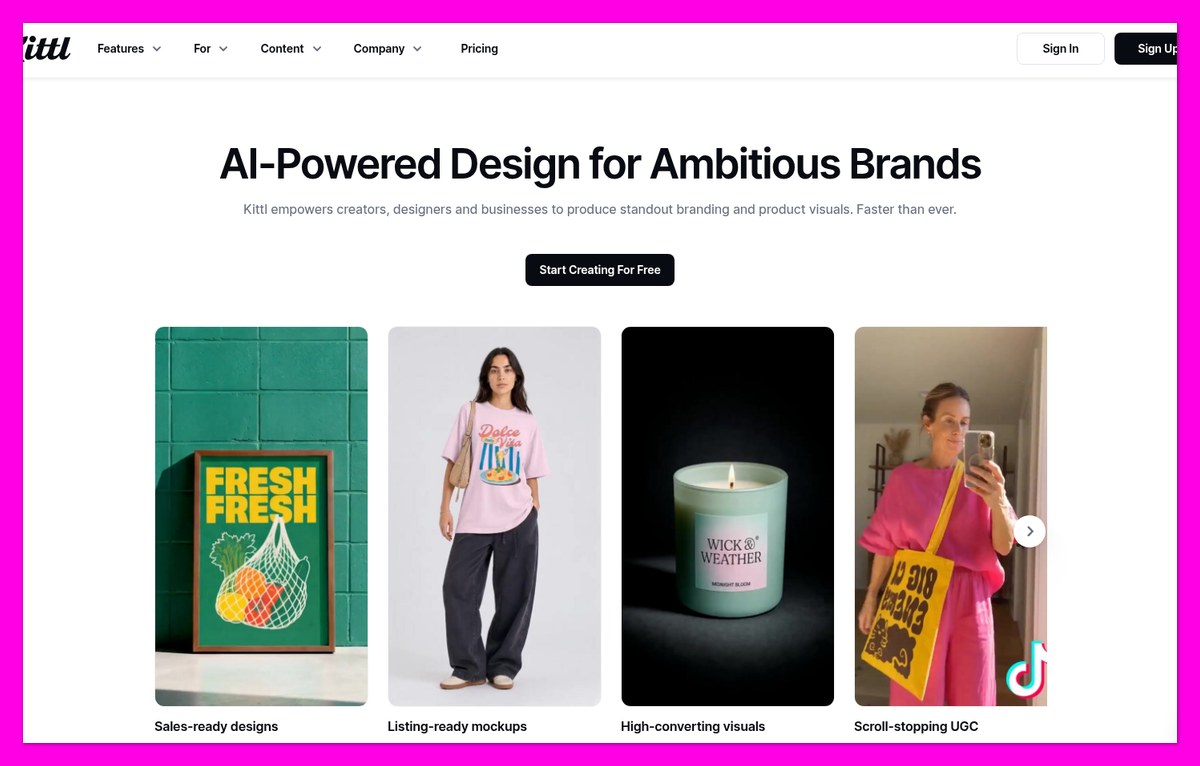
Kittl brings AI generation, typography tools, and high-resolution or vector export together, making it my choice for finishing a layout. It handles the work that’s left after a generator produces an attractive image. On the downside, the free plan is personal-use only, and image generation alone isn’t its strongest reason to subscribe. I’d pair Kittl’s editor with Ideogram for text-led artwork or Midjourney for illustrations.
Pros
- Typography and text-effect editor
- High-resolution and vector exports
- Commercial license covering up to 500,000 copies
- Non-expiring purchased token top-ups
Cons
- Personal-use-only free plan
- No monthly token rollover
- Locked vector exports after cancellation
- Billing-period-dependent pricing
What’s new with Kittl?
Kittl’s current token structure combines monthly allowances with daily bonuses on Expert and Max. Expert also adds print-on-demand export presets for your merchandise workflow. Purchased top-ups never expire, but your monthly allowance resets, so keep those balances separate when budgeting for a launch.
Why use Kittl in 2026?
I’d use Kittl when you want control over the arrangement instead of accepting a flattened AI composition. Original lettering and meaningful edits can contribute protectable human expression to your design. That said, simply opening an AI image in an editor doesn’t create copyright protection for the underlying artwork.
My Kittl testing notes
In Kittl, I start with the illustration, add editable type, and adjust the composition to the product canvas. Vector export access locks after cancellation, so I export master files while subscribed. Purchased top-ups can cover a busy launch without a larger recurring allowance, but unused monthly tokens disappear and a quiet production month still costs you. That makes budgeting important, so make sure you account for the monthly reset.
How Much Does Kittl Cost?
Pro costs $12 per month billed annually ($144 a year) or $15 billed monthly. Expert costs $26 per month billed annually ($312 a year) or $35 billed monthly.
| Plan | AI tokens per month | Commercial license | Exports |
|---|---|---|---|
| Free | 100 one-time tokens | No, personal use only | No vector export |
| Pro | 2,000 | Up to 500,000 copies | High-res and vector |
| Expert | 6,000 plus 200 daily bonus | Up to 500,000 copies | High-res, vector, POD presets |
| Max | 12,000 plus 600 daily bonus | Full commercial license | High-res and vector |
If you already generate artwork in Ideogram, I’d start with Kittl Pro for finishing. You don’t need to pay for a larger generation allowance straight away.
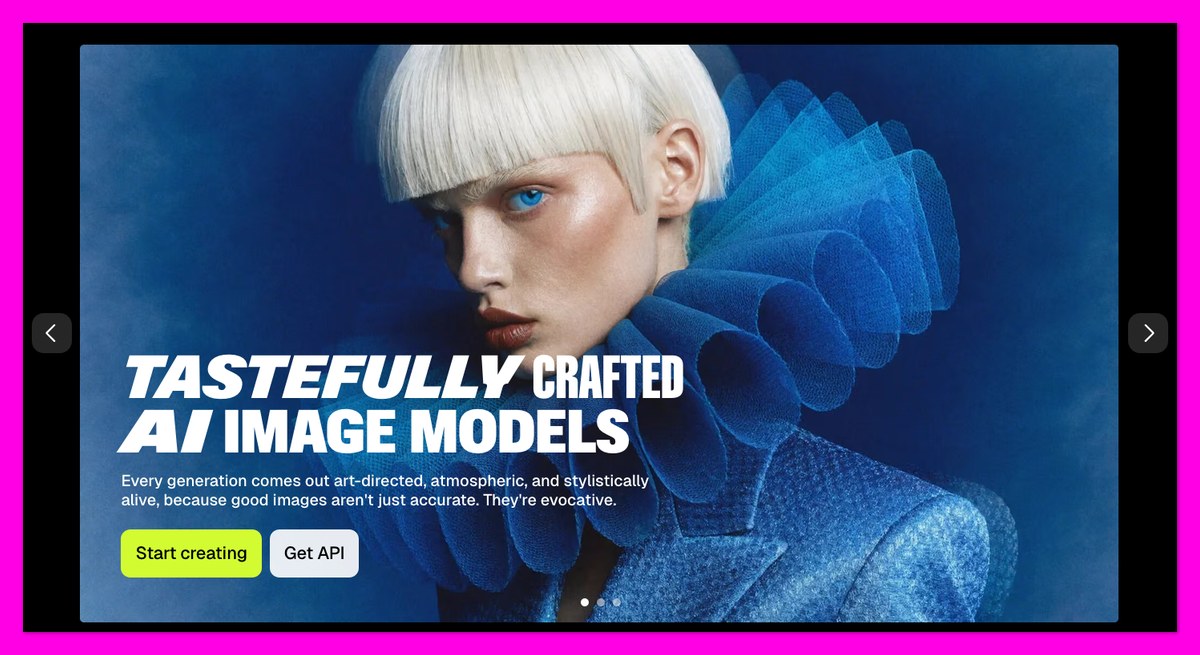
4. Recraft: Best for Vector Designs
- Recraft pricing: Free; Basic and Pro cost $10 to $16 per month when billed annually, with higher-capacity options available
- Vector output: Native SVG generation
- Commercial use: Paid plans, with rights retained after cancellation
Recraft’s native SVG artwork scales without the pixelation you get from enlarging raster images, which is why it’s my choice for vectors. That’s useful when you’re adapting a graphic across different product sizes. Midjourney offers a broader raster illustration range, though, and vector generation consumes roughly double the credits. Also, Recraft’s free images are public and owned by Recraft, with no commercial license.
Pros
- Native SVG generation
- Paid-plan ownership and commercial rights
- Private paid-plan generations
- Rights retained after cancellation
Cons
- Public, non-commercial free output
- Higher credit cost for vectors
- Narrower raster style range than Midjourney
What’s new with Recraft?
The current V4 family includes Flash, Pro, and Pro Vector variants, and native vector generation is the main reason I’d choose Recraft. Model access doesn’t settle every export question, though. Check the plan details for vector export before paying, rather than assuming every subscription includes the same formats.
Why use Recraft in 2026?
I recommend a vector master when the same design needs to work on small stickers and larger merchandise. You won’t need to keep upscaling raster artwork as product dimensions change. Still, you’ll need to export a compatible file for each supplier’s product template.
My Recraft testing notes
I budget separately for raster exploration and vector production in Recraft because vectors use credits faster. For a cash-tight seller, keeping rights after cancellation makes it easier to pause a subscription between launches. That benefit only applies to eligible paid-plan creations, though, not earlier free output. Export access also matters, so make sure you confirm the SVG or EPS options you need before choosing the cheapest subscription.
How Much Does Recraft Cost?
Higher-capacity options add allowances of 4,000 and 8,000 credits. I’d start with the smallest plan that includes your required export rather than paying for capacity you don’t need.
| Plan | Monthly price (billed annually) | Monthly price (billed monthly) | Monthly credits | Commercial use |
|---|---|---|---|---|
| Free | $0 | $0 | Limited free credits | No |
| Basic | $10 | $12 | 1,000 | Yes |
| Pro | $16 | $20 | 2,000 | Yes |
Best for: Scalable sticker graphics and multi-product artwork. Skip if: Painterly raster illustration is your store’s main product.
5. Printify AI Image Generator: Best for Free In-Store Designs
- Printify AI pricing: Free for every registered Printify merchant
- Daily allowance: 15 generation attempts, each resetting after 24 hours
- Commercial use: Allowed under Printify’s terms
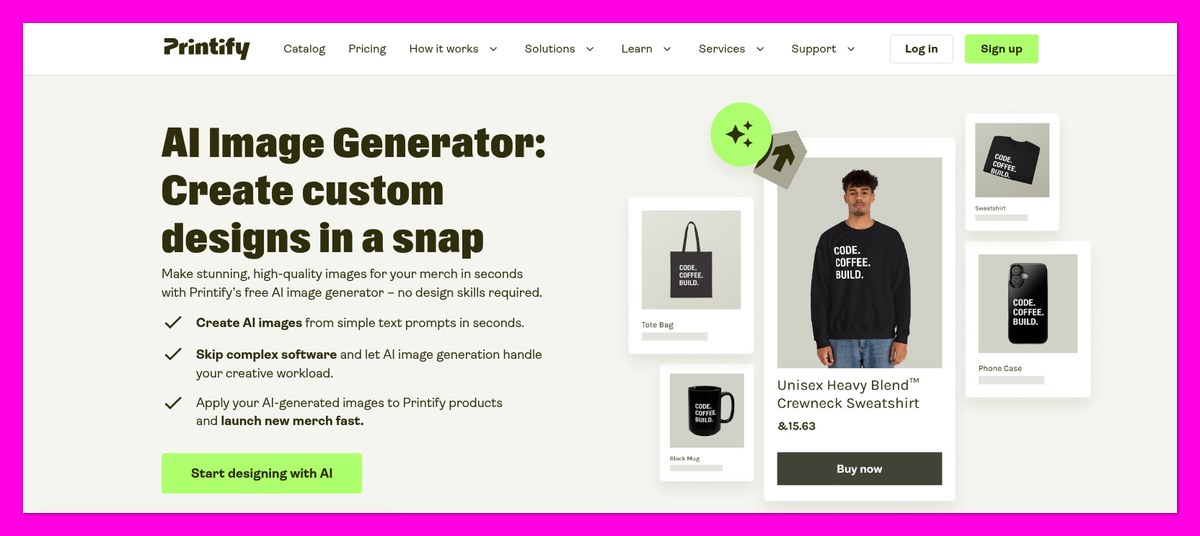
If you want to avoid another subscription, Printify’s generator sits inside Product Creator and permits commercial use under its terms. I like that you can develop artwork alongside the product you intend to sell. On the downside, you’re working entirely inside Printify, with less creative control than Ideogram or Midjourney. I’d use it for an initial catalog, not as a replacement for a full design editor.
Pros
- No additional generator subscription
- Commercial use allowed
- Direct placement onto products
- Reference images, art styles, and magic eraser
Cons
- Daily generation cap
- Printify-only workflow
- Limited prompt and style control
What’s new with Printify AI Image Generator?
The current generator combines OpenAI-powered text-to-image creation with reference-image and art-style options. Plus, a magic eraser gives you an editing option within the same workflow. These controls help with basic adjustments, but they don’t give you the layout flexibility you’ll find in Kittl.
Why use Printify AI Image Generator in 2026?
I’d keep software commitments low until your store has a clear design direction. Printify’s included generator lets you explore merchandise concepts without paying for another subscription. Just remember that free generation doesn’t remove product costs, selling fees, or the work of attracting buyers.
My Printify AI Image Generator testing notes
I use the daily allowance for focused niche exploration rather than unrelated prompts that use up attempts without helping build a collection. Printify automatically enhances low-resolution files before production, but I still check dimensions on the product canvas. The integrated workflow is convenient only while you stay with Printify, since you can’t move that editing environment to Printful even if you use both services. That’s a limitation worth planning around, so make sure you’re comfortable working inside Printify.
How Much Does Printify AI Image Generator Cost?
The generator is free on every plan, so Premium isn’t a necessary AI upgrade. Instead, Premium primarily adds product discounts of up to 20% (our Printify review covers the full plan).
| Plan | Monthly price (billed annually) | Monthly price (billed monthly) | AI image generator | Commercial use |
|---|---|---|---|---|
| Free | $0 | $0 | 15 attempts per day | Yes |
| Premium | $24.99 | $39 | Included | Yes |
If you already use Printify’s fulfillment service, I’d start with its free generator. You can add a dedicated editor when its controls start to feel restrictive.
6. Adobe Firefly: Best for Commercially Safe Images
- Adobe Firefly pricing: $0 to $199.99 per month
- Text to Vector: Available
- Commercial use: Allowed for images generated with Adobe’s own Firefly models
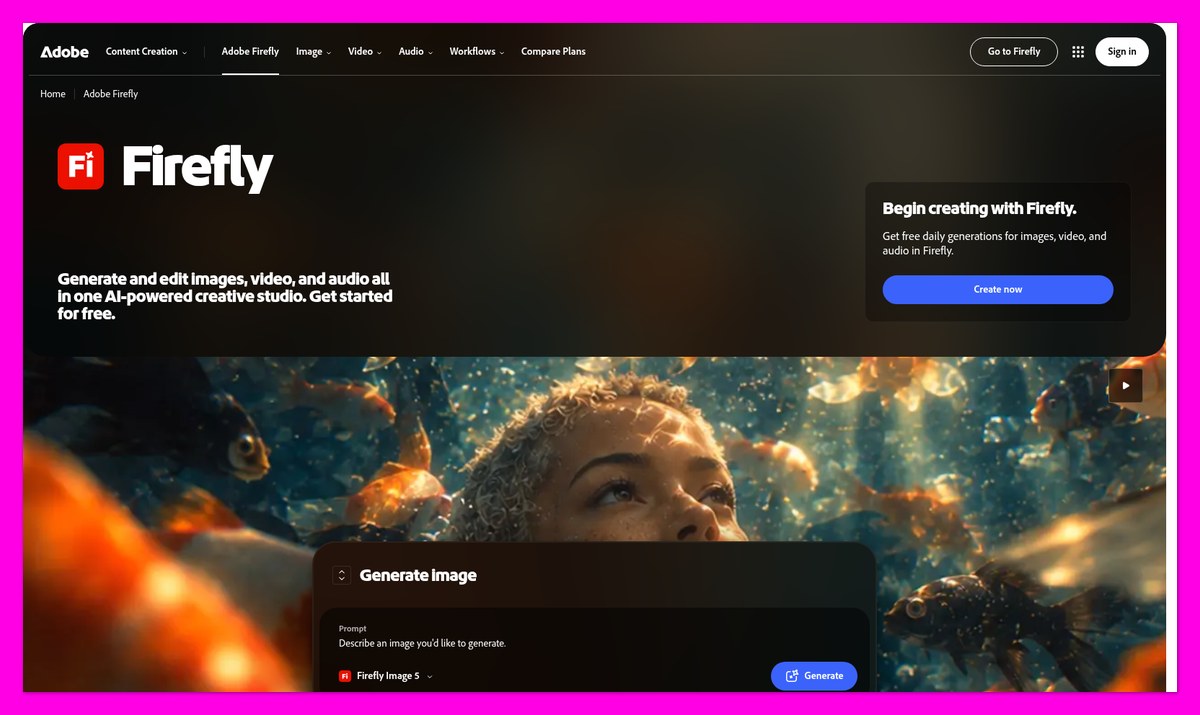
For risk-conscious sellers, Firefly stands out because Adobe trains its own models on licensed and public-domain content. Plus, paid plans include unlimited standard image generation. That said, “commercially safe” doesn’t mean individual sellers receive legal insurance, and you’ll need to consider partner models separately. I’d still choose Ideogram for slogan-heavy designs rather than picking Firefly solely for its commercial positioning.
Pros
- Licensed and public-domain training content
- Unlimited standard images on paid plans
- Text to Vector graphics
- Native 4MP output with Image Model 5
Cons
- Enterprise-only eligibility for IP indemnification
- Credit consumption by partner models
- No credit rollover
What’s new with Adobe Firefly?
Image Model 5 generates natively at 4 megapixels instead of upscaling from a smaller starting image. Firefly also includes partner models from providers such as Google and OpenAI. Those options consume credits, unlike standard Firefly image generation on paid plans, so your model choice matters.
Why use Adobe Firefly in 2026?
I’d choose Firefly when the source of its training content matters to your commercial decision. Content Credentials also provide information about how an image was created, giving you a clearer record of its creation. Still, neither the source information nor those credentials clear a recognizable trademark or guarantee that an output is safe to sell.
My Adobe Firefly testing notes
When using Firefly for merchandise, I stick with Adobe’s own models if I’m relying on its commercial-use assurances. Text to Vector is useful for scalable sticker graphics, but logo work still needs trademark checks. For me, the main caution is the difference between commercial permission and indemnification. An individual subscription doesn’t transfer infringement liability away from your business, so make sure you understand that distinction before selling.
How Much Does Adobe Firefly Cost?
Standard image generation is unlimited on paid plans. Credits cover other uses, such as partner models and video generation, so factor those into your plan choice.
| Plan | Monthly price | Monthly generative credits | Standard image generation |
|---|---|---|---|
| Free | $0 | Limited daily allowance | Limited |
| Standard | $9.99 | 2,000 | Unlimited |
| Pro | $19.99 | 4,000 | Unlimited |
| Pro Plus | $49.99 | 10,000 | Unlimited |
| Premium | $199.99 | 50,000 | Unlimited |
I’d choose Firefly for its training approach and broader creative tools. If native vector generation is your central requirement, Recraft is the tool I’d turn to instead.
7. Leonardo AI: Best for Free Concept Testing
- Leonardo AI pricing: $0 to $60 per month, or $0 to $48 per month billed annually
- Free allowance: 150 tokens per day
- Commercial use: Paid plans only
Leonardo AI’s free token allowance renews daily, making it a useful starting point for inexpensive concept exploration. Paid plans add private creations and commercial rights when you’re ready to develop artwork to sell. Free output is public and non-commercial, though, so keep it in your idea-development process rather than your product listings. For final text-led designs, I’d choose Ideogram when lettering is the priority.
Pros
- Renewing free daily tokens
- Essential plan from $10 per month billed annually
- Private paid-plan creations
- Paid-plan token rollover bank
Cons
- Public, non-commercial free output
- Paid access required for private concepts
- Variable annual discounts
What’s new with Leonardo AI?
Leonardo now hosts partner models, including Ideogram 4.0, alongside its own generation options. It remains a separate branded product despite Canva ownership since 2024. Keep in mind that access to another model doesn’t mean the host platform offers identical pricing or licensing conditions.
Why use Leonardo AI in 2026?
Leonardo is worth trying when you’re deciding which visual direction suits a niche and don’t want every experiment using a paid allowance. Daily renewal lets you keep exploring without committing to a subscription straight away. On the downside, public generations make it unsuitable if you need to keep early concepts confidential.
My Leonardo AI testing notes
I keep free concept exploration separate from commercially licensed final artwork when using Leonardo. Regenerate your chosen concept on a paid plan before selling, rather than assuming an upgrade licenses your old images retroactively. The drawback is that regeneration may give you a different composition. Keep your prompt and visual direction, but make sure you allow time to refine the commercially usable version.
How Much Does Leonardo AI Cost?
I’d compare paid plans by price and token allowance first. Then check the privacy and commercial rights included with your chosen plan before you subscribe.
| Plan | Monthly price (billed annually) | Monthly price (billed monthly) | Token allowance | Commercial use |
|---|---|---|---|---|
| Free | $0 | $0 | 150 per day | No |
| Essential | $10 | $12 | 8,500 per month | Yes |
| Premium | $24 | $30 | 25,000 per month | Yes |
| Ultimate | $48 | $60 | 60,000 per month | Yes |
Use Leonardo’s free allowance to narrow down your ideas. Once you need commercial output and privacy, Essential is where I’d start.
8. Vexels: Best for Merch Templates
- Vexels pricing: $14 to $49 per month on monthly subscriptions
- Mockup generator: Included on every plan
- Built for: Sellers using Etsy, Shopify, Printful, Printify, and Amazon Merch
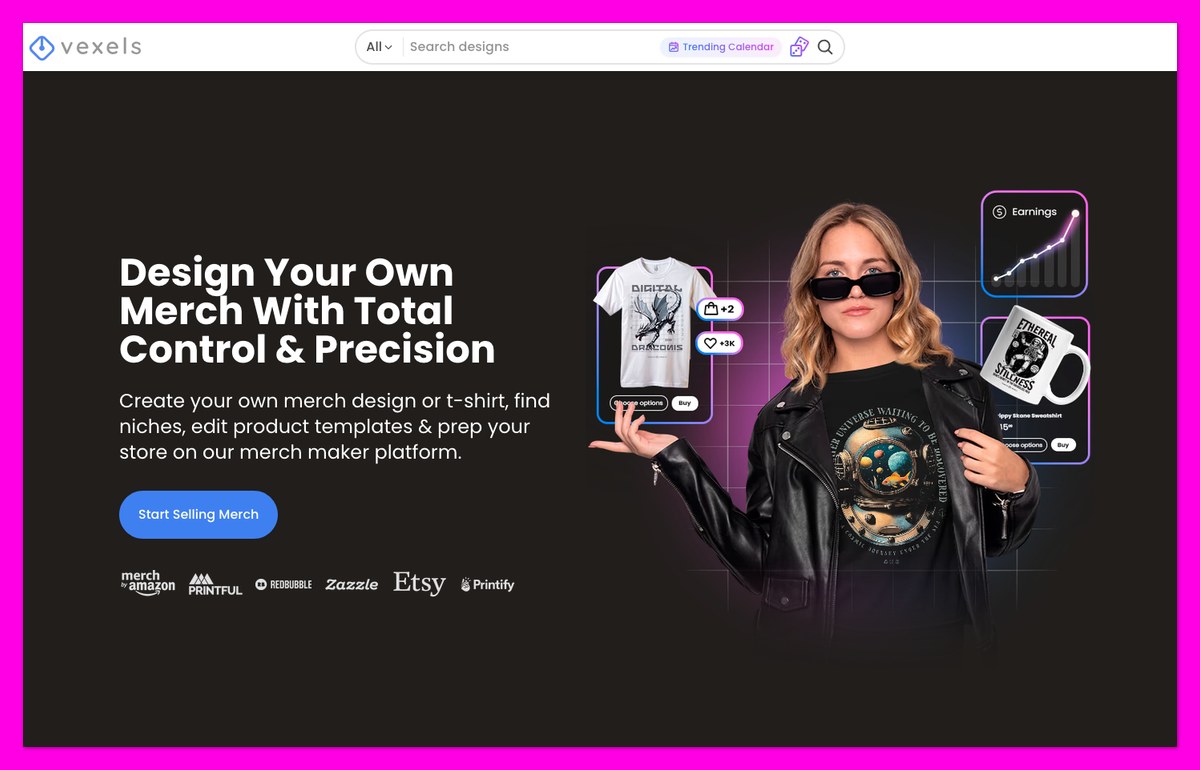
Vexels brings merch-oriented stock graphics, an online designer, and a mockup generator together, which makes it useful for template-led stores. Its AI credits support that design workflow rather than defining the whole product. Midjourney and Recraft have cheaper entry points if image generation is all you need. For me, Vexels makes sense when its templates and listing mockups can replace other subscriptions, not simply because it includes AI credits.
Pros
- Merch-focused templates and stock library
- Included designer and mockup generator
- AI credits bundled with downloads
- Lifetime purchase options
Cons
- Monthly subscriptions starting at $14
- Lifetime AI credits limited to the first two years
- Starter stock-download cap of 30 per month
What’s new with Vexels?
The current Merch lineup includes Starter, Seller, and Expert, with larger AI allowances as you move up the subscriptions. Higher plans also add custom design credits. You can still buy lifetime options, but their AI allowance has a defined usage window rather than lasting indefinitely.
Why use Vexels in 2026?
Vexels is worth considering when product artwork and listing images are both recurring jobs for your store. Having mockups alongside templates can reduce your need for separate tools. Just remember that a mockup shows a product visualization, not evidence of how a physical print will look.
My Vexels testing notes
I judge Vexels by the combined value of its library and merchandising tools, rather than looking at AI credits alone. If templates and mockups are weekly tasks, the bundle has a clearer purpose than a generator-only subscription. A dedicated generator is cheaper when you mainly need original illustrations, though. Lifetime AI credits also have a limit, so make sure you treat that allocation as a two-year resource when comparing upfront and monthly costs.
How Much Does Vexels Cost?
Yearly billing saves up to $206. Even with that saving, I’d check that the bundle is useful for your store before committing to a longer term.
| Plan | Price | AI credits | Stock downloads |
|---|---|---|---|
| Merch Starter | $14/mo | 200 per month | 30 per month |
| Merch Seller | $29/mo | 600 per month | 100 per month |
| Merch Expert | $49/mo | 1,000 per month | 200 per month |
| Merch Lifetime Pro | $923 one-time ($415 on sale in November 2026) | 12,000, first two years | 200 per month |
| Merch Lifetime Expert | $2,500 one-time ($1,000 on sale in November 2026) | 24,000, first two years | 2,000 per month |
Best for: Template-led stores needing regular mockups. Skip if: AI image generation is your only design requirement.
How Do I Choose the Best AI Art Generator for Print on Demand?
A commercial-use restriction or undersized export can make an attractive AI image unusable for your product. I’d choose around the file you need to upload, not the gallery that looks most impressive. Before subscribing, check these requirements against the plan you can afford:
- Does my plan include a commercial license?
- Are my images private, or visible to other sellers?
- Is the output large enough for my product, or will I need to upscale?
- Can I export a transparent PNG or vector file?
- Can it spell my slogan correctly?
- What does my marketplace require me to disclose?
Check the Commercial License First
You can’t use free output from Recraft, Leonardo, or Kittl commercially under the plans covered here. Ideogram permits commercial use, but its free images remain public. With Midjourney, you’ll need paid access for commercial rights.
Contractual ownership isn’t the same as copyright protection. Check the terms that apply when you generate your artwork, including what happens to your rights after cancellation.
Print Resolution and Upscaling
Native output around 2K to 4MP often falls short of a full-front shirt canvas. I check pixel dimensions against the specific product template before uploading, and I’d suggest you do the same. Changing the DPI label alone doesn’t add image detail, and upscaling can’t guarantee a clean result, so order a sample before you list (our print on demand quality control guide explains what to look for).
| Platform | Recommended file | Notes |
|---|---|---|
| Merch by Amazon | 4500 x 5400 px at 300 DPI | Transparent PNG |
| Printify | 300 DPI recommended; 4500 x 5400 px for T-shirts | 100 MB max; low-res files auto-enhanced |
| Printful | At least 150 DPI for most products | 300 DPI for stickers and phone cases; sRGB; 200 MB max |
Transparent Backgrounds and Vectors
Ideogram supports transparent backgrounds, while Midjourney needs a separate removal step. Recraft and Firefly generate vectors, and Kittl supports vector exports on paid plans. That said, exporting a layout as SVG doesn’t automatically turn embedded raster artwork into scalable paths.
Avoid semi-transparent edges and fades for DTG or DTF printing. Also, check ChatGPT’s current transparency support and budget for background removal rather than depending on it.
Text on Designs
I recommend Ideogram for lettering, but you’ll still need to proofread every output before turning it into a product listing. Midjourney’s current models improve text rendering without replacing a dedicated typography editor. For precise control, generate the illustration separately and set your slogan in Kittl, where you can still edit spelling and font choices.
Trademark and Copyright Risk
Purely AI-generated material isn’t copyrightable in the US, and prompts alone don’t establish authorship. Sufficiently original human edits or arrangements may qualify for protection, with each case assessed individually.
Commercial permission doesn’t clear trademark rights either. Avoid recognizable brands or protected characters (our guide on how to avoid copyright infringement in print on demand covers this in detail), since infringement can lead to listing removals and repeated violations can put your shop at risk.
Marketplace AI Rules: Etsy, Amazon Merch and Redbubble
- Etsy: Seller-prompted AI designs can qualify as “Designed by” the seller, with AI use disclosed in the description. Prompt bundles are prohibited. Check the “who made it” field on synced listings rather than trusting an import default.
- Amazon Merch: You must hold the necessary rights. Check current content and metadata requirements before uploading photorealistic AI-generated people (our guide to selling print on demand on Amazon walks through the upload process).
- Redbubble: Original-work and IP policies apply. Check the current upload form for any AI disclosure question before publishing.
Other AI Art Generators Worth Knowing
- ChatGPT image generation: Strong instruction following and dense text; check transparency support before building your workflow around it.
- Canva AI: Convenient for existing Canva users; review its content license before selling standalone generated images.
- Creative Fabrica Spark: Free generation with membership or credits needed for downloads; confirm Spark-specific POD licensing.
- Printful AI image generator: Available inside Printful’s Design Maker with a free daily allowance; check your dashboard’s current limit.
- Google Gemini: Free image access is useful for exploration; confirm applicable commercial terms before selling printed designs.
How We Test and Rank AI Art Generators
Commercial rights and print-ready output together account for half our ranking, so attractive images alone won’t earn a tool the top position. We tested 13 AI art generators and ranked the top eight around what you need to run a bootstrapped print-on-demand store.
- Commercial License and Ownership (25%): We compare free and paid rights, image privacy, business revenue thresholds, and rights after cancellation.
- Print-Ready Output (25%): We assess native resolution, upscaling options, transparent backgrounds, and vector export availability.
- Text and Design Control (20%): We test how well each tool handles readable slogans and controls for arranging or editing artwork.
- Price and Free Allowance (20%): We compare the cheapest useful subscription, recurring free allowances, and credit-expiry conditions.
- POD Workflow Fit (10%): We assess the steps required to move artwork into a product listing or fulfillment workflow.
“I rank Ideogram first because text and transparent export address common merchandise-design requirements together. Midjourney is my illustration alternative, while Kittl handles the finishing work neither generator replaces.”
Bogdan Tudorancea, Editor at Bootstrapping Ecommerce
Prices checked in November 2026.
Final Verdict: Which AI Art Generator Do I Recommend?
Ideogram is the best AI art generator for print on demand for most bootstrapped sellers, combining readable lettering, transparent output, and permissive commercial terms. I recommend it for slogan-led catalogs. Before uploading, though, check its native resolution against your product template.
Choose Midjourney for illustrations or Recraft for scalable vectors, while Printify is where I’d start if another subscription is unaffordable. Explore with a free allowance where available, but generate your final artwork under terms that let you sell it. Start with one product template and confirm that your shortlisted tool can export a properly licensed file for it.
FAQs
Can you sell AI art on print on demand?
Yes, you can sell AI art on print on demand when your generator’s applicable terms permit commercial use and your design respects other people’s rights. Paid plans commonly provide that permission, while Printify and Ideogram offer free options with commercial use. Etsy also requires AI disclosure, as covered in “Marketplace AI Rules: Etsy, Amazon Merch and Redbubble” above. Keep in mind that commercial permission doesn’t guarantee copyright protection.
What is the best free AI art generator for print on demand?
Printify’s built-in generator is my best free choice because its output permits commercial use under Printify’s terms and fits directly into Product Creator. You can develop an initial catalog without paying for another subscription. On the downside, the workflow is tied to Printify rather than a portable design editor. Ideogram is another commercially usable free option, but its free images are public and can’t be deleted.
Which AI art generator is best for T-shirt designs with text?
Ideogram is my top choice for T-shirt designs with text because it prioritizes readable lettering and supports transparent-background output. Together, those features reduce the work between generating a slogan design and preparing a garment graphic. You’ll still need to proofread every word and check the final dimensions against your product template. For illustration-heavy shirts, I’d generate the artwork in Midjourney and add editable text separately in Kittl.
Do I need to upscale AI images before uploading to Printify or Printful?
Usually yes for large, full-front designs, since native output around 2K can be smaller than the required product canvas. Smaller placements may not need enlargement, so compare your file with the product-specific template first. You’ll find platform guidance in “Print Resolution and Upscaling” above. Printify automatically enhances low-resolution files, but preparing and inspecting your own upscale gives you more control before uploading.