Featured Platform
Ninja POD
See pricing Visit Ninja POD →Free app, no monthly fee
Tees from $7.19 + $4.99 US shipping
- Bright DTF prints on dark shirts
- No subscription or order minimums
- Dispatch in 2 to 4 business days
Best all-rounder
Printful
See pricing Visit Printful →Free plan or Growth at $24.99/month
Bella+Canvas 3001 from $11.92
- DTG, DTF and embroidery
- Sells on 20+ platforms
- Ships worldwide
Most print providers

Printify
See pricing Visit Printify →Free plan or Premium from $24.99/month
Bella+Canvas 3001 from $11.29
- 70+ print providers
- Sells on Etsy, TikTok and Amazon
- Worldwide production
Ninja Print on Demand is a strong pick for US Shopify stores selling bold DTF designs without a subscription. Affordable apparel blanks and in-house printing in Philadelphia make it appealing for a budget-conscious launch.
In this Ninja Print on Demand review, I’ll cover production prices, the setup and first-order workflow, and the limits that make Printful or Printify a better choice for some stores.
Our rating: 4.1/5
Key Takeaways
- No monthly fee or order minimums: pay production, flat-rate shipping and tax when Ninja accepts your order.
- Tees start at $7.19: a Gildan 5000 includes one print, plus $4.99 shipping for the first tee within the contiguous US.
- Shopify only, with US and Canada shipping: Etsy sellers and stores serving other countries need another supplier.
- No refunds or cancellations after production starts: defects qualify for a 30-day reprint or credit at Ninja’s option.
- Merchants rate it 4.4 from 79 Shopify App Store reviews: support gets praise, but complaints include stock-outs and preview mismatches.
What’s Changed on This Page
This review reflects November 2026 catalog prices, the standalone app launched in July 2026, and the merchant terms effective October 2026, rather than the retired Shopify-embedded app.
Ninja Print on Demand Pros & Cons
I recommend Ninja Print on Demand for focused apparel stores, but its channel and fulfillment limits can rule it out before setup.
What I Like
- No paid tier: no subscription to unlock its catalog prices.
- DTF throughout: Shopify merchants praise “vibrant colors, crisp lines.”
- Affordable blanks: Gildan 5000 costs $7.19, standard Bella+Canvas 3001C $9.02, and Comfort Colors 1717 $11.16, including one print.
- Helpful support: merchants describe reprints handled “without pushback.”
- Useful design tools: resolution grading, AI tools and reusable templates.
- Philadelphia production: Ninja targets dispatch within 2 to 4 business days.
What I Dislike
- Shopify only: no direct Etsy, WooCommerce, API or storefront option.
- Limited destinations: US and Canada only, with Canadian tee shipping starting at $20.
- DTF only: no embroidery, screen printing, puff, patches or all-over printing.
- Full-price samples: production plus shipping, with no sample discount.
- Rigid order rules: no refunds or cancellations after production starts; unavailable blanks may be substituted or cancelled.
How Much Does Ninja Print on Demand Cost?
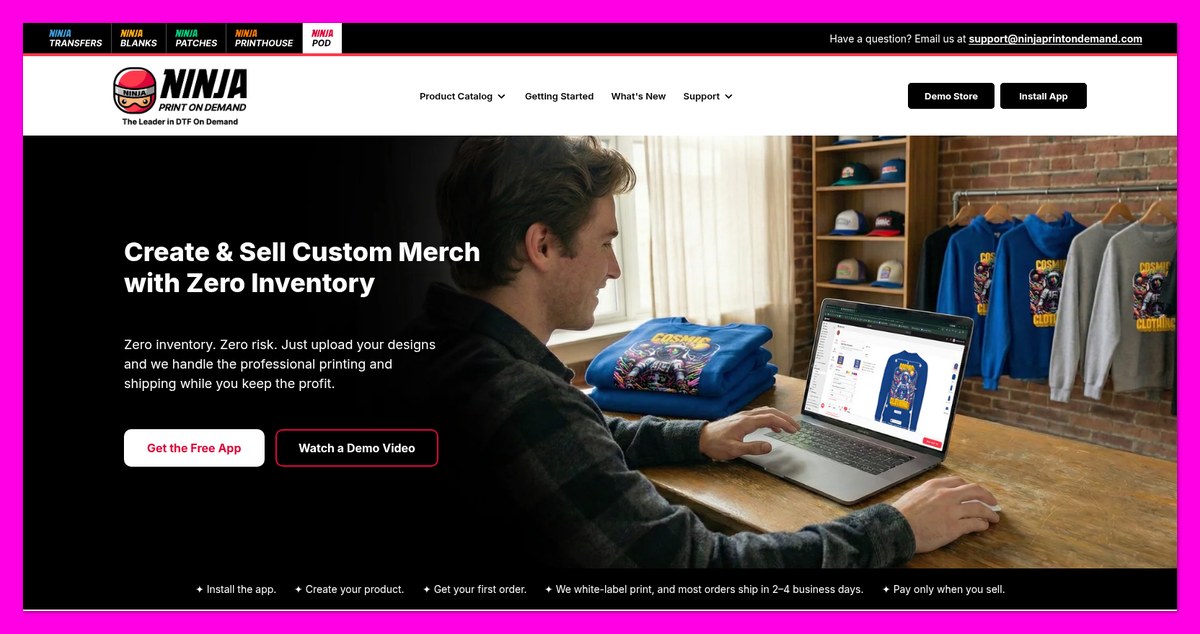
Ninja Print on Demand is free to install, with no monthly or listing fees. Production includes the blank and one print location; shipping and tax are charged when Ninja accepts fulfillment, not when the Shopify order arrives.
- App and plan ($0): no subscription, setup, art or listing fees, or minimums.
- Production (tees from $7.19): includes the blank and one print.
- Extra print locations: back, sleeves and inside-label charges appear in the Design Studio before publishing.
- US shipping ($4.99 first tee, $7.99 first hoodie): additional items add $0.50 to $2.50, decreasing with volume.
- Samples: full production price, shipping and tax; one per variant.
- Sales tax: charged unless you upload an exemption certificate in Settings.
| Product (Style) | Production Price, 1 Print Included | Contiguous US Shipping, First Item | Recommended For |
|---|---|---|---|
| Gildan Heavy Cotton tee (5000) | $7.19 | $4.99 | Events and giveaways |
| Gildan Softstyle tee (64000) | $8.92 | $4.99 | Budget retail tees |
| Comfort Colors Heavyweight tee (1717) | $11.16 | $4.99 | Garment-dyed heavyweight tees |
| Bella+Canvas Soft Cotton tee (3001C) | $9.02 | $4.99 | Premium retail-fit tees |
| Bella+Canvas USA-made Jersey tee (3001U) | $14.38 | $4.99 | Made-in-USA lines |
| Gildan Heavy Blend hoodie (18500) | $16.49 | $7.99 | Entry-level hoodies |
| Gildan Heavy Blend crewneck (G180) | $16.20 | $7.99 | Crewneck sweatshirts |
| Richardson 112 trucker cap | $14.58 | Shown in app before publishing | Trucker caps |
| Q-Tees canvas tote (QTB) | $7.03 | Shown in app before publishing | Tote bags |
Starting prices at the time of writing. Check larger-size costs in the app’s variants table before publishing.
A Gildan Softstyle tee costs $13.91 delivered within the contiguous US, before tax or extra prints. Budget for remaining launch expenses with our cost breakdown for starting a print-on-demand business with Shopify.
Is Ninja Print on Demand Good Value for Money?
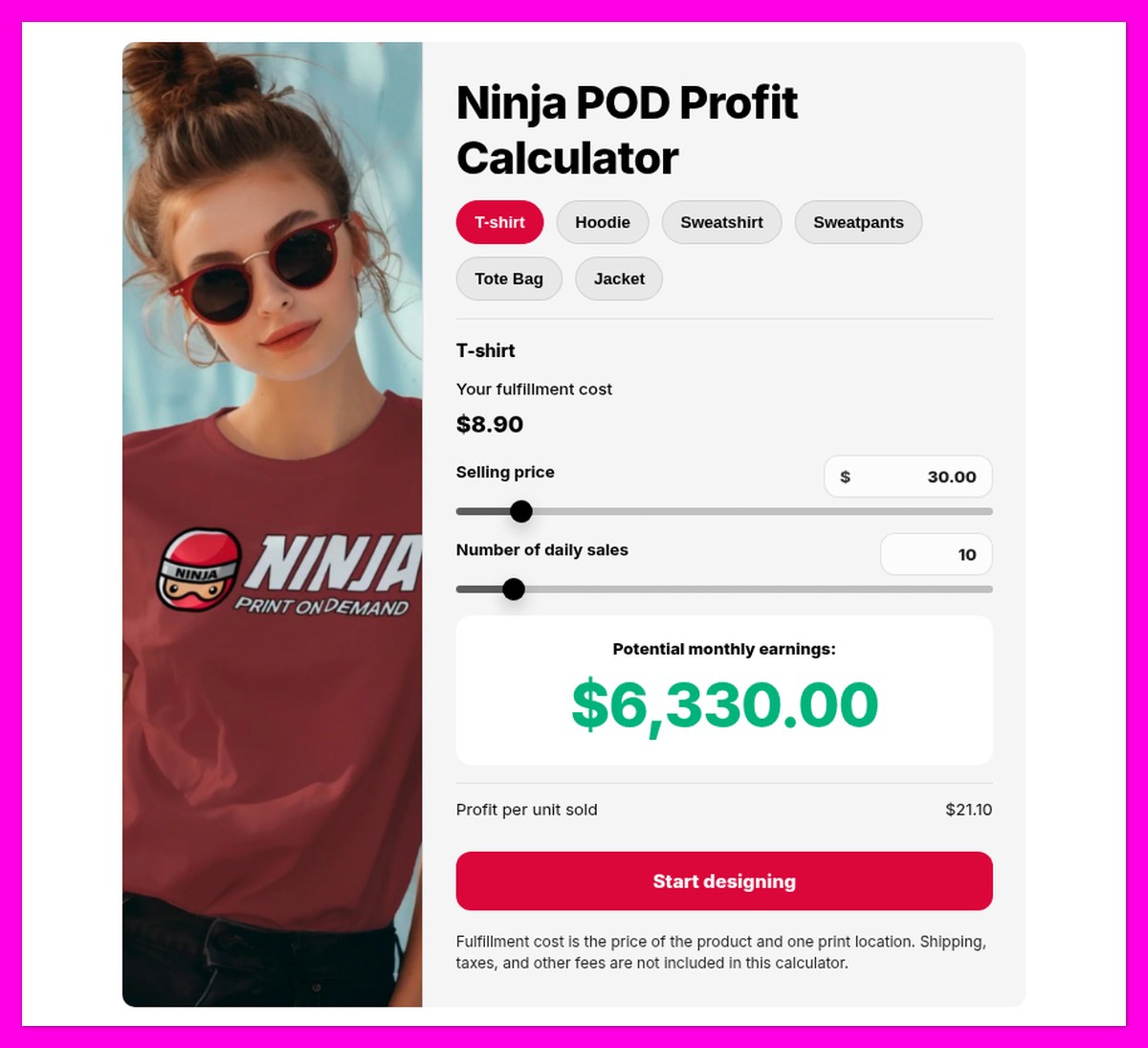
Ninja’s calculator counts the product and one print location. I’ve added shipping below to show what remains on a $25 tee with a front print.
| Cost or Remainder | Gildan Softstyle 64000 | Comfort Colors 1717 | Bella+Canvas 3001C |
|---|---|---|---|
| Retail price | $25.00 | $25.00 | $25.00 |
| Ninja production price | $8.92 | $11.16 | $9.02 |
| Ninja shipping, first tee | $4.99 | $4.99 | $4.99 |
| Left with free shipping | $11.09 | $8.85 | $10.99 |
| Left if shopper pays $7.95 default shipping | $19.04 | $16.80 | $18.94 |
Before Shopify payment processing fees and sales tax. These remainders are not net profit.
- All three tees leave room: $8.85 to $11.09 remains with free shipping.
- USA-made costs more: the 3001U would leave $5.63 under the same conditions.
- No subscription required: Ninja’s prices don’t depend on a paid discount plan.
- Canada and samples add costs: allow for both when assessing whether print on demand is profitable.
Author’s Testing Notes
I recommend Gildan Softstyle, standard Bella+Canvas or Comfort Colors for US shoppers. Their production prices leave room for shipping and advertising, though those expenses still need budgeting.
For a Canadian audience, compare delivered costs with Printify and Printful before committing. Ninja’s domestic margins don’t carry over to Canadian shipping rates.
Bogdan Tudorancea, Editor at Bootstrapping Ecommerce
My Experience With Ninja Print on Demand
Ninja Print on Demand runs as its own web app at app.ninjapod.com. The standalone platform launched in July 2026, and support for the Shopify-embedded app ended in September.
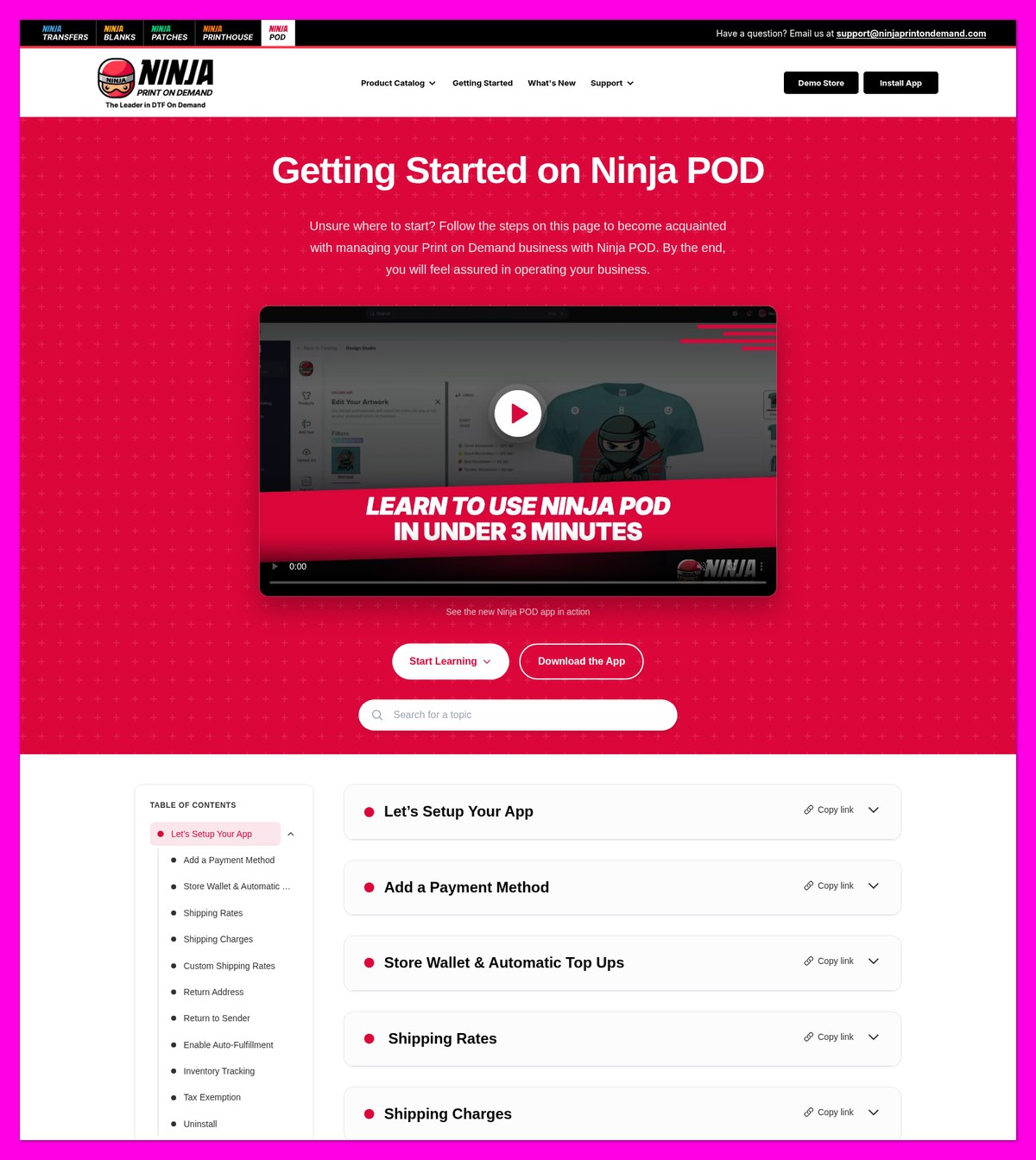
I start with the Setup Guide checklist, which covers the first product, sample and order. The sidebar separates Product Catalog from My Products and store connections.
Connecting the App and Setting Up Billing
First, I open Connections > Connect, enter the .myshopify.com domain and authorize Shopify. Next, Settings > Billing accepts a card, bank account or digital wallet.
I recommend card billing because bank payments can delay production by up to 5 business days. For storefront setup, follow our Shopify print-on-demand startup guide.
The shopper shipping defaults are $7.95 for contiguous-US orders and $13.99 for Alaska, Hawaii and Puerto Rico. I can edit those rates and choose Ninja’s return address or my own under Settings > Profile.
Creating My First Product in the Design Studio
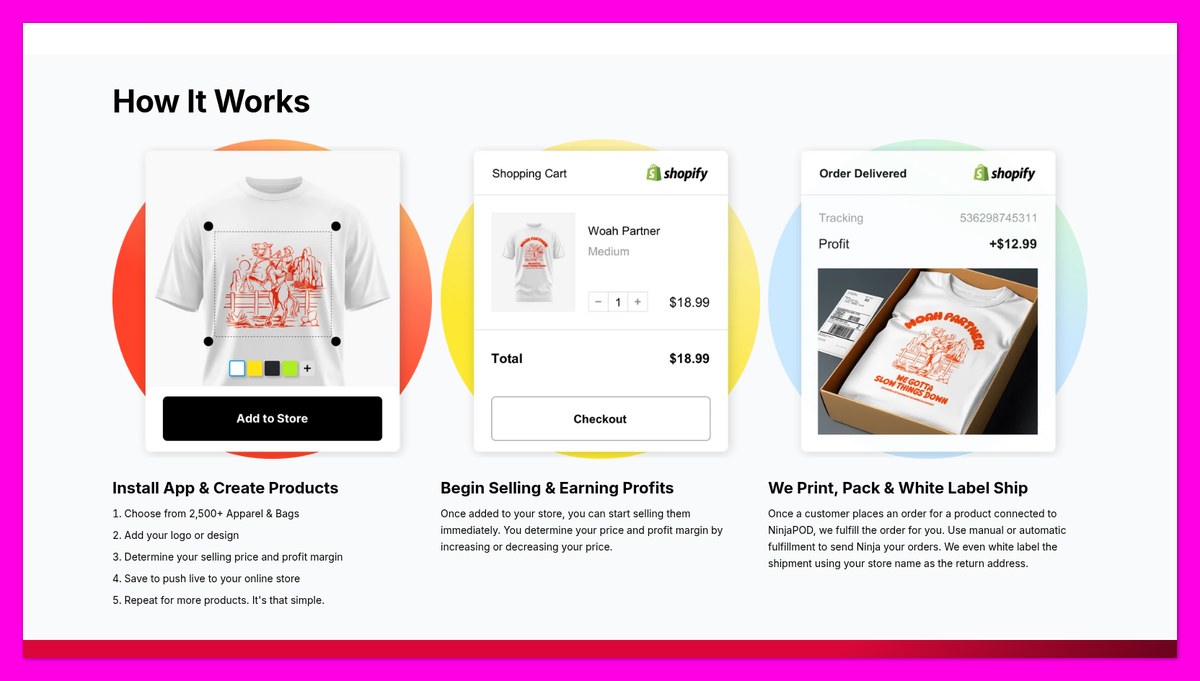
Next, I move to Product Catalog, where each blank’s page shows size prices and available print areas. The product workflow carries those choices through to Shopify publication:
- Pick a blank: search by category or a style code such as
style:G500. - Choose colors: select Next Step: Design Your Product.
- Upload art: acknowledge artwork guidelines and rights; uploads receive background removal and trimming.
- Place it: choose an available print area and check resolution.
- Save the design: add product copy, optional specifications and a size chart.
- Set prices: inspect variant cost, profit and margin, then use Bulk edit price.
- Publish: or select Publish as draft and activate later in Shopify.
Author’s Testing Notes
I like the per-variant profit columns because they put larger-size costs beside selling prices before publication, rather than leaving that check until orders arrive.
Duplicate a design to change it after an order. The same artwork size prints across garment sizes, so prepare the file at true print size.
Bogdan Tudorancea, Editor at Bootstrapping Ecommerce
Ordering a Sample and Sending My First Order
For samples, I open My Products > Order sample, which allows one per variant and flags stock warnings. Use our print-on-demand quality control checklist before launch.
For store orders, I can request fulfillment manually in Shopify or enable automatic fulfillment under Connections. Ninja also provides a Shopify Flow workflow.
I check order status to distinguish a received request from accepted fulfillment:
- Pending: received, not charged.
- Payment Pending: bank payment clearing.
- In Production: accepted and charged.
- Shipped: tracking available.
- Cancelled: order stopped.
- Failed: select View failure details.
Finally, Orders > Export supplies CSV order data and PDF invoices, giving me the records needed to reconcile fulfillment charges with Shopify sales.
Ninja POD’s Product Catalog and DTF Print Quality
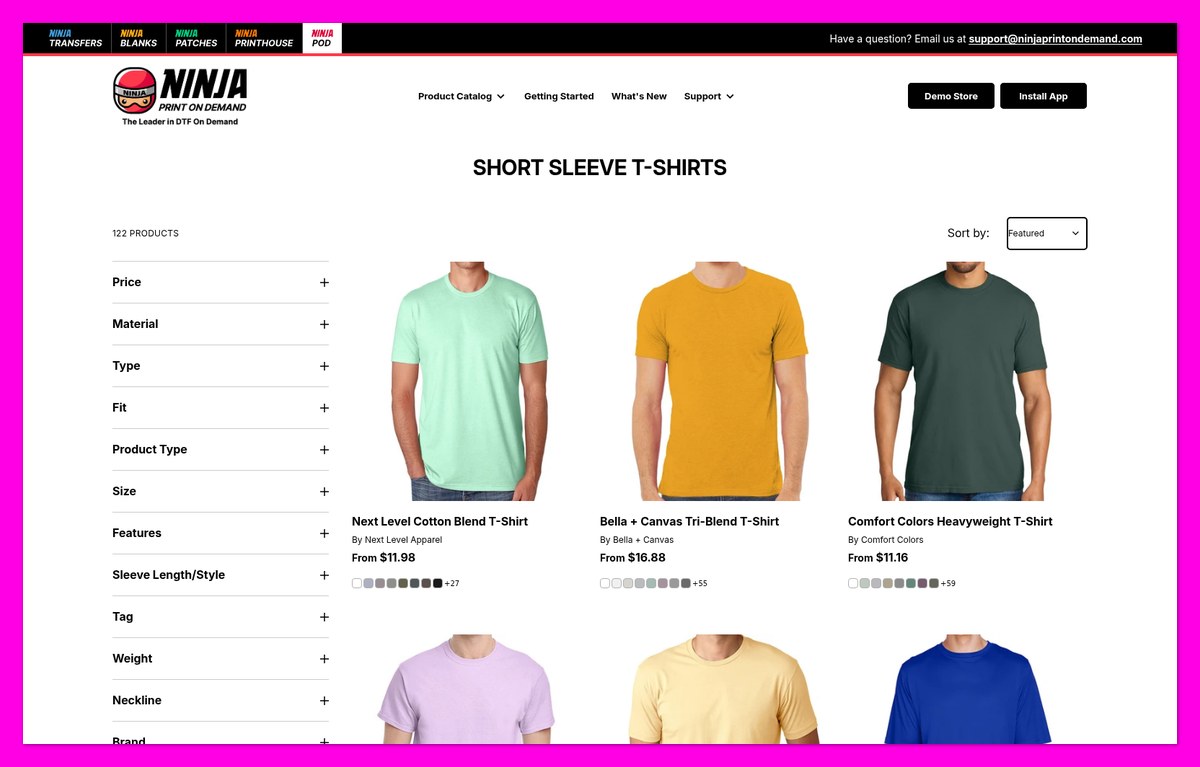
Ninja Print on Demand is apparel first and DTF only. Ninja advertises 2,500+ products, while its public catalog lists just under 2,000, so judge selection by your required styles.
- Tees and tanks: Gildan, Bella+Canvas, Comfort Colors and Next Level.
- Outer layers: hoodies, crewnecks and jackets.
- Hats: Richardson, Yupoong and Valucap.
- Other categories: bags, polos, activewear, workwear, kids’ and women’s clothing.
There’s no embroidery, screen printing, puff, patches or all-over print, even on hats. For stitched logos, compare print-on-demand companies that offer embroidery.
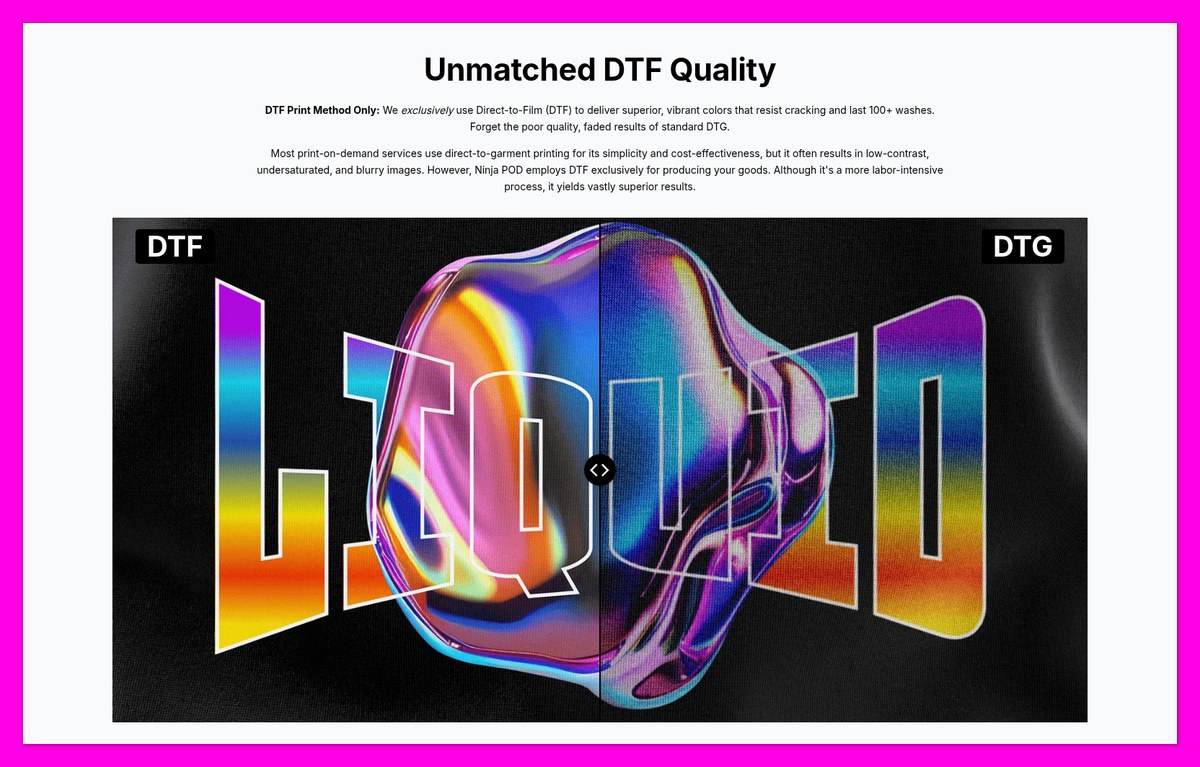
DTF vs DTG: How Ninja’s Print Method Compares
Ninja says it uses 9-color DTF and claims durability beyond 100 washes. DTF transfers ink with a white base onto fabric, while DTG prints directly into it.
- DTF suits: bold graphics on dark garments, blends and polyester.
- DTG suits: softer, more breathable large solid designs on cotton; substantial DTF blocks can feel stiffer.
Shopify merchants praise dark-shirt brightness, and one reports samples that “held up after 30 washes.” Another disliked the method; Ninja clarified that it does not offer screen printing.
The image below is Ninja’s marketing comparison, not a side-by-side print test of mine. Choose the method around your artwork rather than that promotional image alone.
Print Areas and Artwork Limits
- Tees and crewnecks: 11 x 14 in, front and back.
- Hoodies: 11 x 9 in front; 11 x 14 in back.
- Shared artwork size: oversized designs get scaled down across all sizes.
- Artwork: use transparent PNGs at 300 DPI; Ninja excludes fades, semi-transparency and very thin details.
Merchants report preview mismatches. Terms call mockups illustrations, not guarantees, despite the FAQ’s stronger preview promise, so keep artwork within boundaries and sample before selling.
Ninja POD’s Design Tools and AI Features
Ninja Print on Demand combines simple design controls with AI artwork and listing-image tools. I like that combination for beginners, although precise on-canvas measurements remain missing.
Resolution Meter and Artwork Checks
The live resolution meter grades placed artwork, while uploads receive background removal and trimming. An ink-color count also updates for each print area.
- Great: 225+ DPI.
- Good: 125 to under 225 DPI.
- Bad: 60 to under 125 DPI.
- Terrible: under 60 DPI.
Merchants have requested a ruler. Use Add Design Notes for intended dimensions and placement, but don’t treat notes as a substitute for correctly prepared artwork.
AI Art Generator
Enter a prompt to receive 3 options at a time, saved in your library for reuse. Generation has a daily limit that resets after 24 hours.
AI Lifestyle Images
Create Lifestyle Image places your design into a model scene you select or describe. Images are marked AI, and checkboxes control which sync to your store.
For help preparing those images for your listings, use our guide to creating print-on-demand mockups.
Templates, Favorites and Inside Neck Labels
- Templates: reuse the blank, colors, description and pricing; one merchant reported color-order problems.
- Favorites: tap a catalog item’s heart to shortlist it.
- Inside neck labels: require tear-away tags and 2.5 x 2.5 in artwork at 300 DPI, with 10 pt minimum text. One label serves every size; its extra charge appears before publication.
Orders, Shipping and Fulfillment With Ninja POD
Ninja Print on Demand targets production and dispatch within 2 to 4 business days, not delivery within that window. Only standard shipping to the US and Canada is available.
| Destination | T-Shirts, First Item | Each Extra Tee | Sweatshirts and Hoodies, First Item | Each Extra Sweatshirt |
|---|---|---|---|---|
| Contiguous US | $4.99 | $0.50 to $1.50 | $7.99 | $1.30 to $2.50 |
| Alaska, Hawaii, Puerto Rico | $6.99 | $0.50 to $1.50 | $15.00 | $1.20 to $2.50 |
| Canada | $20.00 | $2.00 to $3.00 | $25.00 | $3.00 to $4.00 |
These are seller charges, with extra-item fees decreasing by volume. Your editable shopper rate is separate, so check both before offering free shipping.
Delivery Times and Carriers
Product pages show dispatch estimates, not commitments. Ninja says it moved more than 90% of shipments to Amazon Ground in March 2026, while USPS handles certain addresses.
Older help pages name UPS Mail Innovations, so carriers can vary. There’s no rush option; for Canadian-heavy sales, compare print-on-demand companies in Canada.
Bulk Order Shipping
- From 8 items: per-piece shipping add-ons decrease.
- At 83+ items: Ninja says savings exceed 60% against its previous shipping rates.
Reprints, Refunds and Cancellations
- Reprints: submit photos within 30 days of delivery through Orders > Reprint request. Ninja chooses reprint or credit; artwork errors are excluded.
- Refunds: no refunds or exchanges for completed custom orders, even if you refund your shopper.
- Cancellations: request before production; Ninja must confirm. Accepted cancellations refund production charges.
- Returns: your responsibility; Ninja holds packages returned to it for 30 days.
- Lost packages: the guide offers free reprints, but terms leave reshipment or credit to Ninja’s discretion after carrier-confirmed loss.
Inventory Tracking and Stock-Outs
Enable Inventory tracking under Connections. Shopify shows 9999 until stock reaches 20 or fewer, then the actual count, and Sold Out when stock runs out.
Merchants report incorrect counts and invisible stock-outs. Ninja can substitute or cancel unavailable blanks, so inventory tracking doesn’t guarantee that your chosen blank is available.
I recommend keeping automatic fulfillment and inventory tracking enabled to avoid unsent requests. Check Shopify’s separate “continue selling when out of stock” setting too.
Ninja POD’s Integrations and Sales Channels
Shopify is Ninja Print on Demand’s only supported sales channel today. I don’t recommend it for an Etsy-first business, regardless of broader wording in its terms.
- Several Shopify stores: connect each with separate fulfillment and inventory settings.
- TikTok Shop through Shopify: use Seller Shipping because Ninja creates its own labels; handle returns yourself.
- No independent options: no API, Etsy, WooCommerce or built-in storefront.
- Shopify API limits: non-Plus stores creating products or variants can hit a daily limit.
Ninja’s October 2026 terms mention Etsy, WooCommerce and hosted stores. The FAQ still says Shopify only, so don’t plan around those references.
Before connecting a store, budget for Shopify separately. Our Shopify review explains its costs, which Ninja POD’s free installation doesn’t cover.
Using Ninja POD’s Customer Support
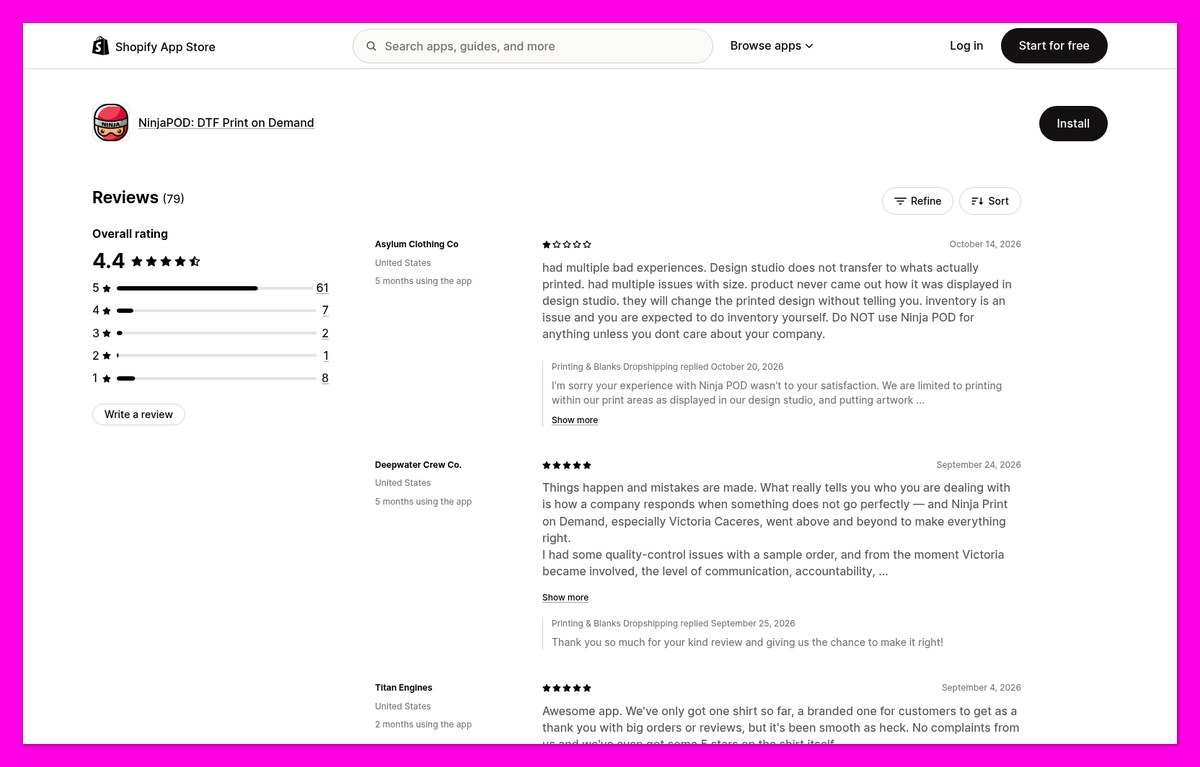
Ninja Print on Demand’s support receives the most merchant praise. Of its 79 Shopify App Store reviews, 61 award the app five stars.
- Live chat: Help & Support inside the app.
- Email: [email protected]; Ninja says chat and email run seven days weekly.
- Getting Started guide: video walkthrough and in-app checklist.
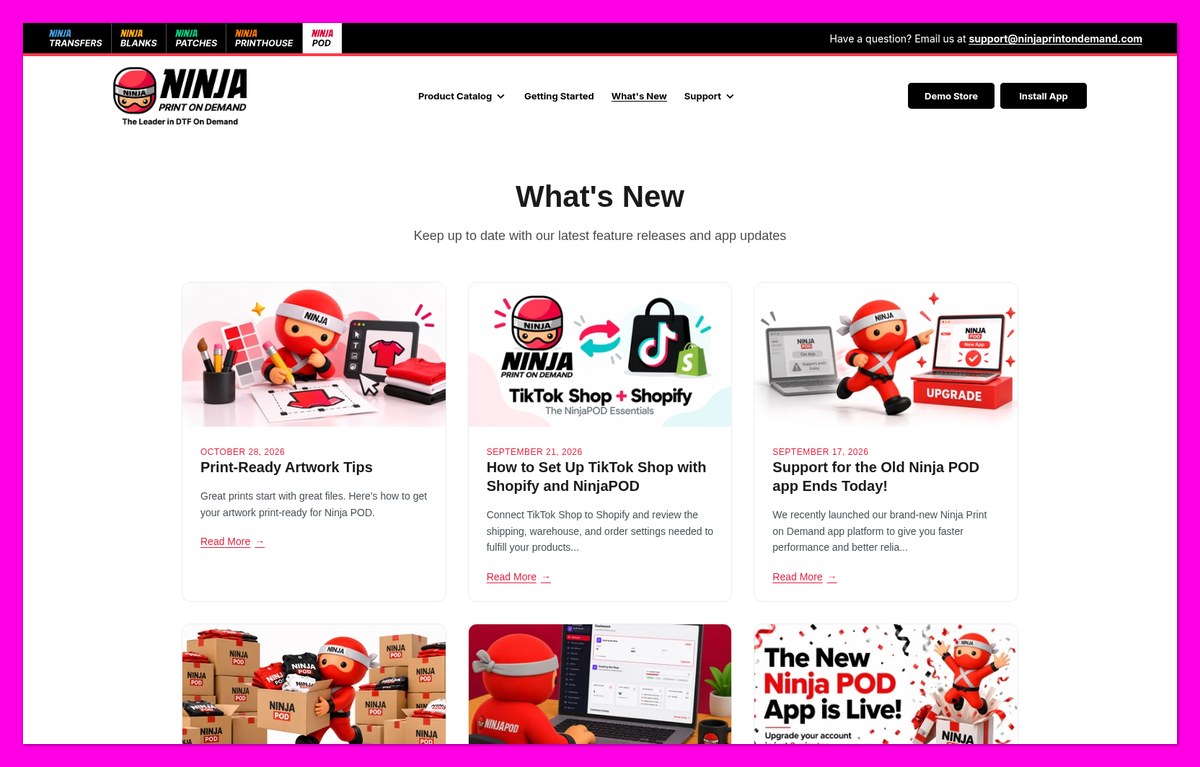
- FAQ and What’s New: policies and updates; no phone line is listed.
Merchants describe prompt reprints, although one mixed review reports little follow-up communication. I distinguish a quick replacement from a clear explanation of what went wrong.
An October merchant reported preview mismatches; Ninja replied that print-area limits apply. Another November merchant reported an order still unshipped after 18 days without a stock warning.
A separate merchant alleged closure after complaining, while Ninja’s reply alleged staff harassment. These are conflicting accounts, not established findings; its replies to criticism often restate policy rather than offer a fix.
Is Ninja Print on Demand Better Than Its Competitors?
Ninja Print on Demand is a focused pick, not my best all-round supplier. Printful and Printify cover more methods, channels and destinations, with larger Shopify review histories.
Compare the complete delivered product, not just a starting tee price. Our Printful vs Printify comparison explains how the alternatives differ.
| Feature | Ninja POD | Printful | Printify |
|---|---|---|---|
| Monthly plan | None | Free; Growth $24.99/month, free over $12K/year sales | Free; Premium $39/month or $24.99/month billed yearly |
| Bella+Canvas 3001 tee | $9.02 (3001C); USA-made 3001U $14.38 | From $11.92, S to XL | Printify quotes $11.29; $9.04 on Premium |
| Print methods | DTF only | DTG, DTF, embroidery | Provider-dependent |
| Extra print location | Shown in Design Studio | Back $5.95; sleeve $2.49; inside label $0.99 | Product/provider-dependent |
| US shipping, first tee | $4.99 | Flat rate listed on Printful’s shipping page | Printify quotes $3.99; provider-dependent |
| Production time | 2 to 4 business days | 2 to 5 business days | Provider-dependent |
| Ships to | US and Canada | Worldwide | Worldwide; Printify says 140+ facilities |
| Sales channels | Shopify | 20+ platforms and marketplaces | Shopify, Etsy, TikTok, Amazon and more |
| Shopify App Store rating | 4.4, 79 reviews | 4.8, 4,035 reviews | 4.7, 4,370 reviews |
- Printful is the best all-rounder: worldwide shipping and broader decoration methods make expansion easier. Explore those options in our full Printful review.
- Printify wins on breadth: 70+ print providers support worldwide production and channels including Etsy, Amazon and TikTok. Quality and speed depend on your provider, a trade-off covered in our Printify review.
- Ninja POD suits focused DTF apparel: I recommend it for subscription-free pricing and in-house US production through Shopify.
Printify’s comparison page uses Ninja’s USA-made 3001U, so compare style codes. Ninja’s standard 3001C costs less than Printify’s quoted free-plan price and roughly matches Premium.
Ninja’s standard tee also undercuts Printful’s listed base price, but that isn’t automatically a matching DTF quote. Compare the print method and placements before switching suppliers.
How We Test Print-on-Demand Suppliers
I use a weighted framework for bootstrapped sellers, prioritizing margins and reliable fulfillment. Ninja Print on Demand’s score reflects catalog pricing, app functionality and merchant terms.
Shopify merchant feedback informs quality and support judgments, rather than a physical wash test. Production targets remain supplier estimates, not delivery results from an order of mine.
Read More About How I Scored Ninja Print on Demand
- Pricing and Fees (25%): 4.3/5. Affordable blanks, offset by Canadian shipping and full-price samples.
- Print Quality and Catalog (20%): 4.3/5. Merchant-praised DTF, but restricted methods and artwork sizing.
- Fulfillment and Shipping (20%): 3.8/5. Automatic fulfillment, limited destinations and reported stock-outs.
- Ease of Use and Design Tools (10%): 4.5/5. Resolution grading, AI tools and variant margins.
- Integrations (10%): 3.0/5. Shopify only; no API.
- Help and Support (10%): 4.6/5. Daily chat/email and merchant praise.
- Reputation (5%): 3.9/5. Small review pool, including eight one-star reviews.
Weighted total: 4.10, or 4.1/5.
Ninja Print on Demand Review: Should You Use Ninja POD for Your Shopify Store?
Ninja Print on Demand is a strong DTF supplier for US Shopify stores, with affordable apparel blanks, no subscription and support that Shopify merchants frequently praise.
I recommend it for bold designs on dark tees sold to US shoppers. Skip it for Etsy, worldwide fulfillment or embroidery, and compare alternatives in our best print-on-demand t-shirt companies guide.
Start by installing the free app and ordering samples of every blank and color you plan to sell. Check their print placement before launch, then enable automatic fulfillment and inventory tracking without treating either as a stock guarantee.
Ninja Print on Demand FAQs
Is Ninja Print on Demand Legit?
Yes, Ninja POD is operated by Ninja Transfers, LLC, a Philadelphia DTF company with a 63,000-square-foot facility. It publishes merchant policies, although Shopify merchants report late orders and disputes alongside positive reviews.
Does Ninja POD Have a Monthly Fee?
No, Ninja POD has no monthly subscription or order minimum. You pay production, shipping and applicable tax when Ninja accepts fulfillment; extra print locations cost more, and your separate Shopify subscription still needs budgeting.
How Long Does Ninja POD Take to Ship?
Ninja targets production and dispatch within 2 to 4 business days, mainly through Amazon Ground in the US. Each product shows its own estimate; transit time comes afterward, and expedited shipping isn’t available.
Does Ninja POD Work With Etsy?
Not today: Ninja’s FAQ specifies Shopify only. Its newer terms mention Etsy and WooCommerce, but those references don’t establish live integrations; TikTok Shop orders can reach Ninja through Shopify rather than a direct connection.
Is DTF Better Than DTG?
DTF suits bold designs on dark garments, including blends and polyester. DTG generally gives large solid designs on cotton a softer, more breathable finish, so choose based on your artwork and fabric.
Does Ninja POD Ship Internationally?
Ninja POD ships only to the US and Canada, with Canadian shipping starting at $20 for the first tee. Other countries aren’t supported, so stores serving a wider international audience need another supplier.