Best Overall

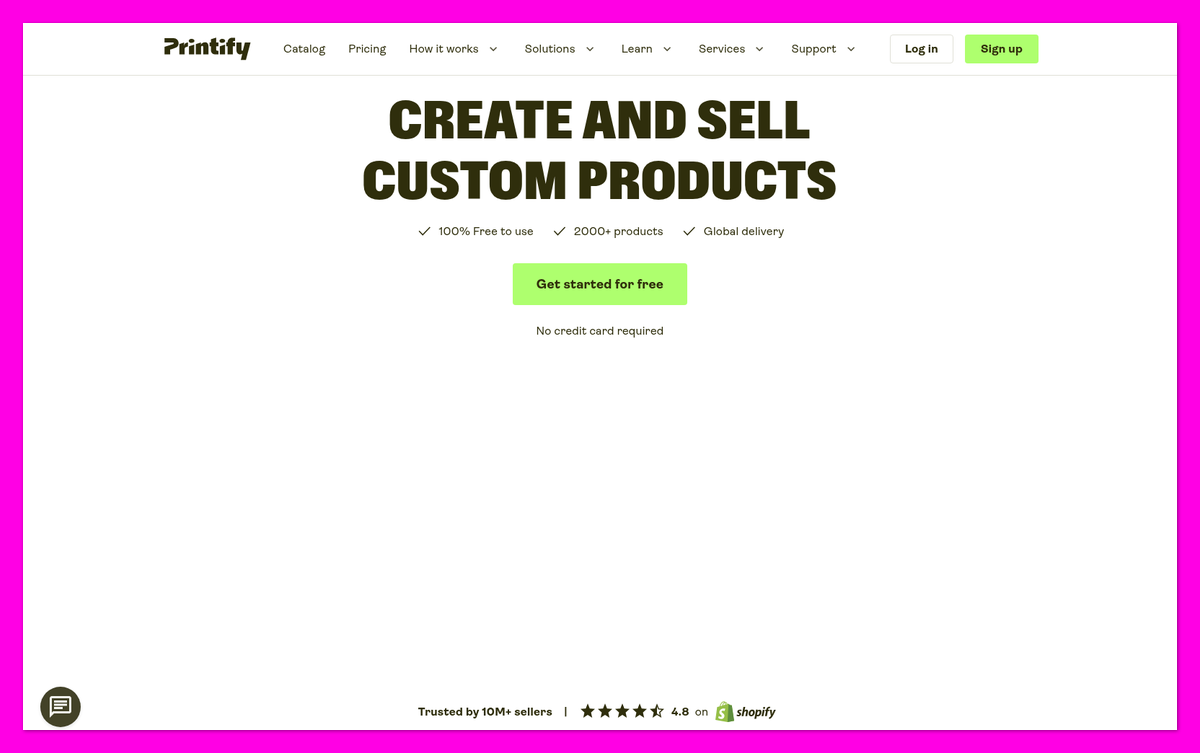
Printify
See pricing Visit Printify →$0 Free plan
Premium $39/month or $299/year
- 2,000+ products from 70+ providers
- 11 sales channels plus an API
- Reprints or refunds for faulty orders
Best for Low Prices
Ninja Print on Demand
See pricing Visit Ninja Print on Demand →$0, no monthly fees
Gildan 5000 tee at $7.19
- Lower blank prices than Printify Free
- Every order printed in-house with DTF
- Most orders ship in 2-4 business days
When comparing print-on-demand companies for a new Shopify store, should you choose Ninja Print on Demand (Ninja POD) or Printify?
After comparing their prices, catalogs, policies and merchant reviews, I found Printify is the better pick for most Shopify beginners.
In this Ninja Print on Demand vs Printify comparison, I’ll explain why Printify wins four of six rounds, where Ninja POD beats it, and which supplier fits your budget and designs.
💡 Key Takeaways
- Ninja POD’s blanks cost less than Printify’s free-plan prices on all five I checked, from a $7.19 Gildan 5000 tee to a $16.49 Gildan 18500 hoodie.
- Printify Premium ($39/month or $299/year) flips three of those five, and tee shipping starts lower: $3.99 vs $4.99.
- Printify has the wider range: 2,000+ products from 70+ providers, including embroidery. Ninja POD uses DTF, mostly on apparel.
- Ninja POD works only with Shopify and ships only to the US and Canada, while Printify connects to 11 sales channels.
- Printify offers refunds as well as reprints for faulty orders reported within 30 days of delivery. Ninja POD offers reprints only.
A Quick Comparison of Ninja Print on Demand vs Printify
Get a quick overview of Ninja Print on Demand and Printify in the table below. The overall ratings are our own scores.
| Printify | Ninja Print on Demand | |
|---|---|---|
| Overall rating | 4.6/5 | 4.2/5 |
| Starting price | $0 • Gildan 5000 tee from $9.68 | $0 • Gildan 5000 tee at $7.19 |
| Free plan | Yes: Free plan for up to 5 stores • Premium: $39/mo or $299/yr | Yes: free app with no monthly fees or minimums • No paid plans |
| Pros | • 2,000+ products from 70+ print providers • 11 sales channels plus an API • Shipping from $3.99 for a tee • Reprints or refunds for faulty orders • 24/7 live chat | • Lower blank prices than Printify’s free plan • No monthly fees or minimums • Every order printed in-house with DTF • Flat $2.49 for a second print location on Bella+Canvas tees • Most orders ship in 2-4 business days |
| Cons | • Lowest blank prices need Premium • Quality and speed vary by print provider • Extra print areas cost more, by provider • Out-of-stock colors in some merchant reviews | • Shopify only • Ships to the US and Canada only • DTF only: no DTG, embroidery or faded edges • Reprints only, no refunds • No rush shipping |
| Number of products | 2,000+ | 1,900+ in its public catalog (advertised as 2,500+) |
What Kinds of Business Is Ninja Print on Demand or Printify Best For?
Have a specific business need in mind? Here’s a summary of what kinds of businesses Printify and Ninja POD are best for:
Printify Is Best for…
- Shopify beginners who want to sell beyond apparel, or add Etsy, TikTok Shop or Amazon later
- Sellers who want 24/7 chat and refunds, not just reprints
Ninja Print on Demand Is Best for…
- US-focused Shopify apparel stores that want low blank prices without a paid plan
- Bold, high-contrast designs on dark garments, which suit DTF
1. Best for Pricing: Ninja Print on Demand
The Winner
Ninja POD’s blanks cost less than Printify’s free-plan prices
All five blanks I checked cost less on Ninja POD. Printify’s shipping starts lower, and Premium wins three of the five.
If you want the lowest cost per shirt without paying for a subscription, Ninja POD is the cheaper supplier. When I compared five popular blanks on both sites, it came out below Printify’s free plan on every one.
How Much Do Ninja Print on Demand and Printify Cost?
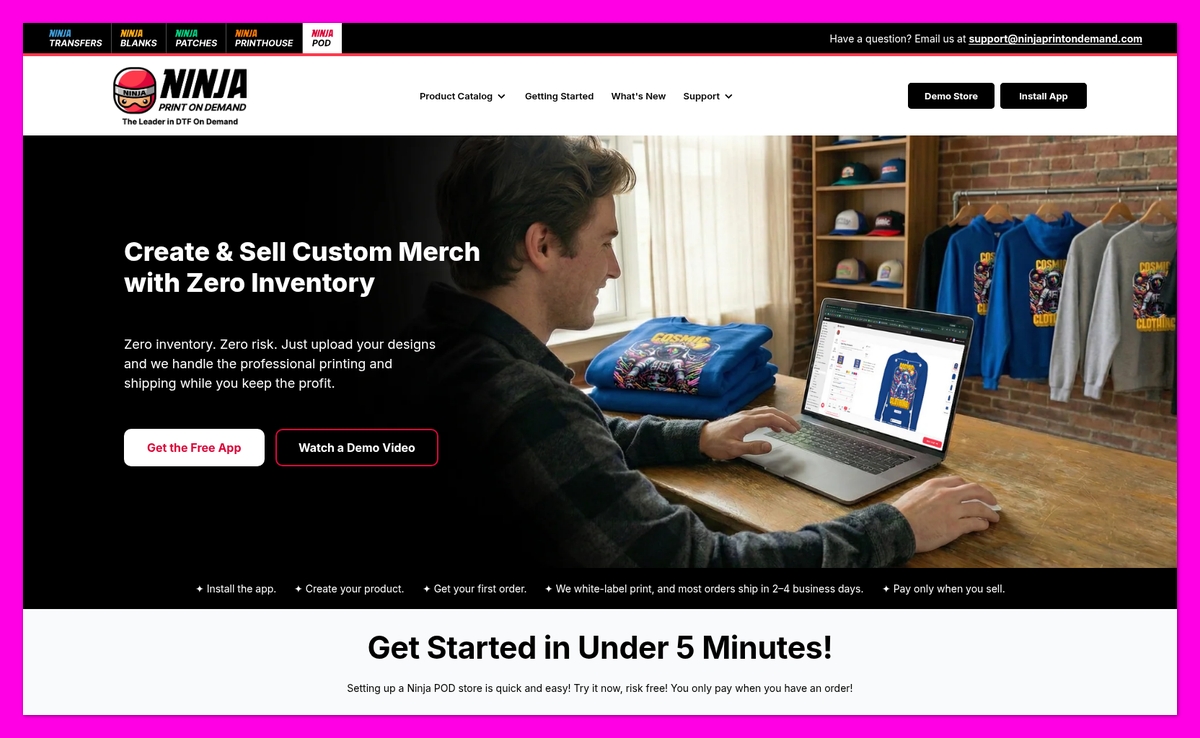
Both companies are free to start. Ninja POD has no paid plans, listing fees or minimums: you pay the production cost and shipping for each order, and nothing else.
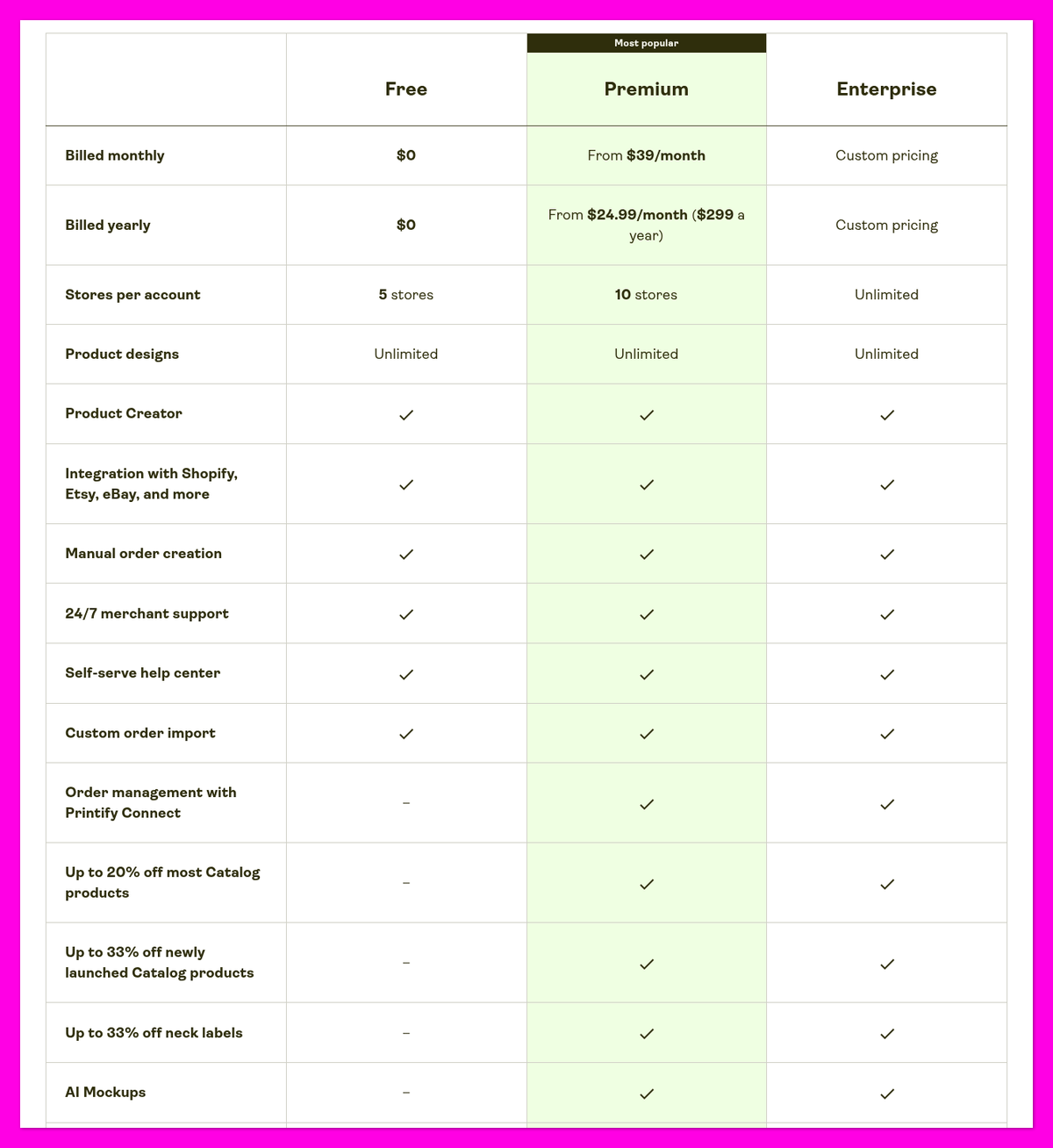
Printify works the same way on its Free plan, and adds a paid Premium plan that discounts its products. All prices are in USD, as of November 2026.
| Printify Plan | Price | Key Features |
|---|---|---|
| Free | $0 | • Up to 5 stores • Unlimited product designs • Shopify, Etsy, eBay and more • 24/7 merchant support |
| Premium | $39/mo, or $299/yr ($24.99/mo) | • Up to 20% off most catalog products • Up to 33% off newly launched products and neck labels • Up to 10 stores • Order management with Printify Connect |
| Enterprise | Custom pricing | • Unlimited stores • Everything in Premium |
Which Blanks Cost Less?
Here’s what five popular blanks cost with one print. Printify’s “from” prices are for its cheapest print provider, so the price you pay depends on the provider you pick.
| Blank (one print location) | Ninja POD | Printify Free (from) | Printify Premium (from) |
|---|---|---|---|
| Gildan 5000 tee | $7.19 | $9.68 | $7.40 |
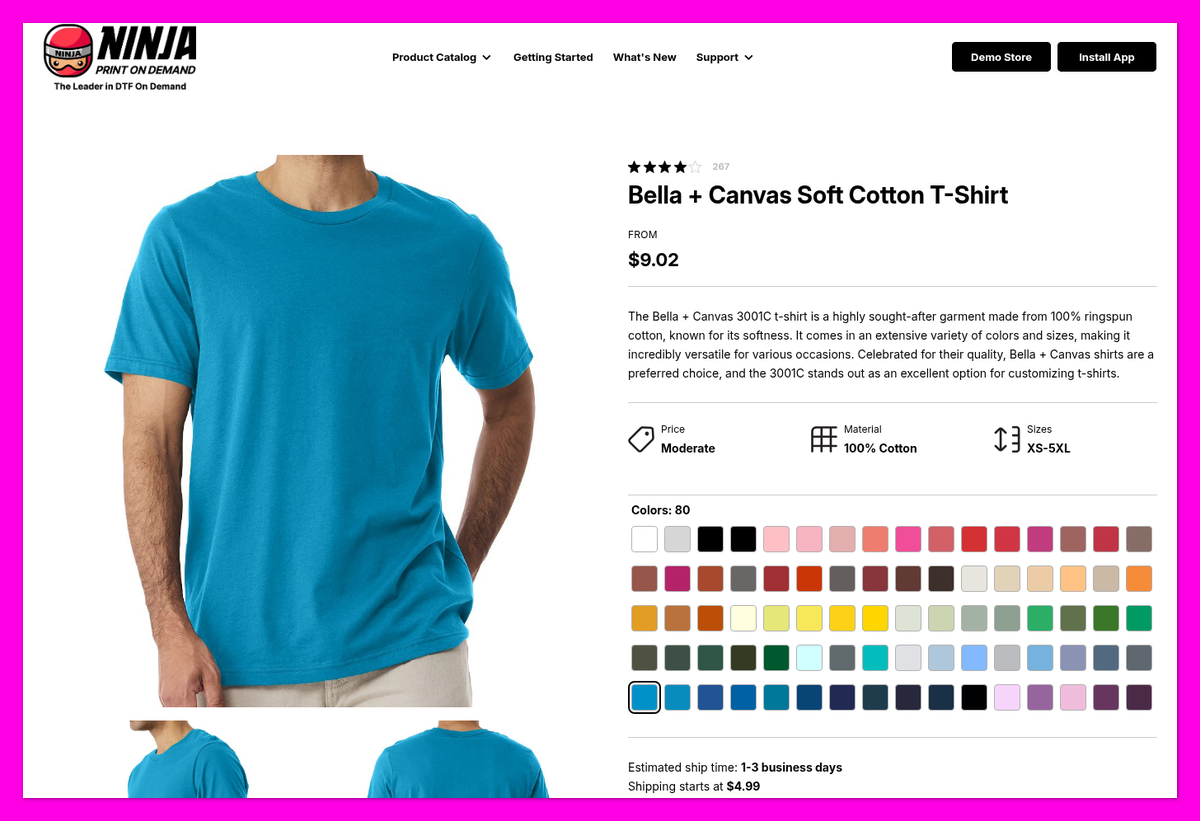
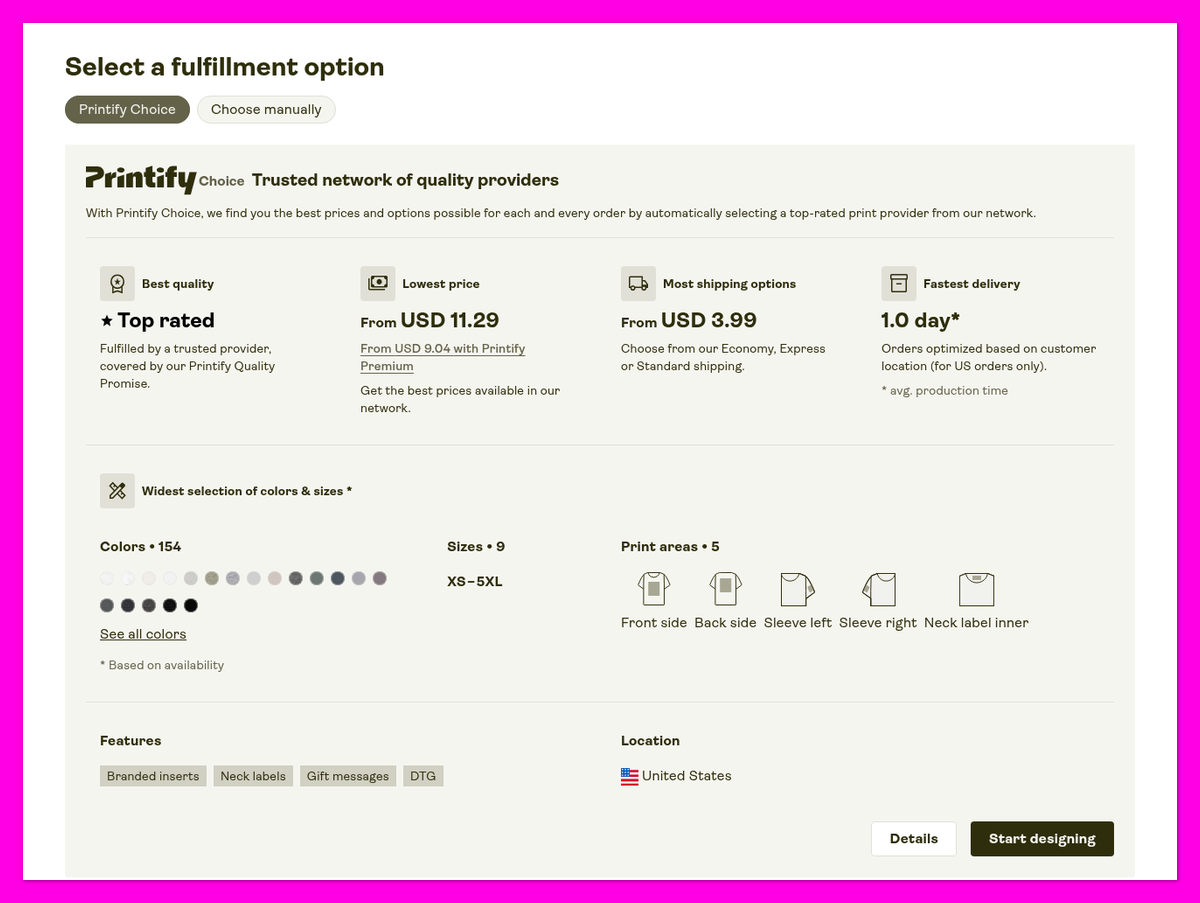
| Bella+Canvas 3001 tee | $9.02 | $11.29 | $9.04 |
| Comfort Colors 1717 tee | $11.16 | $12.65 | $10.93 |
| Gildan 18000 crewneck | $16.20 | $17.87 | $12.70 |
| Gildan 18500 hoodie | $16.49 | $21.58 | $15.89 |
Ninja POD beats Printify’s Free plan on all five, by $1.49 to $5.09 per item. Printify Premium flips three of them, by $0.23 to $3.50, and all but ties on the Bella+Canvas 3001.
One thing to know when you compare Bella+Canvas prices: Ninja POD lists two versions. The $14.38 tee is the Made-in-USA 3001U (13 colors, XS-3XL). The standard 3001C, the like-for-like match for Printify’s 3001, costs $9.02 (80 colors, XS-5XL).
Ninja POD charges a flat $2.49 for a second print location (front or back) on its Bella+Canvas tees. Printify’s prices for extra print areas vary by product and provider and aren’t listed on its public pages. Ninja POD says some styles cost more in certain sizes or colors, but doesn’t publish those upcharges outside its app.
What About Shipping?
This is where Printify claws some of the difference back. Printify’s shipping starts $1 lower for a tee and $0.60 lower for a hoodie. Each extra tee in the same Ninja POD order adds $0.50 to $1.50.
| One order to the contiguous US | Ninja POD | Printify Free | Printify Premium |
|---|---|---|---|
| Tee shipping, first item | $4.99 | From $3.99 | From $3.99 |
| Hoodie shipping, first item | $7.99 | From $7.39 | From $7.39 |
| Bella+Canvas 3001 tee + shipping | $14.01 | $15.28 | $13.03 |
| Gildan 18500 hoodie + shipping | $24.48 | $28.97 | $23.28 |
The totals include one print and exclude taxes and the Premium subscription fee.
Even with the higher shipping, Ninja POD saves you $1.27 on a single-tee order and $4.49 on a hoodie order compared with Printify’s Free plan. Margins that thin decide whether print on demand is profitable for a new store.
🤔 Is Printify Premium Worth It?
- Premium breaks even around $195 in monthly product costs, or $125 with yearly billing. That’s Printify’s own break-even math using its discount of up to 20%.
- Against Ninja POD, the saving is smaller. Premium saves $0.98 on a single Bella+Canvas 3001 order, shipping included. You’d need roughly 40 of those orders a month to cover the $39 fee, or about 26 on yearly billing. Until you sell that many, I recommend keeping your supplier subscription at zero. Our cost breakdown for starting a print-on-demand business with Shopify covers the other expenses to plan for.
2. Best for Product Range: Printify
The Winner
Printify offers a much wider range of products and print methods
Printify lists 2,000+ products from 70+ providers, including embroidery and home decor. Ninja POD uses DTF, mostly on apparel.
Based on both catalogs, Printify gives you more to sell once you grow past tees and hoodies.
What Can You Sell With Each?
Printify lists 2,000+ products (its Shopify listing says 1,300+ popular products). They cover apparel, accessories and home decor, printed with DTG, DTF, embroidery or all-over printing.
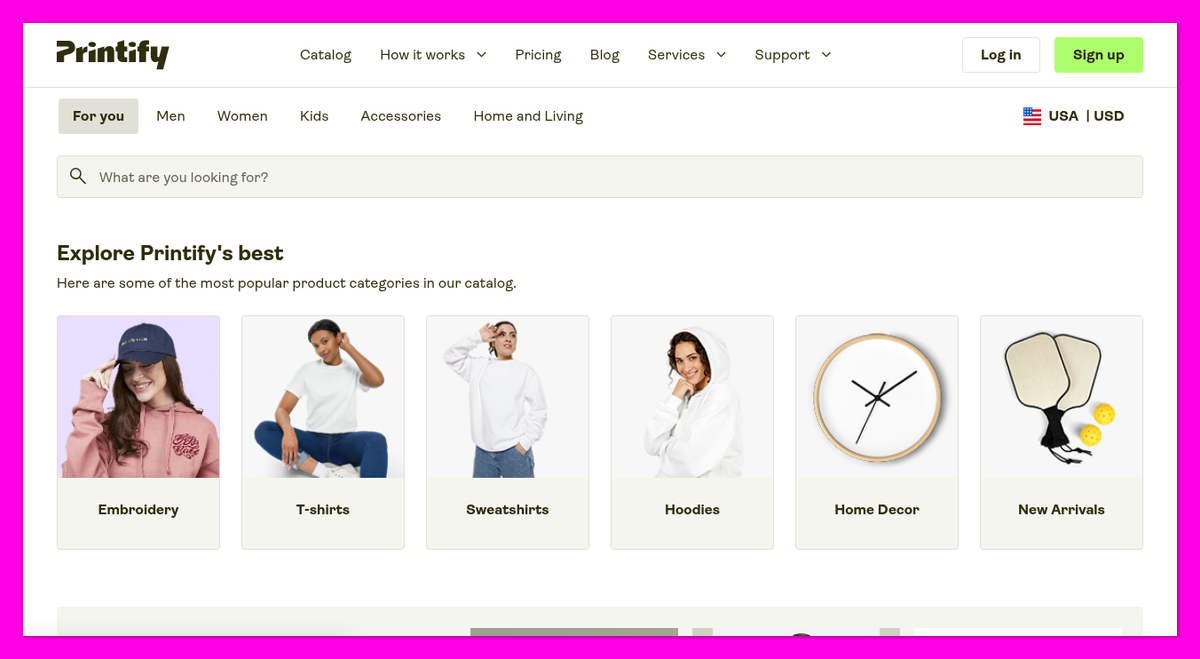
Ninja POD has more than 1,900 products in its public catalog (Ninja advertises 2,500+). Everything is printed with DTF, including polos and hats. There’s no embroidery or screen printing, and Ninja says it can’t offer patches or puff prints because it produces one piece at a time.
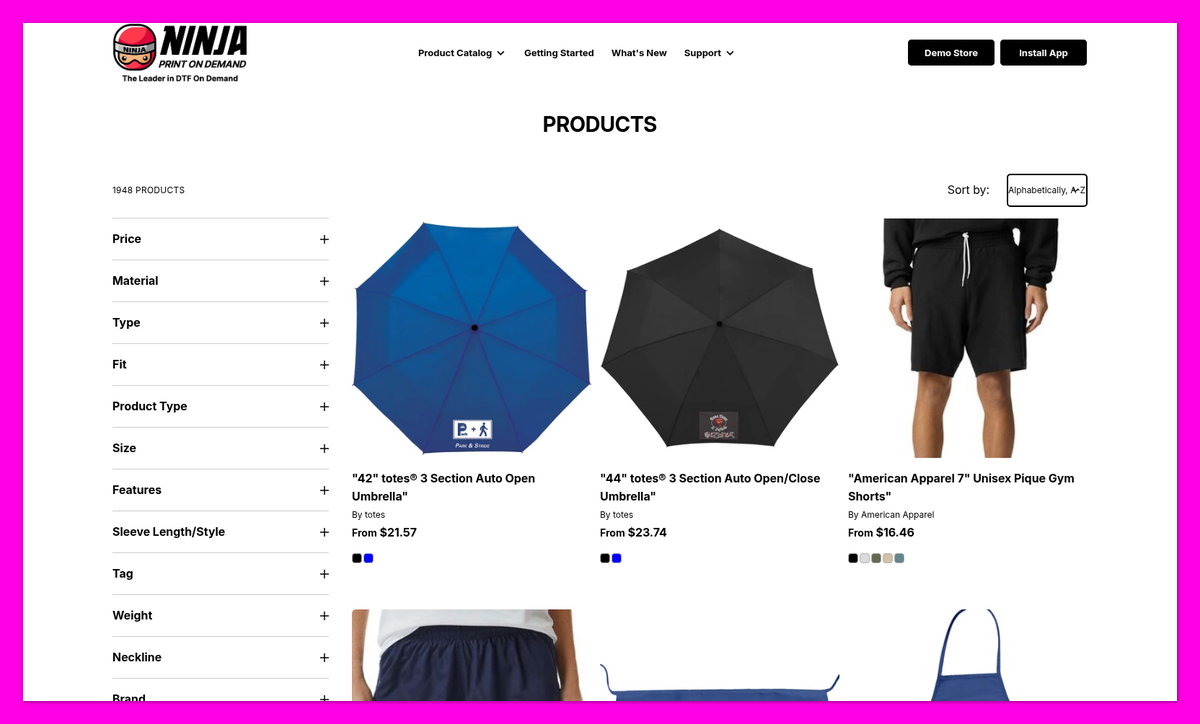
So the product counts are closer than you might expect. The real gap is variety: most of Ninja POD’s catalog is t-shirts and other apparel, while Printify reaches into mugs, wall art and other home goods.
Print Areas and Branding
Both companies offer front, back, sleeve and inside-label printing. Printify’s Bella+Canvas 3001 shows five print areas: front, back, both sleeves and the inner neck label.
Ninja POD’s inside neck prints need a garment with a tear-away tag and 2.5 x 2.5 in artwork, and it can’t print size-specific labels. Orders ship in plain white packages with your return address. Its sleeve and label print prices aren’t published.
Printify adds branded packaging inserts, such as thank-you cards, and neck labels on tear-away-label tees and sweatshirts from providers that support them. Premium takes up to 33% off neck labels. Its insert prices aren’t published.
If you’re planning sleeve or neck designs, see our guide to logo placement on shirts.
💭 Our take
Ninja POD’s apparel range won’t restrict a tee-and-hoodie launch. If your niche needs embroidery or home decor, Printify gives you more room to grow.
3. Best for Print Consistency: Ninja Print on Demand
The Winner
Ninja POD prints every order in-house with one method
Ninja POD uses its own DTF operation for every order. Printify works with 70+ independent providers whose quality and speed vary.
When it comes to getting the same result order after order, Ninja POD has the more consistent setup. I’m judging how each company produces your orders here, not how a sample looks or washes.
In-House Printing vs a Network of 70+ Providers
Ninja POD launched in 2025 as the print-on-demand arm of Philadelphia-based Ninja Transfers, a DTF transfer supplier. Every order is printed in-house with the same method, and Ninja says it calibrates its printers weekly to G7 standards.
Printify doesn’t print anything itself. For each product, you compare providers on price, shipping, average production time over the last 30 days and a Performance Score. Printify Choice picks a vetted provider for you at a fixed price and switches to another when stock runs out, but it doesn’t tell you which printer made the order and may scale your artwork down by up to 7%.
That means Printify’s quality depends on the provider you pick, and merchant reviews mention inconsistent prints between shirts. Follow a print-on-demand quality control routine before launching with either supplier.
DTF vs DTG: What’s the Difference?
Ninja POD uses direct-to-film (DTF). Printify lists direct-to-garment (DTG) as its main 3001 method, with DTF mainly for sleeves and labels at some providers.
| DTF (Ninja POD) | DTG (Printify’s main method on tees) | |
|---|---|---|
| Feel | Thin surface layer; firmer on large prints | Ink sinks into fibers; softest on cotton |
| Dark garments | White base keeps colors bright | Needs pretreatment and white underbase |
| Fabrics | Cotton, polyester, nylon and blends | Best on cotton |
| Fine detail and fades | Limited | Stronger |
| Watch out for | Cracking/peeling in high-flex areas; less breathable solid blocks | Gradual fading over washes |
Durability claims vary from source to source, so don’t rely on any single wash count. DTF suits bold designs on dark garments; DTG suits soft, detailed prints on cotton.
Considering polyester? See how DTF compares with sublimation.
Ninja Print on Demand’s Artwork Limits
Ninja POD’s DTF setup comes with a few rules to know before you design:
- Maximum 11 x 14 in on the front or back of tees and crewnecks; hoodie fronts stop at 11 x 9 in.
- Same artwork size across garment sizes: oversized artwork gets scaled down for every size.
- No faded edges or small thin details, per Ninja’s DTF rules.
- High-resolution transparent PNG: aim for 300 DPI; its resolution meter calls 225+ DPI “Great.”
These limits show up in merchant reviews. An October 2026 one-star review said the design studio preview didn’t match the print, and Ninja replied that artwork outside the print area gets resized to fit. A December 2025 three-star review described a chest logo that came out 3 in wide instead of the expected 5 in. Another that month reported slightly misaligned placements, all reprinted without pushback.
💭 Our take
Choose DTF for bold, high-contrast graphics on dark tees. For watercolor fades or soft gradients, order a sample first or choose Printify DTG.
4. Best for Sales Channels and Shipping Reach: Printify
The Winner
Printify sells in more places and ships to more countries
Printify connects to 11 sales channels, plus an API and free Pop-Up Store, with worldwide delivery. Ninja POD supports Shopify and US/Canada delivery only.
If there’s any chance you’ll sell beyond Shopify or beyond North America, Printify is the safer long-term choice.
Where Can You Sell?
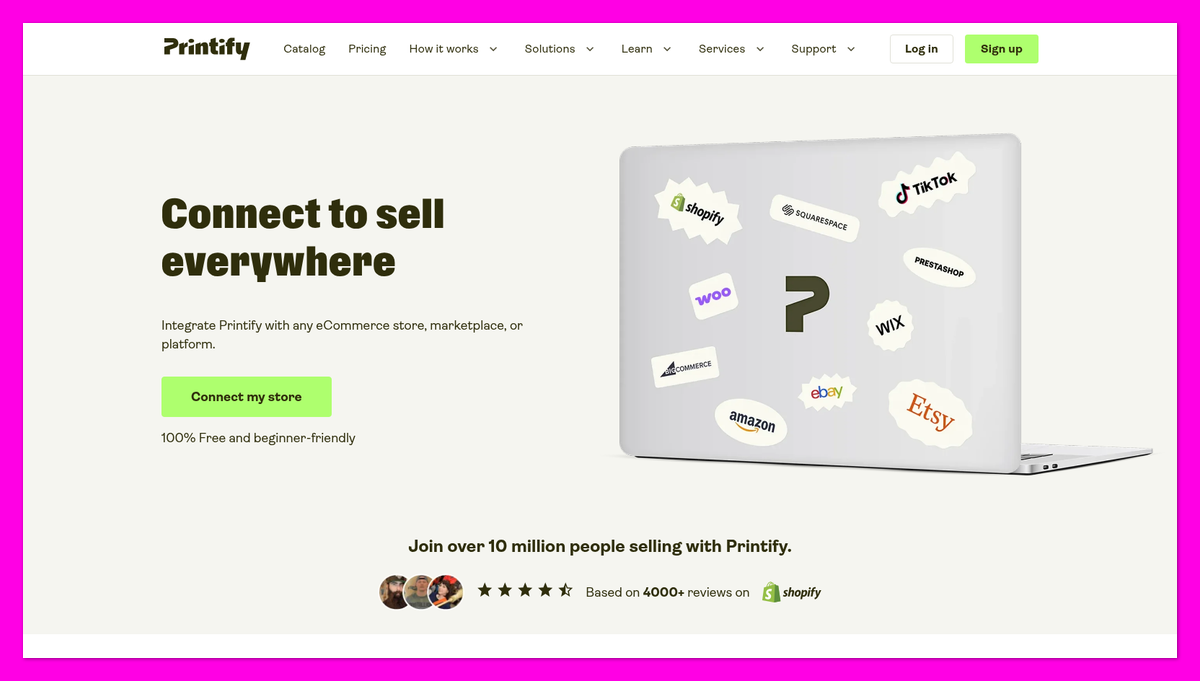
Printify’s 11 integrations cover:
- Shopify, Etsy, TikTok Shop, eBay and Amazon
- Squarespace, Wix and WooCommerce
- Big Cartel, PrestaShop and BigCommerce
It also has an API and a free hosted Pop-Up Store, which needs Stripe verification.
With Ninja POD, Shopify is your only storefront as of November 2026. Ninja says it is looking at other platforms, and it has a guide to selling on TikTok Shop through a connected Shopify store.
Still choosing where to sell? Read our Shopify vs Etsy for print on demand comparison.
Shipping Speed and Reach
Ninja POD delivers only to the US and Canada. First-tee shipping costs $6.99 to Alaska, Hawaii or Puerto Rico, and $20 to Canada; sweatshirts cost $15 and $25 respectively.
Most Ninja POD orders ship in 2-4 business days, and there’s no rush shipping. Ninja describes these as estimates, not guarantees.
Most Printify orders ship within 2-7 business days. Express Delivery takes about 2-3 business days, limited to front-print Bella+Canvas 3001 and Gildan 5000 tees in the US, excluding Alaska and Hawaii.
Ninja POD’s standard window is quicker on paper, but only Printify offers an Express option. Printify also routes international orders to a closer provider when the cost is the same or lower.
Targeting Canada? Compare our print-on-demand companies in Canada picks first.
Top Tip 💡
Ninja POD installs customer shipping rates of $7.95 for the contiguous US and $13.99 for Alaska, Hawaii and Puerto Rico. Check these before launch: a single hoodie costs you $7.99 to ship within the contiguous US and $15 to Hawaii.
5. Easiest to Use on Shopify: Printify
The Winner
Printify’s Shopify setup has fewer steps to get wrong
Sign up, connect Shopify and publish from Printify’s Product Creator. Ninja POD’s rebuilt app needs its own login, payment method and automatic fulfillment setting.
When I compared the setup steps for both, I found Printify is the easier start for Shopify beginners. If you haven’t built your store yet, start with our Shopify print-on-demand startup guide.
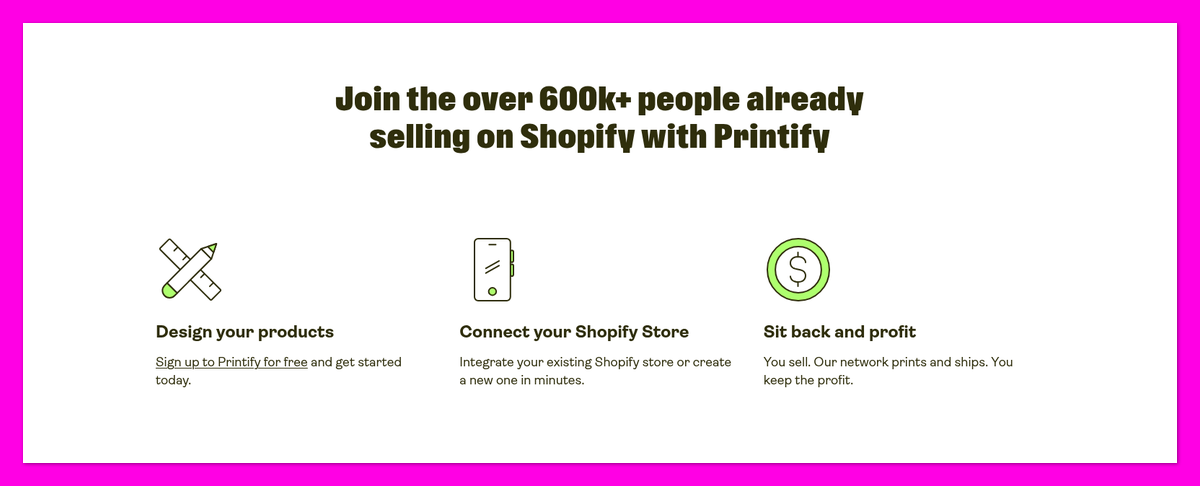
Getting Started With Printify
- Create a free account and connect Shopify.
- Pick a product and provider, or let Printify Choice select a provider per order.
- Add your design in Product Creator, including extra print areas.
- Set your retail price and publish to your store.
Getting Started With Ninja Print on Demand
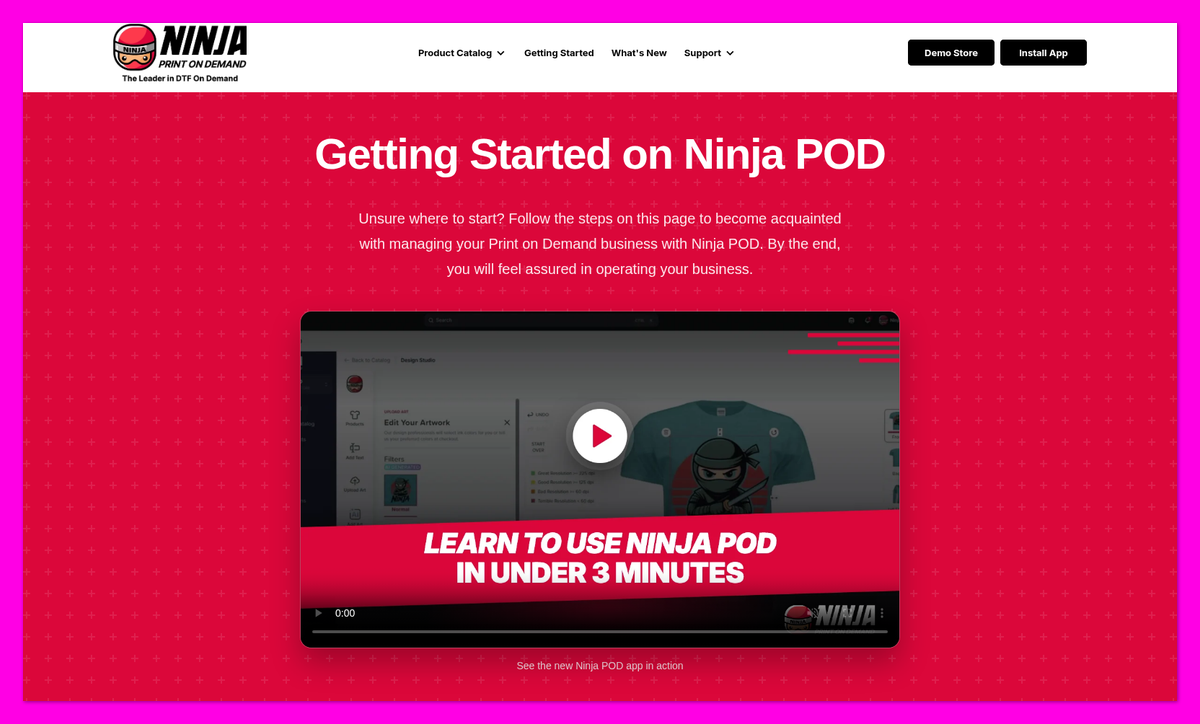
Ninja POD rebuilt its app in July 2026 as a separate platform with its own login. Support for the old app ended on September 17, 2026, so older tutorials may show outdated screens.
- Register at app.ninjapod.com and connect Shopify using your .myshopify.com domain.
- Add payment under Settings > Billing. Ninja recommends a card: bank payments can delay orders up to 5 business days.
- Turn on Automatic fulfillment, or use Shopify Flow. Otherwise, orders wait for a fulfillment request.
- Pick a blank, design and publish. Upload a transparent PNG, set variant prices using the profit/margin display, then make the product Active in Shopify.
That third step is easy to miss. A November 2025 one-star review complained about orders shipping weeks late, and Ninja replied that the merchant hadn’t requested fulfillment or turned on automatic fulfillment.
What Happens After Setup?
Neither company offers free samples. Printify charges its regular prices for samples. Ninja POD lets you order one sample per variant from My Products, and charges production, shipping and tax.
Ninja POD charges you when it accepts the fulfillment request. You can’t cancel once production has started, and you can’t edit a design after an order has been placed.
Printify’s optional Order Routing moves an order to another provider when an item is out of stock, up to a maximum extra cost per item that you set.
🎨 What About the Design Tools?
Ninja POD includes:
- AI artwork generation: three options per prompt, with a daily limit
- AI lifestyle mockups
- Automatic background removal
Printify’s Product Creator handles placement and extra print areas. Neither requires separate design software beyond your artwork file; see how to create print-on-demand mockups for product photos.
6. Best for Support and Order Protection: Printify
The Winner
Printify offers 24/7 chat and refunds as well as reprints
Printify reprints or refunds faulty or damaged items reported within 30 days of delivery. Ninja POD offers chat and email, but reprints only.
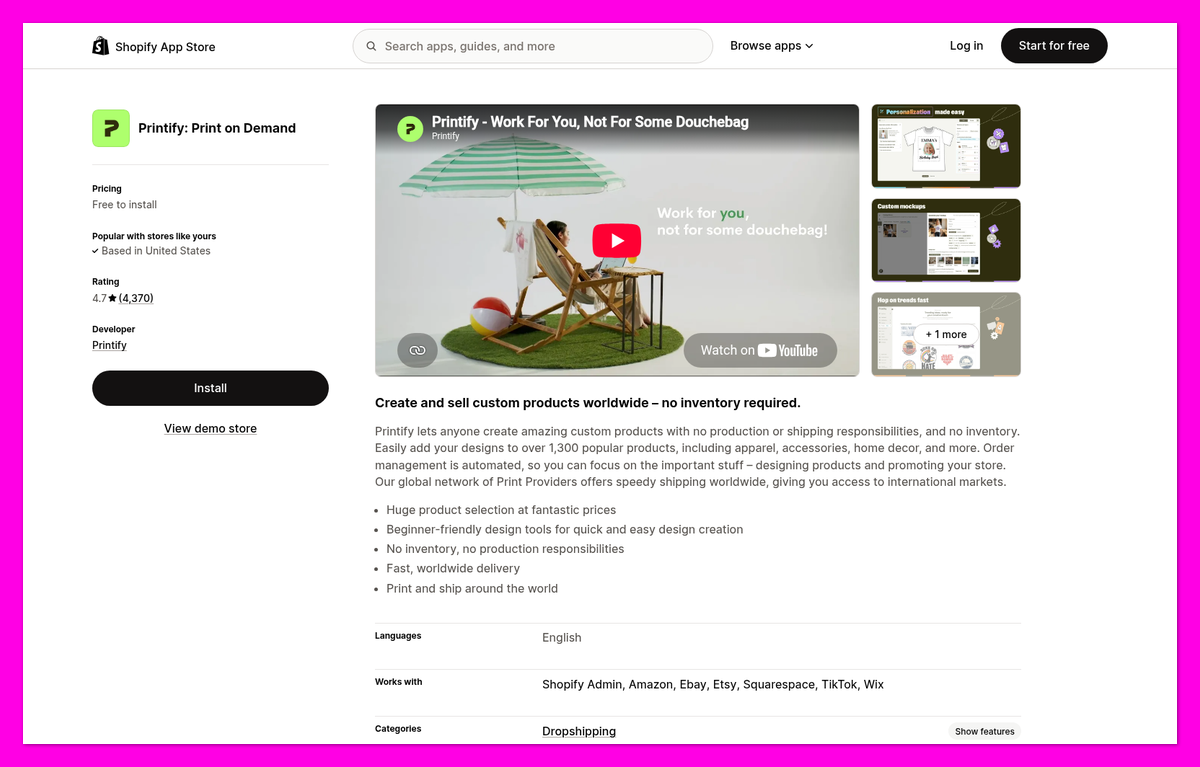
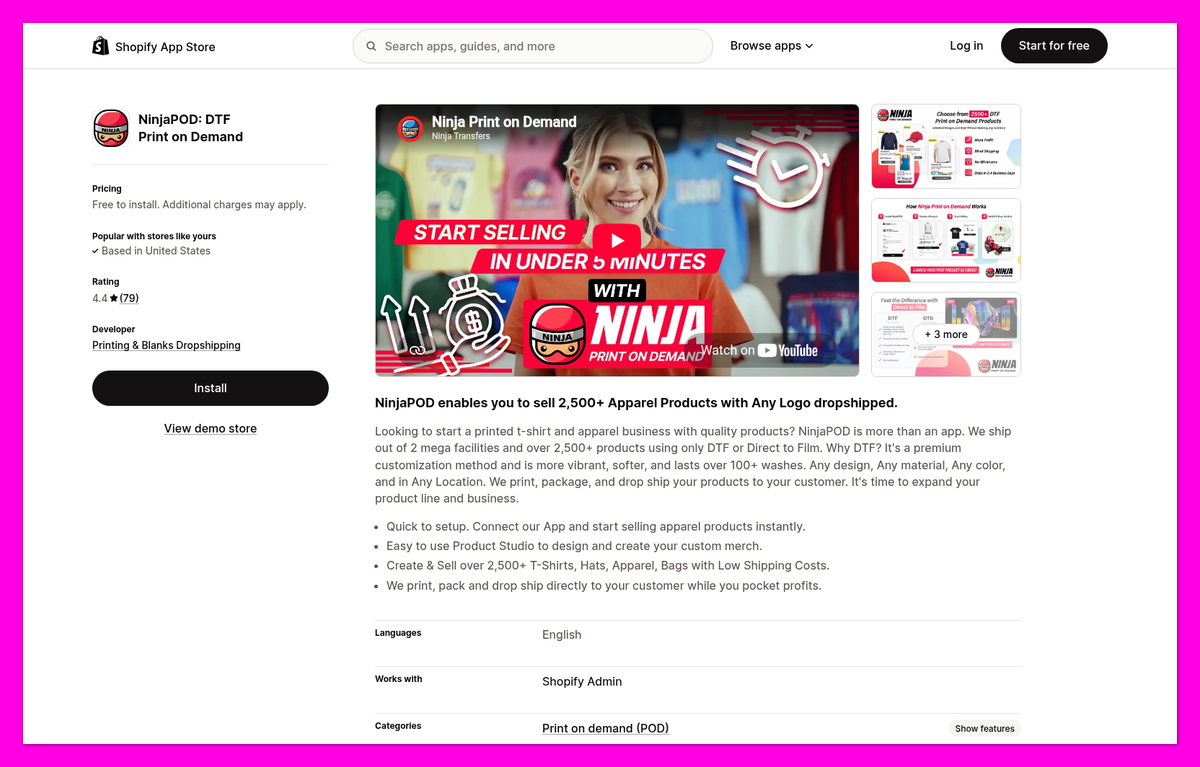
Printify takes the lead for support and order protection. As of November 17, 2026, its Shopify rating is 4.7 from 4,370 reviews, versus Ninja POD’s 4.4 from 79; Printify also scores 4.4 (“Excellent”) from 7,738 Trustpilot reviews.
Printify Support
✔️ 24/7 live chat, starting with a virtual agent and human escalation, plus a contact form
✔️ Free reprint or refund for faulty/damaged items reported with photos within 30 days of delivery
✔️ Merchant Protection refunds the full order to your Printify account within 1 business day if a reprint also goes wrong
✔️ Premium’s Printify Connect handles eligible order issues for you
❌ Wrong addresses, buyer’s remorse, incorrect size choices and low-resolution files aren’t covered
❌ Lost orders have their own reporting deadline, and some merchants say they were refused a reprint or refund after missing it
❌ Trustpilot feedback mentions generic replies, long production times and out-of-stock variants, and an August 2026 one-star Shopify review reported unsold products being deleted
Ninja Print on Demand Support
✔️ Live chat inside the app, plus email
✔️ Free reprints for print-quality problems reported within 30 days of receipt, and packages lost in transit
✔️ Five-star reviews praise quick fixes, and Ninja POD replies to most negative reviews
❌ No refunds or exchanges: refunding your customer doesn’t recover your supplier payment
❌ Phone support belongs to parent Ninja Transfers, not Ninja POD; its support hours aren’t published
❌ Returned-to-sender packages are held 30 days, then discarded; you must reorder
❌ A January 2026 one-star review reported inventory-sync problems and three support messages that went unanswered
How We Test Print-on-Demand Companies
Pricing carries the most weight for budget-conscious Shopify sellers. I scored both suppliers across seven areas:
- Pricing and Value: 30%
- We compare blanks, subscriptions, shipping, extra print locations and order totals.
- Print Quality and Consistency: 15%
- We assess methods, routing, artwork limits and merchant feedback.
- Product Range: 15%
- We compare catalogs, printing methods and branding.
- Support and Order Protection: 15%
- We check contact channels, refunds and reprints.
- Ease of Use on Shopify: 10%
- We compare Shopify setup steps.
- Sales Channels and Shipping: 10%
- We check integrations, destinations and shipping speed.
- Reputation: 5%
- We review Shopify App Store and Trustpilot ratings.
I compared both companies’ pricing, product and policy pages, their Shopify App Store listings and merchant reviews on November 17, 2026, and I did not place test orders. That’s why this comparison doesn’t judge print feel or wash durability, and why I recommend ordering samples before you commit.
Ninja Print on Demand vs Printify: Our Winner
For most Shopify beginners, Printify is the better print-on-demand company. It won four of my six rounds: product range, sales channels and shipping reach, Shopify setup, and support and order protection. Its 11 channels, worldwide delivery and refund option give your store more room to grow.
Ninja POD is the better pick for a US-only Shopify apparel store that wants low blank prices without a monthly plan, and bold DTF prints. It beat Printify’s Free plan on all five blanks I checked and prints every order in-house. Just remember that faulty orders get reprints, not refunds. If neither fits, our best Printify alternatives list covers more options.
While Printify is our top choice overall, I recommend ordering a sample of your bestselling design from both and comparing the print and your total cost per order before you launch.