Creating professional clothing mockups is one of the most effective ways to bring your designs to life and showcase them to potential customers.
Whether you’re launching a fashion brand, building a print-on-demand store, or just testing out apparel design ideas, mockups help you visualize the final product, all without needing physical samples.
After testing the top platforms and evaluating dozens of tools and workflows, I’ve put together this comprehensive guide to help you find the best mockup creation method for your clothing line. We’ll explore fast mockup tools, bulk options for high-volume sellers, AI-powered design tools, and platform-specific features you can use today.
Let’s start with the key takeaways so you know what to expect.
Key Takeaways
- Use Placeit, Canva, or Kittl if you need fast, professional mockups without Photoshop.
- For print-on-demand sellers, it’s best to use your provider’s built-in mockup tools (Printful, Printify, or Gelato) to ensure accuracy.
- If you need to generate mockups in bulk, look into Photopea or Dynamic Mockups for automation.
- AI mockup tools like Canva’s one-click generator and Gelato Magic Mockups can save time while still producing realistic results.
- Focus on the end-use: product pages, ads, social media, or catalogs. Each use case benefits from different types of mockups.
1. Understand the Role of Clothing Mockups
Before diving into tools and processes, it’s important to understand why mockups matter. A mockup is a visual representation of how your design will look on a product, usually shown in a realistic setting or on a flat lay. You can use mockups to:
- Present clothing designs in a polished, professional format.
- Generate product photos for your online store without manufacturing samples.
- Build marketing assets for social media or email campaigns.
- Test different color and layout combinations quickly and affordably.
- Showcase your designs to clients or partners before committing to production.
Without mockups, your only alternative is to produce physical samples, photograph them manually, and edit them, which can be time-consuming and expensive. Using the right digital tools lets you skip this step while still creating high-quality visuals.
Mockups also play an essential role in customer decision-making. Online shoppers often hesitate to purchase clothing they can’t visualize wearing.
Mockups give your product pages context and personality, helping buyers picture how the garment looks in everyday settings. This reduces uncertainty and increases conversion rates, especially for newer brands without large-scale customer reviews.
For designers, mockups are more than just visuals, they’re tools for refining and testing ideas. Being able to preview how a design looks on different garments, in various colors and fits, can reveal layout issues or design clashes before any money is spent on inventory or production.
That level of insight is invaluable, especially when working with limited budgets or rapid production cycles.
2. Choose a Mockup Creation Method That Matches Your Needs
The best mockup tool depends on your specific needs. For example, if you’re a solo creator building a Shopify store, you’ll need a different setup than a team automating product images for hundreds of designs.
Here’s a quick breakdown of the main types of mockup tools available in 2026:
| Type of Tool | Best For | Example Platforms |
|---|---|---|
| Online Generators | Fast, no-editing visuals | Placeit, Canva, Kittl |
| POD-Specific Tools | Print accuracy and catalog consistency | Printful, Printify, Gelato |
| Bulk & Automation Tools | Scaling up for 50+ SKUs | Photopea, Dynamic Mockups |
| AI Mockup Tools | Speed, variety, and marketing visuals | Canva AI, Gelato Magic Mockups |
We’ll go into each category in detail below.
Each of these options comes with trade-offs between speed, customization, cost, and technical skill required. Online generators are great for solo creators, while automated tools are more suitable for growing teams or large inventories.
It’s also worth considering the format of your final images, whether you need PNGs with transparent backgrounds, lifestyle shots with models, or high-resolution exports for print marketing.
Before you commit to any one tool, it’s smart to identify where your mockups will be used. For example, mockups for product listings on Etsy may not require the same quality or complexity as images used in high-end marketing campaigns.
Matching the right tool to your business model and design volume will save time and reduce friction in your workflow.
3. Use Online Mockup Generators for Speed and Simplicity
If you want quick results without needing to open Photoshop or mess with design files, browser-based mockup generators are your best friend. These tools are designed for creators who want high-quality visuals fast, with little or no design experience required.
Placeit by Envato
Placeit is one of the most popular mockup platforms for a reason. It offers thousands of ready-to-use templates for clothing items including t-shirts, hoodies, tank tops, and hats, all set in lifestyle scenes or studio environments.
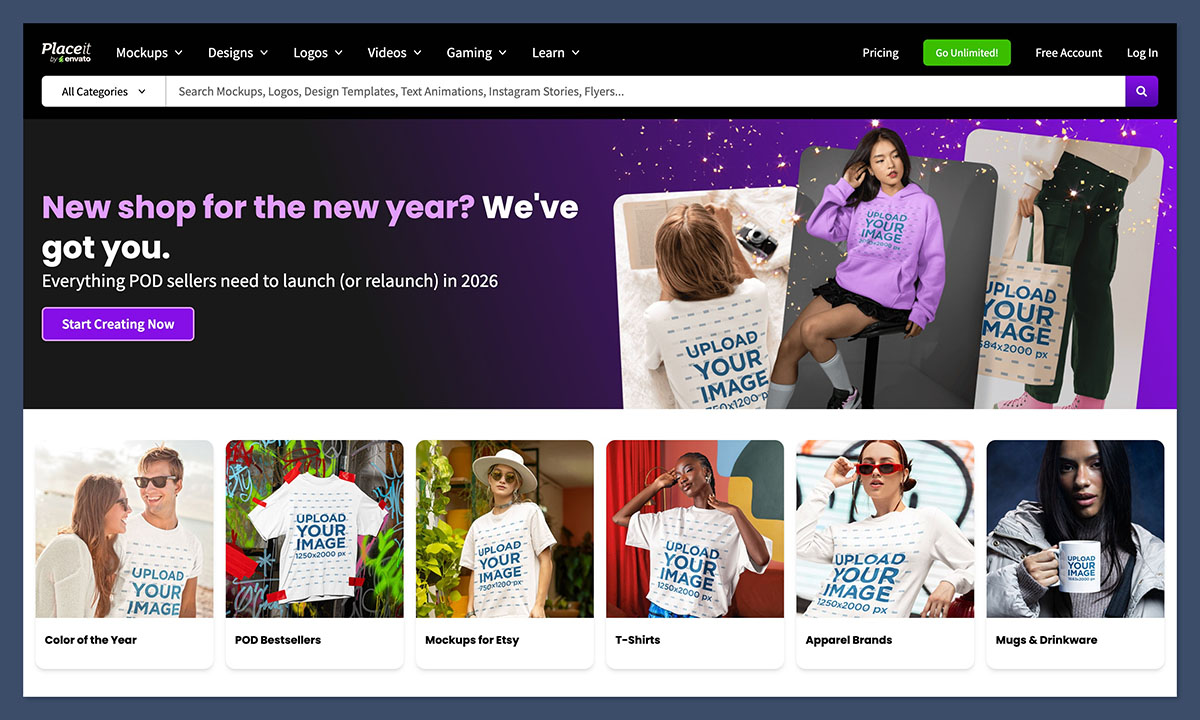
- Pricing: $14.95/month or $89.69/year (unlimited use)
- Strengths:
- Realistic lifestyle images that look professionally shot
- Easy drag-and-drop interface for placing designs
- Also supports video mockups and branding assets
Placeit’s lifestyle mockups are particularly effective for product pages, social media ads, and promotional emails. They remove the need for a photo shoot while still giving you that “real model” look.
One of Placeit’s biggest advantages is variety, with thousands of scene styles, backgrounds, and model types, you can tailor each mockup to your target audience.
Whether you’re designing streetwear for Gen Z or custom polos for corporate merch, you’ll find templates that match the tone and context of your brand. This helps maintain visual consistency across your site and campaigns.
It’s also worth noting that Placeit includes video mockups, which can be a powerful asset on platforms like Instagram Reels, TikTok, and product pages. Video previews help set expectations around fit, movement, and material, all things that static images can’t always capture.
Canva Mockups (and AI Mockup Generator)
Canva’s mockup feature is built into its design editor, making it easy to place your design on a t-shirt or hoodie while you’re creating social media content or website banners.
- Pricing: Included with Canva Pro ($12.99/month)
- Strengths:
- AI mockup generator available for one-click results
- Streamlined workflow for branding consistency
- Works across mobile and desktop apps
If you’re already using Canva for content creation, the mockup tool lets you stay within the same ecosystem, which can save you time and help you keep everything visually aligned.
Canva’s biggest selling point is its ease of use. Everything is accessible from a single interface, with drag-and-drop controls and built-in templates designed for non-designers.
If you’re updating product shots and building social media posts at the same time, being able to switch between mockup creation and post design in one tab can significantly speed up your workflow.
The AI-powered mockup generator is especially useful for bulk content or promotional campaigns. You upload your design, select your mockup category, and Canva applies your art to the scene automatically, complete with lighting and positioning.
It’s not perfect for highly detailed customization, but it works very well for general marketing visuals and consistent branding.
Kittl Mockups
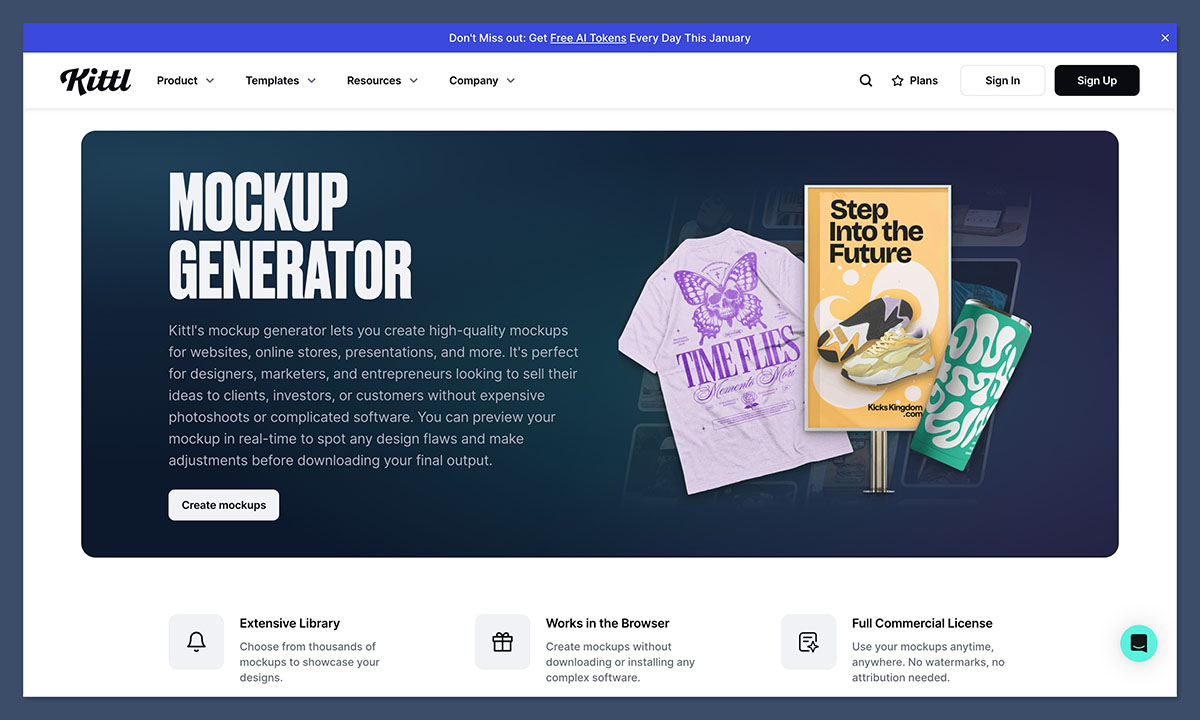
Kittl is a relatively new tool focused on the merch design process. You can create your t-shirt design from scratch, then instantly preview it on various mockups.
- Pricing: From $10/month (Kittl Pro)
- Strengths:
- Great for t-shirt workflows from design to mockup
- High-quality templates and fonts included
- Good for creators starting with nothing but an idea
For those designing merch for bands, creators, or streetwear brands, Kittl’s all-in-one environment can save hours per design.
What sets Kittl apart is its balance between creativity and practicality. Unlike Placeit or Canva, Kittl emphasizes graphic design and typography from the start, meaning you can experiment with text treatments, vector shapes, and complex layouts before exporting to a mockup.
This is particularly helpful if your product relies on detailed design work or hand-drawn aesthetics.
Kittl also includes extensive font libraries and design elements tailored for apparel, so you don’t have to search for assets elsewhere. Once your design is complete, transferring it to a t-shirt, hoodie, or tote bag mockup takes just one click, helping you streamline the entire creative process in one dashboard.
4. Choose POD-Specific Tools for Print Accuracy
If you’re selling via a print-on-demand platform like Printful, Printify, or Gelato, using their mockup generators is a smart move. These tools align perfectly with their product catalogs, which means you’ll avoid issues like misaligned prints or mismatched colors.
Printful Mockup Generator
Printful includes a free mockup generator inside its product dashboard. It supports hundreds of garment types and offers both flat lay and lifestyle mockups.
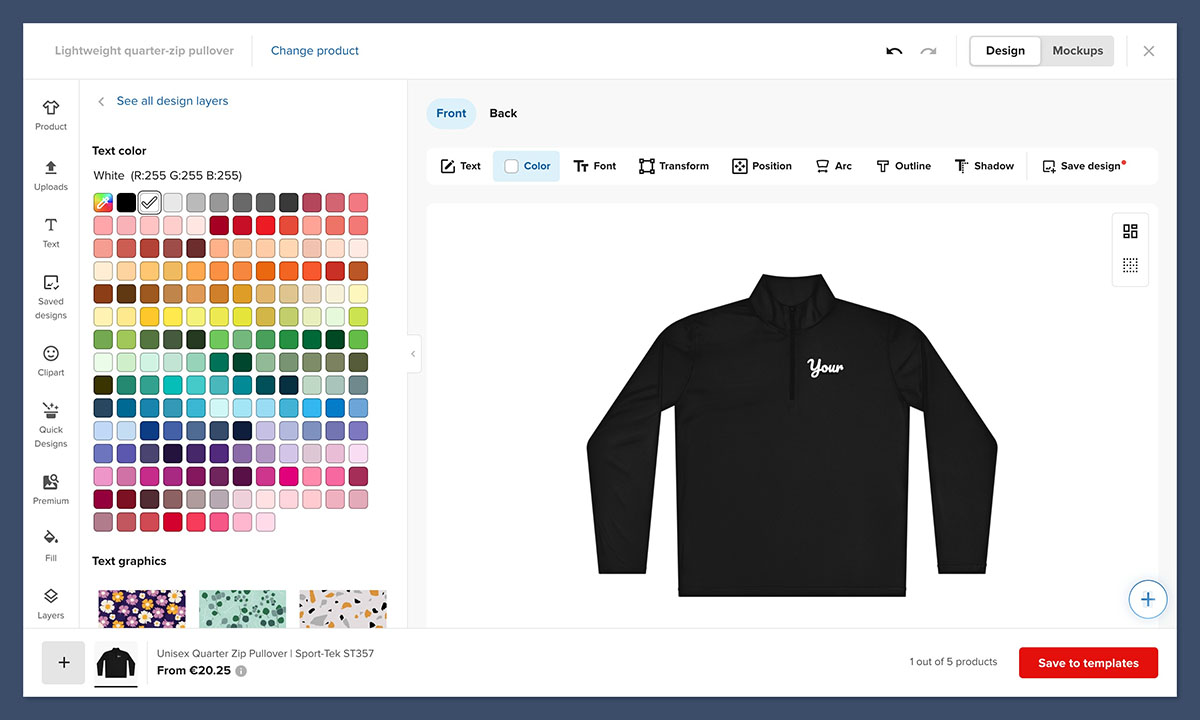
- Pricing: Free to use with a Printful account
- Strengths:
- Accurate to Printful’s print area specs
- Direct integration with Shopify, Etsy, and other stores
- Consistent branding across all product listings
This is ideal if you’re launching or growing a POD store and want to streamline the process of adding new products.
Printful’s templates closely match the physical product’s actual appearance and dimensions, which can help reduce disputes or customer complaints after fulfillment.
Since these mockups are automatically generated based on the garment and print file you select, there’s minimal setup involved, a big plus for first-time sellers or small teams.
Additionally, if you’re managing multiple storefronts, Printful’s integration tools can auto-publish your products with mockups already attached, saving you hours of manual uploads. It’s a seamless experience designed to help you grow without extra overhead.
Printify Mockup Creator
Printify’s mockup tool is similar to Printful’s, though some mockups are less varied. You can preview your design, select colorways, and download mockups directly from the product editor.
- Pricing: Free with signup
- Strengths:
- Fast and easy to use
- Includes tools to publish to marketplaces like Etsy
- Templates are product-specific, so there’s less room for error
If you’re adding 10-20 designs at once, this workflow will help you stay consistent while saving time.
One of Printify’s advantages is the ability to work with multiple print providers for the same product. When you upload your design and generate mockups, you’re doing so within the constraints of the specific provider’s print file, ensuring that your designs fit as intended and reducing unexpected changes between production batches.
This makes it particularly helpful for sellers with tight margins or varied catalogs. Whether you’re creating tees, hoodies, or mugs, the visual output is tailored to the actual product, which helps set correct expectations for your customers.
5. Use Bulk and Automation Tools for Scaling Up
If you’re managing dozens or even hundreds of designs, manual mockup creation won’t be sustainable. That’s where bulk tools and automated mockup generation come in.
Photopea for PSD Bulk Mockups
Photopea is a free online editor that mimics Photoshop’s core functionality. It supports PSD templates with smart objects and includes a feature for batch processing mockups.
- Pricing: Free (ad-supported)
- Strengths:
- Supports PSD mockups with smart object layers
- Automates batch mockup generation
- Browser-based, no installation required
If you’re comfortable working with PSD files, this tool is a game-changer. You can generate hundreds of mockups in minutes without opening Photoshop.
It’s especially helpful for agencies, freelancers, or brands that work with standardized PSD templates. You can prepare one or two templates for each product line, import a list of design files, and export final mockups all at once. This makes it much easier to handle large seasonal drops or test variations at scale.
Because Photopea runs in the browser, it’s also highly portable. Whether you’re working from a shared office or using a Chromebook, you can access the full design workflow without installing software, a major convenience for remote teams.
Dynamic Mockups (Shopify App)
Dynamic Mockups is built for automation at scale. It integrates with Shopify and allows you to generate personalized product images and mockups automatically via API or the app dashboard.
- Pricing: Free plan available; Paid plan starts at $19/month
- Strengths:
- Shopify integration for seamless publishing
- Supports live personalization and dynamic content
- Good for agencies or high-volume sellers
This platform is especially useful if you’re managing multiple product variants and want to eliminate manual design tasks.
Dynamic Mockups works well if you’re selling customizable products or need to support personalization. You can configure templates to auto-generate variations based on user input or product options.
For example, a single template can produce 20+ variants in seconds, each with the correct name, color, or size displayed on the garment.
The API support also enables deeper integration with your Shopify backend, which helps automate everything from image generation to product updates and seasonal refreshes. It’s ideal for advanced sellers who want full control with minimal time investment.
Final Thoughts
Mockups are one of the most powerful tools for any clothing brand, whether you’re just starting or looking to scale. From generating first impressions to improving product page performance, your visuals often determine whether someone clicks “Buy” or moves on.
By choosing the right tool, whether it’s a simple drag-and-drop editor like Canva, a print-on-demand platform like Printful, or a bulk automation solution like Dynamic Mockups, you can save time, reduce costs, and bring your designs to life in the most effective way possible.



