After reviewing 17 AI tools across the print-on-demand workflow, I can tell you there’s no single tool that does it all. Each one handles a different job, from creating the artwork to writing the listing, so the right pick depends on where your workflow gets stuck.
That said, a few tools stand out. Ideogram is my top pick for generating designs, with readable text in images, 4K output and editable SVG from $15/month billed yearly. Vectorizer.AI turns flat artwork into print-ready vectors for $9.99/month, and Printful’s free AI tools cover mockups and auto-upscaling if you already fulfill through Printful.
For type-heavy tees, Kittl is the stronger editor. For listings and niche research, Alura and EverBee both have free plans, and Canva Free is the easiest place to start with no budget.
In this guide, I’ll walk you through the best AI tools for print on demand by job, with the key features, pricing and drawbacks of each, so you can build the right stack for your store.
- Ideogram is my top pick for designs, with 4K output, editable SVG and a Print on Demand Studio, and it allows commercial use of what you generate.
- Across my nine picks, annual-billing paid plans range from $7.99 to $69/month, from Alura Basic to EverBee Business.
- Six picks have free plans: Kittl, Printful, Dynamic Mockups, Alura, EverBee and Canva. Kittl’s is personal-use-only.
- Pure AI art isn’t copyrightable in the US, and Etsy requires AI disclosure and a clear creative role.
- Choose Printful’s free tools for built-in AI mockups and auto-upscaling.
At Bootstrapping Ecommerce, I weight print-ready output (30%) and POD workflow fit (25%) highest, followed by pricing (15%), ease of use (15%), commercial rights and IP safety (10%), and reputation (5%).
Each pick covers one job, so you can avoid paying for overlapping subscriptions. You can read more about my methodology below.
AI Tools for Print on Demand Comparison Chart
Take a look at my top three picks side by side to see which one fits your print-on-demand workflow:
Best Overall

Ideogram
See pricing Visit Ideogram →$15-$42 per month billed yearly
Credits from 1 cent each
- Legible text in AI images
- 4K output and SVG export
- POD Studio from research to mockup
Best for vectors

Vectorizer.AI
See pricing Visit Vectorizer.AI →$9.99 per month
Unlimited web use
- SVG, PDF, EPS, DXF and PNG output
- Unlimited web plan
- Free preview before paying
Best free POD AI
Printful
See pricing Visit Printful →$0 with a Printful account
You pay per order
- Free AI mockups
- Auto-upscale for print files
- Shopify Sidekick extension
1. Ideogram: Best Overall AI Tool for Print on Demand
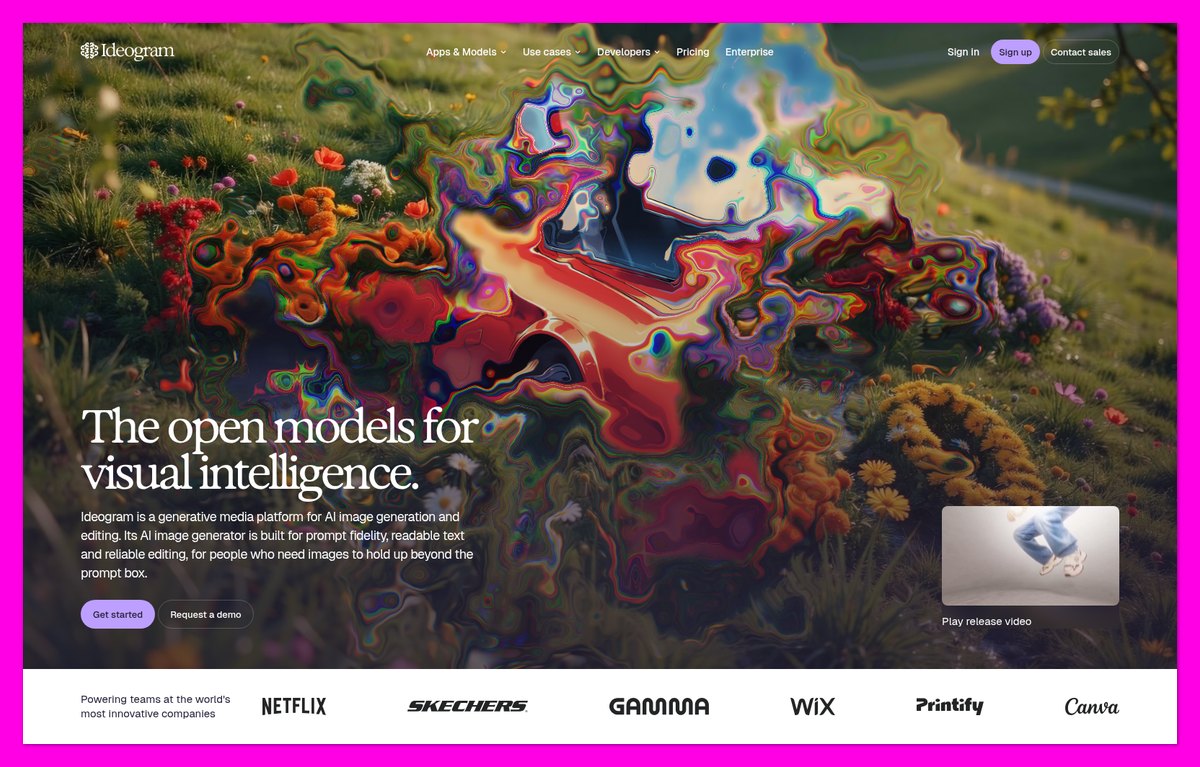
Ideogram is my top pick: it renders readable lettering inside images, outputs up to 4K, makes editable SVG through Vector 1 and adds a Print on Demand Studio for mockups and print prep.
- Pro: Legible text in AI images
- Pro: 4K output and SVG export
- Pro: POD Studio from research to mockup
- Con: No free subscription plan
- Con: 4K still needs upscaling for full-front tees
- Best for
- AI art generation
- Free plan
- No, pay-as-you-go credits
- Commercial use
- Allowed, Ideogram claims no ownership
- Output
- Up to 4K, editable SVG
- Ideogram pricing: $15 to $42/month billed annually for Plus and Pro; pay-as-you-go credits cost 1 cent each.
- Commercial use: Ideogram doesn’t claim ownership and permits commercial use.
- More generators: Read our ranking of the best AI art generators for print on demand.
Ideogram earns my top spot because it renders lettering inside images, outputs up to 4K and makes editable SVG through Vector 1. Its Print on Demand Studio then covers research, background removal, upscaling, mockups and print preparation in one place.
This is my only pure-generator slot, and the linked ranking covers the alternatives. If your designs are mostly type, Kittl (#6) is the better editor to finish them in.
Pros
- Text-rendering focus: a strong fit for slogan-led designs.
- 4K and SVG output: generate vectors or convert existing images.
- POD Studio: connects research with editing, mockups and print preparation.
Cons
- No free subscription listed: pay-as-you-go credits are the entry option.
- 4K isn’t full-front tee size: 4500 x 5400 pixels still requires enlargement.
- Slower queues: generation slows after priority credits run out.
What’s new with Ideogram?
Ideogram 4.6 is the current model, while Vector 1 launched in October 2026 with editable SVG generation. Print on Demand Studio arrived in November 2026, combining artwork generation and product preparation.
Why use Ideogram for print on demand in 2027?
A 1024 x 1024-pixel image falls far short of a full-front tee’s requirements. Ideogram starts at up to 4K, while Vector 1’s SVG paths scale without raster pixel limits. Use POD design trends to guide original concepts, not copy bestsellers.
My Ideogram review notes
POD Studio follows a four-stage workflow:
- Design: start from a prompt or reference.
- Refine: use Precise Edit, remove backgrounds, upscale or resize.
- Product Mockup: preview the design on merchandise.
- Prepare for Print: finish the production file.
Its Bestsellers search surfaces Amazon products by keyword before you design. I’d use the integrated preparation tools before adding separate vectorizing or mockup subscriptions.
How much does Ideogram cost?
Start with Plus unless batch generation justifies Pro.
| Plan | Monthly price (billed annually) | Monthly price (billed monthly) | Key limit | Commercial use |
|---|---|---|---|---|
| Pay as you go | n/a | 1 cent/credit | No monthly allowance | Yes |
| Plus | $15 ($180/year) | $20 | 2,400 priority credits; unlimited slow credits | Yes |
| Pro | $42 ($504/year) | $60 | 7,500 priority credits; batch generation | Yes |
| Team | $20/user ($240/year) | $30/user | 3,600 priority credits/user | Yes |
2. Vectorizer.AI: Best for Print-Ready Vector Files
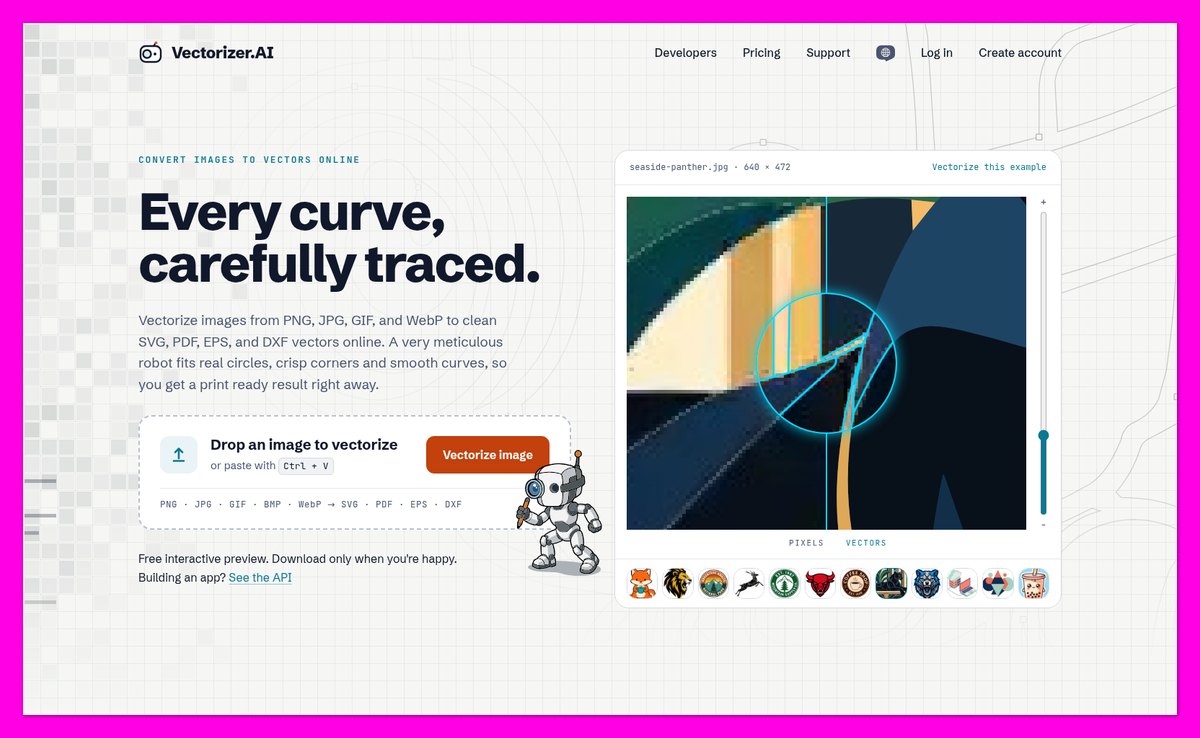
Vectorizer.AI turns flat AI artwork into scalable paths that stay sharp at a 15 x 18-inch print size, with unlimited web use for one monthly price.
- Pro: SVG, PDF, EPS, DXF and PNG output
- Pro: Unlimited web plan
- Pro: Free preview before paying
- Con: No free downloads
- Con: No annual discount
- Best for
- Print-ready vectors
- Free plan
- No, free preview only
- Formats
- SVG, PDF, EPS, DXF, PNG
- Billing
- Monthly, cancel anytime
- Vectorizer.AI pricing: $9.99/month for unlimited web use, cancel anytime.
- Print-ready output: SVG, PDF, EPS, DXF and PNG.
- Free option: interactive previews; downloading your results requires a subscription.
Vectorizer.AI is my pick for scalable print files from flat AI artwork. A clean trace turns raster graphics into paths that remain sharp at a 15 x 18-inch print size. For flat graphics or lettering, I’d vectorize before paying for extra upscaling.
Pros
- Five export formats: useful beyond a single editor.
- Unlimited web uploads and downloads for $9.99/month.
- Free previews: inspect the trace before subscribing.
Cons
- No free downloads of your converted artwork.
- Monthly billing only: no annual discount.
- Complex artwork needs cleanup, especially gradients and photographic details.
What’s new with Vectorizer.AI?
Pricing separates the unlimited Web App from metered API plans ranging from 50 to 100,000 credits. For a solo seller uploading files manually, I’d choose the web subscription.
Why use Vectorizer.AI for print on demand in 2027?
Typing 300 into a DPI box doesn’t add pixels. Vector paths avoid that limitation for flat artwork, although you still need the correct dimensions when exporting a PNG.
For complex art, I’d upscale small images before tracing, but skip unnecessary enlargement when a file already meets the product’s pixel requirements. Vectorizing doesn’t remove the need to inspect the result.
My Vectorizer.AI review notes
Vectorizer.AI provides curve-type and file-version controls to match your next editing step. Inspect lettering and overlapping shapes in the free preview rather than assuming every trace is production-ready.
Kittl and Ideogram already offer vector tools; I’d add this subscription for artwork from multiple sources or EPS/DXF exports. API credits roll over up to five times the monthly allowance, separate from unlimited web billing.
How much does Vectorizer.AI cost?
Choose Web App for manual uploads; API credits cover automated processing.
| Plan | Price | Billing | Key limit |
|---|---|---|---|
| Web App | $9.99/month | Monthly, cancel anytime | Unlimited uploads/downloads; no API |
| API 50 credits | $9.99/month | Monthly | One credit/image; rollover up to 5x |
3. Printful AI Tools: Best Free AI Built Into a POD Platform
Printful’s AI tools are free with an account: AI mockups that leave your artwork untouched, auto-upscaling in the Design Maker and a new Shopify Sidekick extension.
- Pro: Free AI mockups
- Pro: Auto-upscale for print files
- Pro: Shopify Sidekick extension
- Con: Modest DPI upscaling
- Con: Works only with Printful
- Best for
- Free built-in POD AI
- Free plan
- Yes
- AI mockups
- 10 attempts a day, select apparel
- File guidance
- 150 to 300 DPI
- Printful AI tools pricing: $0 with an account.
- AI features: mockups, Design Maker auto-upscaling, Smart Image Tool and Shopify Sidekick integration.
- Platform details: Read our Printful review.
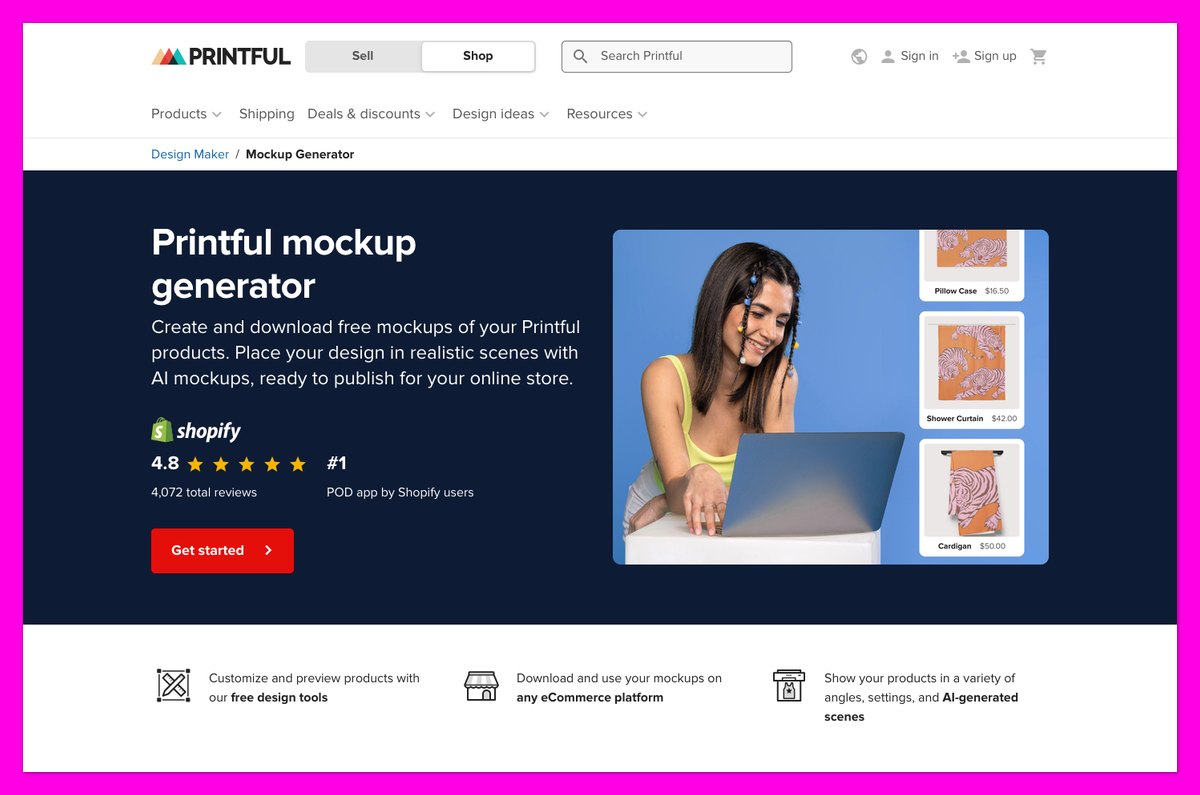
Printful is my free platform-AI pick because its mockups generate scenes while leaving uploaded artwork untouched. Design Maker also auto-upscales graphics that almost meet print requirements, although it won’t rescue every tiny file. If you fulfill through Printful, use these before buying another subscription.
Pros
- Free AI scenes: model-based or isolated-product mockups preserve your artwork.
- Automatic upscaling: helps near-ready files meet requirements.
- Sidekick integration: turns an idea into a product through Shopify conversation.
Cons
- Modest enhancement: Printful’s 60-to-120-DPI example remains below 150 DPI.
- Select apparel only for AI mockups.
- Printful catalog restriction: not a platform-independent toolkit.
What’s new with Printful AI tools?
Printful announced its Shopify Sidekick extension on November 16, 2026. Its free mockup generator includes an AI Mockups tab, while Printful Embed extends its offering to partner platforms.
Why use Printful AI tools for print on demand in 2027?
Printful recommends 150 to 300 DPI, with 300 for mugs and small detailed products, plus transparent PNG for DTG.
Runner-up Printify offers a free image generator; Premium adds 25 daily AI mockup attempts and up to 20% catalog discounts. Its terms leave infringement responsibility with you, as covered in our Printify review.
My Printful AI tools review notes
Choose With model or Isolated product, adjust the scene, then use Regenerate for another variation. With 10 attempts daily, I’d plan scenes before repeatedly regenerating.
The file library accepts 200 MB and 20,000 x 20,000 pixels. Use Save As rather than Save for Web, alongside our guide to making mockup designs for clothes.
How much do Printful AI tools cost?
Printful’s tools are free; Printify reserves AI mockups for Premium.
| Plan | Monthly price (billed annually) | Monthly price (billed monthly) | AI features | Key limit |
|---|---|---|---|---|
| Printful AI tools | $0 | $0 | Mockups, auto-upscale, Smart Image Tool | 10 mockup attempts/day; select apparel |
| Printify Free | $0 | $0 | Image generator | No AI mockups or discounts |
| Printify Premium | $24.99 ($299/year) | $39 | Generator and AI mockups | 25 attempts/day; up to 20% off catalog |
4. Topaz Gigapixel: Best for Upscaling AI Art to 300 DPI

Topaz Gigapixel is the upscaler I’d choose for regular production, with unlimited local and cloud rendering and models built for lettering and illustrations.
- Pro: Unlimited local and cloud upscaling
- Pro: Models for text, shapes and art
- Pro: Flat $149/year
- Con: Commercial use capped at $1M revenue
- Con: No free plan
- Best for
- Upscaling to 300 DPI
- Free plan
- No
- Commercial use
- Under $1M annual revenue
- Rendering
- Unlimited, local and cloud
- Topaz Gigapixel pricing: $29/month or $149/year for Personal.
- Commercial use: organizations under $1 million USD annual revenue.
- Cloud alternative: Let’s Enhance offers watermarked free output; Starter costs $9/month billed yearly.
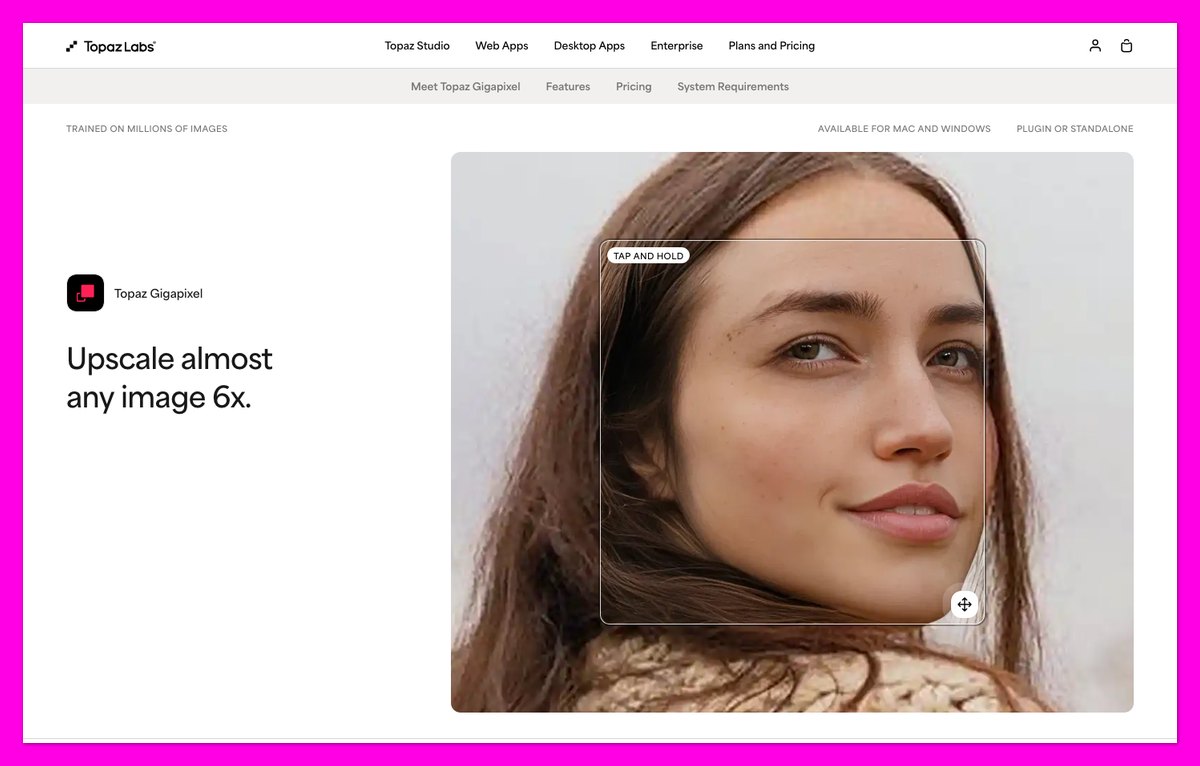
Topaz Gigapixel is the AI upscaler for print on demand I’d choose for regular production, with unlimited local and cloud rendering. Dedicated models cover lettering and illustrations. I’d choose it for dozens of designs a month; for occasional files, use Let’s Enhance’s credit allowance instead.
Pros
- Unlimited rendering: local and cloud processing together.
- Specialized models: including Text & Shapes and Art & CG.
- $149/year flat price: easier to budget at volume.
Cons
- Revenue restriction: commercial use requires annual revenue under $1 million.
- No free plan for ongoing use.
- Monthly billing is pricey: $29/month adds up to far more than the $149 yearly plan.
What’s new with Topaz Gigapixel?
The November 2026 model lineup includes Wonder 3.5 and High Fidelity 3, alongside Recover 3 and Face Recovery 3. I’d select by artwork type, not simply choose the newest model.
Why use Topaz Gigapixel for print on demand in 2027?
Printify calculates pixels as print inches multiplied by 300: 4500 x 5400 for a 15 x 18-inch tee, or 2550 x 1050 for its 8.5 x 3.5-inch mug-wrap example. Make pixel checks part of POD quality control, rather than changing the DPI label.
My Topaz Gigapixel review notes
I’d start with Text & Shapes for lettering and Art & CG for illustrations. Personal processes two cloud images concurrently; generate at the largest original size because enlargement cannot recover genuine detail that wasn’t there.
Let’s Enhance uses one credit per image. Starter supplies 100 monthly credits and background removal, making it the browser option I’d choose when a fixed allowance covers the catalog.
How much does Topaz Gigapixel cost?
Annual Topaz billing suits sustained use; Let’s Enhance caps processing by credits.
| Plan | Price billed annually | Price billed monthly | Key limit |
|---|---|---|---|
| Topaz Personal | $149/year | $29/month | Unlimited rendering; commercial use under $1M revenue |
| Let’s Enhance Free | $0 | $0 | 8 MP; watermark |
| Starter | $9/month | $12/month | 100 credits; 256 MP |
| Pro | $24/month | $32/month | 300 credits; 350 MP |
| Max | $34/month | $45/month | 500 credits; 512 MP |
5. Dynamic Mockups: Best for Bulk Mockups

Dynamic Mockups is my mockup pick for growing catalogs: Pro combines bulk generation, unlimited batch export, print-ready files and Shopify and Etsy integrations.
- Pro: Watermark-free exports on Free
- Pro: Unlimited batch export on Pro
- Pro: Daily free AI mockups
- Con: AI mockups use 5 to 15 credits
- Con: Few user reviews so far
- Best for
- Bulk mockups
- Free plan
- Yes, 50 one-time credits
- Pro credits
- 3,600 a year
- Integrations
- Shopify and Etsy on Pro
- Dynamic Mockups pricing: Free or Pro, advertised at $15/month and billed $182/year.
- Free allowance: 50 one-time credits, watermark-free web exports, three AI images and one AI video daily.
- Listing guidance: Read our guide to creating print-on-demand mockups.
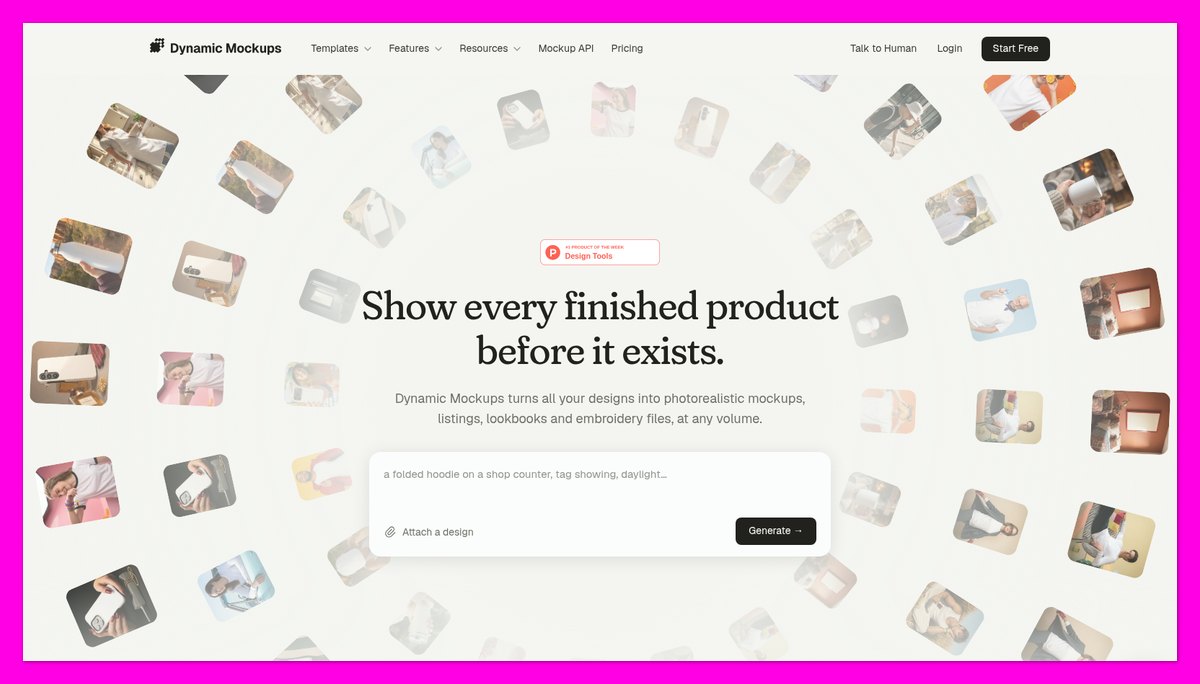
Dynamic Mockups is my AI mockup generator pick for growing catalogs because Pro combines bulk generation, unlimited batch export and Shopify/Etsy integrations. Placeit costs less at $7.47/month billed yearly ($89.69/year) for unlimited mockup downloads, so I’d pick it if you only need a handful of listing images. Choose Dynamic Mockups when catalog-wide variants become the bottleneck.
Pros
- Watermark-free web exports on the free tier.
- Pro production workflow: batch export, print-ready files and store integrations.
- MockAnything AI: builds lifestyle scenes around designs.
Cons
- Five to 15 credits per AI mockup after daily freebies.
- Free API renders are watermarked, with no print-ready files.
- Trustpilot score of 2.6/5, although the review sample is small.
What’s new with Dynamic Mockups?
Dynamic Mockups added Stitch, which turns AI artwork into embroidery files, during 2026. Lookbooks and an API Playground also joined the offering, extending it beyond individual listing images.
Why use Dynamic Mockups for print on demand in 2027?
Etsy’s October 2026 rules require an unedited real-item photo on most listings, but POD production-partner sellers can retain authorized mockups. I’d prioritize consistent product presentation across variants over dramatic AI backgrounds that distract from the print.
My Dynamic Mockups review notes
Free supports batches of up to five variations. Pro adds color and design variants, plus unlimited catalogs and templates, so upgrade for repeated catalog work rather than isolated images.
Daily free AI generations are used before paid credits. Pro supplies 3,600 credits yearly, with top-ups at $0.051 per credit; budget against the five-to-15-credit generation cost.
How much does Dynamic Mockups cost?
Use Free to evaluate exports before committing to the annual Pro plan.
| Plan | Price (billed annually) | Credits | Key features |
|---|---|---|---|
| Free | $0 | 50 once; 3 AI images and 1 video/day | Watermark-free web exports; 1 catalog; 3 templates |
| Pro | $15/month ($182/year) | 3,600/year; $0.051 top-ups | Unlimited batches; print-ready files; Shopify/Etsy integrations |
6. Kittl: Best for POD Design and Typography
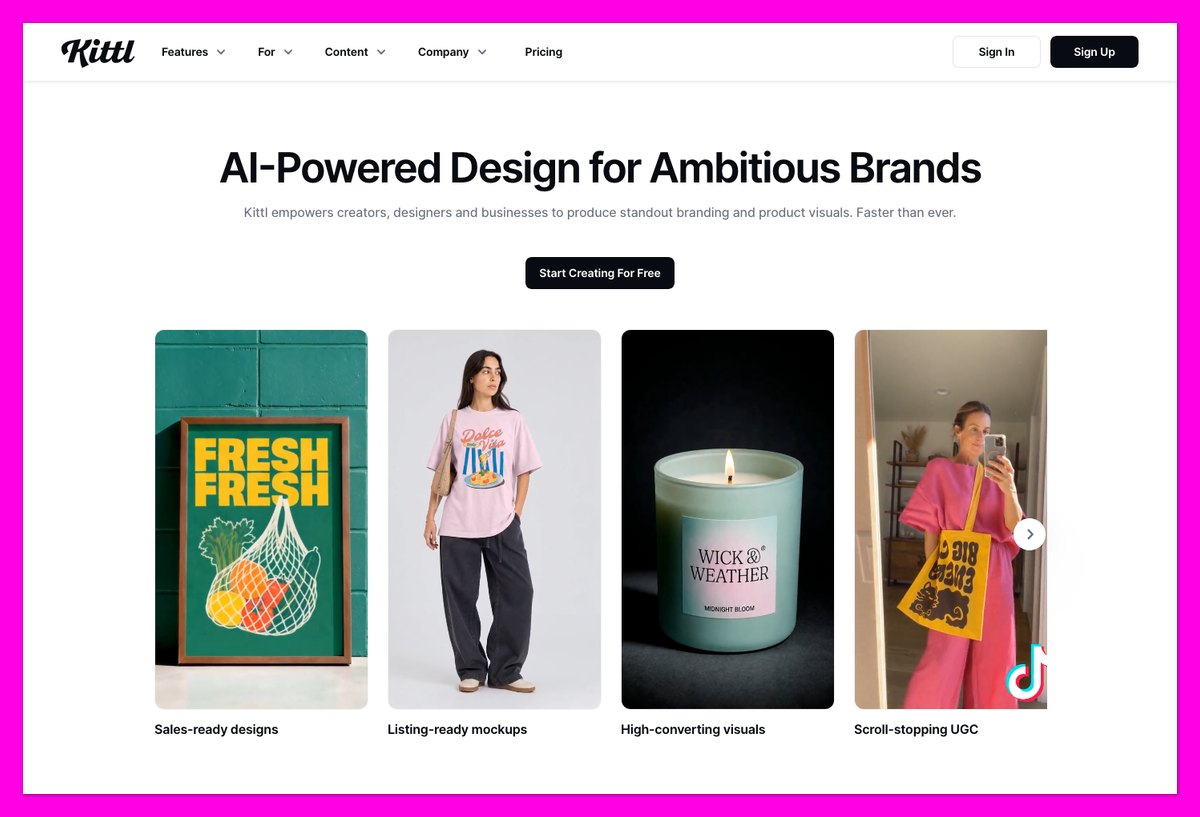
Kittl is my pick for typography-led designs: its type-first editor suits text-led tees and bundles AI generation, vectorizing, upscaling and background removal.
- Pro: All AI design tools in one editor
- Pro: Commercial license up to 500,000 copies on Pro
- Pro: Built-in vectorizer and upscaler
- Con: Free plan is personal use only
- Con: AI tokens don't roll over
- Best for
- Design and typography
- Free plan
- Yes, personal use only
- Commercial use
- Pro and Expert, up to 500,000 copies
- Print-ready tools
- Upscaler, vectorizer, background remover
- Kittl pricing: $0 to $65/month; Pro costs $12/month billed yearly.
- Commercial use: Pro and Expert cover up to 500,000 copies; Free is personal-use-only.
- Print-ready output: AI upscaling, vectorizing, vector generation and background removal, with high-resolution and vector exports on paid plans.
Kittl is my pick for typography-led designs because its typography-first editor suits text-led tees, then layers AI generation and file preparation on top. The catch: the Free plan doesn’t cover merchandise, so budget for Pro before you sell anything.
It’s best for tee and sticker sellers who want one editor. If you only need raw artwork, skip it and start with Ideogram instead.
Pros
- All-in-one editing: image and vector generation, vectorizing, upscaling and background removal.
- Merchandise license: up to 500,000 copies from $12/month billed yearly.
- Typography-first templates: suited to text-led t-shirts.
Cons
- Free means personal use, not products you sell.
- AI tokens expire: unused monthly tokens don’t roll over.
- Max costs $65/month with either billing schedule.
What’s new with Kittl?
Kittl’s AI Creative Suite includes Creative Agent and MCP access, alongside AI Vector Generator and Marketing Studio. Kittl Flows creates variations without restarting your design and has been part of its workflow since mid-2025.
Why use Kittl for print on demand in 2027?
Printify’s 15 x 18-inch tee example requires 4500 x 5400 pixels at 300 DPI. Start with that canvas when creating print-on-demand designs, rather than fixing dimensions later. Among AI design tools for print on demand, Kittl combines that workflow with editable typography.
My Kittl review notes
Kittl’s Tools sidebar groups its image tools, while the vectorizer creates editable paths you can recolor and scale. AI Co-Pilot guides restyling and background removal; I’d prioritize choosing fonts for t-shirt designs over generating more variations.
Compare the final pixel dimensions with your product template before uploading, even after upscaling.
How much does Kittl cost?
I’d start with Pro for commercial rights and production exports.
| Plan | Monthly price (billed annually) | Monthly price (billed monthly) | Key limit | Commercial use |
|---|---|---|---|---|
| Free | $0 | $0 | Limited templates and tools | Personal only |
| Pro | $12 ($144/year) | $15 | Non-rolling AI tokens; high-res and vector exports | Up to 500,000 copies |
| Expert | $26 ($312/year) | $35 | More tokens; top-ups | Up to 500,000 copies |
| Max | $65 ($780/year) | $65 | Team use; top-ups | Enhanced License beyond 500,000 copies |
7. Alura: Best for AI Listing Copy and Etsy SEO
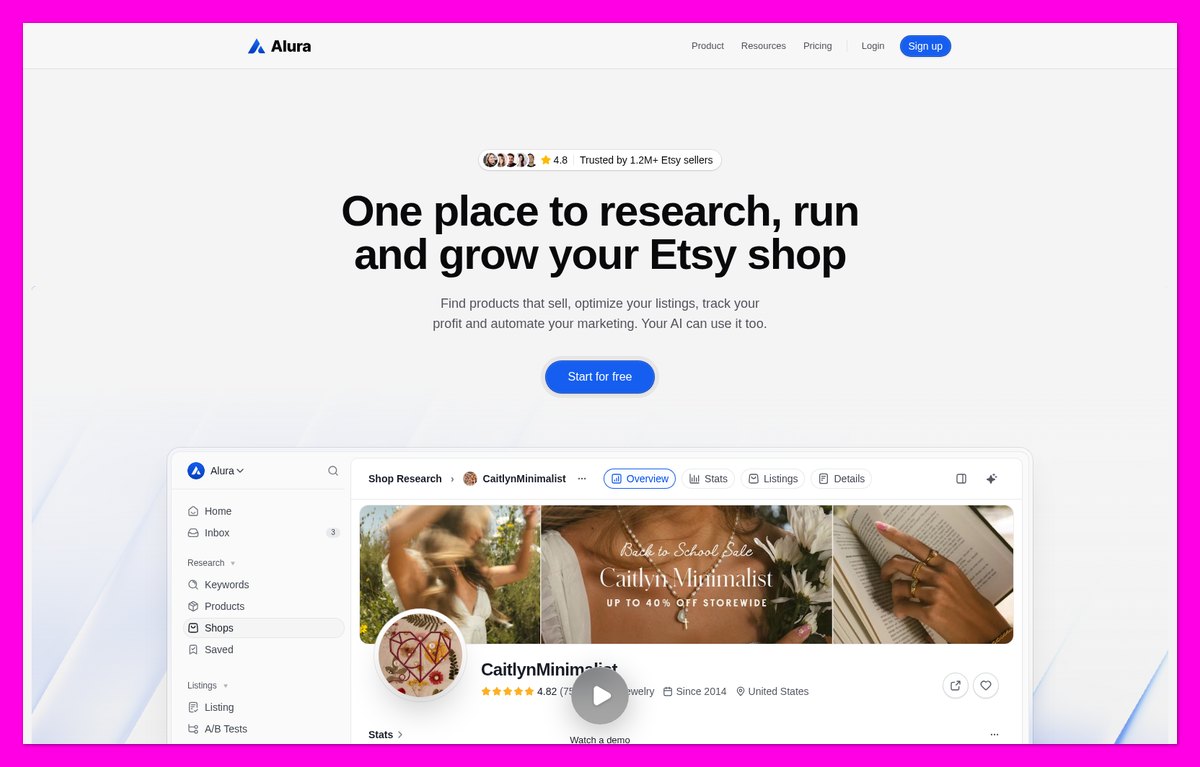
Alura is my pick for Etsy listing copy and SEO, with AI listing optimization on every plan, including Free. Use its drafts as a starting point you edit, not for unattended publishing.
- Pro: AI listing optimization on every plan
- Pro: Etsy keyword research
- Pro: Cheap entry plan
- Con: Some sellers say data feels stale
- Con: Free plan capped at 5 searches a day
- Best for
- AI Etsy listing copy
- Free plan
- Yes, 1,000 starter AI credits
- Paid AI credits
- 2,000 to 8,000 a month
- Budget alternative
- eRank from $5.50/month
- Alura pricing: $0 to $29.99/month billed annually.
- AI credits: 1,000 starter credits free; 2,000 to 8,000 monthly on paid plans.
- Full breakdown: Read our Alura review.
Alura is my pick for Etsy listing copy and SEO, with listing optimization on every plan. Use this AI Etsy listing generator for editable drafts, not unattended publishing. eRank is the cheaper paid SEO alternative, and its free plan includes one AI Listing Helper use daily.
Pros
- AI optimization on every plan, including Free.
- Growth adds advertising tools, A/B testing and CSV export.
- $7.99/month entry plan when billed annually.
Cons
- Stale-data complaints from some sellers.
- Sales figures are estimates, not verified shop accounts.
- Five daily searches on Free.
What’s new with Alura?
Alura now uses an AI-credit system with listing optimization across all tiers. Free receives 1,000 starter credits; paid plans replenish monthly. Don’t mistake starter credits for a recurring allowance.
Why use Alura for print on demand in 2027?
Etsy’s October 2026 rules ban fully automated, bot-generated listings. Edit and approve Alura’s drafts, especially product claims and AI disclosures. For increasing your Etsy sales, I’d pair keyword data with accurate descriptions rather than publish more listings simply because AI makes drafting easier.
My Alura review notes
Upgrade to Basic’s 50 daily searches when Free feels restrictive. Growth adds testing tools; Professional supports multiple shops, but its “unlimited usage” wording doesn’t remove the 8,000-credit monthly AI cap.
eRank gives Free users five keyword lookups daily. Its paid alternatives cost:
- Basic: $5.99/month, or $5.50/month billed yearly.
- Pro: $9.99/month, or $7.92/month billed yearly.
- Expert: $29.99/month, or $22.50/month billed yearly.
How much does Alura cost?
I’d choose Basic before Growth unless you need advertising optimization.
| Plan | Monthly price (billed annually) | Yearly total | AI credits | Key limit |
|---|---|---|---|---|
| Free | $0 | $0 | 1,000 starter | 5 daily searches |
| Basic | $7.99 | $95.88 | 2,000/month | 50 daily searches |
| Growth | $14.99 | $179.99 | 4,000/month | CSV export; Ads optimization; A/B tests |
| Professional | $29.99 | $359.88 | 8,000/month | Unlimited usage; multiple shops |
8. EverBee: Best for POD Niche Research

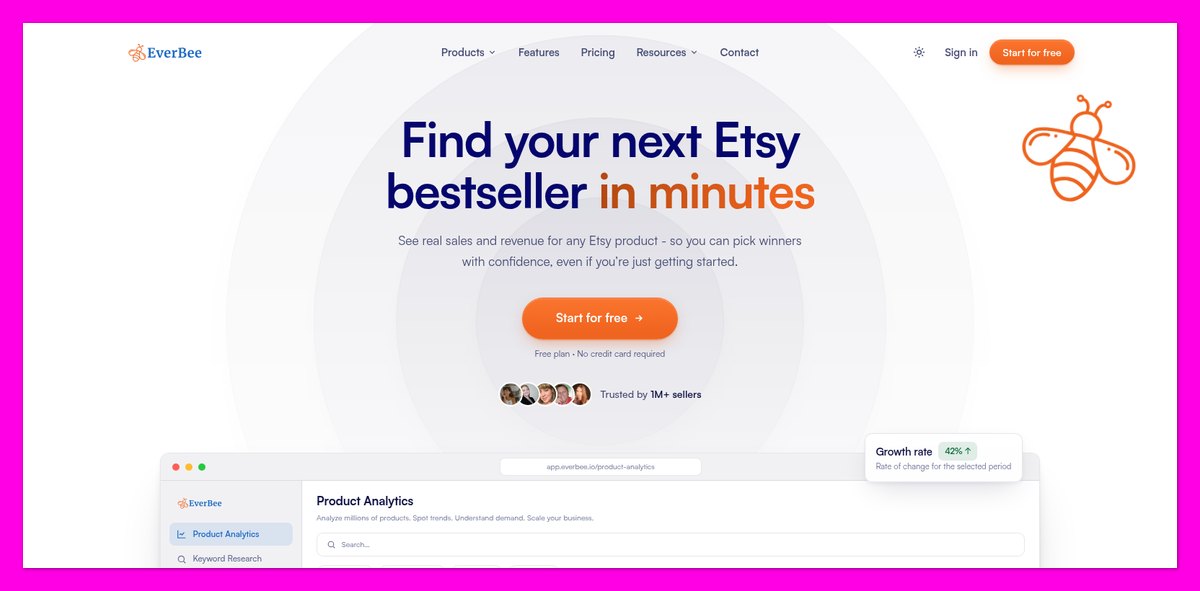
EverBee helps you check Etsy demand before you pay for artwork, with listing-level sales, revenue and conversion-rate estimates and a free Hobby plan.
- Pro: Etsy sales and revenue estimates
- Pro: Free Hobby plan
- Pro: MCP access on Growth
- Con: Estimates drift on low-volume listings
- Con: Annual plans renew automatically
- Best for
- Etsy niche research
- Free plan
- Yes, Hobby
- Growth AI
- 100 AI Actions a month
- Store connections
- 3 on Growth
- EverBee pricing: $0 to $69/month billed annually.
- Free plan: Hobby includes 10 keyword searches and five favorite keywords and shops.
- Etsy data: listing-level sales, revenue and conversion-rate estimates, plus trends and growth rates.
EverBee is my pick for AI-assisted Etsy niche research because Product Analytics helps evaluate demand before you buy artwork. Growth adds keyword scoring, Tag Analyzer and 100 monthly AI Actions. These remain estimates, not proof of future sales; Amazon sellers should consider Helium 10 for Amazon POD instead.
Pros
- Free Hobby plan: useful without committing to an upgrade.
- Listing-level estimates for sales, revenue and conversion rate.
- MCP access on Growth: brings Etsy data into compatible AI assistants.
Cons
- Low-volume estimates can drift, weakening niche comparisons.
- Renewal complaints: some users report no annual-renewal reminder.
- Trustpilot score of 3.0/5, a reason to evaluate before committing.
What’s new with EverBee?
EverBee added MCP access and AI Actions, plus a pay-per-record Research API. Growth includes a monthly AI allowance; Business removes that cap for repeated analysis across more stores.
Why use EverBee for print on demand in 2027?
Research a niche before generating artwork. EverBee provides Etsy demand signals; Ideogram’s Bestsellers search covers Amazon separately. Use a product research system for POD bestsellers to compare opportunities rather than letting one apparently successful listing dictate your catalog.
My EverBee review notes
EverBee’s Product Analytics shows views, reviews and favorites on Hobby, then sales, revenue and conversion rate on paid plans, where Growth also adds the Tag Analyzer. Growth supports three store connections; I’d skip Business’s unlimited connections unless you’re managing that scale.
Treat revenue estimates as direction, not fact. Pair them with broader signals, such as spotting trends early with Exploding Topics, before spending your design budget. A promising estimate isn’t a reason to copy another seller’s design.
How much does EverBee cost?
Start with Hobby; upgrade to Growth for deeper keyword analysis.
| Plan | Monthly price (billed annually) | Yearly total | Key limits |
|---|---|---|---|
| Hobby | $0 | $0 | 10 searches; 5 favorite keywords and shops |
| Growth | $24.99 | $299 | Unlimited keywords; Keyword Score; Tag Analyzer; 100 AI Actions; MCP; 3 stores |
| Business | $69 | $828 | Unlimited AI Actions, stores and custom filters |
9. Canva: Best Free Starting Point for Beginners

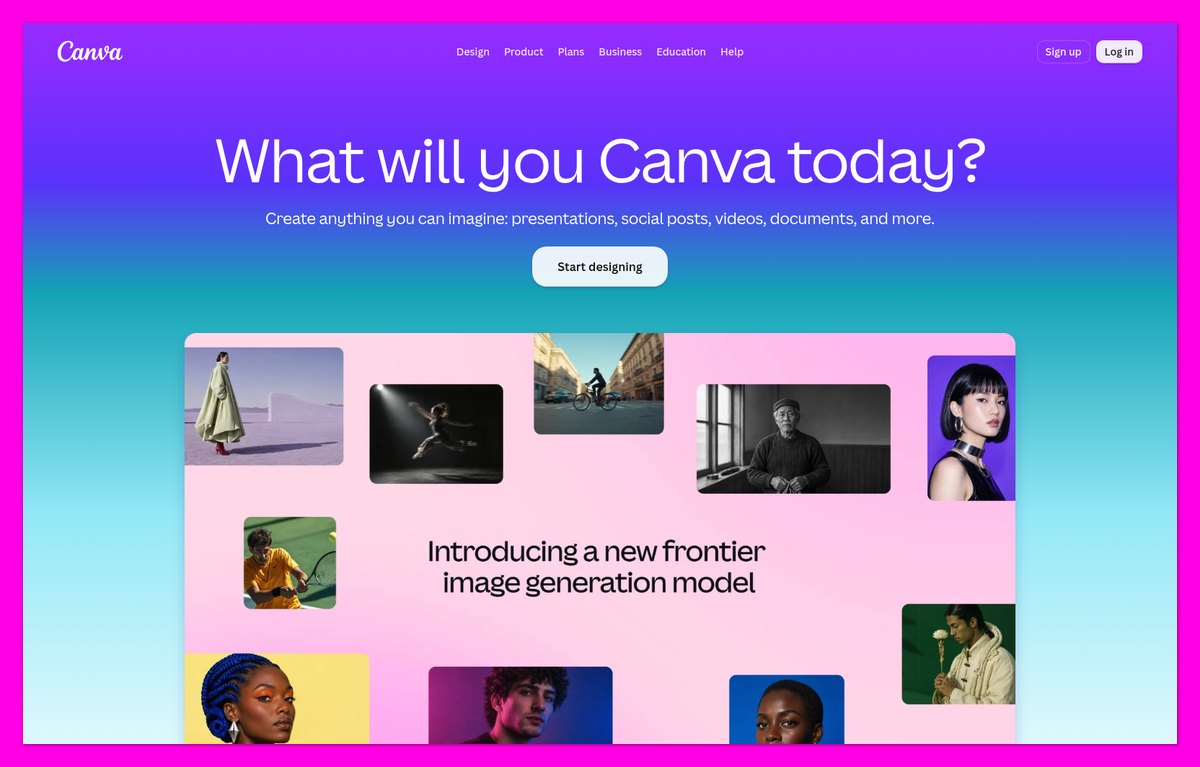
Canva is my free starting point for POD beginners. Pro adds transparent PNG and SVG exports, 10 times Free’s AI allowance and Affinity with AI.
- Pro: Free plan with AI
- Pro: Transparent PNG and SVG on Pro
- Pro: Affinity included
- Con: Super Resolution suits small images
- Con: Disney content can't be sold on merch
- Best for
- Beginners on a budget
- Free plan
- Yes
- Pro exports
- Transparent PNG, SVG
- Templates
- 3.6M+ on Pro
- Canva pricing: Free, Pro at $18/month, or Business at $25/person/month.
- Commercial use: you own your AI output unless it includes Canva’s licensed content, and Disney-themed content can’t go on merchandise.
- Print exports: PDF Print, plus transparent PNG and SVG on Pro.
Canva is my free starting point for POD beginners before specialist subscriptions. Pro adds 10 times Free’s AI allowance, 3.6 million-plus templates and Affinity with AI. I’d use it for your first designs, then move to Kittl once typography becomes your main selling point.
Pros
- Free AI access for initial design work.
- Pro bundles Affinity with AI, templates and five Brand Kits.
- Transparent PNG and SVG exports on Pro.
Cons
- Super Resolution favors small images, not already-large files.
- Key production exports require Pro, including transparent PNG.
- Disney-themed content is off-limits for merchandise.
What’s new with Canva?
Canva promotes “the new Canva AI” and includes free Affinity access. Affinity’s AI tools require Pro, so the free editor doesn’t include its Super Resolution workflow.
Why use Canva for print on demand in 2027?
Canva keeps designs and listing graphics in one editor. If you’re starting a print-on-demand business, use Free to explore a niche before buying specialized software. Budget for Pro when transparent exports become necessary rather than assuming every production feature is free.
My Canva review notes
Affinity’s Image Trace includes Edge Threshold and Curve Fitting Tolerance controls. For small, complex images, upscale before tracing, then inspect the paths and clean up with the pen tool.
Adobe Firefly is another option: Adobe calls output from its own models commercially safe, not partner models from Google or OpenAI. Standard costs $9.99/month for 2,000 credits; a limited free plan is available.
How much does Canva cost?
I’d choose Pro over Business for a solo seller needing production exports.
| Plan | Monthly price (billed monthly) | Key limits |
|---|---|---|
| Free | $0 | Limited Standard/Premium AI; 1 Brand Kit |
| Pro | $18 | 10x Free AI; 5 Brand Kits; 3.6M+ templates; Affinity AI |
| Business | $25/person | 20x Free AI; 100 Brand Kits; 10% off print orders |
How Do I Choose the Right AI Tools for Print on Demand?
Choose one tool per job, not one generator for everything. When evaluating AI for print on demand, check the finished file and license before buying more credits.
- Does it export at print size? A 15 x 18-inch tee needs 4500 x 5400 pixels at 300 DPI.
- Does it give you a transparent PNG or a vector? Printful recommends transparent PNG for DTG.
- Does the license cover products you sell? Kittl Free doesn’t; Canva excludes Disney merchandise.
- Does it connect to your POD platform or store? Start by choosing between Printful, Printify and Gelato.
- What does it cost once the AI credits run out? Kittl’s unused tokens don’t roll over.
- Will the marketplace accept the result? Check creative-role and disclosure requirements.
What’s the cheapest AI stack for print on demand?
Kittl Pro plus Alura Basic costs $19.99/month, both billed yearly. Add eRank Free and Printful’s free tools without increasing that software bill.
Vectorizer.AI brings it to $29.98/month, but Kittl already vectorizes: buy it only for a specific gap. Add Topaz at $149/year when volume justifies it. Canva Free plus Printful’s tools costs $0; starting a POD business also involves costs beyond software.
Can I Sell AI-Generated Designs on Etsy and Amazon?
Etsy permits AI art with a clear seller creative role, under “Designed by,” with AI disclosure rather than handmade claims. Digital Commerce 360 and Value Added Resource report that its October 22, 2026 changes ban AI-generated functional patterns/instructions and fully automated listings.
Most listings need an unedited real-item photo, with authorized-mockup exceptions for POD production partners. Proactive enforcement is planned for early 2027.
The US Copyright Office’s January 29, 2025 report says prompts alone don’t establish copyright. Human selection, arrangement and creative modifications can qualify; the Supreme Court’s March 2, 2026 refusal to review Thaler left the human-authorship requirement standing.
Read Amazon Merch’s content policy inside its logged-in portal before uploading. Third-party IP and celebrity content are off-limits regardless of the tool; review avoiding copyright infringement in POD before publishing.
How We Test and Rank the Best AI Tools for Print on Demand
I compared 17 print on demand AI tools across six workflow jobs using product documentation, pricing, platform file guidelines, tutorials and seller feedback.
For 2027, I use six weighted categories:
- Print-ready output (30%): resolution, transparency and vectors against Printify and Printful requirements.
- POD workflow fit (25%): job coverage and connections to fulfillment platforms or stores.
- Pricing (15%): value, free plans and credit rollover.
- Ease of use (15%): onboarding, templates and manual cleanup.
- Commercial rights and IP safety (10%): merchandise licenses and infringement responsibility.
- Reputation (5%): Trustpilot, G2 and seller feedback.
Ideogram leads for print-ready AI artwork, with 4K output and editable SVG, while Vectorizer.AI and Printful’s free tools complete the top three for scalable files and built-in mockups. Kittl is the stronger editor for type-heavy designs, and Canva is where I’d start with no software budget. Choose by the job blocking your next listing, not ranking alone.
Final Verdict: Which AI Tool for Print on Demand Do I Recommend?
After comparing 17 tools, there’s no single winner for every job, but Ideogram is the tool I’d start with in 2027 for generating print-ready artwork, with 4K output, editable SVG and plans from $15/month billed yearly.
From there, add tools by job: I’d choose Vectorizer.AI for vectors, Printful for built-in tools, Kittl for typography, Alura or eRank for listings, and EverBee for niches. Don’t subscribe to all of them.
Start with one free plan from Canva, Printful, Alura or EverBee Hobby, depending on the job blocking your next listing. Pay only when you can name the specific limit or missing feature the upgrade removes.
FAQs
What resolution do AI designs need for print on demand?
Aim for 300 DPI at print size: Printify’s examples are 4500 x 5400 pixels for a 15 x 18-inch tee and 2550 x 1050 for an 8.5 x 3.5-inch mug wrap. Printful accepts 150 to 300 DPI, with 300 for mugs. Follow each product’s template.
Are AI upscalers worth paying for if Printful has a free one?
Yes, if you regularly need more than Printful’s modest enhancement. Its Smart Image Tool example moves from 60 to 120 DPI, still below 150 DPI. Let’s Enhance supports 256 to 512 MP on paid plans; Topaz offers unlimited rendering for $149/year. For occasional near-ready uploads, start with Printful.
What’s the best free AI tool for print on demand?
Canva Free is my starting design recommendation, paired with Printful’s free mockups and auto-upscaling if you use Printful. Alura, EverBee and eRank offer free listing or research tools. Kittl Free is personal-use-only, so it doesn’t qualify for merchandise, and Canva reserves transparent PNG exports for Pro.
Can I sell Printify’s AI-generated images commercially?
You can use them, but Printify makes you responsible for infringement and provides output as-is without a non-infringement guarantee. Commercial permission doesn’t establish copyright in purely generated artwork. Inspect designs for brands, protected characters and real people before publishing; a successful generation isn’t legal clearance.
Can I copyright a design I made with AI?
Only qualifying human-authored contributions may be protected, such as your drawings, original text, creative arrangement or edits. The US Copyright Office says prompts alone aren’t enough. Keep layered files showing your contributions, and read how to copyright t-shirt designs to distinguish protection from permission to sell.